Hello, everyone.
Today, I'm going to be showing you how to use Motion Graphics templates (mogrts) to make your videos - really, really pop and stand out.
So, this is the clip - that I'm working with.
It's just a flashing video - of me zooming out.
And I want to add some - eye-catching animated titles to the beginning of my video And Premiere Pro makes - this easy with the mogrts.
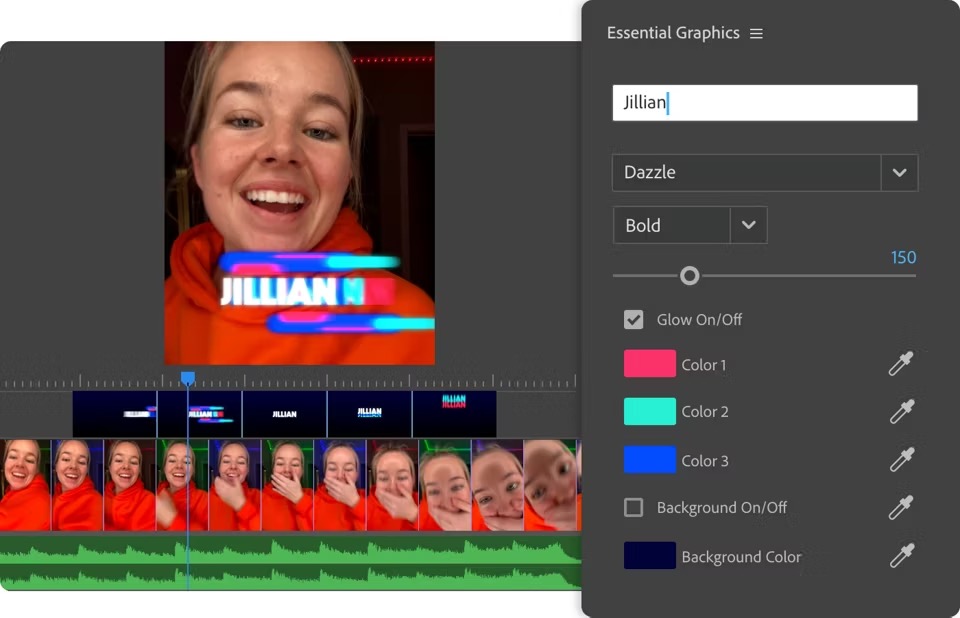
So to get to mogrts, you're going to click on - Window > Essential Graphics.
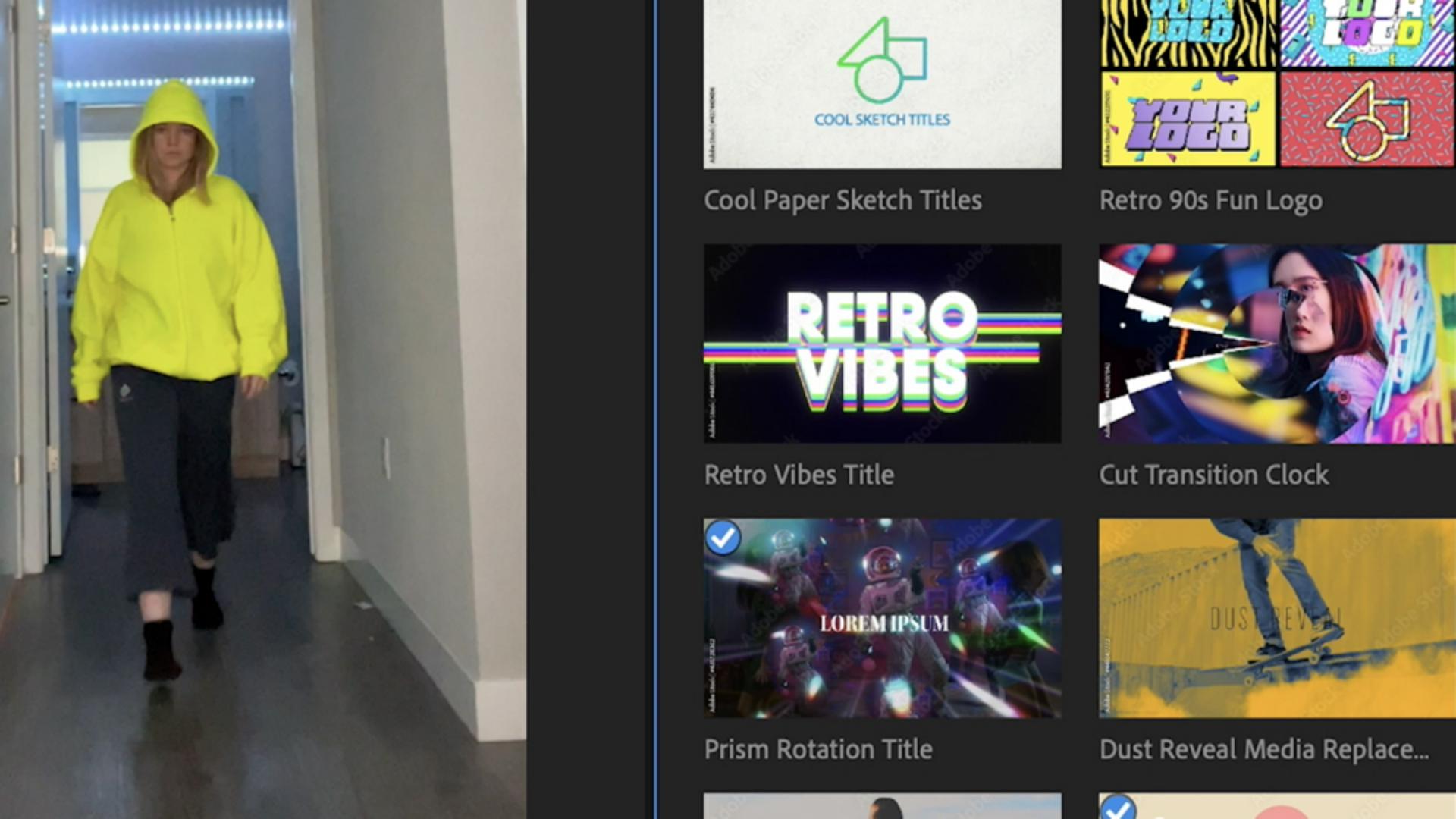
And this is going to take you - to all these amazing different options that Adobe has right here - in their program.
And something really cool about - Premiere Pro is that you can actually move your cursor - over these templates, and it'll give you a playback - of what it would look like.
That's going to save you a lot of time - going through all of them.
So I found this really - interesting template that I like called Fast Movement Response Promo.
So all I'm going to do is - type that in and then drag it on top of the clip - that I'm putting it on.
And to edit it, - just click on the title clip and then that'll take you - to all these different options.
And to change the text you're - just going to click under Titles and then you'll see this dropdown - of all the different titles.
So I'm changing it to - "Are - you - ready" with a question mark at the end.
I also want to get rid - of this background.
So I'm just going to go - under Style Controls and then click Background On/Off - and now remove it.
Okay, so this already looks awesome, - but I want to do one more thing.
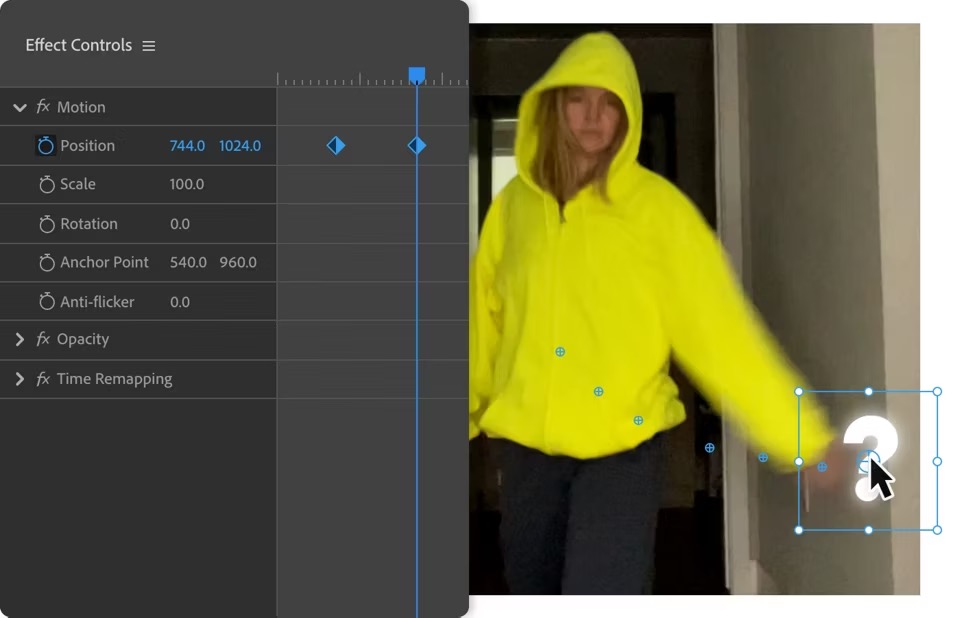
Right here, at this moment, - I want to make it look like my hand swipes - the question mark off the screen.
To do that, I'm going to put my playhead - at the beginning of my swiping motion, and then with my clip selected, - I'll go to Window > Effect Controls.
This will open up - the Effect Controls panel.
And right up here at the top, I'm going - to click the stopwatch next to Position that will drop a keyframe - to the title's current position and let Premiere know - I want to animate it.
So now I'll come down here - to the end of my swiping motion and change the position - by dragging on these values to move the question mark to the right - and down, matching my hand's movement.
I'll move the question mark - until it's completely off the screen.
And now look: Premiere created - a keyframe every time I made a move.
If I play this back and forth, you'll see it animates between - those recorded positions.
So let's watch it.
I really love using mogrts.
They completely change video, - as you can see, and just really give it that mmph!
I definitely recommend - trying this one out.
It's super, super fun. -