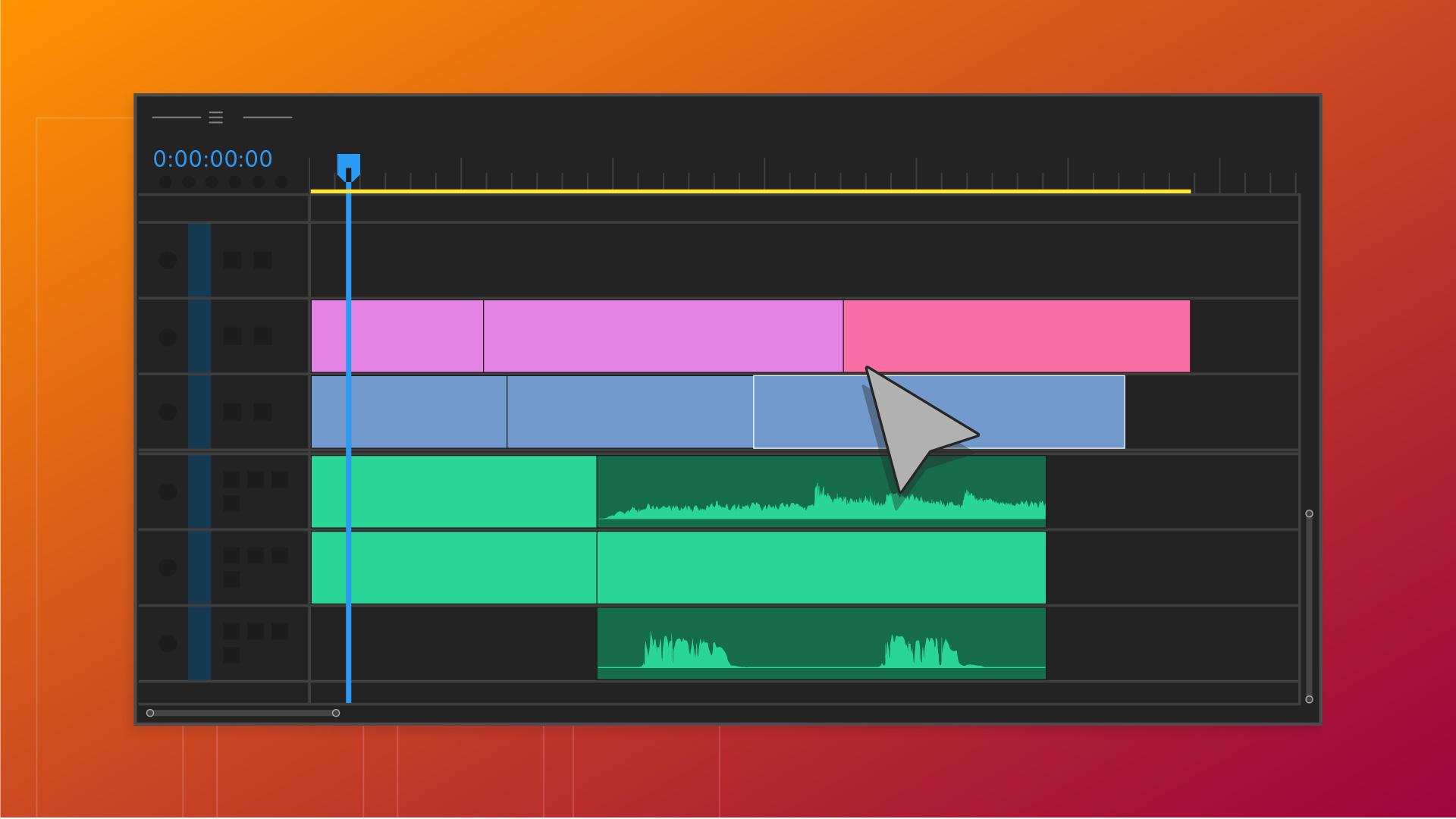
Getting started can feel overwhelming, but this video editing guide has everything you need to edit your first video, learn about top video editing tools in Adobe Premiere, and understand core video editing concepts.
Video Editing Essentials
This series of 7 tutorials will take you through the essentials of basic video editing and have you on your way to completing your first video project.
This first video will show you the basics of the Adobe Premiere workspace and orient you to key surfaces like the Project Panel, Source Monitor, Timeline Panel, and Program Monitor.
Introduction
Hello everyone, I'm Hallease, a filmmaker and storyteller based in Atlanta, Georgia.
Welcome to Adobe Premiere Pro.
Whatever story you are trying to tell, Premiere Pro is the one application you'll need to assemble video clips, add effects, sweeten audio clips, and so much more.
Now, before you can begin crafting your story, you'll want to understand how the interface is set up.
This is what Premiere Pro looks like when you first open a project.
To support you as you create your video project,
Overview of the Premiere Pro interface and panels
the interface is divided into sections called panels, and each panel serves a different purpose during your edit.
Let's start with the Project panel.
Project panel and Source monitor basics
This acts as your media organizer.
It's where imported clips, music, and other elements reside.
If you double click on any of the clips in the Project panel, they'll open in the Source monitor where you can review them more easily.
Some of the controls in the Source monitor should look familiar.
There's a Play and a Stop button and a Timeline that shows progress through the clip as you play it.
The blue line is called the Playhead, and you can drag it back and forth to preview the video quickly.
Once you've identified which of your clips you want to string together into your video,
Building a sequence in the Timeline and viewing it
it's time to add them into a sequence in the Timeline panel.
A sequence is where you'll arrange all of your media into your video project.
Think of it as like where you build out your video.
You can add video clips, music, visual effects, and titles to your sequence.
When your clips and other media are added to the Timeline, you'll be able to watch your sequence in the Program monitor.
Just press Play.
Similar to the Source monitor, your Timeline also has a blue line or Playhead, and as it moves along the Timeline, the exact moment of the sequence is shown in the Program monitor.
Now, because it's so customizable,
Resetting and managing workspaces
sometimes things accidentally get a bit out of order.
For example, you could open the Essential Graphics panel, move the Project panel, or even close the Timeline.
If things ever get too crazy, just go to Window, then Workspaces and Reset to Saved Layout.
It will go right back to where you started.
I have barely scratched the surface of all the panels in Adobe Premiere Pro.
There are many other panels like the Essential Sound panel for Audio editing, and Lumetri Color for color correction and grading, but generally the Project panel, the Source monitor, the Timeline, and the Program monitor are your go tos for every project.
Recap of the four essential panels
So to recap, there are four main panels that you'll use every time you edit a video: The Project panel, which helps you organize and find your media, the Source monitor that shows you a preview of your clips selected from the Project panel, the Timeline panel where you arrange your clips into the story you want to tell, and then finally the Program monitor where you watch it all come together.
In the next video, I'll show you how to import and preview clips.
I'll see you over there.
Continue the series to learn more about importing clips, creating sequences, refining edits, working with title graphics, and mixing audio.
As you learn and practice the basics of video editing, understanding the tools you work with will help you develop your own process. These articles from the Adobe Premiere User Guide will you gain skills with basic video editing tools and capabilities as you work through your projects.
Video editing concepts to help you build your practice
The more you practice your video editing skills, the more you'll develop preferences around style, quality, workflow, and equipment to help you create the video products you're interested in. This list of resources will help you develop deeper domain knowledge around core video editing concepts to help you cultivate your own specific approach to the craft.
You can control how Adobe websites use cookies and similar technologies by making choices below. But note that if you disable cookies and similar technologies entirely, Adobe websites may not function properly.
Cookies are small text files stored by your web browser when you use websites. There are also other technologies that can be used for similar purposes like HTML5 Local Storage and local shared objects, web beacons, and embedded scripts. These technologies help us do things like remembering you and your preferences when you return to our sites, measure how you use the website, conduct market research, and gather information about the ads you see and interact with.
You can make choices in the menu below about what cookies and other technologies you want us to use on Adobe sites when you visit them from this browser. You can always change those choices later by clicking on the Cookie Preferences link at the bottom of the page.
If enabled:
We can improve your experience by tailoring the site and the content to things we think might be of interest
We can better keep track of your preferences — like what language you prefer to use
We will better understand your likely interests so we can provide you more relevant Adobe ads and content on non-Adobe websites and in non-Adobe apps
It will help us improve the performance of our website and those of our partners who use the Adobe Experience Cloud
If disabled:
We won’t be able to remember you from session to session so the experience may not be tailored to your interests
You’ll still have access to the content of the site but certain features that depend on cookies may not function
You’ll still see ads, they just may not be as relevant to you
General information
You can control how Adobe websites use cookies and similar technologies by making choices below. But note that if you disable cookies and similar technologies entirely, Adobe websites may not function properly.
Cookies are small text files stored by your web browser when you use websites. There are also other technologies that can be used for similar purposes like HTML5 Local Storage, web beacons, and embedded scripts. These technologies help us do things like remembering you and your preferences when you return to our sites, measure how you use the website, conduct market research, and gather information about the ads you see and interact with.
You can make choices in the menu below about what cookies and other technologies you want us to use on Adobe sites when you visit them from this browser. You can always change those choices later by clicking on the Cookie Preferences link at the bottom of the page.
If enabled:
We can improve your experience by tailoring the site and the content to things we think might be of interest
We can better keep track of your preferences — like what language you prefer to use
We will better understand your likely interests so we can provide you more relevant Adobe ads and content on non-Adobe websites and in non-Adobe apps
It will help us improve the performance of our website and those of our partners who use the Adobe Experience Cloud
If disabled:
We won’t be able to remember you from session to session so the experience may not be tailored to your interests
We’ll still count your use of our site and services
You’ll still have access to the content of the site but certain features that depend on cookies may not function
You’ll still see ads, they just may not be as relevant to you
Operate the site and core servicesOperate site and measure engagement
Always active
These cookies are required, and they are used to enable the site and related services core functionality. Without them the site could not operate, so they cannot be disabled.
These cookies enable the site and related services’ core functionality and collect statistics about user engagement, such as counting active use to help us understand trends. These cookies cannot be disabled.
Measure performance
These cookies are used to analyze site usage to measure and improve performance. Without them Adobe cannot know what content is most valued and how often unique visitors return to the site, making it hard to improve information we offer to you.
These cookies are used to analyze site usage to measure and improve performance. Without them Adobe cannot know what content is most valued, making it hard to improve information we offer to you.
Extend functionality
These cookies are used to enhance the functionality of Adobe sites such as remembering your settings and preferences to deliver a personalized experience; for example, your username, your repeated visits, preferred language, your country, or any other saved preference.
Personalize advertising
These cookies are used to enable Adobe and our partners to serve ads more relevant to your interests. Without them you will still see ads, but they might not be as relevant to you.
Personalize advertising
These cookies are used to enable Adobe and our partners to serve ads more relevant to your interests. Without them you will still see ads, but they might not be as relevant to you.