Adobe Acrobat

Excel to PDF converter

Drag and drop a Microsoft Excel file (XLSX or XLS) to use our Excel to PDF converter.

Unity (workflow-acrobat)

Free Excel to PDF converter

{{verb-widget-legal}}
Unity (workflow-acrobat)
Over 1M* files uploaded!
Join millions of users who have successfully converted Word documents to PDF using Acrobat.
*Over an 18-24 month period.

How to Convert Excel to PDF Online

It couldn’t be easier to convert Excel files to PDFs online with Adobe’s Excel to PDF converter tool:
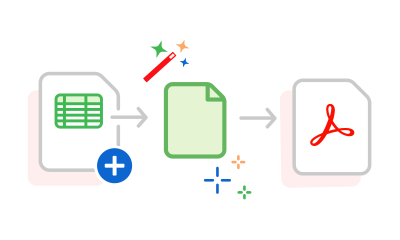
https://main--dc--adobecom.aem.page/dc-shared/assets/images/frictionless/how-to-images/excel-to-pdf-how-to.svg | A Microsoft Excel spreadsheet being converted to a PDF file

  1. Open your file browser or desktop, and then drag and drop your file into the dotted-line box drop zone. Alternatively, you can click the blue Select a file button, which will bring up your file browser.
  2. If you choose Select a file, a file browser will open in a new pop-out window. Select your desired document from that window, and then click Open.
  3. Once you’re done, Adobe Acrobat will automatically convert the Excel (XLS or XLSX) file into PDF format. This will only take a few seconds, depending on the size of your document.
  4. When you’re ready, you can download your new, converted PDF file. Additionally, you can sign in and share your PDF with other collaborators.

Try Our Free Excel to PDF Converter

Learn how to convert Excel spreadsheets to PDF files with ease using our online tool. It’s free, compatible with any device, and straightforward, allowing you to create PDFs from Excel files at any time.

https://main--dc--adobecom.aem.page/dc-shared/assets/images/shared-images/frictionless/seo-icons/excel-pdf-converting.svg | A PDF and a spreadsheet with arrows showing the process of converting Excel to PDF

Convert Excel to PDF file online

Easily turn any Microsoft Excel spreadsheet into a PDF document with Adobe Acrobat. Try our Acrobat Excel to PDF converter online tool for free today.

https://main--dc--adobecom.aem.page/dc-shared/assets/images/shared-images/frictionless/seo-icons/fast-pdf.svg | A clock graphic in grey and red representing how fast Excel to PDF conversions are.

Quick Excel to PDF conversion

Converting an Excel file to a PDF is quick and easy. All you need to do is drag and drop or upload an Excel file to get started. Depending on the size of your file, it takes seconds to convert an Excel file to PDF.

https://main--dc--adobecom.aem.page/dc-shared/assets/images/shared-images/frictionless/seo-icons/document-reviews.svg | A PDF document with a comment icon showing easy shared reviews

Streamline processes

After converting the Excel file to a PDF, sign into Acrobat and share the file with peers for review. You can comment, reply and @ people in the same PDF.

https://main--dc--adobecom.aem.page/dc-shared/assets/images/shared-images/frictionless/seo-icons/edit-excel.svg | A spreadsheet with a pen shows how you can edit your Excel file online

Edit Excel files online

Sign in to Adobe Acrobat to edit your Microsoft Excel spreadsheets online for free. Just choose your workbook and allow Adobe Acrobat to open it in Microsoft Excel for the web.

https://main--dc--adobecom.aem.page/dc-shared/assets/images/shared-images/frictionless/seo-icons/private-pdf.svg | A badge with a lock representing trusted PDF privacy

Keep your content to yourself

Enjoy peace of mind. Unless you sign in to save your file to your online account, it will be deleted from Adobe servers. At Adobe, we’re committed to data protection through our Adobe Common Controls Framework, and our data processing agreement is in line with GDPR requirements.

https://main--dc--adobecom.aem.page/dc-shared/assets/images/shared-images/frictionless/seo-icons/best-pdf.svg | A PDF showing that Adobe Acrobat online services offer the best Excel to PDF converter

Industry-leading Excel to PDF converter

Use our Excel to PDF online tool to convert XLS and XLSX files to PDFs quickly and confidently – designed by the company that pioneered the PDF.

Questions? We have answers.

Can I convert Excel to PDF for free?

Yes, you can easily convert Excel to PDF for free using Adobe Acrobat’s online PDF tools. Simply drag and drop your file, or upload it, and the converter will get to work in seconds.

Can I convert Excel to PDF without downloading software?

Yes, our Acrobat Excel to PDF converter tool allows you to convert Excel files online, without the need to download software onto your local device. Our online tool is compatible with any web browser and operating systems, including Mac (iOS), Windows and Linux.

Why not try a 7-day free trial of Adobe Acrobat Pro and make the most of extra PDF and e-signing tools for free? The trial allows you to annotate and amend your files, compress PDF files, print to PDF and even merge PDFs.

How can I save Excel sheets to PDF without using a converter?

You can save an Excel as a PDF without using a converter. Simply:

  1. Open the Excel file and select the File tab.
  2. Select Save as.
  3. Use the box underneath the file name to change the file type (you may need to scroll).
  4. Select PDF.
  5. Name the file and save.

Do you lose formatting when converting Excel files to PDF?

No, our Adobe Excel to PDF converter reserves the original formatting of your Excel file. Your files can be viewed as they were, without any formatting issues.

Can you save Excel files as PDFs without the pages getting cut off?

Yes, you can stop any text or parts of pages getting cut off before you save your file as a PDF. Use Excel tools including orientation, page breaks, sheet margins and print area to format your page. Acrobat online tools can help you to optimise your document, so you can delete, rotate or reorder pages. You can also extract or insert PDF pages if you need to.

Why should I convert an Excel to a PDF?

Security, privacy, and convenience are some of many reasons why you might want to convert an Excel file to a PDF. Converting an Excel to a PDF will allow you to only share what you want, adding a level of security and privacy. A PDF version of Excel is also smaller and easier to send via email.

Can I edit scanned PDF files?

Yes, you can do this with our free OCR (Optical Character Recognition) tool. Choose or drop files into the drag area of the tool, and you’re good to go. Learn more about OCR.

How do I fit an entire spreadsheet into a PDF?

To fit an entire spreadsheet into a PDF using Adobe’s online Excel to PDF tool you’ll need to adjust your settings within Excel. This involves going to File > Print > Scaling options and selecting Fit Sheet on One Page and then previewing the layout via File > Print. Then, open the Adobe Excel to PDF tool and upload your Excel file by dragging and dropping within the dotted lines. This should retain the settings you had set within Excel on your new PDF.

Can I add page numbers to my PDF once converted?

Yes, in addition to offering various online converters, our free tool allows you to easily add page numbers to your PDF. But to add page numbers to your PDF you will need to first sign into your Adobe account. Once you’ve done that, it’s easy to number your pages in a few short steps.

How do I turn an Excel file with multiple sheets into a PDF?

Turning an Excel file with multiple sheets into a PDF is just as easy as converting a single sheet. Choose your document, and everything will be handled for you – each tab can be found by continuing to scroll down the document.

More Excel to PDF resources

Content as a Service v3 - Tuesday 10 December 2024 at 13:44

Verb
excel-to-pdf

Try these Acrobat online tools

Convert from PDF

Convert to PDF

Reduce file size

Edit

Sign & Protect

Generative AI

Convert from PDF
Convert to PDF
Reduce file size
Edit
Sign & Protect
Generative AI