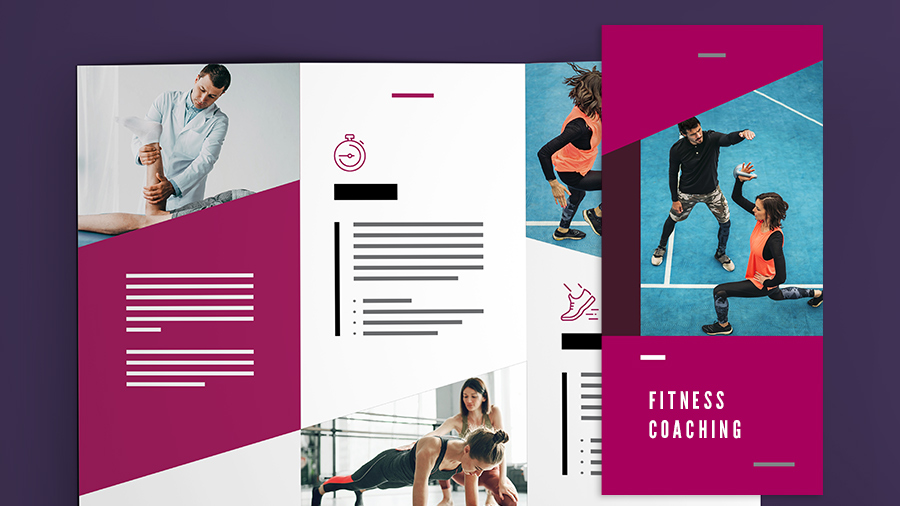
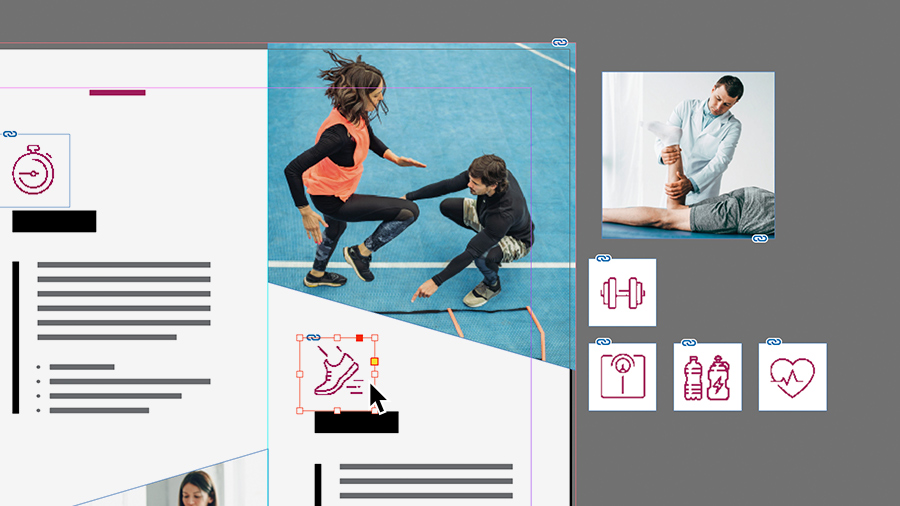
Explore the crucial layout and graphic elements of flyer and brochure design.
Published
Creating flyers and brochures that attract attention and get results is easier and more effective when you employ these widely used tools, features, and workflows.
Set up your document
Start your project right by selecting the optimal settings for your flyer or brochure.
Explore Adobe Stock templates for a head start on your new document, or start from scratch with one of the many preset sizes available.
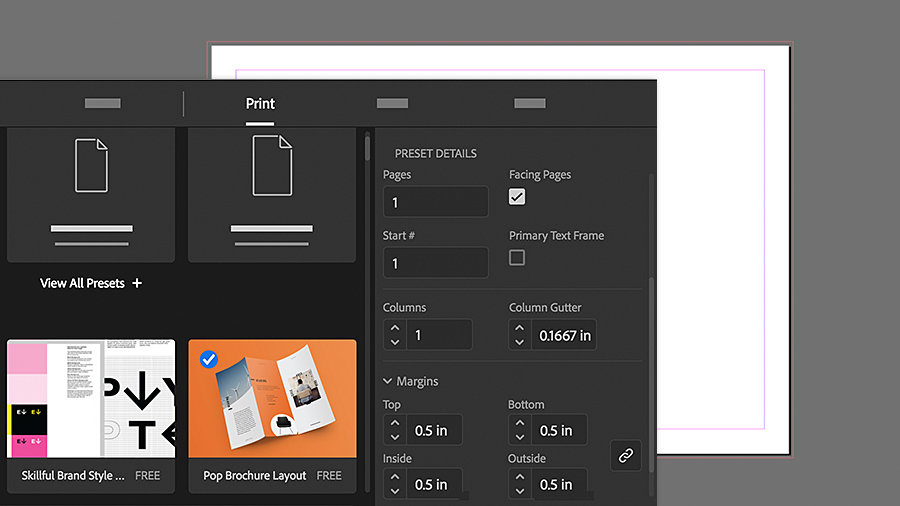
When setting up a new document from scratch, choose the Print tab in the New Document dialog to set the color mode to CMYK (cyan, magenta, yellow, and black) for printing. In the Units menu, choose Inches or other.
Set columns and margins to frame where your content will go. You can change them later, if needed.
Add eye-catching text
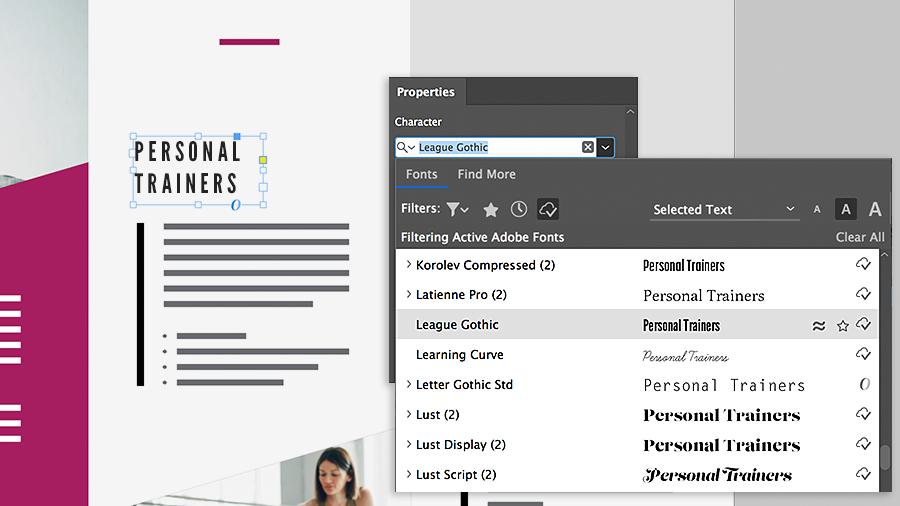
A creative approach to type can make your pieces stand out. Here are some things to try in the Properties
panel.
Explore your own fonts along with the many expressive Adobe Fonts.
Experiment with formatting, such as font size, leading (vertical space between lines of text), and tracking (horizontal space between characters).
Applying colors
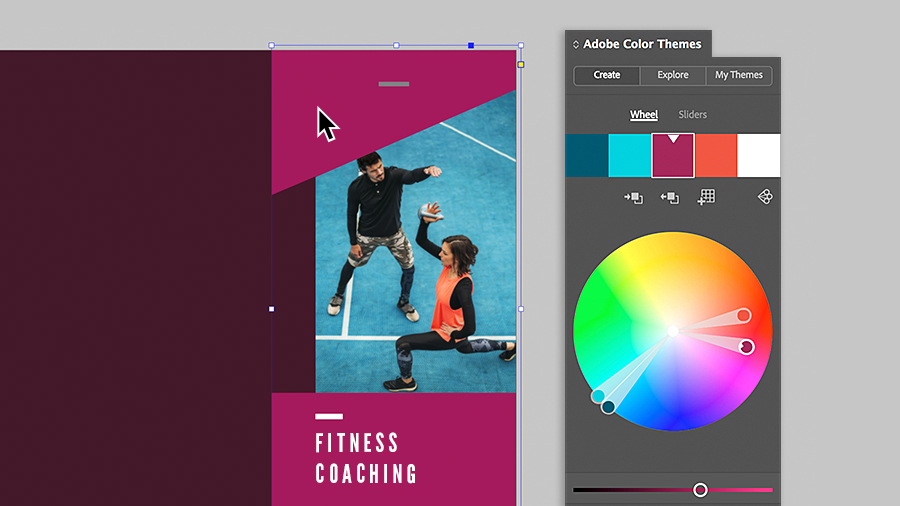
Color can evoke emotion and help tell your story. InDesign offers many ways to both mix and apply colors to your design.
Save colors in the Swatches panel for consistency and reuse.
For color inspiration, the Adobe Color Themes panel lets you explore harmonious and appealing color combinations based on a single color.
Adding graphics
Graphics, such as images and logos, come from a variety of sources and in a wealth of formats, including JPEG, SVG, TIFF, PNG, AI, and PSD. Choose File > Place to import them.
If you need professional images but don’t have the time or budget for a photo shoot, you can search and license a wide selection of high-quality photos and graphics from Adobe Stock right in the app.
Share your designs
When it’s time to share your creative work, you have several options:
Print to a local printer.
Save it as a PDF and send it to someone else, like a print service provider or colleague, for printing.
Circulate it as a digital document in formats like PDF and EPUB, or use the Publish Online feature and get a link to share.
With these guidelines in mind, the next time you need to create a flyer for that special event or create a brochure for your business, you’ll be on your way to professional results.
Try these tutorials with InDesign
Design page layouts for print and digital publishing.
You can control how Adobe websites use cookies and similar technologies by making choices below. But note that if you disable cookies and similar technologies entirely, Adobe websites may not function properly.
Cookies are small text files stored by your web browser when you use websites. There are also other technologies that can be used for similar purposes like HTML5 Local Storage and local shared objects, web beacons, and embedded scripts. These technologies help us do things like remembering you and your preferences when you return to our sites, measure how you use the website, conduct market research, and gather information about the ads you see and interact with.
You can make choices in the menu below about what cookies and other technologies you want us to use on Adobe sites when you visit them from this browser. You can always change those choices later by clicking on the Cookie Preferences link at the bottom of the page.
If enabled:
We can improve your experience by tailoring the site and the content to things we think might be of interest
We can better keep track of your preferences — like what language you prefer to use
We will better understand your likely interests so we can provide you more relevant Adobe ads and content on non-Adobe websites and in non-Adobe apps
It will help us improve the performance of our website and those of our partners who use the Adobe Experience Cloud
If disabled:
We won’t be able to remember you from session to session so the experience may not be tailored to your interests
You’ll still have access to the content of the site but certain features that depend on cookies may not function
You’ll still see ads, they just may not be as relevant to you
General information
You can control how Adobe websites use cookies and similar technologies by making choices below. But note that if you disable cookies and similar technologies entirely, Adobe websites may not function properly.
Cookies are small text files stored by your web browser when you use websites. There are also other technologies that can be used for similar purposes like HTML5 Local Storage, web beacons, and embedded scripts. These technologies help us do things like remembering you and your preferences when you return to our sites, measure how you use the website, conduct market research, and gather information about the ads you see and interact with.
You can make choices in the menu below about what cookies and other technologies you want us to use on Adobe sites when you visit them from this browser. You can always change those choices later by clicking on the Cookie Preferences link at the bottom of the page.
If enabled:
We can improve your experience by tailoring the site and the content to things we think might be of interest
We can better keep track of your preferences — like what language you prefer to use
We will better understand your likely interests so we can provide you more relevant Adobe ads and content on non-Adobe websites and in non-Adobe apps
It will help us improve the performance of our website and those of our partners who use the Adobe Experience Cloud
If disabled:
We won’t be able to remember you from session to session so the experience may not be tailored to your interests
We’ll still count your use of our site and services
You’ll still have access to the content of the site but certain features that depend on cookies may not function
You’ll still see ads, they just may not be as relevant to you
Operate the site and core servicesOperate site and measure engagement
Always active
These cookies are required, and they are used to enable the site and related services core functionality. Without them the site could not operate, so they cannot be disabled.
These cookies enable the site and related services’ core functionality and collect statistics about user engagement, such as counting active use to help us understand trends. These cookies cannot be disabled.
Measure performance
These cookies are used to analyze site usage to measure and improve performance. Without them Adobe cannot know what content is most valued and how often unique visitors return to the site, making it hard to improve information we offer to you.
These cookies are used to analyze site usage to measure and improve performance. Without them Adobe cannot know what content is most valued, making it hard to improve information we offer to you.
Extend functionality
These cookies are used to enhance the functionality of Adobe sites such as remembering your settings and preferences to deliver a personalized experience; for example, your username, your repeated visits, preferred language, your country, or any other saved preference.
Personalize advertising
These cookies are used to enable Adobe and our partners to serve ads more relevant to your interests. Without them you will still see ads, but they might not be as relevant to you.
Personalize advertising
These cookies are used to enable Adobe and our partners to serve ads more relevant to your interests. Without them you will still see ads, but they might not be as relevant to you.