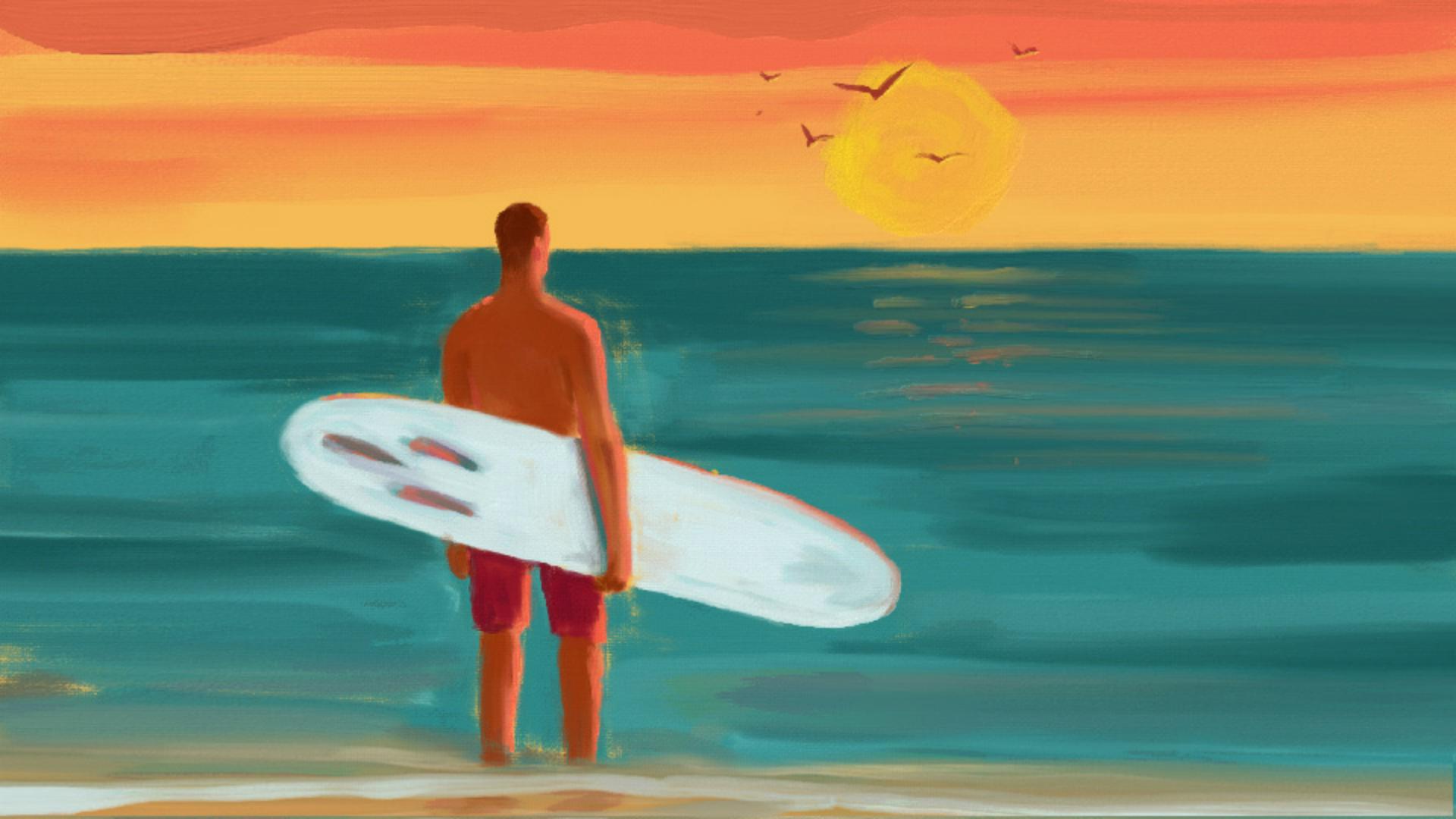
Some of the coolest features in Adobe Fresco are the groundbreaking live brushes that emulate not just the look, but also the behavior and the paint-mixing qualities of watercolors and oil paints.
Let's explore some of the ways that the oil painting engine in Fresco creates realistic oil brushstrokes with colors that blend together like actual oil paints.
The Oil brushes are found in the live brushes, which is the second Brush tool in the toolbar.
Down at the bottom of the toolbar, you can find the options for those brushes.
You have an option to change the size of the brush.
Then, there's the Flow setting, and perhaps the best way to explain what Flow does is that it controls how much paint is loaded onto the brush.
And, to give you an idea what that looks like, I have a layer here that I've already prepared using two different Flow settings.
So, the blue brushstroke on the left was made with a Flow setting of 10, and the brushstroke on the right was made with a Flow setting of 50, so you can see how those differences have affected the characteristics of each stroke, as well as how much paint was put down on the canvas.
Let me just tap on the Visibility icon to turn that layer off.
And, let's go down to the Brush Settings now.
There's a variety of different settings here you can experiment with and see what they do.
One thing to take note of is the Pressure Dynamics setting, which will control how the Apple Pencil interacts with the iPad when you're using that.
So, you can have the size and the flow moderated by how much pressure you're using with the Apple Pencil on the iPad.
Down at the bottom there is an interesting setting for Reload color.
What Reload color does is it controls whether the color is reloaded onto the brush for each new stroke.
You'll only notice a difference with the Reload color setting when you're adding a new color onto existing oil paint, and the Paint Mix option is being used.
And, speaking of Paint Mix, let's take a look at that next.
Before I do that, I'm gonna go tap on the Color chip and I'm gonna choose a different color, and I'll make the duplicate surfer layer active.
So, as the name suggests, the Paint Mix setting controls how new color mixes and blends with existing color.
So, let's start out with this set to zero, and I'm gonna zoom in so we can see this a little bit better here.
And, I'll draw a stroke here over the water and up into the sky.
And now, let's just sort of set this up a little bit higher, maybe about 25, and let's do another stroke.
So, with higher paint mix values, the new color is more prominent at the very start of the brushstroke, and then it fades as it mixes with the wet oil colors on the canvas and the brush picks up more of the existing color that's there.
And, this is possible because in Fresco the oil paints never dry, they are always wet which allows you a lot of flexibility that you don't have with real oil paints.
I'm gonna do a two finger tap on the screen a couple times just to undo those, and then a quick pinch gesture to fit the image on screen.
And, now that we've had a quick peek under the hood at some of the settings for the oil paints, let's add some finishing touches to the surfer painting.
I already have a layer that I prepared that has some small brushstrokes on it to suggest reflected sunset colors on the water.
Now, in order to blend this with the main surfer painting layer underneath it, I'm gonna tap on the More Options button in the Layer taskbar, and I'll choose Merge Down.
Next, I'm gonna come to the Oil Brush panel, and I'm gonna go to my Favorites and choose this Detail brush.
And, for blending the highlight color into the water, let me share a really cool trick with you.
I'll tap on the Color chip, and I'm gonna lower the opacity to 0%.
What this is going to allow me to do is blend this existing color together without adding any new color, and that is such a cool technique because sometimes that's exactly what you wanna do is you wanna be able to blend the colors that are already there on your canvas, or on a layer, without adding a new color.
The oil paints in Fresco that never dry and that mix and blend together like real oil paints are a wonderful creative tool for digital artists.
Plus, they're a lot of fun to play with too.