[Kenneth Hines Jr.]: Are you in need of ideas on how you can enhance your images in Lightroom?
Color Grading could be the perfect tool to make it happen.
I'm ZEISS Ambassador Kenneth Hines Jr., and today we'll be exploring Color Grading and how it can elevate the vibe of your image, giving an additional creative look.
Color Grading allows you to adjust your images with color tints
Understanding the color grading controls
in the Shadows, Midtones, and Highlights, along with the Global adjustment that applies a tint to the entire image.
You can adjust the color Hue, intensity of the colors with Saturation and brightness, or darkness with Luminance adjustments for each selection.
Further adjustments that you can apply are Blending and Balance.
Blending is used to adjust how strong or gradual the separation between Shadows, Midtones, and Highlights will be.
Balance shifts your color tonal prominence to the lighter or darker tones in your image.
Let's look at this black and white image
Applying shadows, midtones, and highlights
to demonstrate the effects of Color Grading, as it makes it easier to see the subtle color changes.
You can choose whatever value you'd like for your Hue, which controls the color of your tint you'd like to apply.
By increasing the value of Saturation, you'll see the tinting happening in the darkest areas of the image.
Now let's adjust the Luminance, which makes the adjustment brighter or darker.
We'll do the same for our Midtones.
And again, we can control the brightness and darkness with our Luminance, and we'll also apply the same for our Highlights.
Using global color grading and resetting adjustments
Let's move on to applying a Global adjustment.
Before this, I'll reset my Color Grading adjustments to better show how Global is applied across the image.
We can do this by right-clicking anywhere inside the Color Grading panel to open up a dropdown menu and select Reset 3-Way.
You can also hold the Option or Alt key to show a Reset selection at the top of the panel, which resets all adjustments.
Global applies tints across the entire image.
This works great for black and white images such as this, where you may want to infuse a slight color to your image.
Let's demonstrate by applying a green look and bring in our Saturation slightly.
As you can see, we have just a small tint while not taking away from the black and white itself.
Let's look at a color image example and apply these methods here.
Color grading a color image for a vintage look
This image inside of Grand Central is a nice image, but I want to minimize a bit of the red-orange color and have a more vintage look to this image by applying a greenish color tint.
Let's select the Hue value we want, and then we'll bring in our Saturation, we'll also apply this for our Midtones as well as our Highlights.
Now we have what I think is a more flattering image than before.
Here're a couple of additional examples
Reviewing creative color grading examples
where Color Grading complimented our image for a better result.
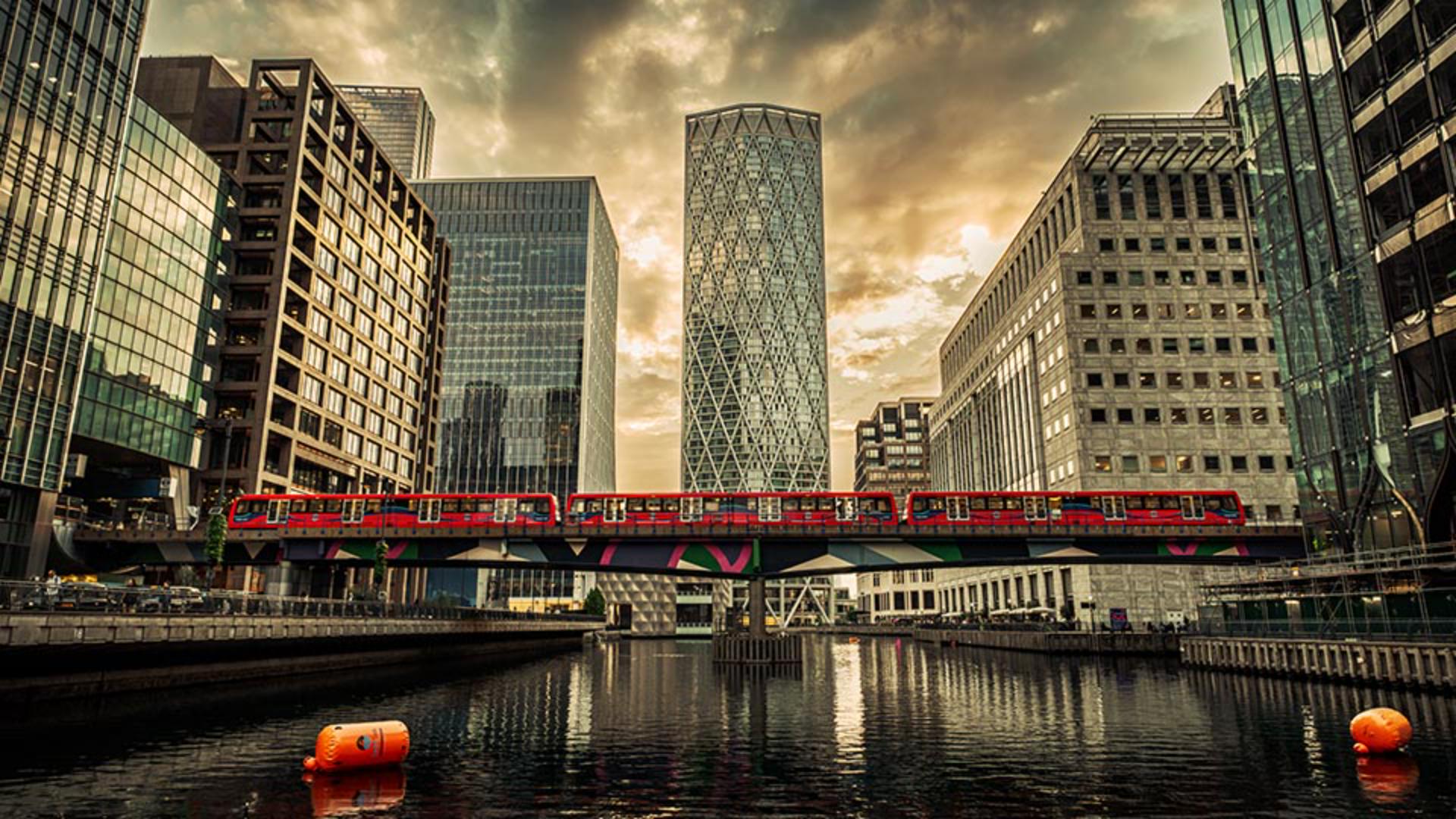
This image of London, I applied adjustments only to the Midtones and Highlights, giving a warmer tone to this sunset image.
In this wedding image, I decided to give a tint that was identical in color to the purple flowers we have.
To give a bit more color to the overall image, an adjustment was made to Shadows solely for darkening with Luminance.
Midtones, I applied a warm color tint and finish with the Highlight adjustment with the purple Hue to apply to the white of the flowers in the bouquet.
Now that you know how the controls in the Color Grading panel work, give this feature a try with your own images and see what color tint combinations you can create.
I'm Kenneth Hines Jr., and I look forward to exploring more of Lightroom with you soon.
Note: Stock assets provided are for practice purposes only. See terms.
What you'll learn
Adjust color and tone for creative looks
The Color Grading controls in Lightroom let you creatively apply color tinting to specific tonal areas in your photo to achieve a specific mood, style, or look. You can determine the hue (color), saturation and luminance of the tint and apply different tints to the shadows, midtones, or highlights. The blending and balance controls offer additional ways to fine-tune the effect. With a global Color Grading adjustment, you can apply a single-color tint to the entire image.
You can control how Adobe websites use cookies and similar technologies by making choices below. But note that if you disable cookies and similar technologies entirely, Adobe websites may not function properly.
Cookies are small text files stored by your web browser when you use websites. There are also other technologies that can be used for similar purposes like HTML5 Local Storage and local shared objects, web beacons, and embedded scripts. These technologies help us do things like remembering you and your preferences when you return to our sites, measure how you use the website, conduct market research, and gather information about the ads you see and interact with.
You can make choices in the menu below about what cookies and other technologies you want us to use on Adobe sites when you visit them from this browser. You can always change those choices later by clicking on the Cookie Preferences link at the bottom of the page.
If enabled:
We can improve your experience by tailoring the site and the content to things we think might be of interest
We can better keep track of your preferences — like what language you prefer to use
We will better understand your likely interests so we can provide you more relevant Adobe ads and content on non-Adobe websites and in non-Adobe apps
It will help us improve the performance of our website and those of our partners who use the Adobe Experience Cloud
If disabled:
We won’t be able to remember you from session to session so the experience may not be tailored to your interests
You’ll still have access to the content of the site but certain features that depend on cookies may not function
You’ll still see ads, they just may not be as relevant to you
General information
You can control how Adobe websites use cookies and similar technologies by making choices below. But note that if you disable cookies and similar technologies entirely, Adobe websites may not function properly.
Cookies are small text files stored by your web browser when you use websites. There are also other technologies that can be used for similar purposes like HTML5 Local Storage, web beacons, and embedded scripts. These technologies help us do things like remembering you and your preferences when you return to our sites, measure how you use the website, conduct market research, and gather information about the ads you see and interact with.
You can make choices in the menu below about what cookies and other technologies you want us to use on Adobe sites when you visit them from this browser. You can always change those choices later by clicking on the Cookie Preferences link at the bottom of the page.
If enabled:
We can improve your experience by tailoring the site and the content to things we think might be of interest
We can better keep track of your preferences — like what language you prefer to use
We will better understand your likely interests so we can provide you more relevant Adobe ads and content on non-Adobe websites and in non-Adobe apps
It will help us improve the performance of our website and those of our partners who use the Adobe Experience Cloud
If disabled:
We won’t be able to remember you from session to session so the experience may not be tailored to your interests
We’ll still count your use of our site and services
You’ll still have access to the content of the site but certain features that depend on cookies may not function
You’ll still see ads, they just may not be as relevant to you
Operate the site and core servicesOperate site and measure engagement
Always active
These cookies are required, and they are used to enable the site and related services core functionality. Without them the site could not operate, so they cannot be disabled.
These cookies enable the site and related services’ core functionality and collect statistics about user engagement, such as counting active use to help us understand trends. These cookies cannot be disabled.
Measure performance
These cookies are used to analyze site usage to measure and improve performance. Without them Adobe cannot know what content is most valued and how often unique visitors return to the site, making it hard to improve information we offer to you.
These cookies are used to analyze site usage to measure and improve performance. Without them Adobe cannot know what content is most valued, making it hard to improve information we offer to you.
Extend functionality
These cookies are used to enhance the functionality of Adobe sites such as remembering your settings and preferences to deliver a personalized experience; for example, your username, your repeated visits, preferred language, your country, or any other saved preference.
Personalize advertising
These cookies are used to enable Adobe and our partners to serve ads more relevant to your interests. Without them you will still see ads, but they might not be as relevant to you.
Personalize advertising
These cookies are used to enable Adobe and our partners to serve ads more relevant to your interests. Without them you will still see ads, but they might not be as relevant to you.