With generative AI and Adobe Photoshop, you can leverage the power of artificial intelligence to add, expand or remove content, all without making any permanent changes to your original design.
In this video, I'll show you some specific Generative AI features, then some really handy ways to apply them to your everyday workflow.
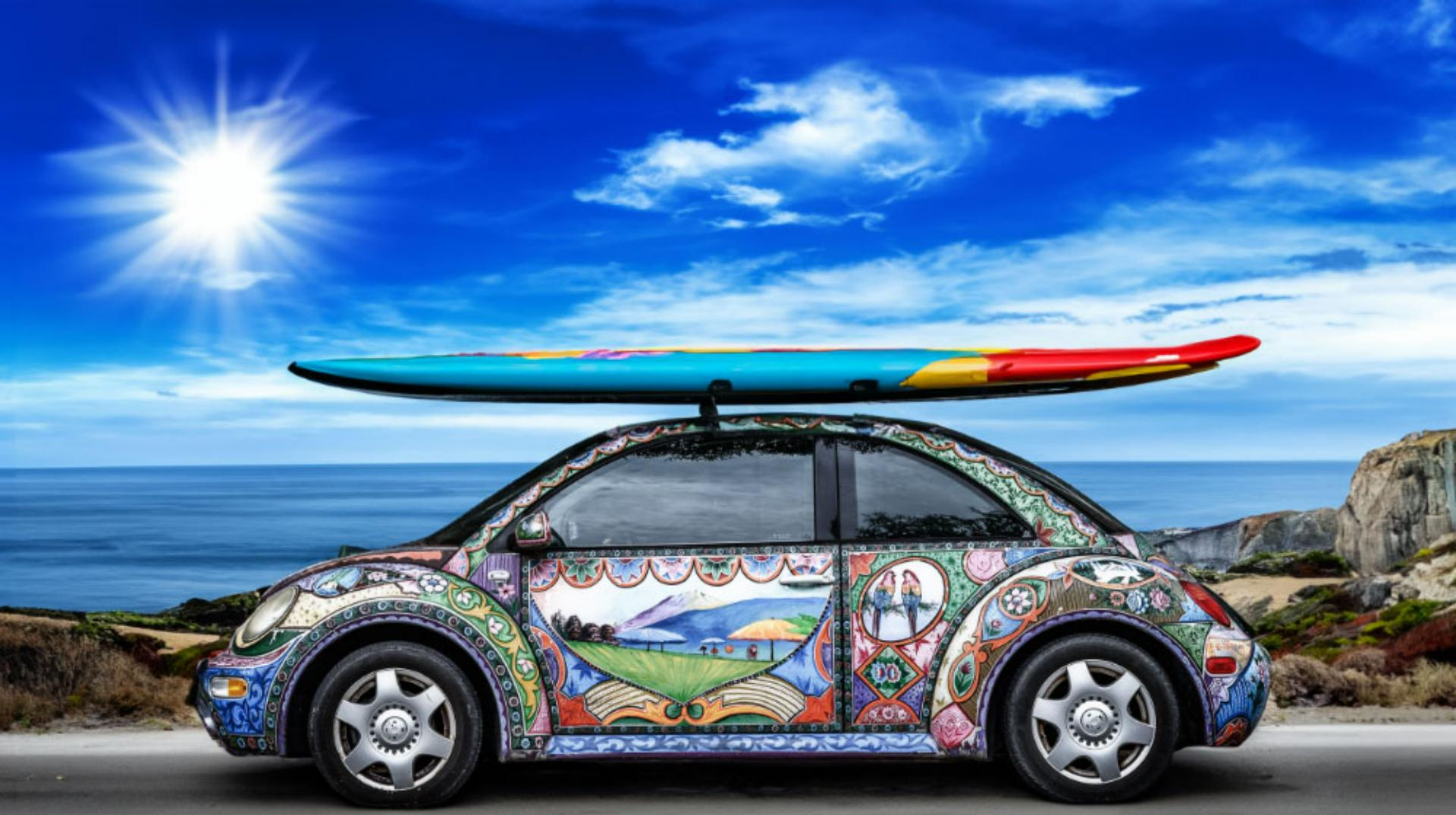
I'm here in the web version of Photoshop, and on the canvas I have this beautiful image of a hand painted Volkswagen Beetle.
It'll be perfect for a California tourism campaign that I'm working on once I make a few changes, The first thing I'd like to do is extend my background here on the left and right to balance out the placement of the car.
I could always select the background and replace it with another image, but I'd rather see if I can extend what I have here using the Generative Expand feature.
I'll start by selecting the Crop tool.
Next, I'll extend the canvas here towards the left and the right with a little more on the right to balance it out.
In the contextual taskbar, I'll click on the Generative Expand button.
I can keep the text prompt area empty and let Photoshop leverage the background that I currently have.
When I click the Generate button, Photoshop expands the canvas while adding the missing content.
Notice how well it matches the angle of the light, how it extends the cliff here on the left and on the right.
It's really quite amazing.
Here in the Layers panel, I now have a new layer and a layer mask.
Photoshop has actually generated three variations that I can choose from, either by clicking on the thumbnails here below my image in the Contextual taskbar, or here in the Layers panel by clicking on the Properties icon on the right.
If I'm not happy with the results, I can repeat my search by clicking the Generate button here, or the + button back here.
In the contextual taskbar.
Photoshop will generate three additional images while retaining the first three.
Now that I have my background all set, I'd like to get a little more into the California lifestyle theme by adding a surfboard on the roof of the car.
I'll start by letting Photoshop know where I want the objects to be placed.
I can either use a Lasso tool, or the Marquee tool, depending on the type of content that I'm after.
I'll go ahead and go with the Marquee tool, and I'll indicate where I'd like a roof rack and my surfboard to appear.
With the area selected, I'll come here to the Contextual taskbar, and in the Generative Fill area, I'll add some text prompts.
Let's go with "roof rack" and "colorful surfboard".
Very nice.
Notice how the rack seems to fit in with the car and how the lighting matches quite well.
Next, for my campaign concept, I'd like to bring more of a beach theme into the artwork on the car itself.
What I'd like to do is remove this peacock and put some beach umbrellas in its place.
I'll use the Lasso tool to do that, and as I select the peacock, I'm going to really loosely make that selection.
This will allow Photoshop to leverage some of the surrounding content as it replaces what's within that selected area.
Once again, in the Generative Fill area, I'm going to type beach umbrellas as my search prompt and then click Generate.
And once again, wow.
Notice how well the umbrellas match the artistic style, how they pick up on some of the colors that are used on the car.
It's really phenomenal.
I can go ahead and click through some of my other options here, but all of these are just terrific examples.
I'm going to go ahead and go with this first umbrella image, and I think it looks terrific.
Let's go ahead and go a little bit further with one more removal feature, and this time, what I want to do is come in and remove the stickers that you can see in the windows of the car.
So there's three stickers one, two, and three.
For this, I'll come in and I'm going to go ahead and use the Marquee tool, since they seem to be consistent with rectangles or squares.
Again, very loosely selecting some of the content around it, this time in the Generative Fill area, I'm going to leave it blank, and then I'm just going to click Generate.
Now, once that work is done, notice that the stickers are gone, and in its place is an extension of the tree reflection from across the street.
So Photoshop has actually imagined what a reflection would look like on the glass once I remove those stickers.
Truly amazing.
As you might guess, I've have only touched on a few ways that Generative AI in Adobe Photoshop can take your creativity so much further.
I encourage you to give it a try.