Introduction
A problem we can run into all too often as video creators - how to make one person talking to the camera more engaging.
Luckily for us, Premiere now integrates the Adobe Stock Library right into the workflow.
Using the Stock panel, we can search through millions of videos, images, and templates, including more than 92,000 that are available for free.
Then we can take care of licensing and immediately import the video into our project, all without leaving Premiere.
I'm Sarah, and I'm excited to show you how this works.
Access millions of assets
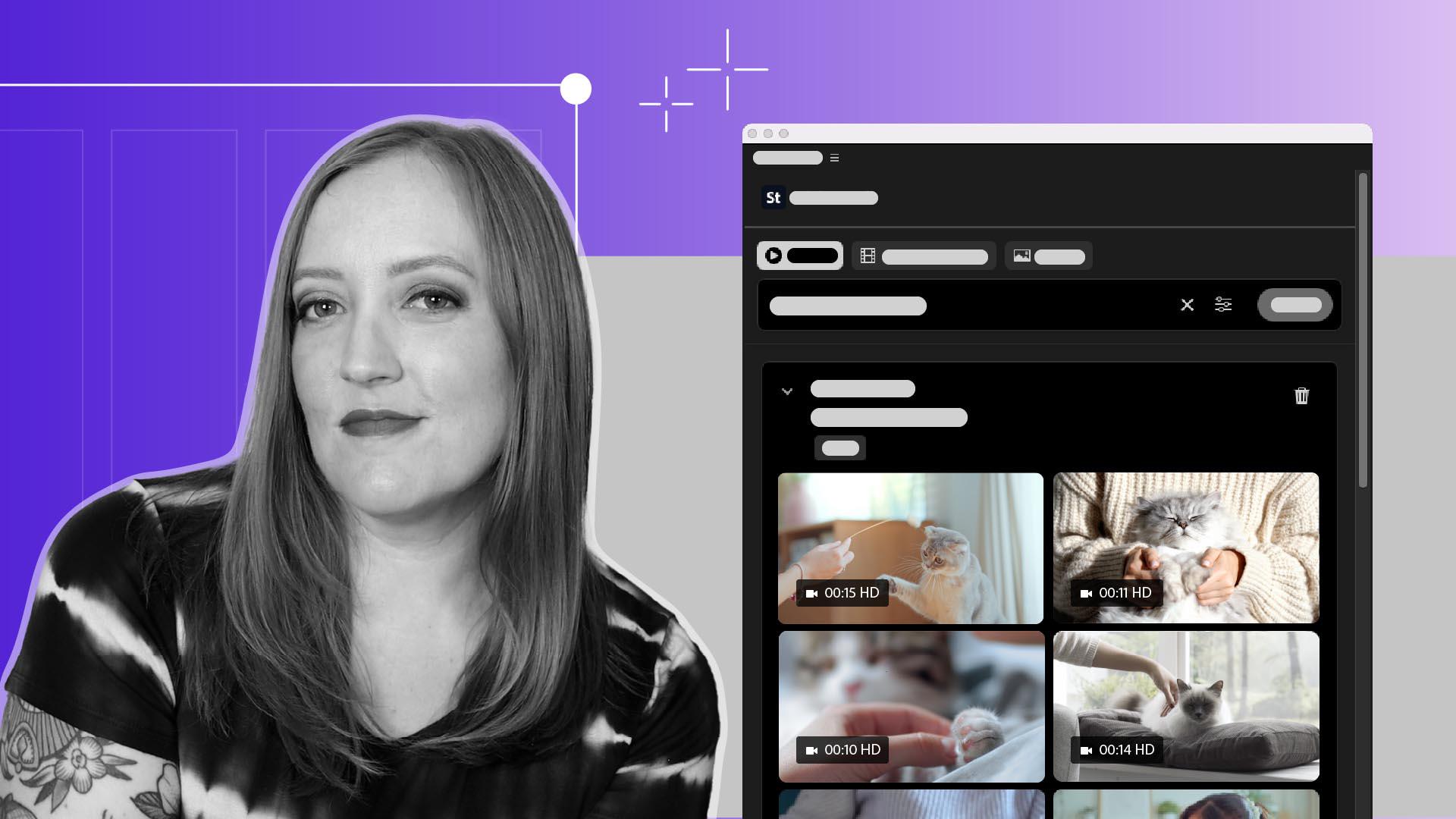
By default, the Adobe Stock panel is shown as a tab next to our project files.
We can get an even better view of it using the Libraries Workspace.
We have several different search filters available: Images, Videos, and Video Templates.
We can also get a little more granular by drilling down into the Filters settings.
Let's say I'd like to take this clip of me talking and break it up with some B-roll of a person petting a cat, and my own cat is too busy that day for me to film a video for myself.
I can go in and type: 'woman petting a cat' into the Search, choose the filters to narrow down the options, and voila, I'm presented with thumbnails of all these options to choose from,
Preview and test clips instantly
and we can get a quick preview of them by hovering over each one.
Look at all these movie stars!
Here's one that looks kind of like my cat.
When we hover over the image, we see a couple of different options.
We can choose the Download Preview option to add a preview version of the clip to our project and test it out.
And then we have the Download button here, once we've made up our mind.
License and import without leaving Premiere
When we're ready to download the video, we'll click the Download button.
This is where we get the option to License the video for whatever we're using it for.
The coolest thing is that the entire licensing and payment process happens right here in the panel.
Once we have all of that entered and submitted, we can download the clip and get it added into our project.
Now that you know how to use the Adobe Stock panel, you can go forth and easily find and license all the happy cat B-roll you could possibly need.
Have fun with it.