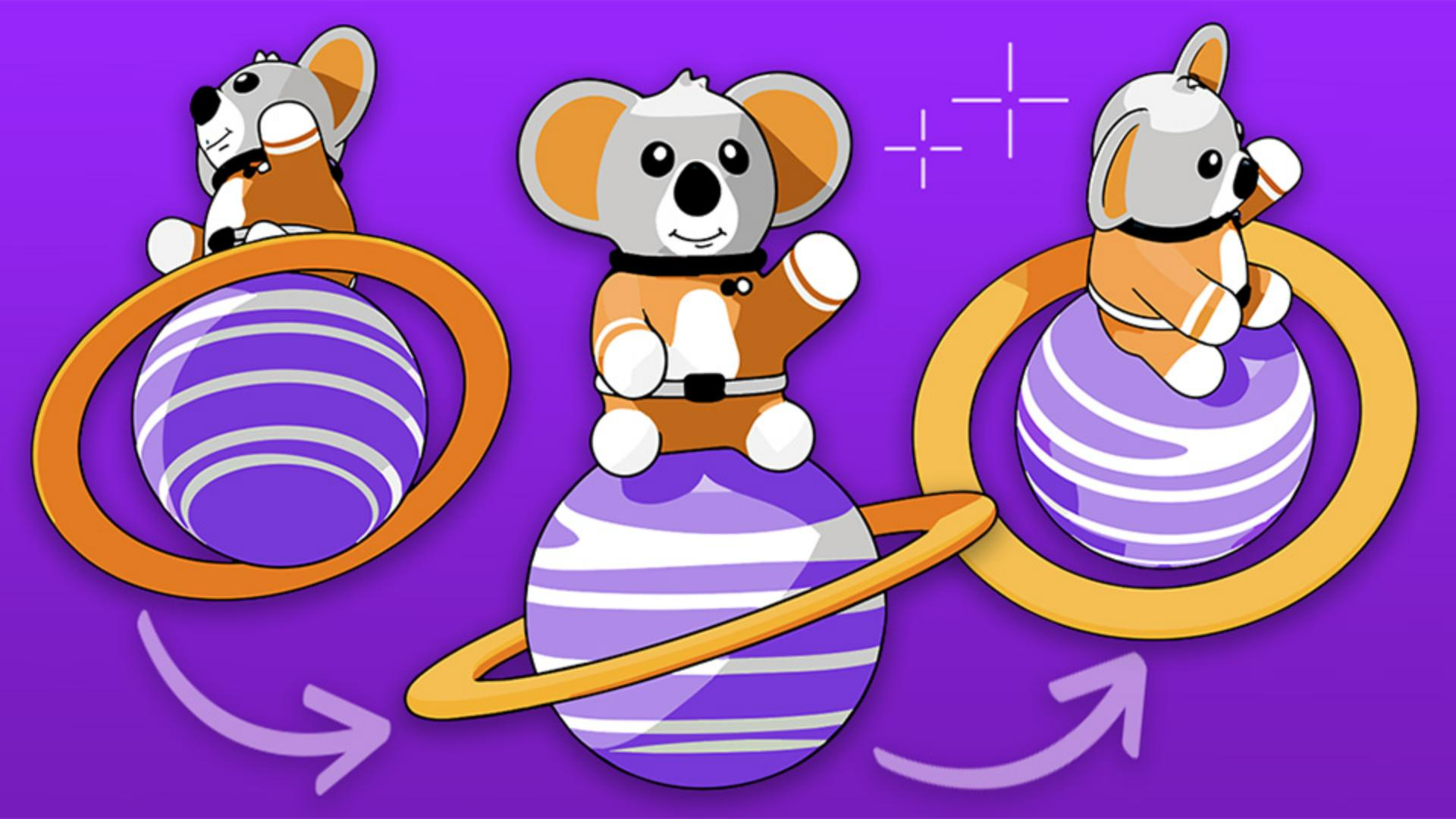
[Kaleb Gonyea]: Have you ever finished an illustration only to later realize you need it from another angle?
Yes, same.
Normally, that means redrawing the whole thing - different orientation, different perspective; hours of extra work.
Luckily, Illustrator just launched a new feature called Turntable that takes your artwork and generates a 360-degree rotation automatically.
So instead of redrawing everything from scratch, you can turn those hours of redraws into seconds.
Hey, my name is Kaleb Gonyea, and today I'm going to show you how you can generate new views without redrawing using Turntable.
Let's jump in.
Generate alternate angles from your illustration
First, open up Adobe Illustrator and select the illustration that you want to rotate.
I'm in the beta version, but by the time you're watching this, Turntable will be in the current version.
Once your artwork is selected, make sure it's grouped.
Then click the Turntable button in the Properties panel, or you can simply right-click on your subject and you'll see the Turntable option appear.
Once you click the button, Illustrator will take a moment to process your artwork, and then it generates a full set of alternate angles automatically.
Once it's finished, you'll see a new Context Bar appear.
The first thing you'll notice is this slider.
This lets you move through 74 different generated views of your illustration across 360 degrees of rotation.
So instead of manually redrawing every angle, Illustrator is creating clean, consistent perspectives for you instantly.
You'll also notice these up and down arrows.
These add vertical tilt, which means you can see the artwork from slightly above or below.
This opens up a lot of new possibilities for exporting your illustration from angles you might not have originally designed.
Place all views and choose the best perspective
Next, let's click Place all views on canvas.
When we do that, Illustrator lays out the entire turnaround of generated angles directly on the artboard.
This is incredibly helpful because you can quickly scan through all the perspectives and grab the one that works best for your project.
Notice how big of a difference it makes flipping your illustration versus using the Turntable feature on your illustration.
Let's take a look at a real-world example.
Let's grab my illustration and throw it into a flyer.
With Turntable, I can experiment with all kinds of different perspectives and angles to figure out the best composition for my flyer.
Before this feature, creating these variations would have taken me hours of redrawing and adjusting perspective.
Now it just takes a few seconds.
And the best part is that all of these generated angles are fully editable, so you can still refine them using Illustrator's normal tools.
Export an animated GIF in one click
Finally, let's look at the Export as GIF option.
With one click, Illustrator can take all of these generated angles and turn them into a looping animated GIF.
So, a static illustration can instantly become a rotating animation that works great for social media, presentations, and marketing content.
And just like that, we've taken one illustration and exported it from dozens of new perspectives - no app switching, no perspective guesswork, and no redrawing things by hand.
If you're creating character turnarounds, brand mascots, product illustrations, or even simple motion graphics, this new feature can save a ton of time.
Again, thanks for watching.
My name is Kaleb Gonyea, and I'll see you in the next video.
What you’ll learn
Generate alternate angles from your illustration
Turn one illustration into 74 distinct perspectives across a full 360-degree rotation. Add vertical tilt to explore your artwork from above and below — angles you may not have originally designed.
Place all views and choose the best perspective
Lay out every generated angle on your artboard, scan through them, and grab the one that fits your project. Each view stays fully editable.
Export an animated GIF in one click
Turn all generated angles into a looping animated GIF — ready for social media, presentations, and marketing content.
You can control how Adobe websites use cookies and similar technologies by making choices below. But note that if you disable cookies and similar technologies entirely, Adobe websites may not function properly.
Cookies are small text files stored by your web browser when you use websites. There are also other technologies that can be used for similar purposes like HTML5 Local Storage and local shared objects, web beacons, and embedded scripts. These technologies help us do things like remembering you and your preferences when you return to our sites, measure how you use the website, conduct market research, and gather information about the ads you see and interact with.
You can make choices in the menu below about what cookies and other technologies you want us to use on Adobe sites when you visit them from this browser. You can always change those choices later by clicking on the Cookie Preferences link at the bottom of the page.
If enabled:
We can improve your experience by tailoring the site and the content to things we think might be of interest
We can better keep track of your preferences — like what language you prefer to use
We will better understand your likely interests so we can provide you more relevant Adobe ads and content on non-Adobe websites and in non-Adobe apps
It will help us improve the performance of our website and those of our partners who use the Adobe Experience Cloud
If disabled:
We won’t be able to remember you from session to session so the experience may not be tailored to your interests
You’ll still have access to the content of the site but certain features that depend on cookies may not function
You’ll still see ads, they just may not be as relevant to you
General information
You can control how Adobe websites use cookies and similar technologies by making choices below. But note that if you disable cookies and similar technologies entirely, Adobe websites may not function properly.
Cookies are small text files stored by your web browser when you use websites. There are also other technologies that can be used for similar purposes like HTML5 Local Storage, web beacons, and embedded scripts. These technologies help us do things like remembering you and your preferences when you return to our sites, measure how you use the website, conduct market research, and gather information about the ads you see and interact with.
You can make choices in the menu below about what cookies and other technologies you want us to use on Adobe sites when you visit them from this browser. You can always change those choices later by clicking on the Cookie Preferences link at the bottom of the page.
If enabled:
We can improve your experience by tailoring the site and the content to things we think might be of interest
We can better keep track of your preferences — like what language you prefer to use
We will better understand your likely interests so we can provide you more relevant Adobe ads and content on non-Adobe websites and in non-Adobe apps
It will help us improve the performance of our website and those of our partners who use the Adobe Experience Cloud
If disabled:
We won’t be able to remember you from session to session so the experience may not be tailored to your interests
We’ll still count your use of our site and services
You’ll still have access to the content of the site but certain features that depend on cookies may not function
You’ll still see ads, they just may not be as relevant to you
Operate the site and core servicesOperate site and measure engagement
Always active
These cookies are required, and they are used to enable the site and related services core functionality. Without them the site could not operate, so they cannot be disabled.
These cookies enable the site and related services’ core functionality and collect statistics about user engagement, such as counting active use to help us understand trends. These cookies cannot be disabled.
Measure performance
These cookies are used to analyze site usage to measure and improve performance. Without them Adobe cannot know what content is most valued and how often unique visitors return to the site, making it hard to improve information we offer to you.
These cookies are used to analyze site usage to measure and improve performance. Without them Adobe cannot know what content is most valued, making it hard to improve information we offer to you.
Extend functionality
These cookies are used to enhance the functionality of Adobe sites such as remembering your settings and preferences to deliver a personalized experience; for example, your username, your repeated visits, preferred language, your country, or any other saved preference.
Personalize advertising
These cookies are used to enable Adobe and our partners to serve ads more relevant to your interests. Without them you will still see ads, but they might not be as relevant to you.
Personalize advertising
These cookies are used to enable Adobe and our partners to serve ads more relevant to your interests. Without them you will still see ads, but they might not be as relevant to you.