When I'm creating, I love to tap into any senses that are available to me.
From sound effects to music to ambience, audio is like that cherry on the top.
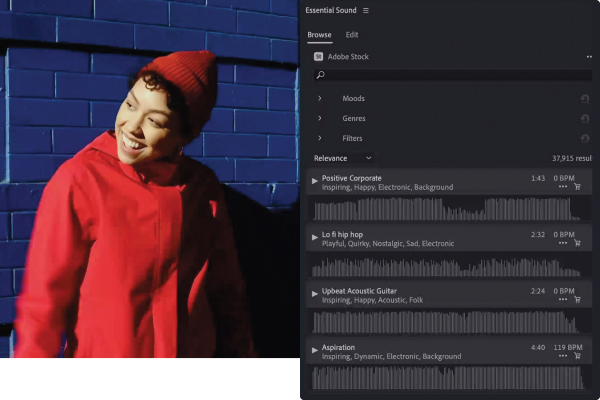
When I'm playing with audio, I always make sure to have the Essential Sound panel open.
It has tons of options for music to browse.
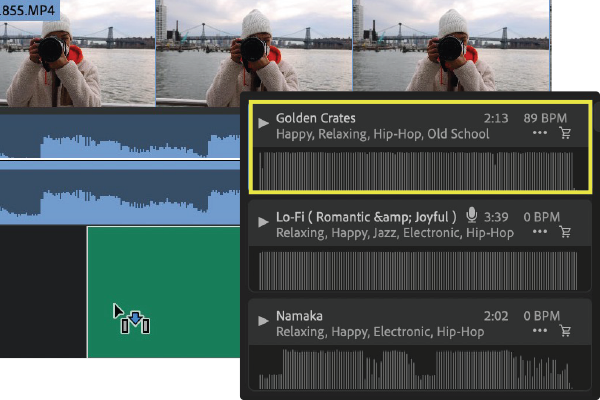
The cool part is when you hit play on a certain song, it'll give you the preview right away.
So you can add any music straight to your timeline with a click and a drag.
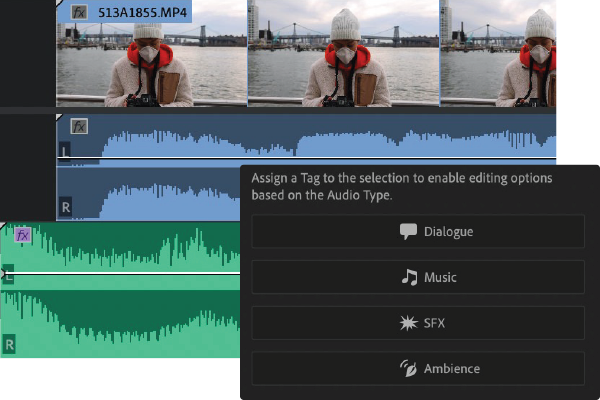
Within the Edit tab, I can choose different types and tags for every sound.
Another audio tool I love is Auto Ducking.
To show you, let me switch to a sequence where I have my voice recorded on one track and the music on another.
I just dragged this music below my voice and if I do nothing else and just listen, you can barely hear what I'm saying over the music.
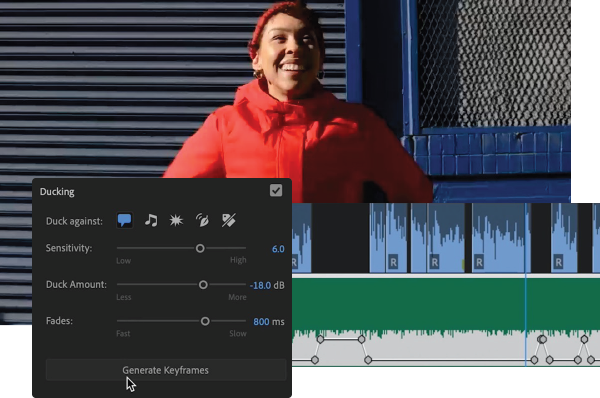
If I come here to the Essential Sound panel and use Ducking, Premiere Pro will analyze my voice and music tracks, then automatically duck or lower the music level when I'm speaking.
See all these keyframes here?
Let's listen.
I love a good challenge.
I'm always pushing myself to try new things.
Now I can hear myself.
Have fun and try for yourself. -