Introduction
[Duncan Martel]: Welcome to Adobe Substance 3D Reviewer.
A journey begins on the web, where you log in and upload your 3D asset
Uploading assets and setting up a review session
to start a review.
We support a wide array of file types, and once your asset loads, you'll get a preview of how it will appear in Reviewer along with key information about it.
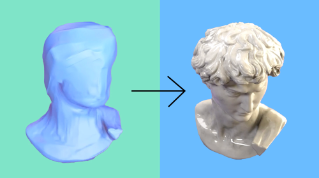
If your asset isn't already optimized for VR, you'll have the option to do so.
You can even slide between the before and after views to ensure the quality meets your standards.
Configuring environments and sharing with teams
Next, you'll be presented with various Environment options.
We offer three beautifully crafted spaces for asset reviews.
Let's choose the Small (Studio) space - one of my personal favorites.
After adjusting the scene to your liking, you'll get a share sheet to send directly to your team.
This will automatically send each of them an invitation directly to their inbox, notifying them about the new Review session.
Conducting web-based review and adding feedback
While we wait for them to join, let's jump into the web review to take a closer look.
As you can see, we're quickly loaded into a high-fidelity space that runs incredibly smooth, showcasing your asset in a realistic environment with subtle scale cues and natural lighting.
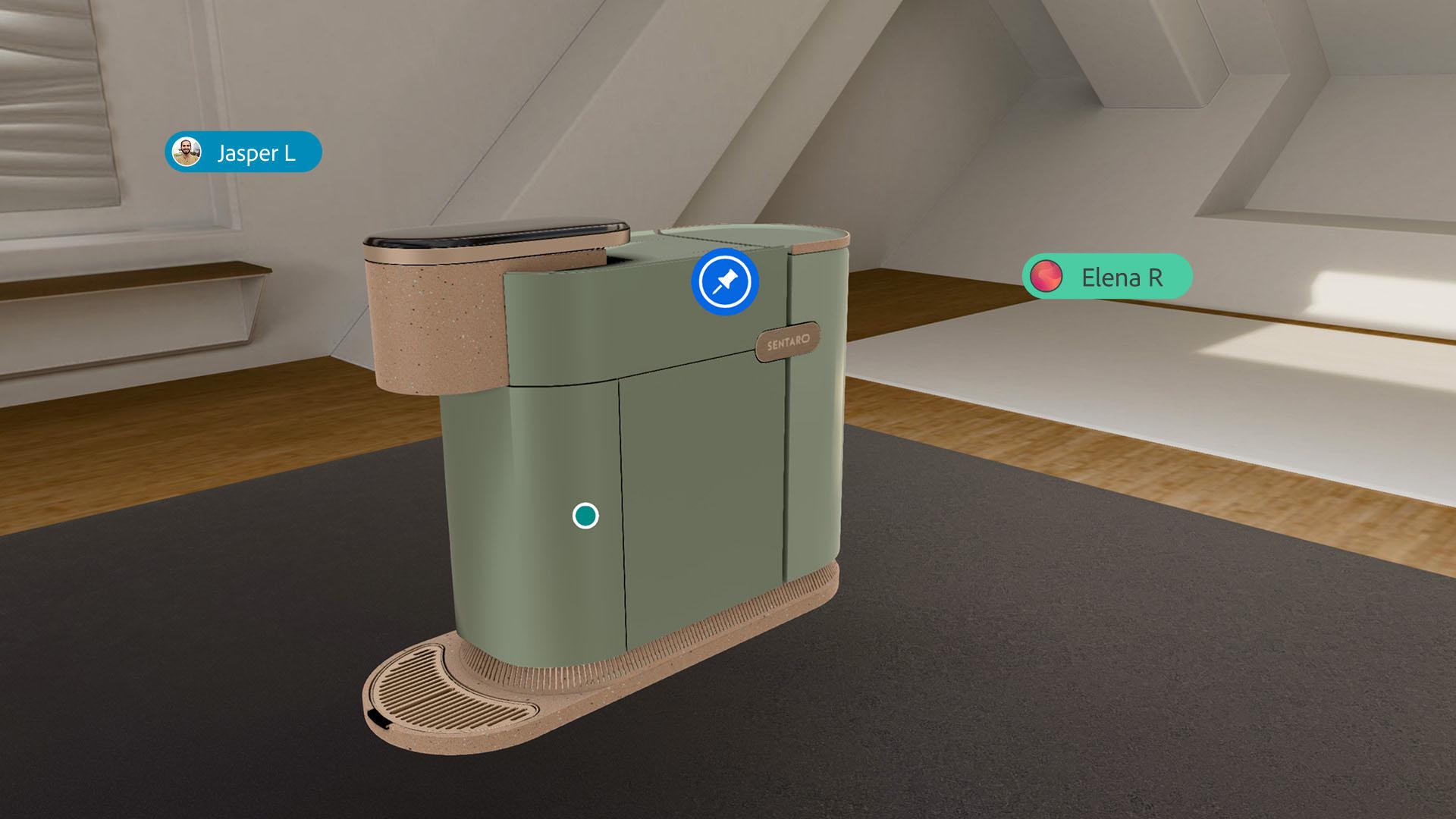
At any point, you can leave asynchronous feedback by creating a pin that will stick volumetric to the asset, allowing others to review it at their convenience.
Now that my team has joined,
Collaborating in real-time with team members
we can conduct a synchronous review session using real-time audio.
Each reviewer is represented in 3D space with a nameplate, creating a stronger sense of presence.
At any moment, myself or others can manipulate the object to view different angles, or simply rotate it to get just the right perspective.
Reviewers can also use laser pointers to guide attention to specific discussion points on the object.
Exploring immersive VR review and final features
Next, let's deep link into our Meta Quest headset to continue the discussion in VR.
VR provides a more realistic sense of scale and presence, making it ideal for distributed teams. [music] Here we are virtually in the Studio space with our team on both web and VR for an even more immersive review session.
Just like in the web experience, you can manipulate the asset to inspect every detail from various angles. [music] The laser pointer is also available in VR, helping guide everyone's focus during the discussion.
As you can see, there're already several comment pins on the asset, but let's add our own.
Simply click the Add Pin icon on the Quick Action panel, place it where needed and our Comment panel will appear, allowing you to leave a comment, reply to others, or make edits as needed.
Lastly, if you want to match another reviewer's viewpoint, you can teleport to their location to see the asset from their exact perspective.
At any time, you can return to the home page to access other reviews you've created or those shared with you.
Thank you for your time and we hope you enjoy Adobe Substance 3D Reviewer.