ANIMATION

Motion Graphics Explained.

From classic Hollywood title sequences to the graphics on your Instagram feed, motion graphics have been telling stories through movement for decades. Here's the definition, history and examples you need to know, plus how generative AI is opening up a faster way to create them.

Explore Adobe Firefly

Decorative teal and white wave-style graphic used as the banner illustration for the Motion Graphics article.

What Are Motion Graphics?

What Are Motion Graphics Used For?

Hand holding a film clapperboard against a plain grey background.

History of Motion Graphics

The digital age of motion graphics

The arrival of digital technology in the late 20th century had a huge impact on motion graphics design. The Apple Mac landed in the early 1980s, empowering designers to create even more inventive title credits for films and TV shows.

Though the technology of the 1980s looks primitive today by comparison with what had been available in the 1960s and 1970s, it significantly changed how motion graphics could be created and edited. And as digital technology has advanced further in recent years with software such as Adobe Premiere and Adobe After Effects, the creative capabilities of designers have increased.

The Netflix-era of TV miniseries

As television grew in popularity, the creators of popular TV shows employed the motion graphics principles of cinema. Early versions of TV credits from the 1970s and 1980s were basic. But as TV has grown to rival cinema, that gap has narrowed. Today, big-budget miniseries on HBO or Netflix boast opening credits to rival anything seen in Hollywood, with 3D motion graphics in particular providing some memorable title sequences.

The advertising and social media age

The advent of the internet, social media and digital advertising in the 2000s ushered in a new era of motion graphic design. Creative agencies began to employ talented designers to create short, animated graphics to advertise their client's products and services, often to break down complex processes into simple steps.

Using motion graphics to inform the world

Infographics developed as a medium throughout the 2010s, aided by initiatives such as The Information is Beautiful Awards. But as social media became more prominent, many designers began to animate their flat infographics to tell more engaging stories that used motion to bring data and charts to life.

Examples of Motion Graphics

How to Create Motion Graphics

Flat illustration of a motion graphic designer's workspace, showing a laptop with an editing timeline, camera, headphones and film icons.

Motion Graphic Basics

Bring Motion Graphics to Life with AI.

Adobe Firefly's generative AI tools give motion designers a faster route from idea to finished animation, without starting from a blank timeline.

Animate your designs from a prompt.

Skip the manual keyframing and turn a design, sketch or simple text prompt into a moving graphic with the AI animation generator. It's a quick way to see a static idea in motion before refining it further.

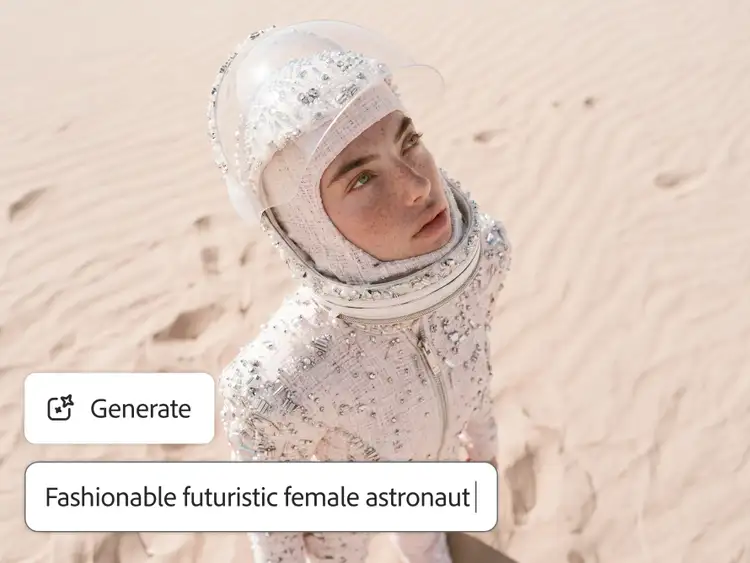
Woman in a bejewelled white astronaut-style outfit and clear visor standing on desert sand dunes, generated with Adobe Firefly's Text to Image tool from the prompt "Fashionable futuristic female astronaut"
Four-panel sequence of people in black and white hoodies running and training together on a football field at dusk

Turn a static graphic into motion.

Already have a logo, title card or flat design? Adobe Firefly's image to video tool can animate it directly, adding movement without redrawing it from scratch.

Explore styles and formats fast.

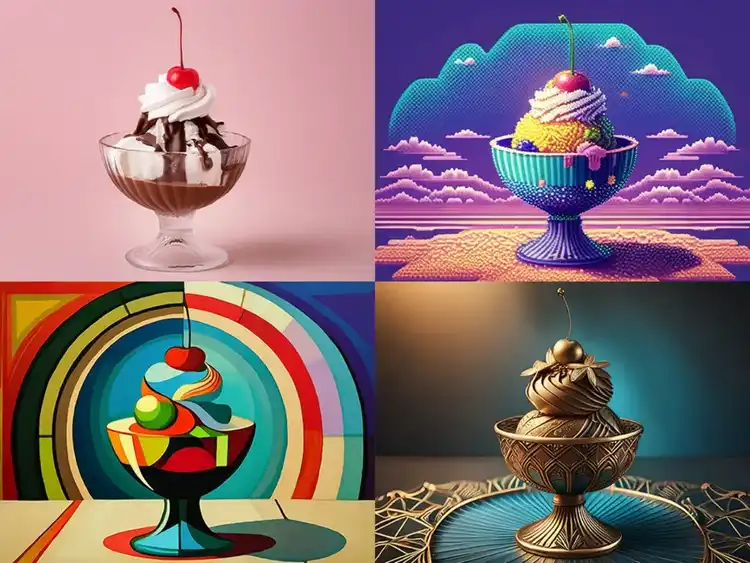
Generate multiple looks for the same concept with Text to Image, then carry the style you like into your animation.

Four variations of an ice cream sundae generated in different artistic styles with Adobe Firefly's Text to Image tool, including a photorealistic, a retro-futuristic, an Art Deco-inspired and a bronze sculptural version
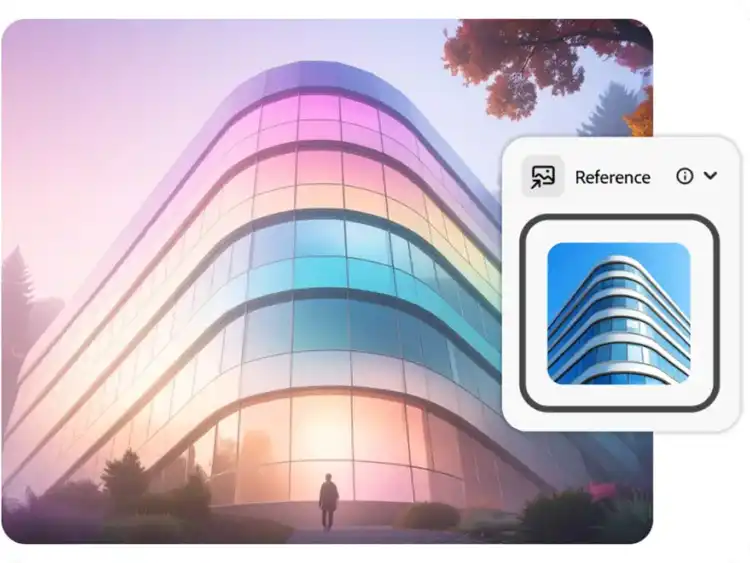
Curved glass office building rendered in an iridescent pastel colour palette using a blue reference building photo in Adobe Firefly's Text to Image tool

Bring it into your existing workflow.

Export what you generate and bring it straight into Adobe After Effects or Premiere to refine timing, add sound and finish the piece the way you always have.

Get started with AI motion graphics.

  1. Open the Firefly web app. Head to firefly.adobe.com and sign in with your Adobe ID (or create one for free) to access the AI painting generator.
  2. Start with your input. Upload an existing design, logo or sketch, or simply describe the graphic and the movement you want in a text prompt.
  3. Choose your style and format. Pick a 2D or 3D look, then set the format for where the animation will live, vertical for social, horizontal for presentations and video.
  4. Generate and refine. Generate your first version, then adjust the prompt or regenerate to fine-tune the motion, timing and style until it fits your brief.
  5. Export and bring it into your workflow. Export the result and bring it into After Effects or Premiere to add sound, polish the timing or combine it with other footage.

You May Also Like

Animation: A Complete Guide

Discover how AI animation generators work, and what they mean for animators.

Computer Animation: A Complete Guide

Explore how computer animation works, from CGI techniques to the software behind it.

Storyboarding: A Complete Guide

Generate storyboard frames in seconds and speed up your pre-production process.

Animation Storyboarding: A Complete Guide

Learn how storyboards shape animation production, from sketch to final shot.