Drop a sketch or low-res image into Illustrator and start refining, not redrawing. Concept to Vector transforms outlines into editable graphics — ready to reshape, restyle, and explore new directions.
Convert hand-drawn sketches to flawless vectors in a single click. With crisper outputs, fewer anchor points, and gradient support, refining and customizing your vector art has never been easier.
Explore new directions.
Generate multiple stylistic variations from the same sketch or low-res image — and pick the best one. Use prompts and a slider to push your idea further, pull it back, or take it somewhere unexpected.
Deliver more precise images.
Achieve unparalleled precision in every image—experience flawless detail and clarity that preserves the integrity of each line, curve, and corner.

Go from raster to vector for custom designs.
Convert photos or illustrations into vectors for scalable designs and simplified image files—ideal for precise cuts on vinyl, laser engraving, and branded merchandise like t-shirts, mugs, and hats.
Upgrade your logos with 3D effects and easy enhancements.
Transform images with advanced vectorizing capabilities in Illustrator for dynamic 3D effects, vibrant gradients, and effortless color adjustments. Use Mockup to visualize vector artwork on product images with automatic adjustments for realistic results — all in one click.
style
l spacing, static links
Easy vectors, your way.
Illustrator has two powerful tools for turning images into vectors: Image Trace and Concept to Vector. See what each one does best.
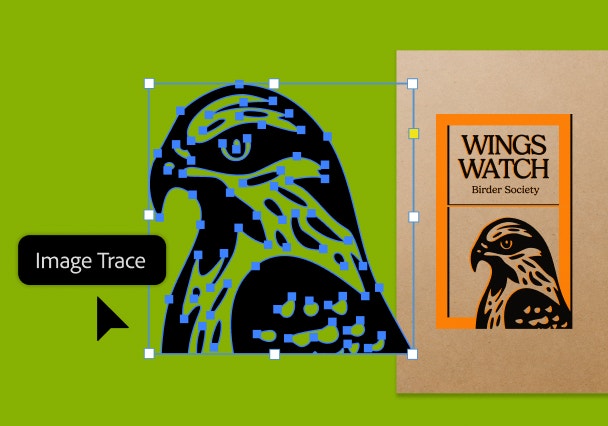
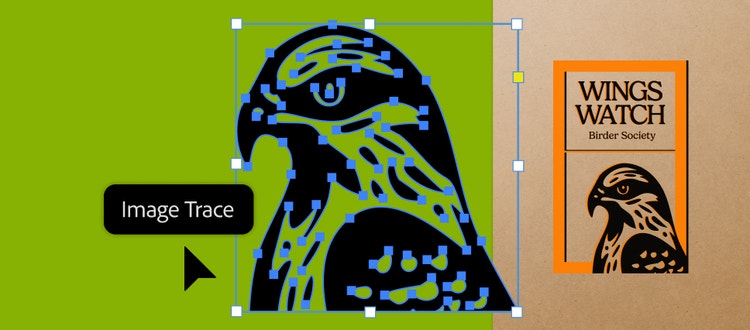
Vectorize exact artwork with Image Trace.
Image Trace uses precise image recognition to convert clean raster or high-contrast artwork into vectors that faithfully match your original — preserving every detail, edge, and shape exactly as intended.
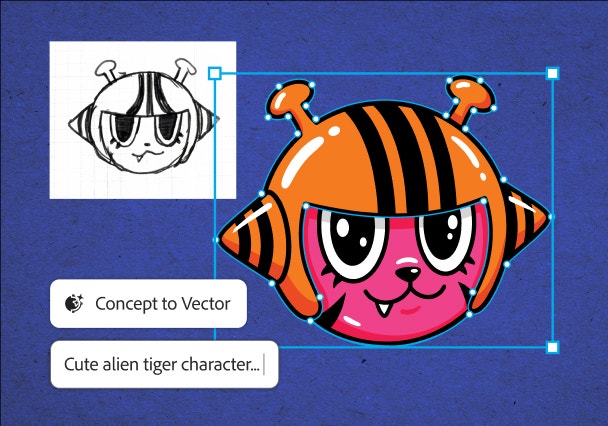
Explore new directions with Concept to Vector.
Concept to Vector uses generative AI to transform rough sketches, early ideas, or low-res graphics into editable vectors — and lets you experiment with different directions before landing on a final concept.

Vectorizing an image means converting a raster image, which is made of a grid of pixels, into vector graphics that use mathematical formulas. This lets you resize and scale without losing quality.
Yes, you can vectorize pixel-based images, like a JPG. Enhanced Image Trace makes editing vectorized outputs easier with fewer anchor points, grouped layers, and transparent support.
You can control how Adobe websites use cookies and similar technologies by making choices below. But note that if you disable cookies and similar technologies entirely, Adobe websites may not function properly.
Cookies are small text files stored by your web browser when you use websites. There are also other technologies that can be used for similar purposes like HTML5 Local Storage and local shared objects, web beacons, and embedded scripts. These technologies help us do things like remembering you and your preferences when you return to our sites, measure how you use the website, conduct market research, and gather information about the ads you see and interact with.
You can make choices in the menu below about what cookies and other technologies you want us to use on Adobe sites when you visit them from this browser. You can always change those choices later by clicking on the Cookie Preferences link at the bottom of the page.
If enabled:
We can improve your experience by tailoring the site and the content to things we think might be of interest
We can better keep track of your preferences — like what language you prefer to use
We will better understand your likely interests so we can provide you more relevant Adobe ads and content on non-Adobe websites and in non-Adobe apps
It will help us improve the performance of our website and those of our partners who use the Adobe Experience Cloud
If disabled:
We won’t be able to remember you from session to session so the experience may not be tailored to your interests
You’ll still have access to the content of the site but certain features that depend on cookies may not function
You’ll still see ads, they just may not be as relevant to you
General information
You can control how Adobe websites use cookies and similar technologies by making choices below. But note that if you disable cookies and similar technologies entirely, Adobe websites may not function properly.
Cookies are small text files stored by your web browser when you use websites. There are also other technologies that can be used for similar purposes like HTML5 Local Storage, web beacons, and embedded scripts. These technologies help us do things like remembering you and your preferences when you return to our sites, measure how you use the website, conduct market research, and gather information about the ads you see and interact with.
You can make choices in the menu below about what cookies and other technologies you want us to use on Adobe sites when you visit them from this browser. You can always change those choices later by clicking on the Cookie Preferences link at the bottom of the page.
If enabled:
We can improve your experience by tailoring the site and the content to things we think might be of interest
We can better keep track of your preferences — like what language you prefer to use
We will better understand your likely interests so we can provide you more relevant Adobe ads and content on non-Adobe websites and in non-Adobe apps
It will help us improve the performance of our website and those of our partners who use the Adobe Experience Cloud
If disabled:
We won’t be able to remember you from session to session so the experience may not be tailored to your interests
We’ll still count your use of our site and services
You’ll still have access to the content of the site but certain features that depend on cookies may not function
You’ll still see ads, they just may not be as relevant to you
Operate the site and core servicesOperate site and measure engagement
Always active
These cookies are required, and they are used to enable the site and related services core functionality. Without them the site could not operate, so they cannot be disabled.
These cookies enable the site and related services’ core functionality and collect statistics about user engagement, such as counting active use to help us understand trends. These cookies cannot be disabled.
Measure performance
These cookies are used to analyze site usage to measure and improve performance. Without them Adobe cannot know what content is most valued and how often unique visitors return to the site, making it hard to improve information we offer to you.
These cookies are used to analyze site usage to measure and improve performance. Without them Adobe cannot know what content is most valued, making it hard to improve information we offer to you.
Extend functionality
These cookies are used to enhance the functionality of Adobe sites such as remembering your settings and preferences to deliver a personalized experience; for example, your username, your repeated visits, preferred language, your country, or any other saved preference.
Personalize advertising
These cookies are used to enable Adobe and our partners to serve ads more relevant to your interests. Without them you will still see ads, but they might not be as relevant to you.