How to perfect your brand foundations, aka your ‘anchors’
Most brands don’t fail because of weak ideas. They fail because their foundations can’t hold the weight of growth.
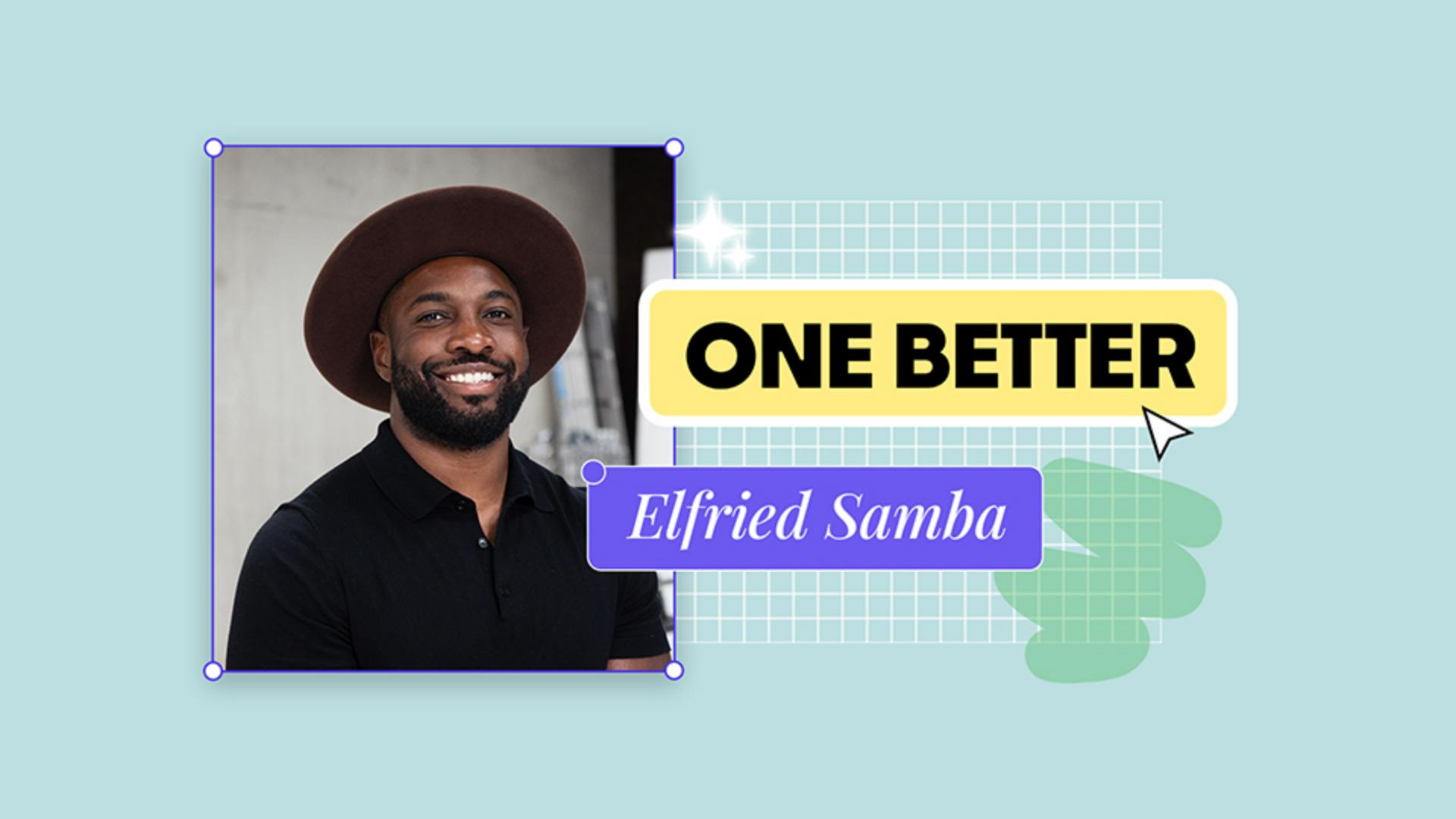
Elfried Samba, co-founder and CEO of Butterfly Effect, builds from the ground up. He believes a brand’s strength lies in its anchors: the names, principles, and stories that give it shape and direction.
After seven years leading social and community at Gymshark, he learned that clarity holds everything together. The way you name things, the way you hire, and the way you tell your story all reveal what your brand truly stands for.

Visualise your brand’s identity, philosophy and impact in minutes
Creating a visual brand framework helps organise your thinking and express your story clearly.
In this tutorial, you can see how Elfried uses Adobe Express to build a visual brand framework step by step.
You’ll learn how to start from ready-to-use editable templates, customise to reflect your brand’s message, and export a polished version for strategy sessions, presentations or creative direction.
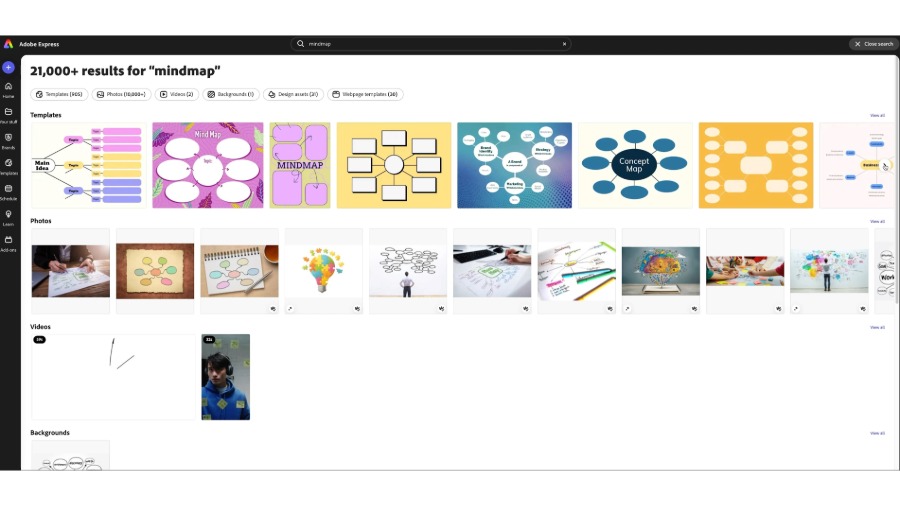
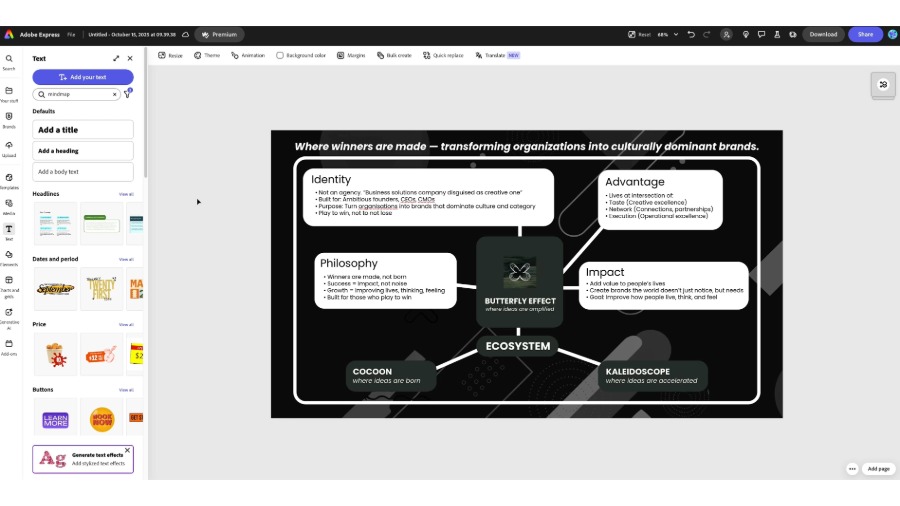
From the Adobe Express home page, you can select Start from your content to begin with your design, or you can pick from thousands of templates that are completely customisable. Select Templates from the left panel and search ‘mindmap’ to browse the range of templates designed to help you map ideas and connect themes.
Scroll through the options and choose one that fits your visual style.

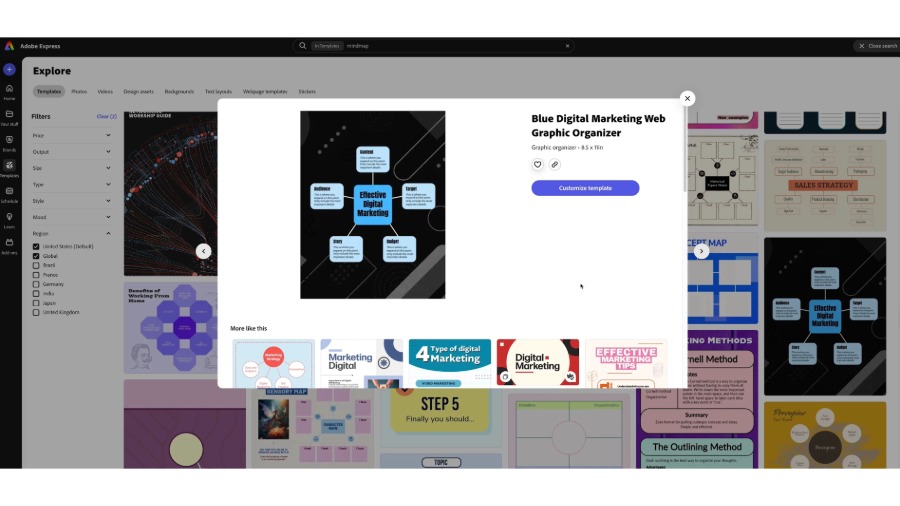
Click a template to preview its layout and size. When you’ve found one that works, select Customise template to open it in the Editor.

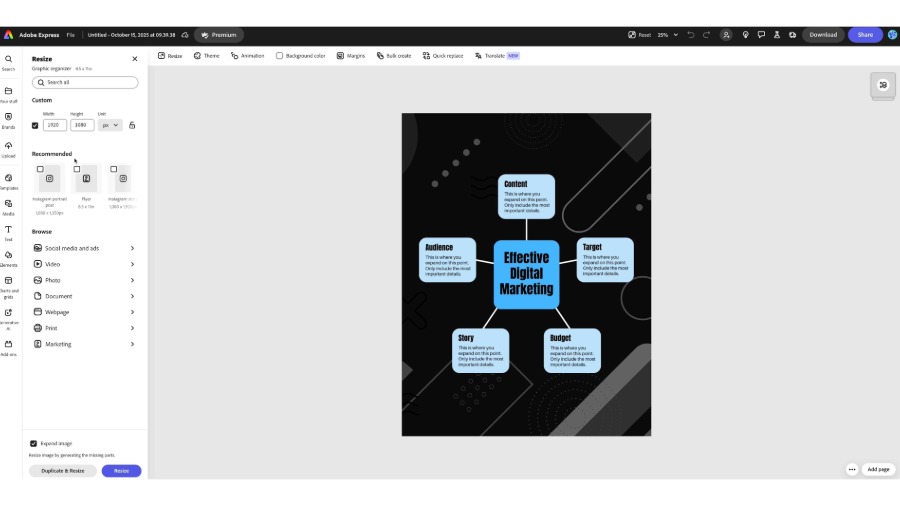
Once loaded, the project opens in the Adobe Express editor where all adjustments happen. Here you can resize, recolour, add text or replace elements to make the design feel original.
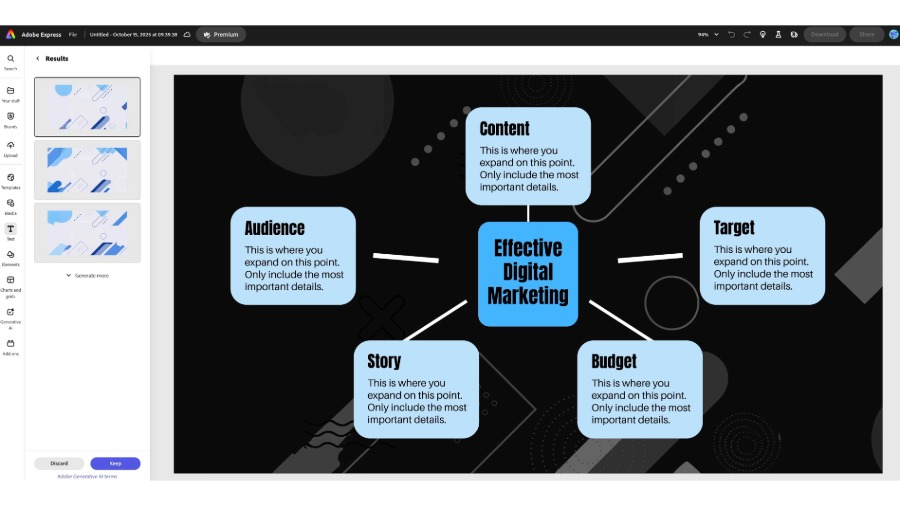
If you want to adapt your framework for another format, click Resize at the top of the workspace. Choose from preset sizes like Instagram post, flyer or presentation, or enter custom dimensions.

Select Expand Image at the bottom of the Resize menu, then click either Duplicate & Resize or Resize. Select an image from the Results or select Generate more to load additional options; once you’ve finalised an image, select Keep, or select Discard to go back to the Resize panel.

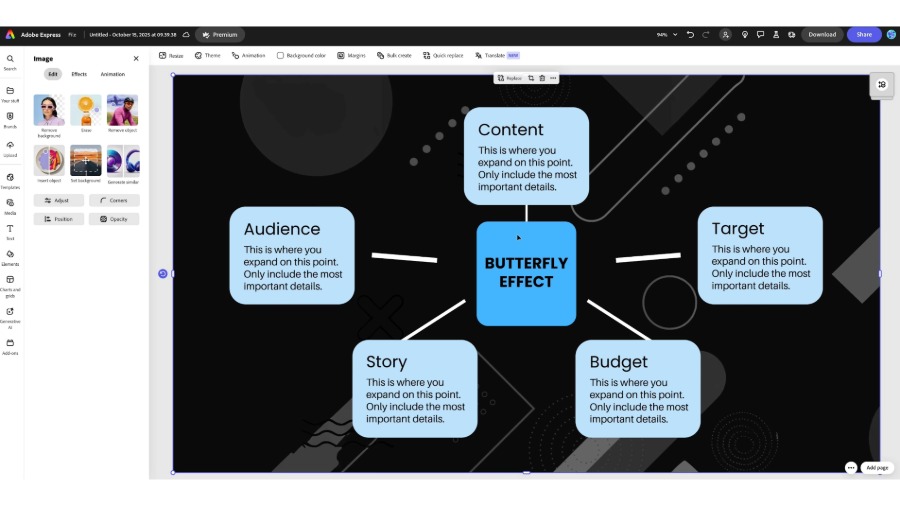
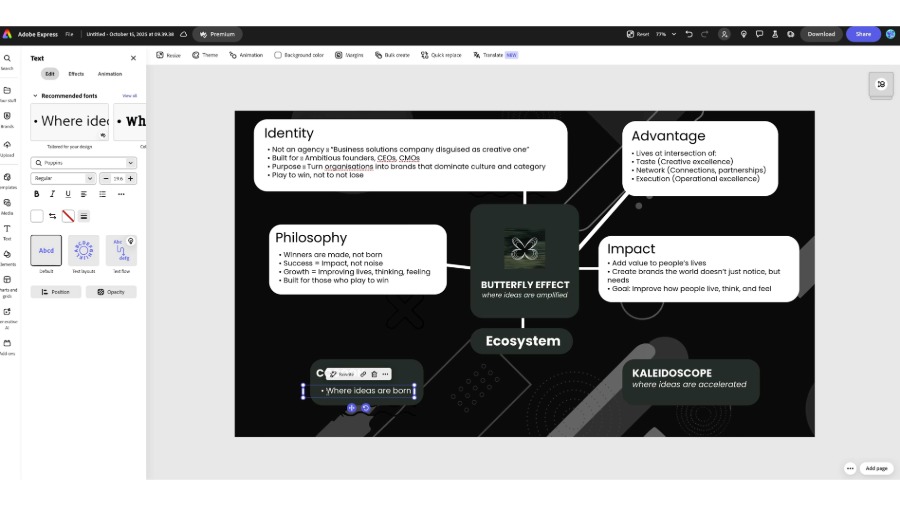
Replace the main title with your brand’s core idea — the principle that connects everything else in your framework.
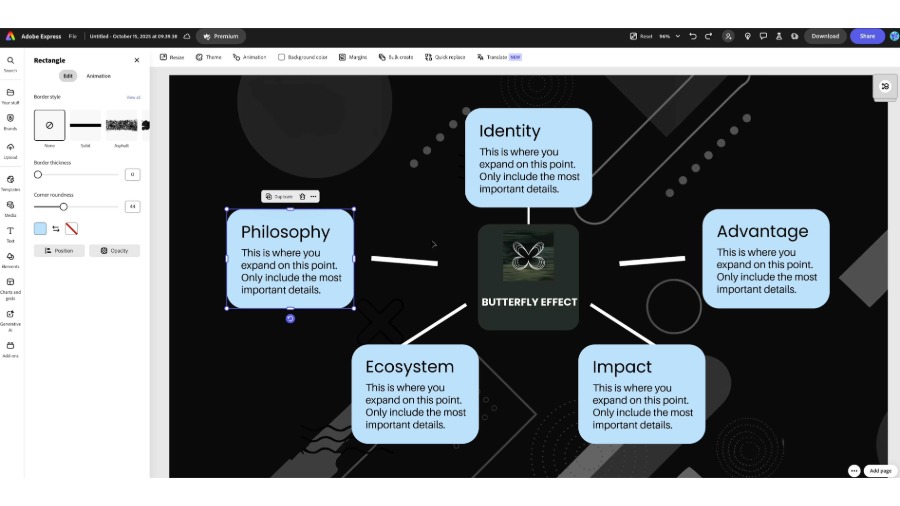
You can see how Elfried used the name Butterfly Effect as his centrepiece, the message that ties his brand story together.

Replace the copy in the text boxes with key pillars of your brand.
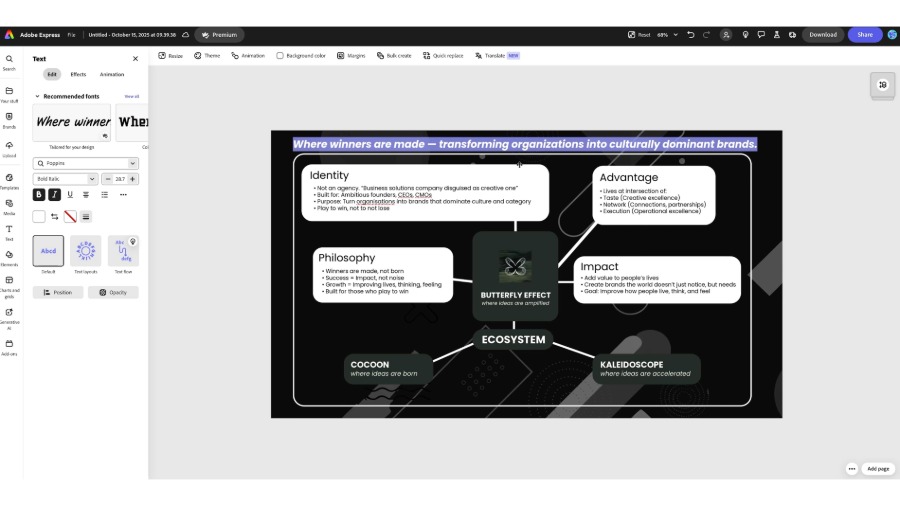
In Elfried’s example, these were:
Identity – Who you are and what you stand for
Philosophy – What drives your approach
Advantage – What sets you apart
Impact – The change you aim to create
Each theme helps clarify how your brand comes to life.

Select any shape to adjust colour, border or corner roundness.
Apply your brand colours consistently to create visual unity. Rounded edges and contrast help achieve a clean, modern finish.

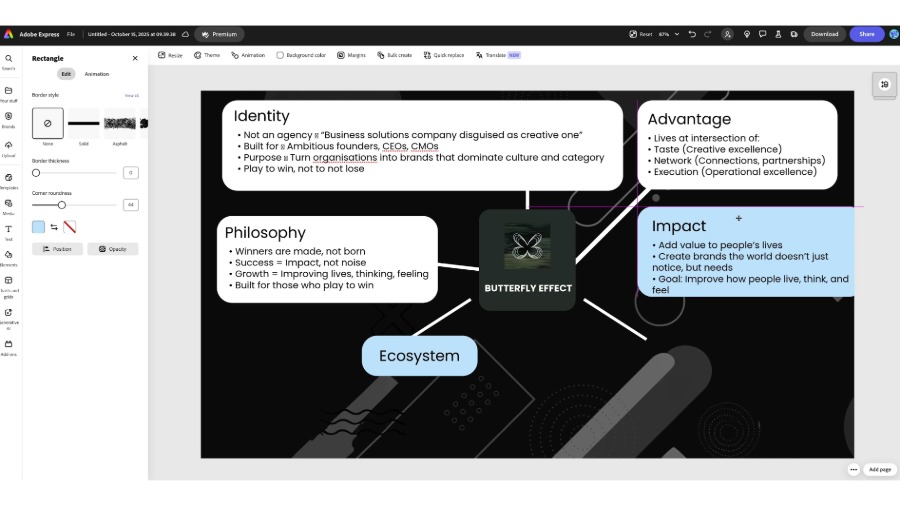
Replace placeholder text with short, meaningful copy such as your mission, values or goals. Select any text element to explore font options.
Pair a strong headline font with a clean body font, and use size and weight to guide the reader’s attention.
Adobe Express has hundreds of fonts to choose from, or you can upload your own.

To expand your framework, add smaller branches for connected ideas.
In Elfried’s version, the Ecosystem section includes “Cocoon” and “Kaleidoscope”, stages of growth that visualise progression.

Before exporting, zoom out to check alignment, spacing and colour balance.
The framework should feel clear, even at a glance.

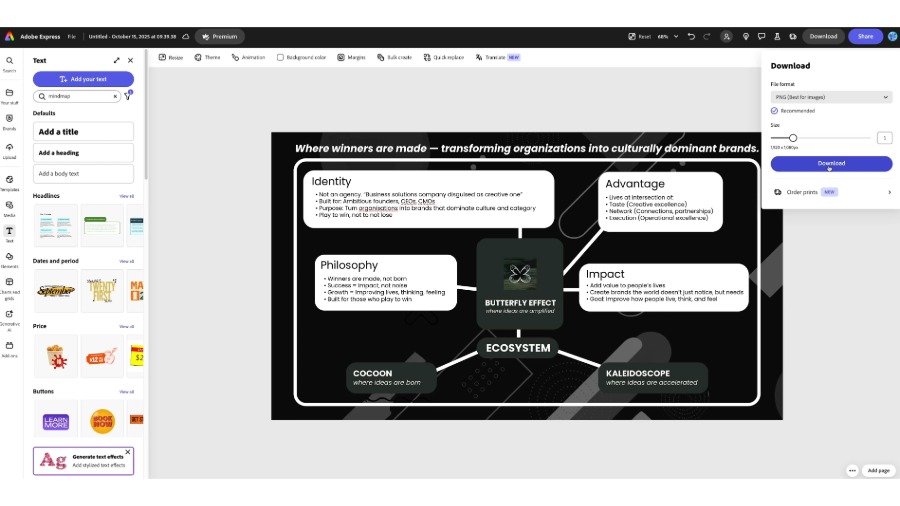
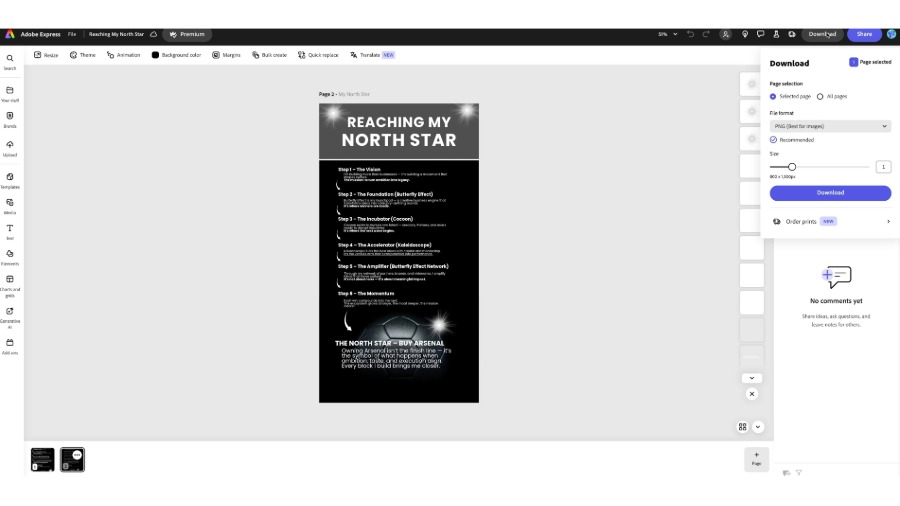
Click Download in the top-right corner.
Choose PNG for digital use or PDF for print.
You can also save your framework as a reusable template for future projects.


Turn your biggest dream into something you can see and build toward every day
Every big vision needs direction. That one goal that pulls everything else into alignment is your North Star.
In this tutorial, you can see how Elfried Samba designed his own North Star poster in Adobe Express: a visual reminder of the dream that drives him, something he can look at daily to stay focused on who he’s becoming.
Before opening Adobe Express, take a moment to ask yourself:
What’s the dream that drives me?
It might be launching your company, leading a movement, or creating something the world can’t ignore. Whatever it is, it should feel personal and unique to you.
You can see how Elfried defined his North Star as “Buy Arsenal.” Not because of ownership alone, but because of what it represents: building something so powerful it shapes culture.
From the home page, you’ll find tools, templates, and inspiration ready to use. Click the search bar to start finding a visual foundation for your idea.
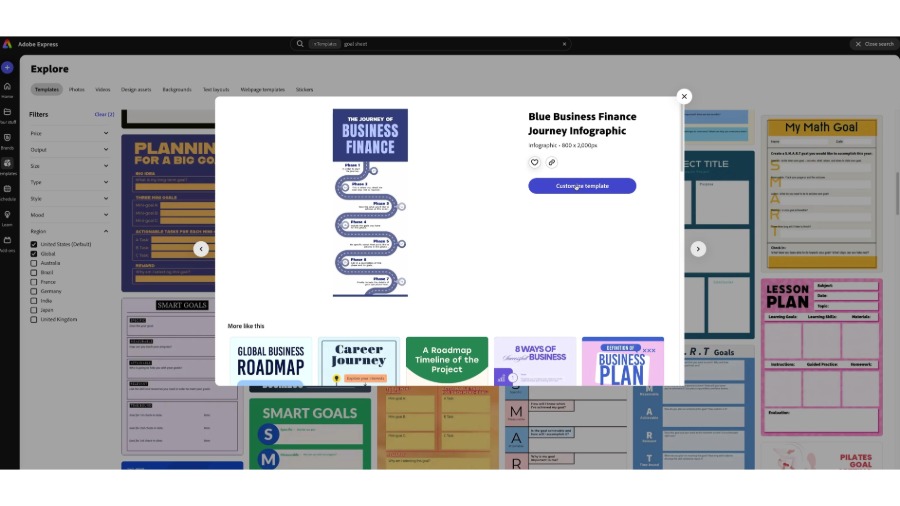
Search for templates such as goal sheet, vision board, or journey infographic. These templates are designed to help map big ideas visually.
Elfried used a Business Finance Journey Infographic, a simple, linear design that mirrored the stages of his process.
Choose a layout that feels like progress in motion. Your North Star isn’t static; it’s something you move toward.
Click Customise template to make it your own. Replace placeholder text and images with your story. Experiment with layout and colour; the more it feels like you, the stronger your connection to it will be.

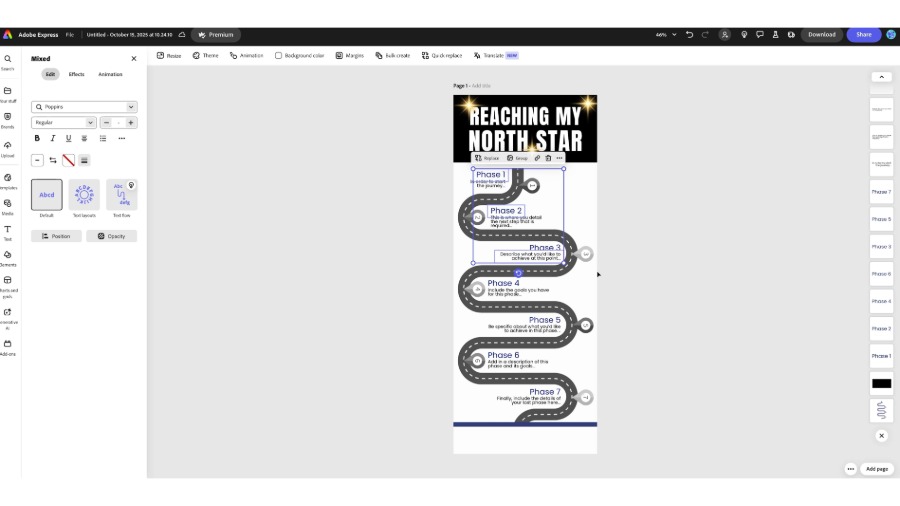
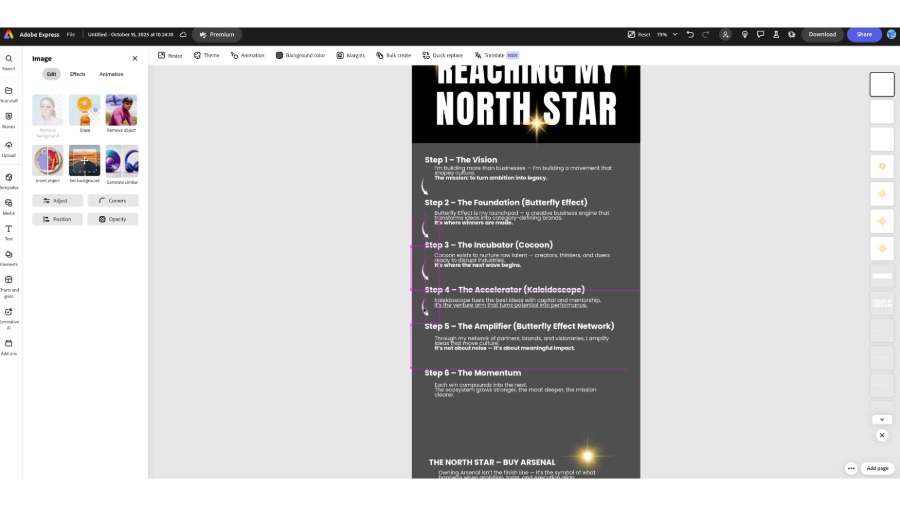
Change the title to something that reflects your vision, like ‘Reaching My North Star’.
Elfried chose strong typography (Poppins Extra Bold) and a black and gold colour palette to represent ambition, excellence, and legacy.
Your title is your declaration. Make it bold enough that your future self believes it.

Break your vision into key phases to turn a huge goal into a clear roadmap.
You can see how Elfried mapped his journey:
The Vision
The Foundation (Butterfly Effect)
The Incubator (Cocoon)
The Accelerator (Kaleidoscope)
The Amplifier (Butterfly Effect Network)
The Momentum
Each stage represents a building block for turning ideas into impact.
Breaking a goal into steps makes it measurable, and measurable progress builds momentum.

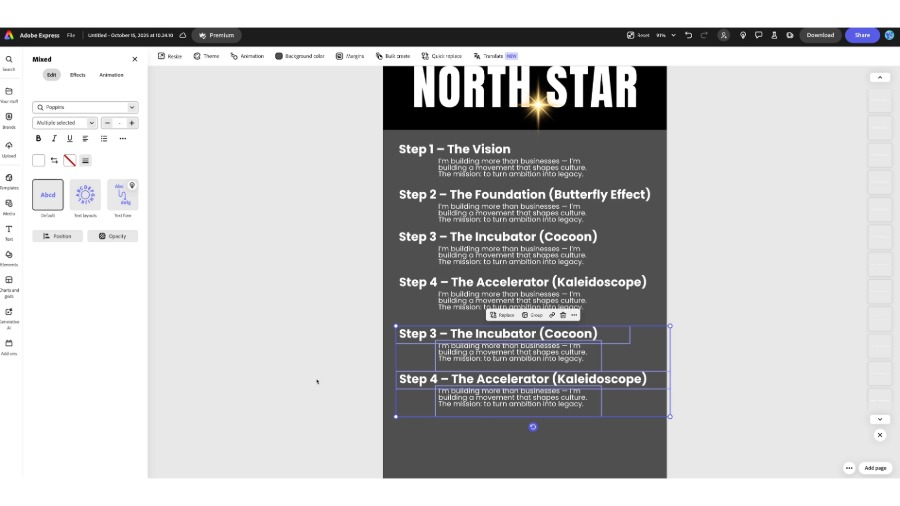
Write a short statement for each phase that explains not just what you’ll do, but why it matters.
You can see how Elfried did this:
The Vision – “I’m building more than businesses; I’m building a movement that shapes culture.”
The Foundation – “A creative engine where ideas become brands that dominate categories.”
The Momentum – “Each win compounds into the next.”
Keep the language simple, direct, and personal.
Use Resize and Alignment to balance everything visually. Each phase should feel distinct but connected.
Elfried spaced out each step evenly and kept the background minimal so the words carried the weight. Good design is good thinking made visible.

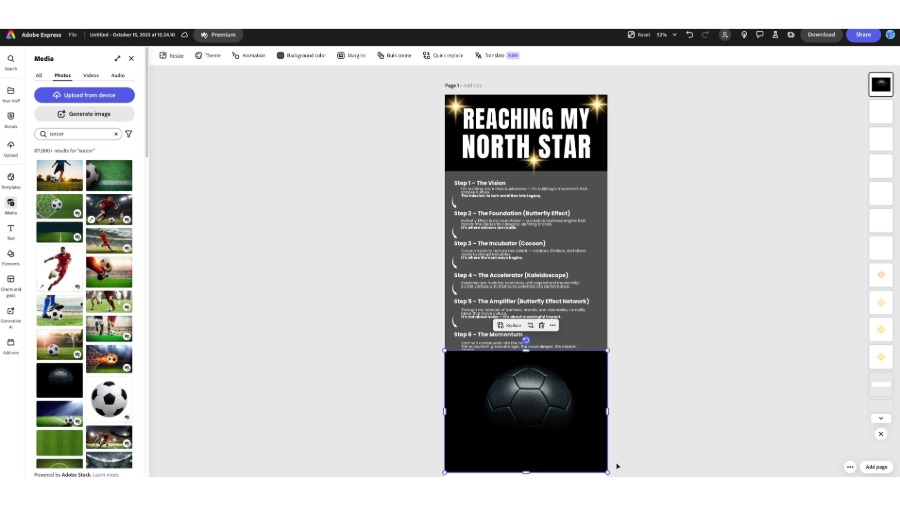
Every big dream deserves a symbol. Open Media on the left panel and search for an image that represents your goal.
Since Elfried’s North Star was about Football, he searched soccer until he found a striking image of a football under a spotlight, grounded yet full of energy.
Choose an image that makes you feel something: pride, ambition, excitement.
To add atmosphere, use Elements to bring in subtle flares, stars, or glow effects.
This is where a design shifts from informational to inspirational.
Elfried added small bursts of light near the headline as a visual nod to the idea of a guiding star. Design is emotion in visual form. Give your goal the light it deserves.

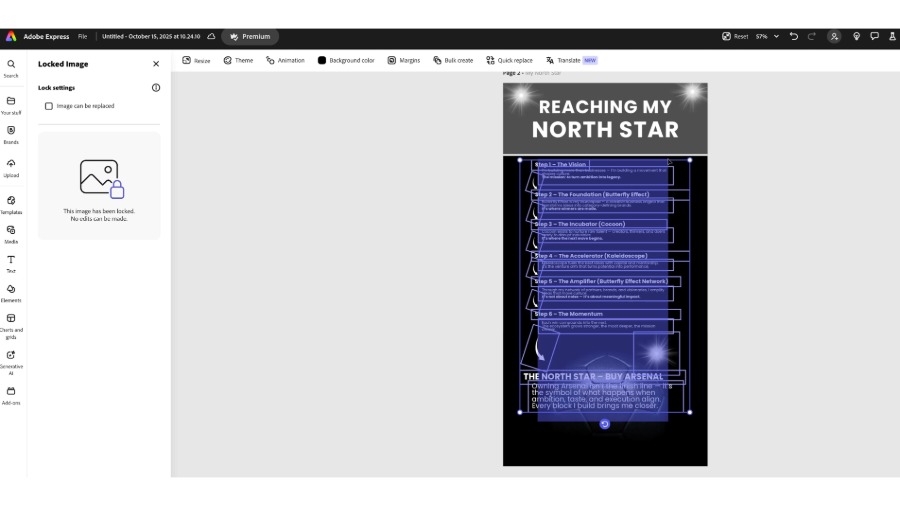
Once the design feels right, use the Lock feature to secure the layout.
Elfried locked his background, imagery, and headline, leaving only the text editable so he could refine the words without shifting the structure.


At the bottom of your poster, write your North Star in one bold statement. Keep it short, confident, and powerful. Writing in the present tense helps you think like the person who achieves it.

Plan, post, and measure your content in one place
In this tutorial, you can see how Elfried Samba uses Content Scheduler in Adobe Express to plan and track his social posts. It’s a simple way to turn creative ideas into a consistent content rhythm.
When paired with the Metricool add-on, it also shows what’s working and why.
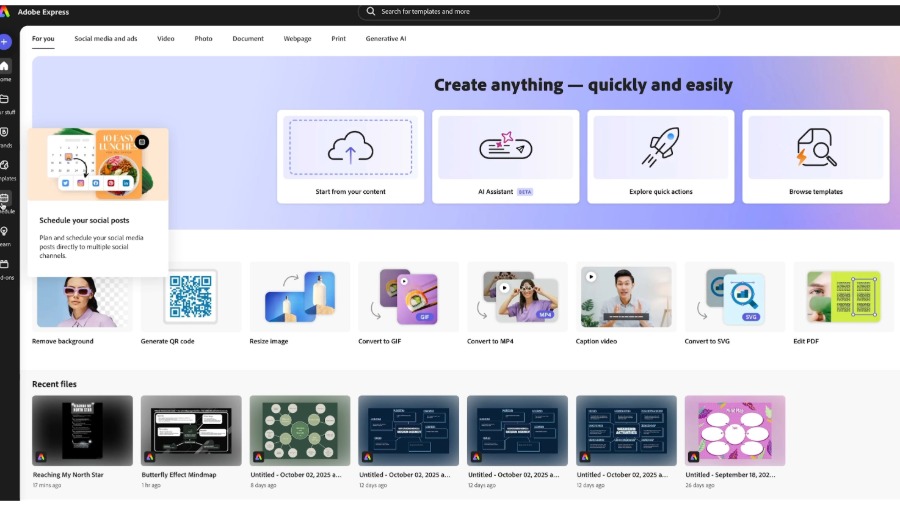
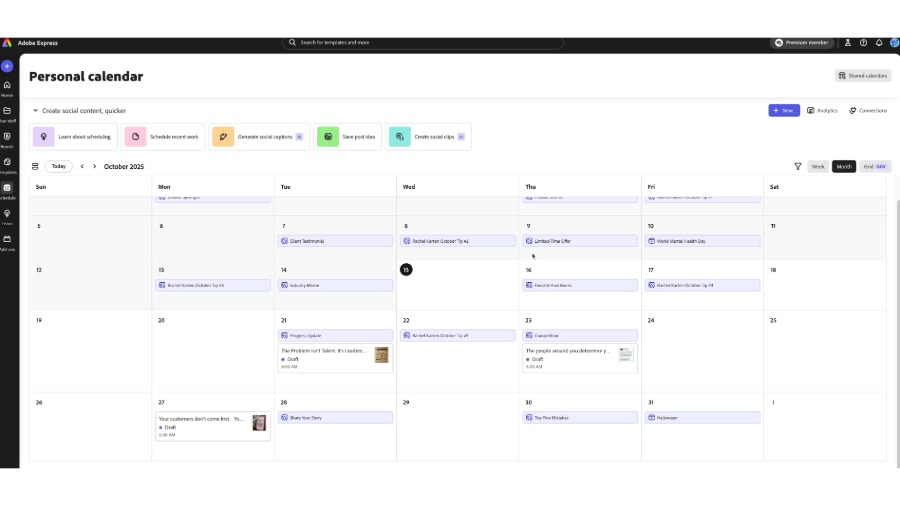
From the Adobe Express homepage, click the Schedule icon on the left panel.
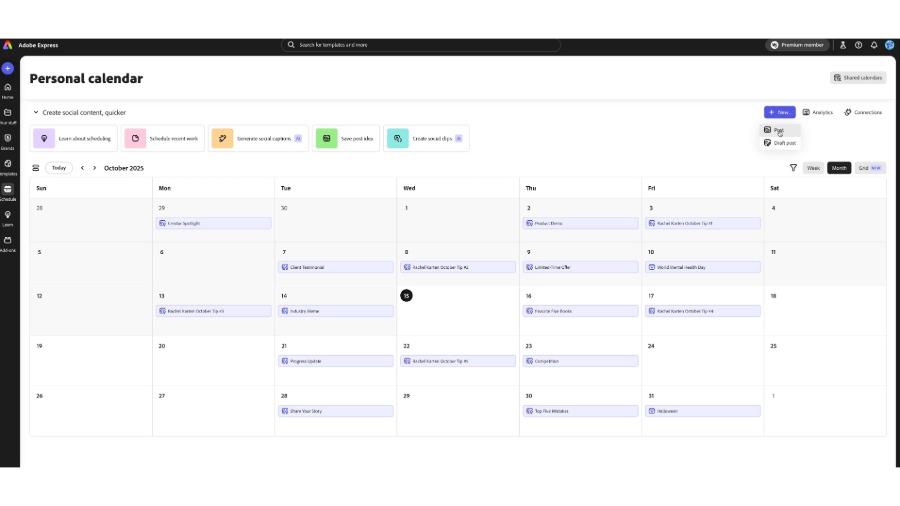
This opens your calendar, where you can see everything that you’ve planned for the week or month: posts, campaigns, and saved ideas.
You can see how Elfried starts here every Monday morning. It helps him stay structured and keeps his content rhythm consistent.

At the top-right corner of your calendar, click New – Post.
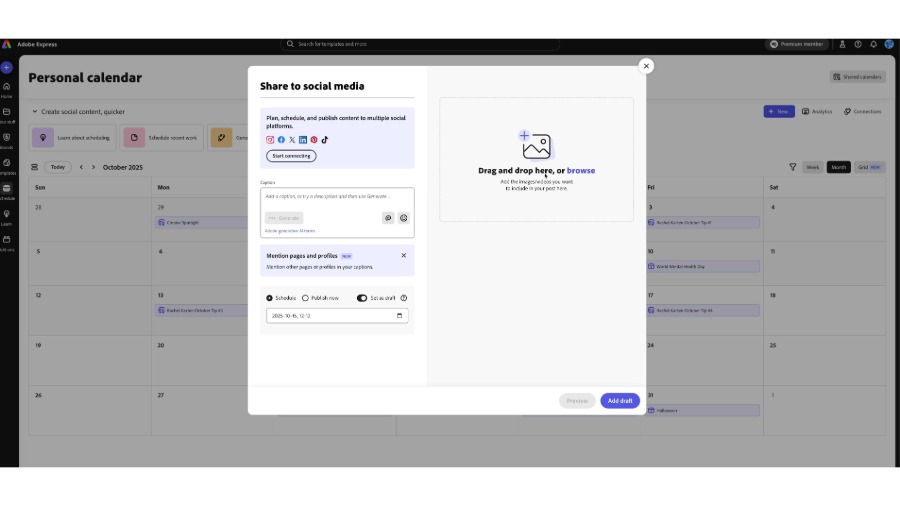
This opens a blank post window where you can build and schedule your content. You can choose to publish immediately or schedule for later.

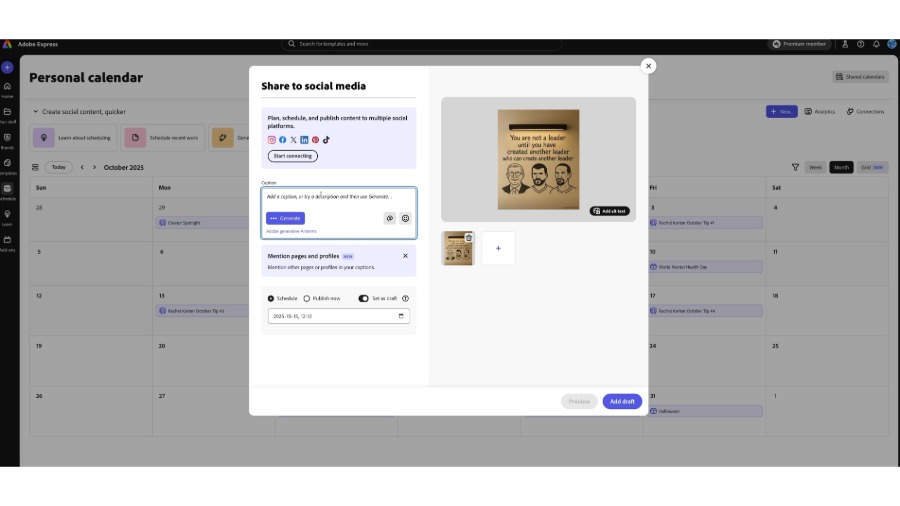
Before posting, connect the accounts you want to publish to.
Click Start connecting and sign in to your platforms such as Instagram, LinkedIn, X (Twitter), Facebook, or TikTok.
Elfried connects his main brand accounts once, and they are saved for future posts, so he doesn’t need to reconnect each time.

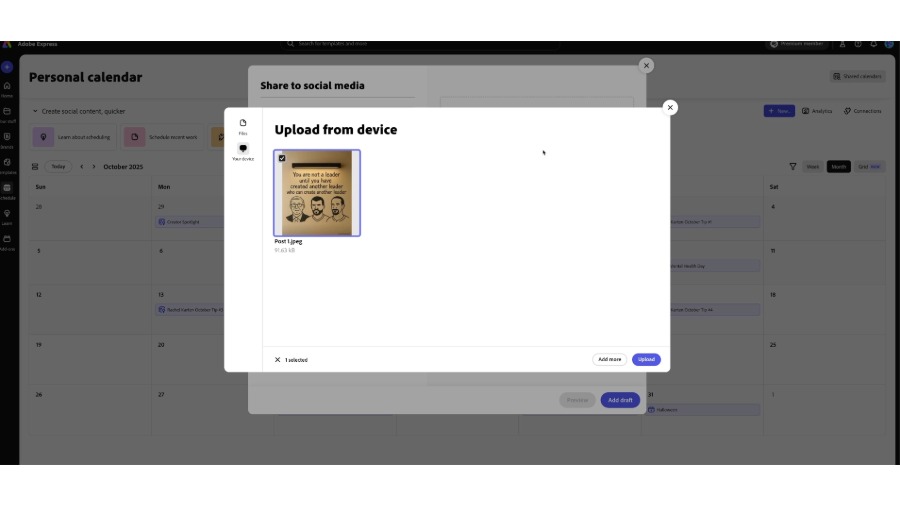
Drag and drop your image or video into the post window or click Browse to upload from your computer or Adobe Express projects.

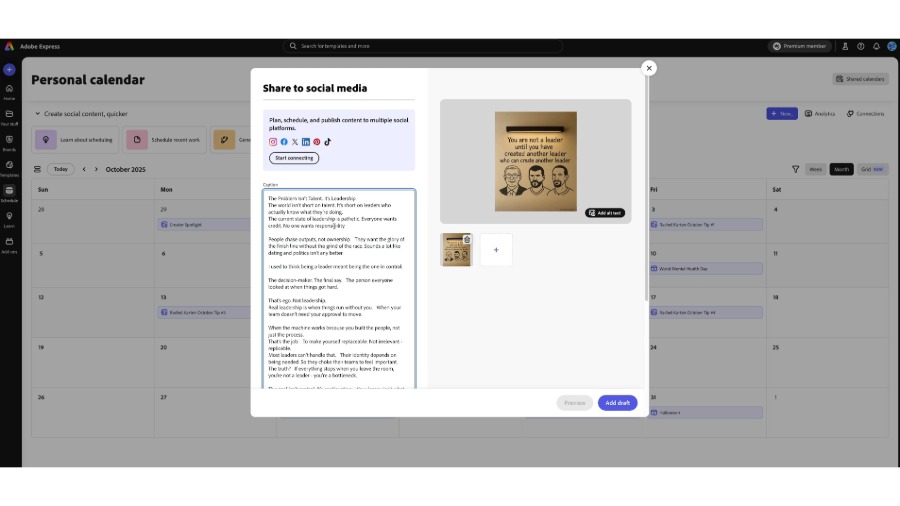
Add your own caption or click Generate and Generate new caption or use Rewrite to drive engagement by generating catchy social captions from a text description using generative AI.
You can also mention profiles directly, which is useful for collaborations or community features.
Elfried often writes longer, thought-led captions for platforms like LinkedIn, and Express handles these extended posts seamlessly.


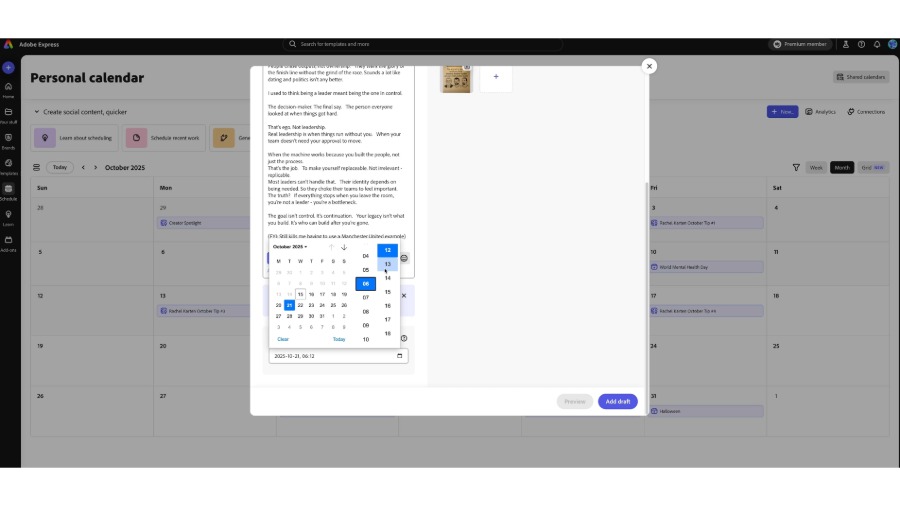
Scroll to the bottom of the post window and set when your content should go live.
Use the date and time picker to plan ahead, or select Set as draft if you’re not ready to post.
Click Add draft when finished.
Your post will now appear on your calendar, mapped out visually alongside your other planned content.

Back in the personal calendar view, you’ll see your new post added on the selected date.
You can drag it to another day, edit it, or duplicate it if you’re planning a series.
Elfried colour-codes his posts by theme — thought leadership, campaigns, announcements — to quickly check for balance across the month. Elfried reviews his top-performing posts each week, notes
which tones or formats land best, and schedules more of that style directly within Express.