



In his professional life, Nikola Damjanov creates VFX for mobile video games. But when he's not on a project, he likes to play with Substance Designer and see what happens.
For the tutorial I thought about showing something a bit different to the usual. Aside from making textures, sometimes I use Substance Designer as an exploratory tool, and as an abstract sandbox. I kind of got hooked on making these scenes and, as you will see, they are quick but interesting experiments.
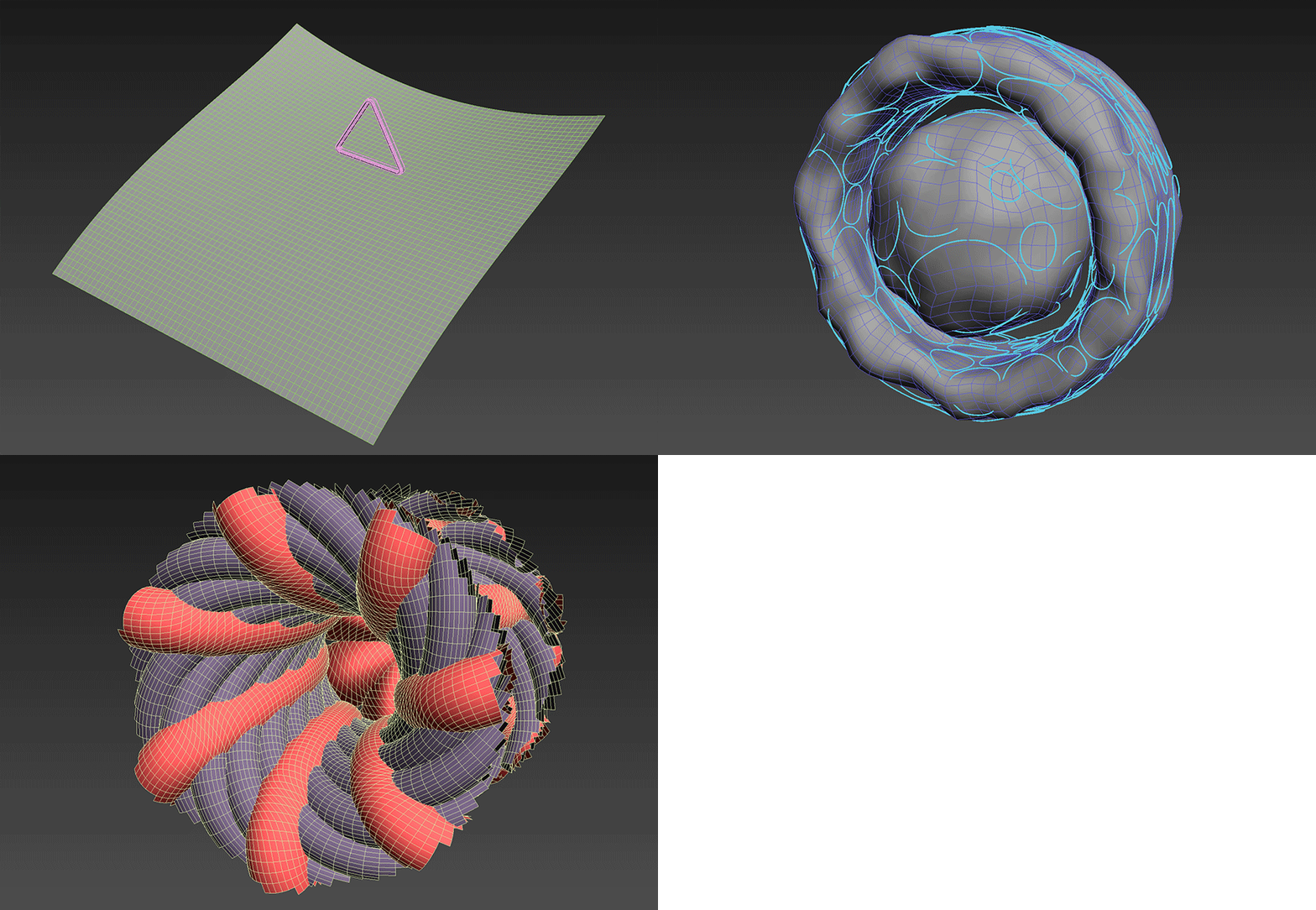
I start with a custom mesh from any DCC app. I suggest you limit yourself to primitives at the start as you’ll get UVs out of the box, and so you’ll be quicker. I tend to abuse modifiers at this point - whatever it takes to get me an interesting shape and a good starting point. This scene can be as complex as you wish but you shouldn’t overthink it; just go with the flow, as the whole point is to experiment. I even have this strange habit of deliberately not saving source files for those meshes so as to force myself to come up with something new every time.
Before you export your scene make sure you have a separate material assigned for every part you want to individually control in SD. I usually have two or three materials set up. One of them is for some light-emitting object, and that one doesn’t even need UVs. You can also plan ahead a bit and set up some cameras upfront. Those will get exported with the FBX so you can access them in Substance Designer’s 3D view.
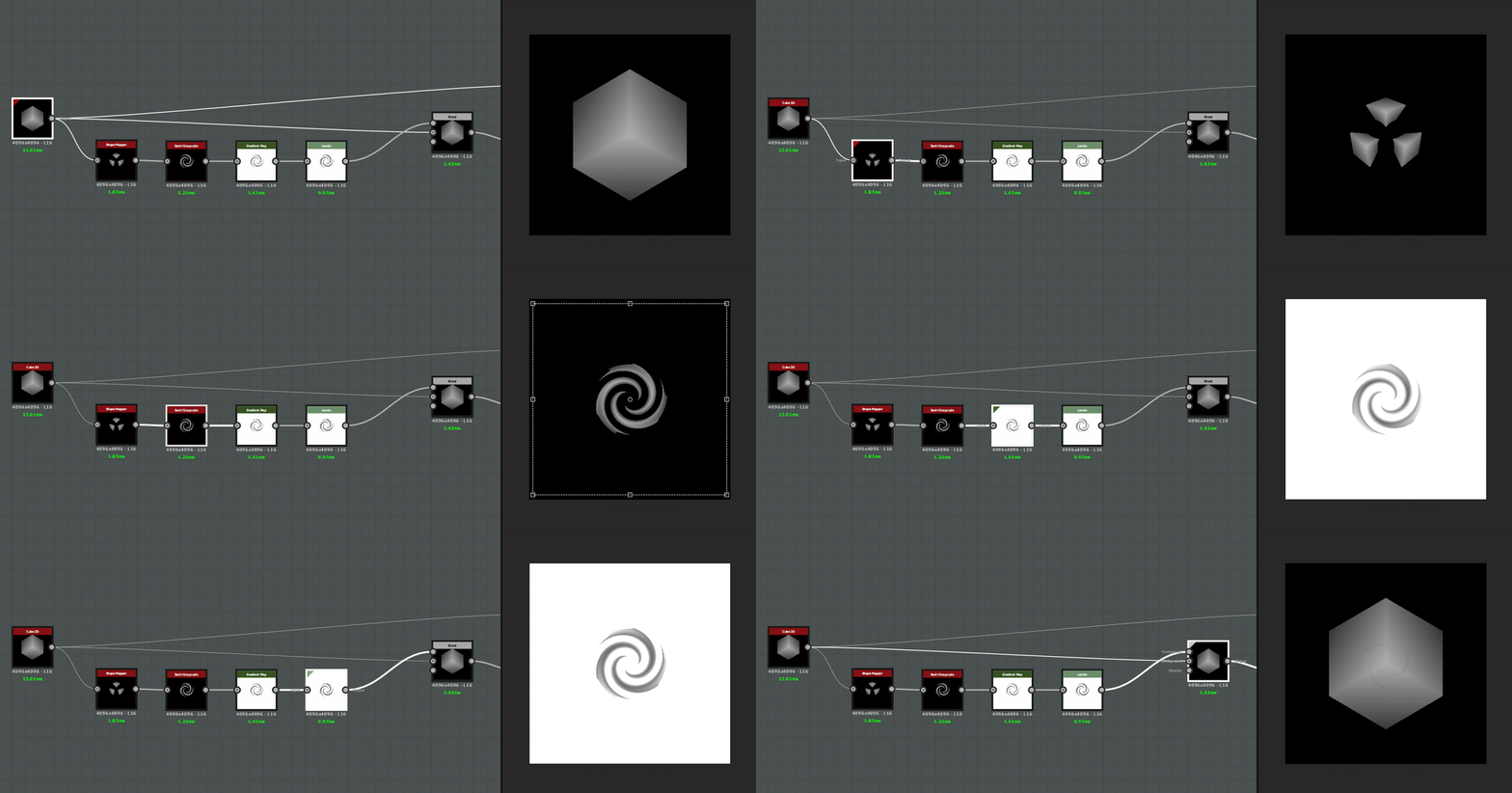
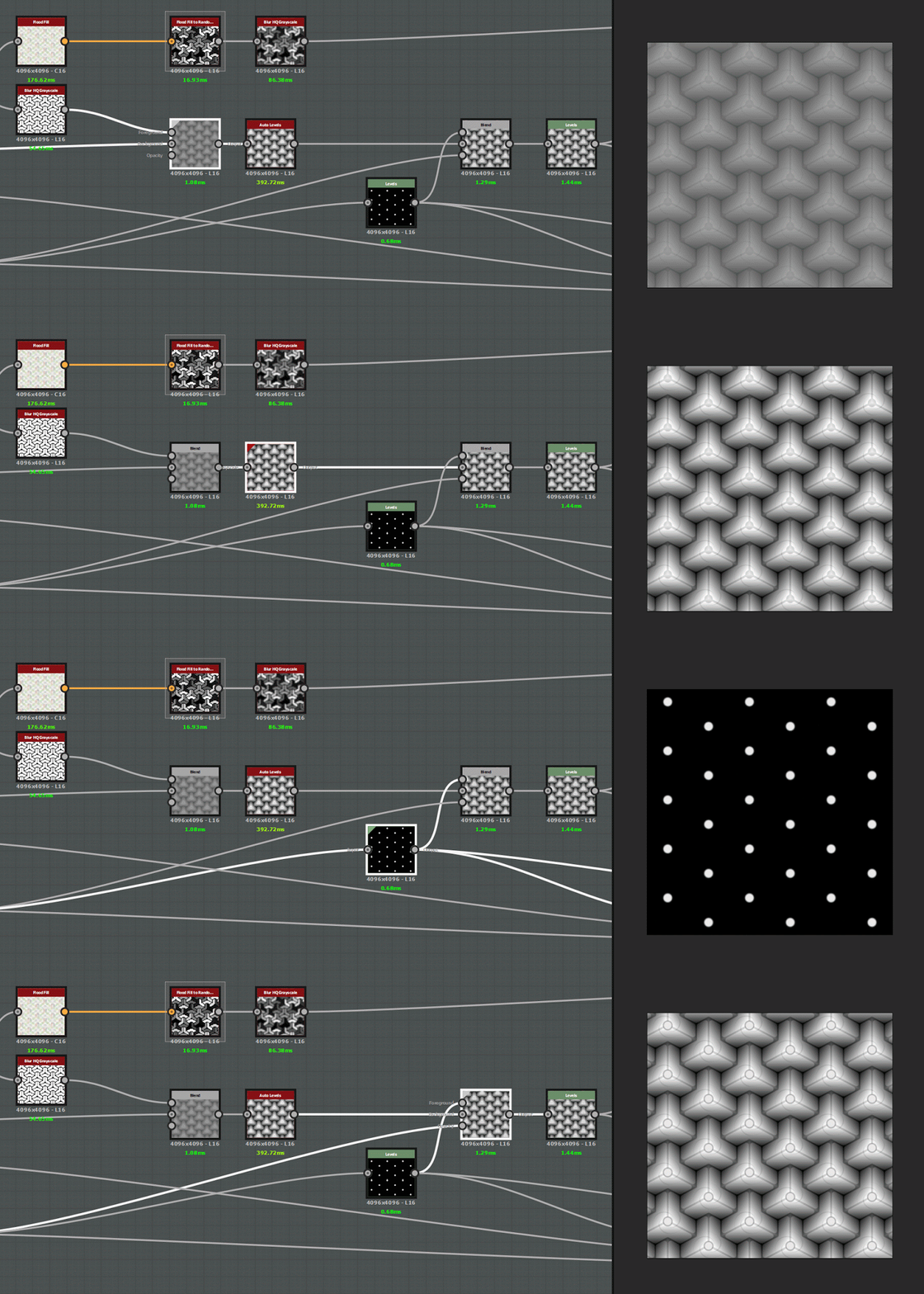
Let’s go through one of the setups. Everything started from a simple Cube3D. The first layer of details came from the main shape, but it used Shape Mapper and Swirl to modify the ornaments.
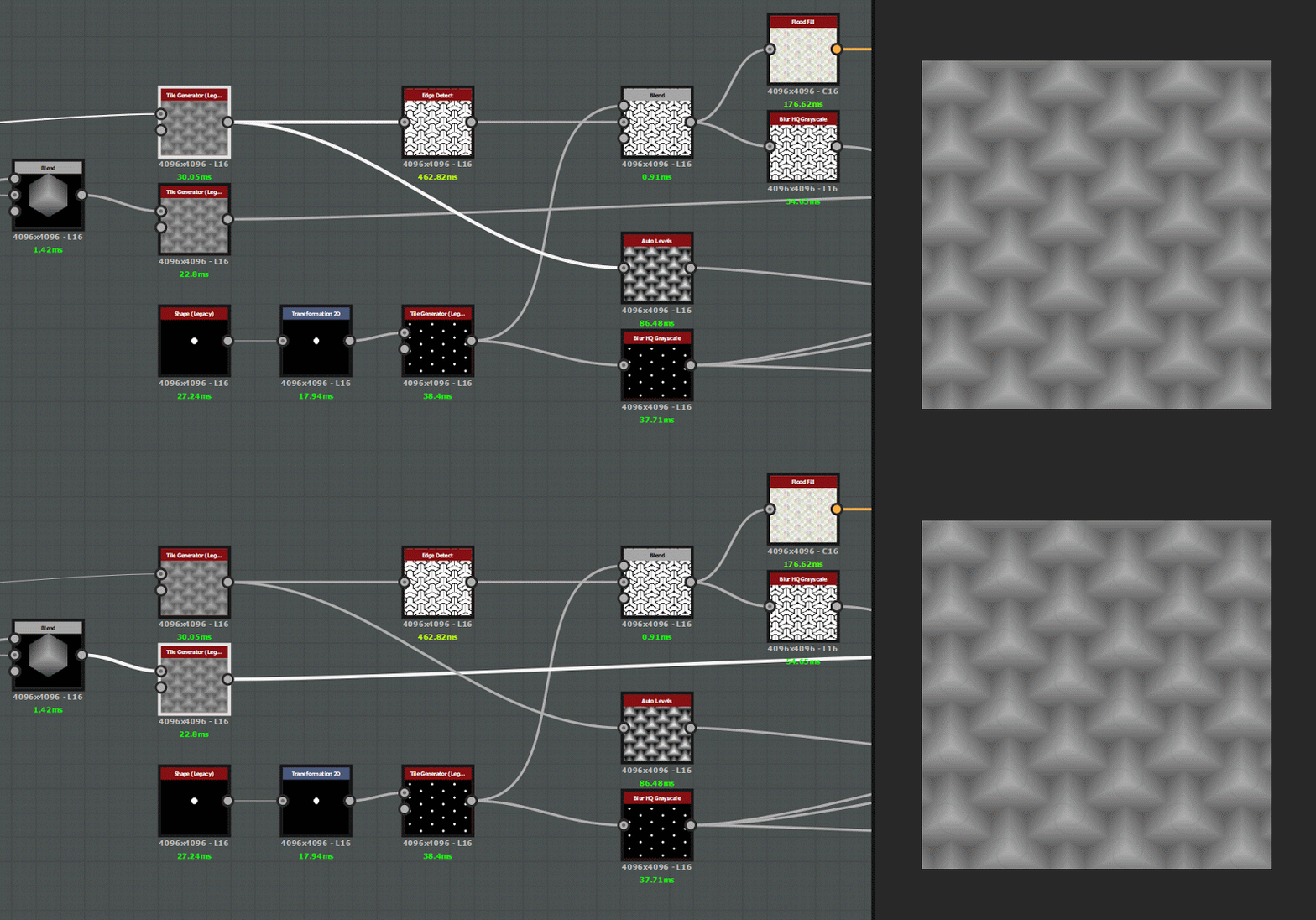
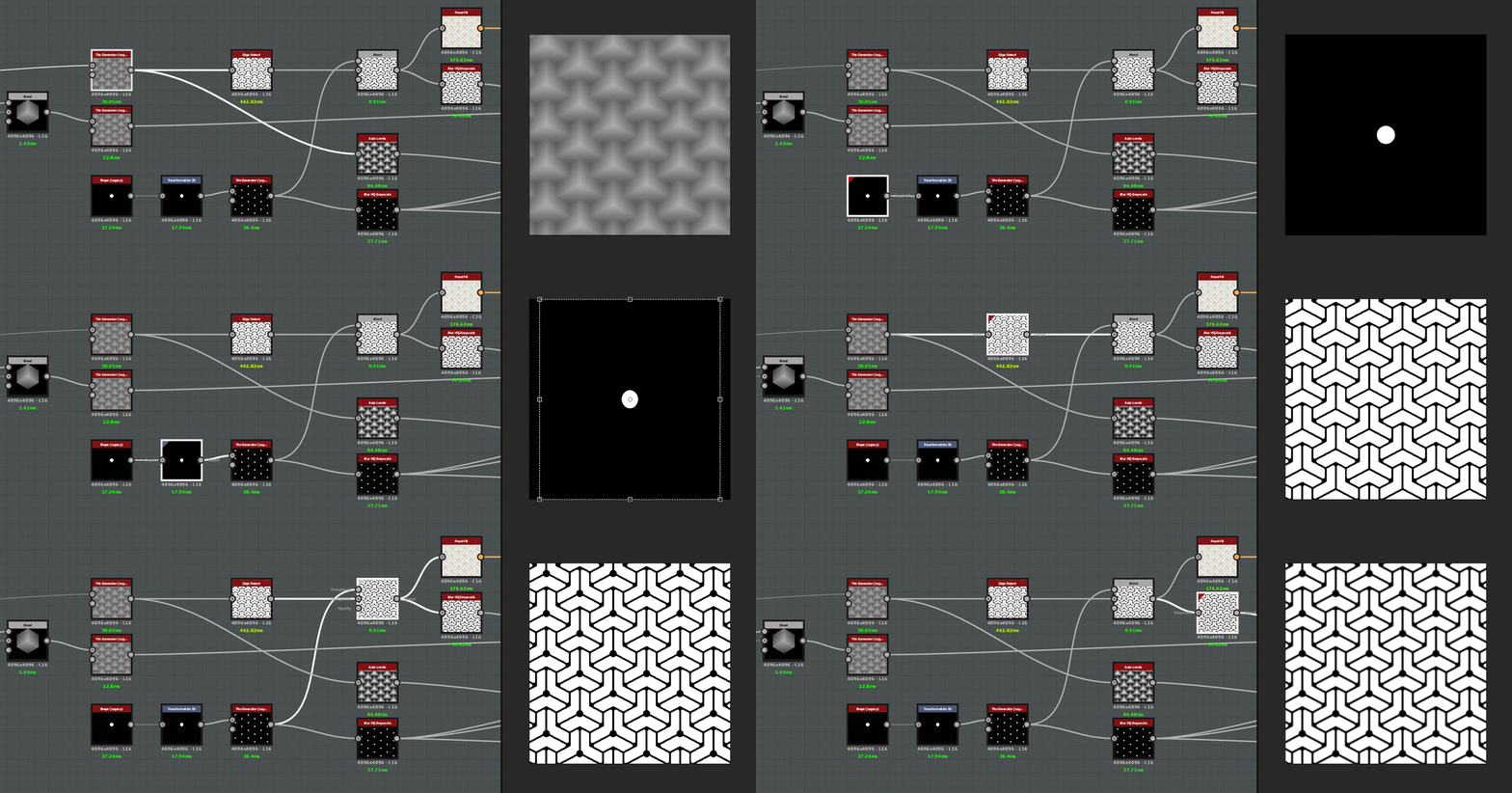
From the original and detailed cubes came two tile generators. Combine the first one with some Edge Detect and Disc Shapes tiled over the tips of the cubes to get the second level of detail. Discs add nice secondary details and Edge Detect is good for a tertiary layered engraved look close to the cube edges.
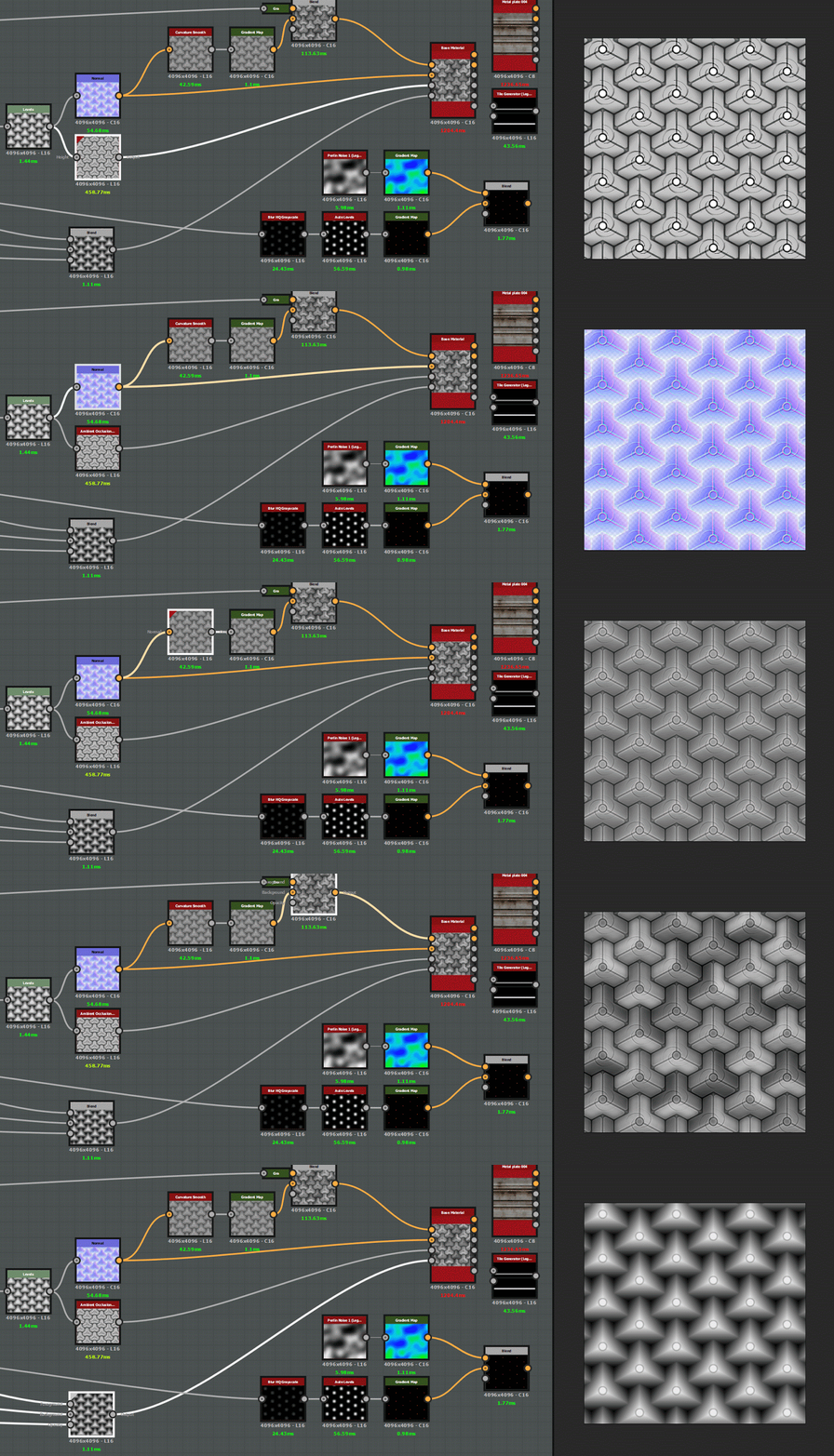
The last step was an excellent origin point for the majority of final maps. The HBAO derived directly from it, and so did the normal map, but I combined Curvature Smooth and Random Grayscale from FloodFill to get the base color. The height map was made from the non-detailed cube tiles, as those engravings were too small and unnecessary for displacement and only stayed in the normal map.
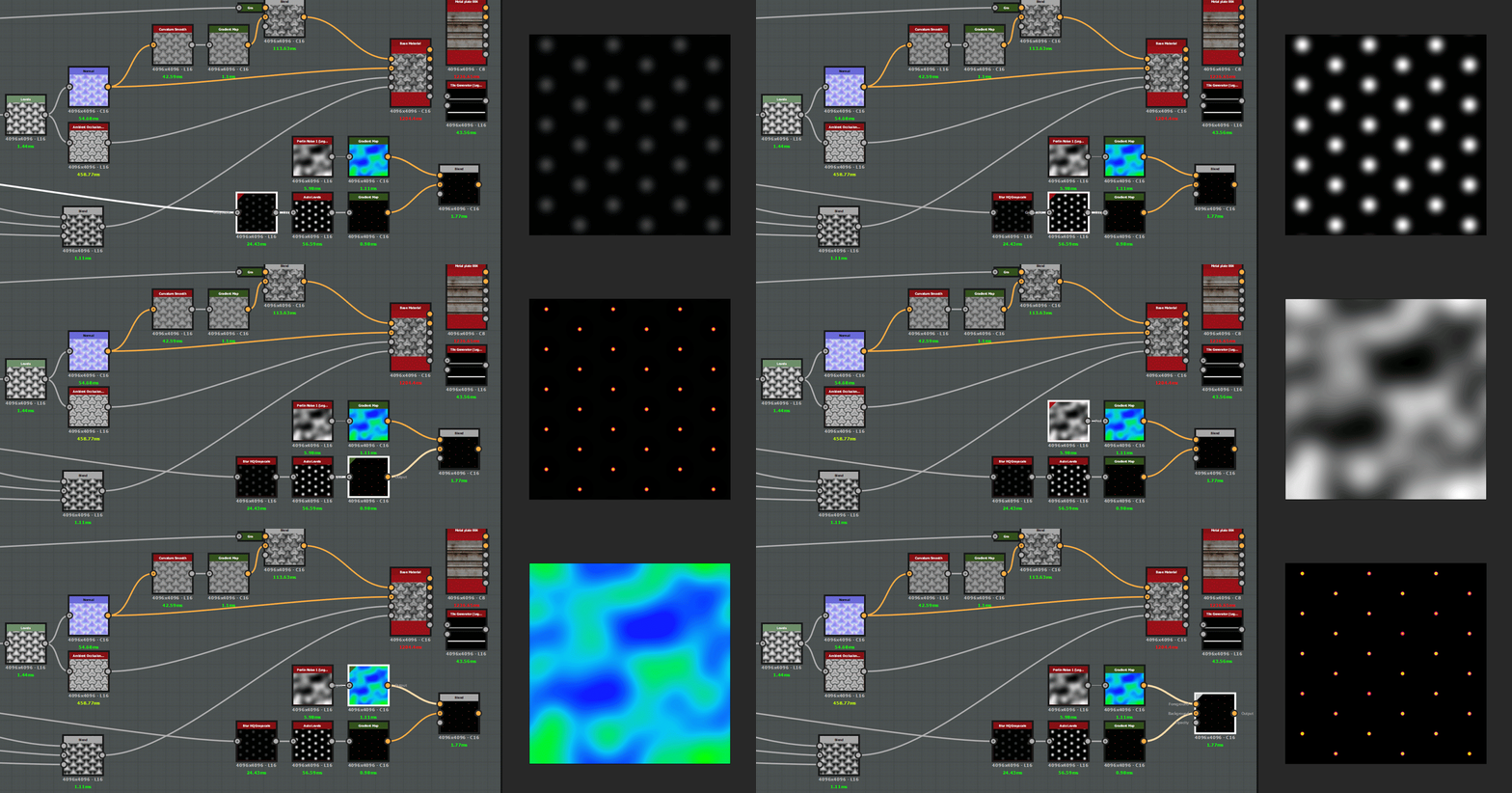
Tiled discs were reused to make the small lights. They were blurred and then constricted and colored by a gradient map. Additional color variation was added with Perlin noise and another gradient map. Then this map was used as emissive.
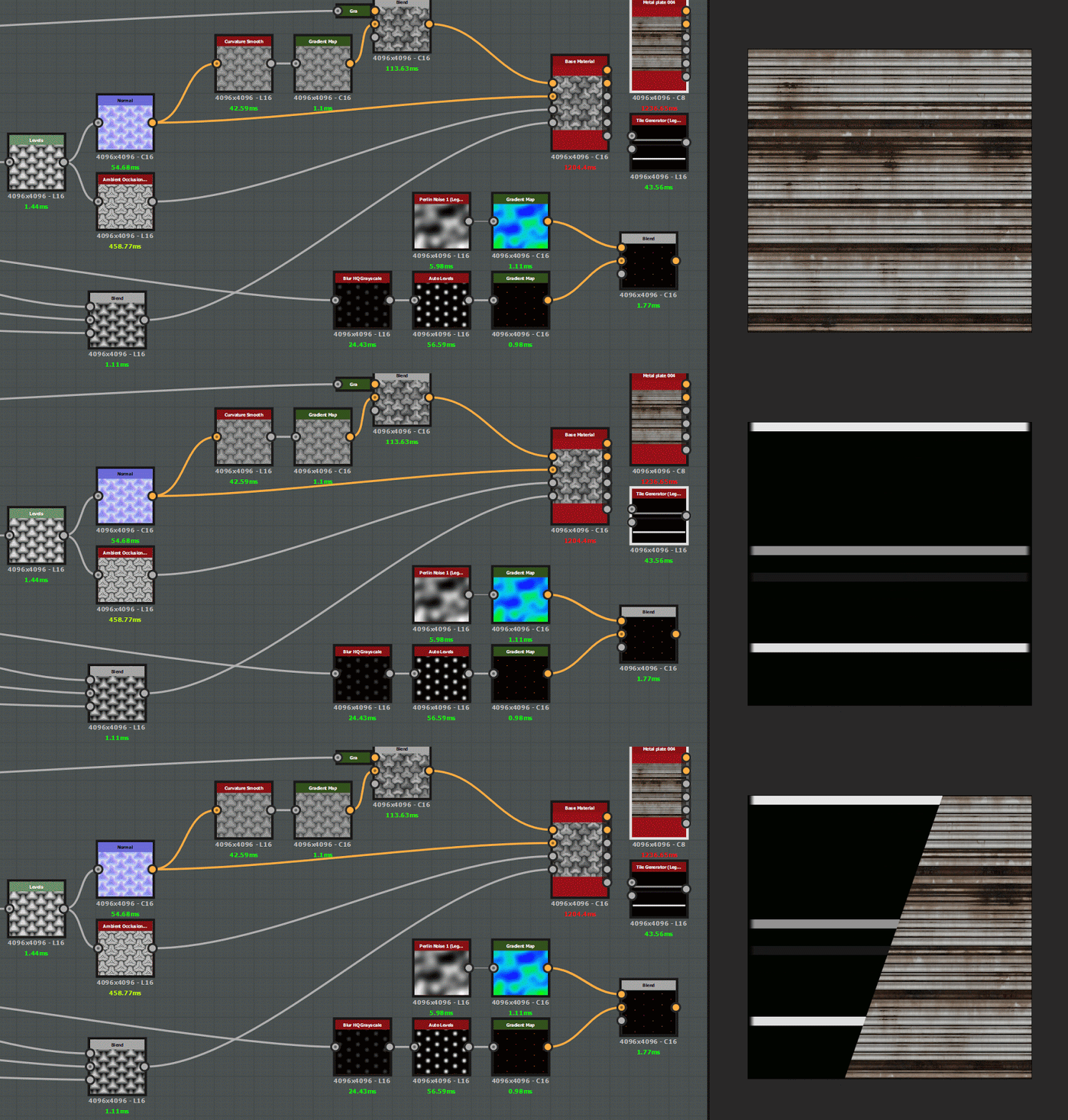
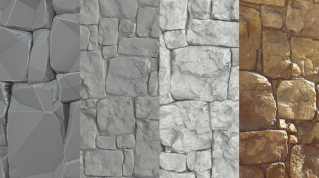
The second material was a complete cheat as I used something that already came with Substance Designer - Metal Plate 004
. But it needed some neon lights to break up the material and light the scene. Again, a custom emission map was made but this time it was a simple tile generator that matched the number tiles with the metal plate and then was randomly masked. It looked like there were neon stripes going through the material, which is just what it needed.
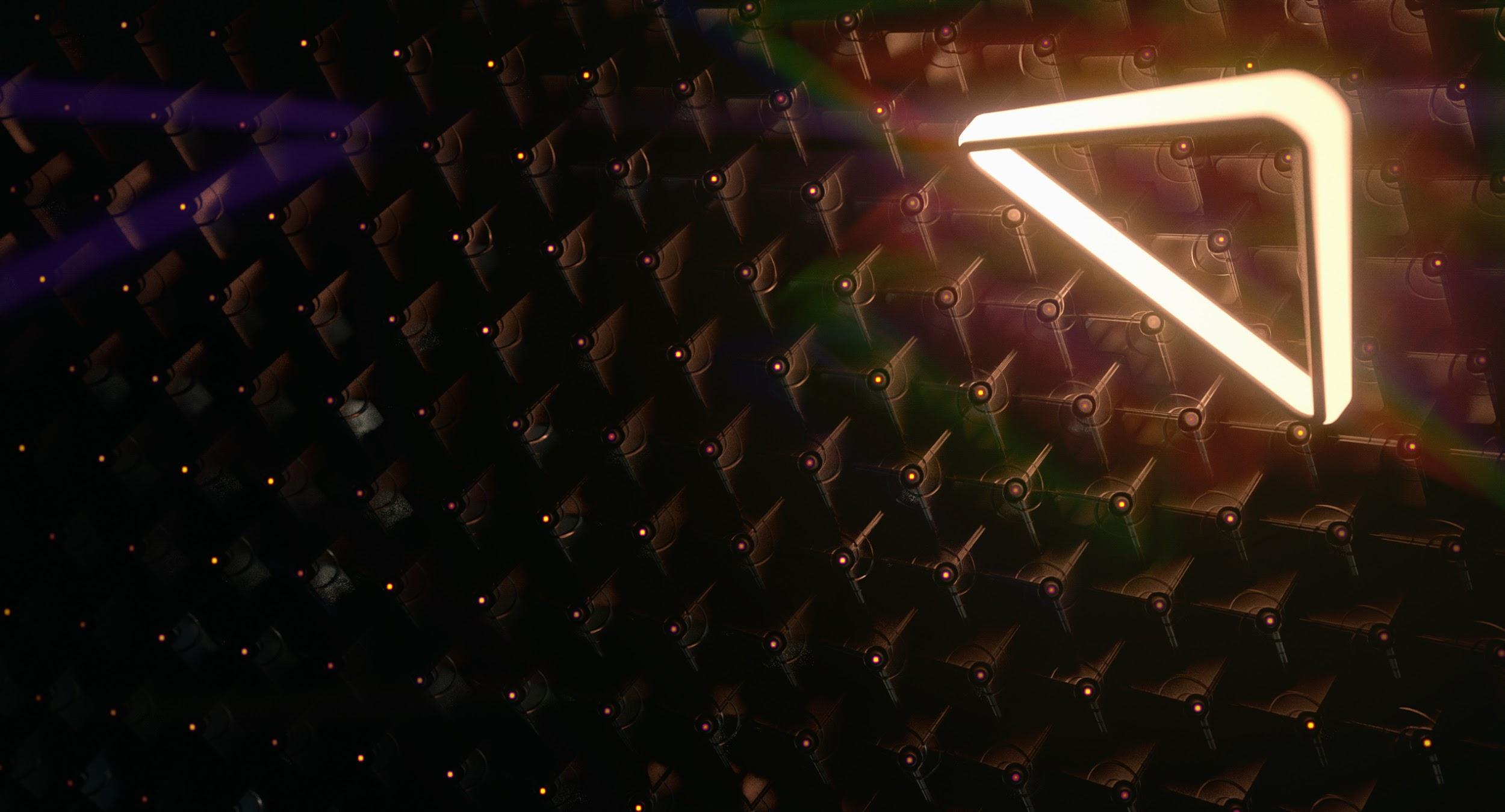
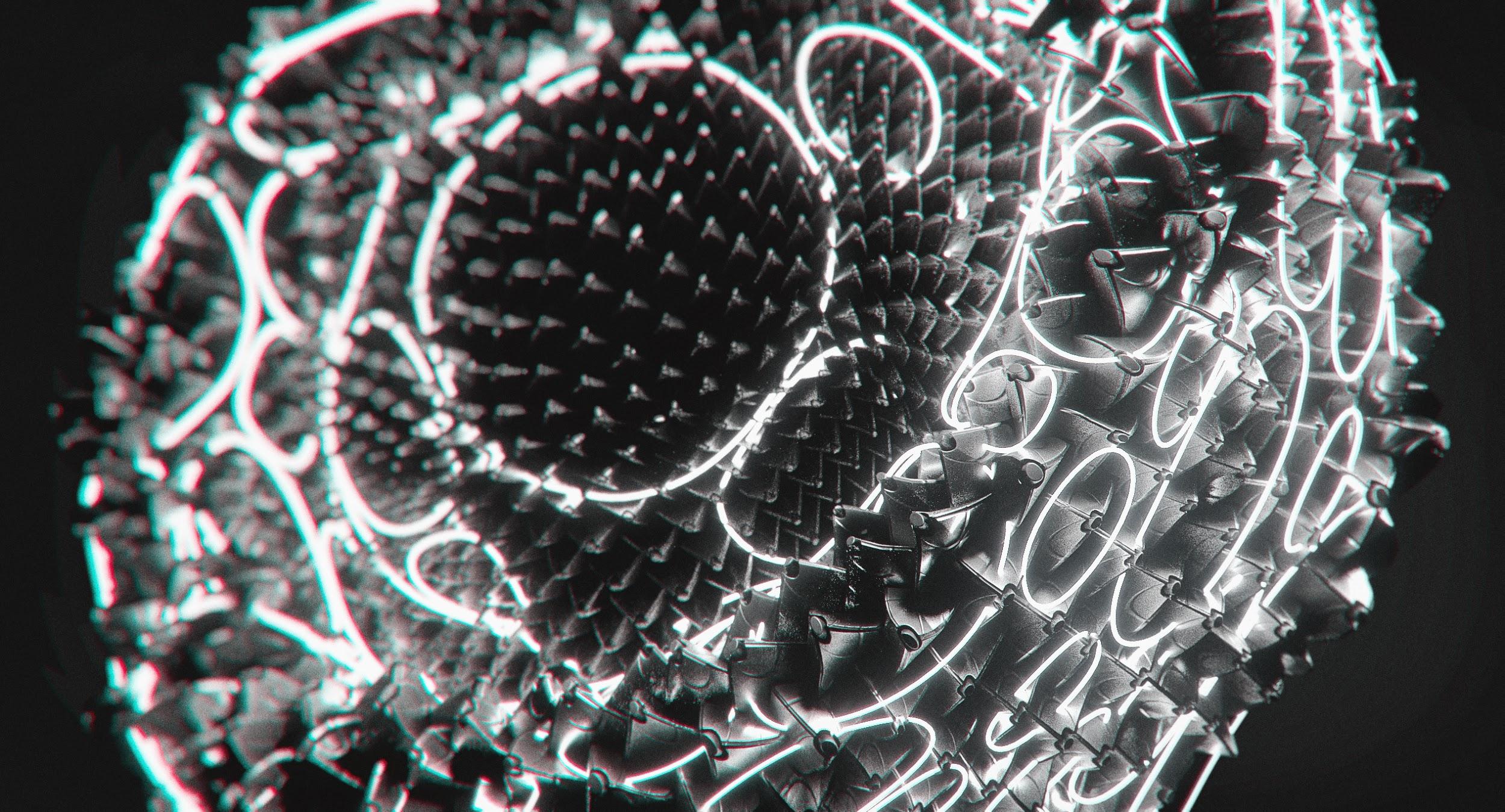
Now comes the most entertaining part. This method is heavily dependent on displacement, so Iray is a must, and so is parametric subdivision. Set it up, assign your maps and start playing with the camera, light and post-effects. And again - explore!
Some examples of the same material in different conditions:
You can control how Adobe websites use cookies and similar technologies by making choices below. But note that if you disable cookies and similar technologies entirely, Adobe websites may not function properly.
Cookies are small text files stored by your web browser when you use websites. There are also other technologies that can be used for similar purposes like HTML5 Local Storage and local shared objects, web beacons, and embedded scripts. These technologies help us do things like remembering you and your preferences when you return to our sites, measure how you use the website, conduct market research, and gather information about the ads you see and interact with.
You can make choices in the menu below about what cookies and other technologies you want us to use on Adobe sites when you visit them from this browser. You can always change those choices later by clicking on the Cookie Preferences link at the bottom of the page.
If enabled:
We can improve your experience by tailoring the site and the content to things we think might be of interest
We can better keep track of your preferences — like what language you prefer to use
We will better understand your likely interests so we can provide you more relevant Adobe ads and content on non-Adobe websites and in non-Adobe apps
It will help us improve the performance of our website and those of our partners who use the Adobe Experience Cloud
If disabled:
We won’t be able to remember you from session to session so the experience may not be tailored to your interests
You’ll still have access to the content of the site but certain features that depend on cookies may not function
You’ll still see ads, they just may not be as relevant to you
General information
You can control how Adobe websites use cookies and similar technologies by making choices below. But note that if you disable cookies and similar technologies entirely, Adobe websites may not function properly.
Cookies are small text files stored by your web browser when you use websites. There are also other technologies that can be used for similar purposes like HTML5 Local Storage, web beacons, and embedded scripts. These technologies help us do things like remembering you and your preferences when you return to our sites, measure how you use the website, conduct market research, and gather information about the ads you see and interact with.
You can make choices in the menu below about what cookies and other technologies you want us to use on Adobe sites when you visit them from this browser. You can always change those choices later by clicking on the Cookie Preferences link at the bottom of the page.
If enabled:
We can improve your experience by tailoring the site and the content to things we think might be of interest
We can better keep track of your preferences — like what language you prefer to use
We will better understand your likely interests so we can provide you more relevant Adobe ads and content on non-Adobe websites and in non-Adobe apps
It will help us improve the performance of our website and those of our partners who use the Adobe Experience Cloud
If disabled:
We won’t be able to remember you from session to session so the experience may not be tailored to your interests
We’ll still count your use of our site and services
You’ll still have access to the content of the site but certain features that depend on cookies may not function
You’ll still see ads, they just may not be as relevant to you
Operate the site and core servicesOperate site and measure engagement
Always active
These cookies are required, and they are used to enable the site and related services core functionality. Without them the site could not operate, so they cannot be disabled.
These cookies enable the site and related services’ core functionality and collect statistics about user engagement, such as counting active use to help us understand trends. These cookies cannot be disabled.
Measure performance
These cookies are used to analyze site usage to measure and improve performance. Without them Adobe cannot know what content is most valued and how often unique visitors return to the site, making it hard to improve information we offer to you.
These cookies are used to analyze site usage to measure and improve performance. Without them Adobe cannot know what content is most valued, making it hard to improve information we offer to you.
Extend functionality
These cookies are used to enhance the functionality of Adobe sites such as remembering your settings and preferences to deliver a personalized experience; for example, your username, your repeated visits, preferred language, your country, or any other saved preference.
Personalize advertising
These cookies are used to enable Adobe and our partners to serve ads more relevant to your interests. Without them you will still see ads, but they might not be as relevant to you.
Personalize advertising
These cookies are used to enable Adobe and our partners to serve ads more relevant to your interests. Without them you will still see ads, but they might not be as relevant to you.