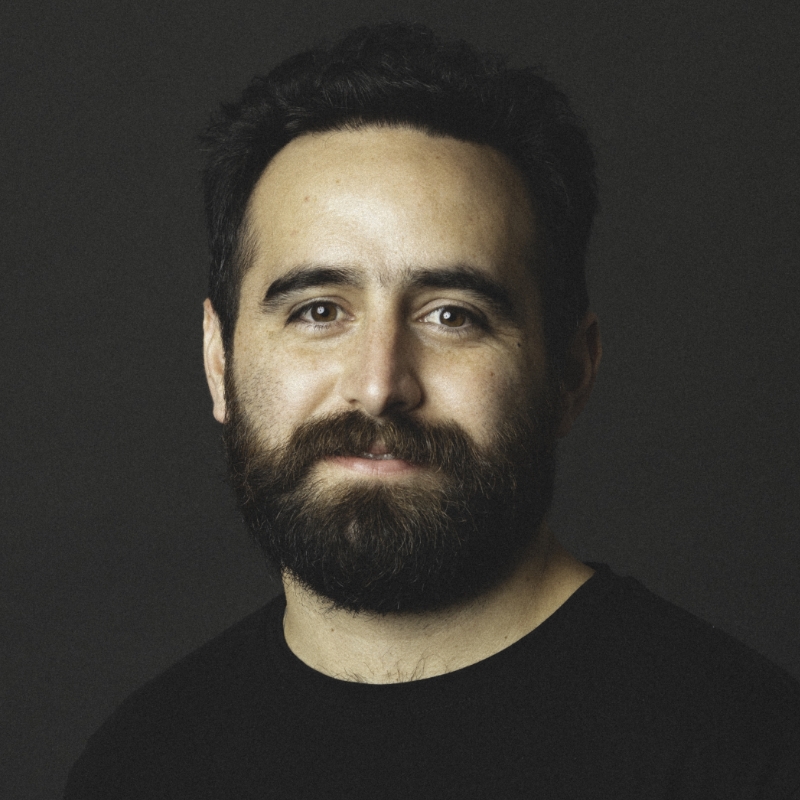
[Music] [Ricardo Viramontes López] Hola. My name is Ricardo. Very happy to be here.
I run a beautiful design studio named the branding people, so you're going to see a lot of branding projects and logotypes and design systems today. But I would love to start this conversation, this talk, by saying that I am super, super proud and excited to be here with you guys. This was my face six months ago. This was the second week of our honeymoon. We were in Ho Chi Minh in the south of Vietnam when I received an email from Jim from Adobe, inviting us to be part of this amazing event. And that's a real photo.
So I'm going to start by a question. There are going to be tons of questions today. I know I am presenting, so I should bring you the answers, but no. We're going to try another thing today. So you guys know what zapote is? Anyone? Okay. We have [SPEAKING IN SPANISH]. Okay. So zapote comes from Nahuatl which is a pre-Hispanic tongue, spoken in Mexico for centuries now. And it means sweet-tasting fruit. This is a zapote. I know it doesn't look yummy at all, but it is, believe me. And this is a two-year-old version of me after eating, I don't know, maybe three or four zapotes one after the other.
Also, just to get a quick intro into myself. This is a beautiful illustration of my evolution. After being a zapote-eater baby, then all that I wanted was to become a football player. I won't say soccer today. I'm sorry. And I'm going to go Spanglish.
I don't know if I missed this, but I'm Mexican. This is quite important. But I know that after a couple of days in Miami. [SPEAKING IN SPANISH] I hope this is fine for you guys. So as I was saying, after being the zapote-eater and then wanted to become the next football star for my Selección México de Fútbol.
Then, I was a high schooler who listened simultaneously Bob Dylan and Coldplay. And finally, I graduated from college. But there is a plot twist here, and I hope it's a good one.
I mean, we are at Adobe. Everything is about design. My whole life, I have been surrounded by designers. My beautiful Colombian wife is a designer who just joined the team a couple of months ago. But then again, the thing is that I am not a designer. I graduated in marketing. But even funnier that this is I know nothing, pretty much nothing about any design software. So I'm sorry, Adobe. I have seen a lot of logo types. I have given my feedback many, many times, but I know nothing about design software. It's like this beautiful Shakira meme. I know you-- You may know this one. Okay. So this is me at the office...
Using the only Adobe software that I ever use, Adobe Acrobat. I send a lot of estimates. I mean, my part of the studios, other than being-- I call it like this BC tutorial for every single creative process that we have at the studio. I do the selling for 12 years now. So I use a lot of PDFs.
But then again, I was asked to give you a lecture, a talk regarding design. And I want to start by-- I'm super proud of my background, and I would love to say that Mexico is indeed a creative melting pot. And there are many reasons behind this belief. I want to start by saying that we have been surrounded by contrast and design. I don't know if you have had the opportunity to go to Mexico. Not Cancún. Cancún doesn't apply within this creative boundaries. But then again, if we were to talk about a visual artist, of course, we have Frida Kahlo. Frida Kahlo is-- I'm talking about these contracts then and now. So Frida Kahlo might be the most iconic art-related woman in the 20th century. But then again, now we have cool guys like Rocca Luis César, who is a proven artist in the Mexico City's creative community.
If we were to talk about spaces, architecture, of course, we will have to mention Luis Barragán. He's super well known for every single one of his iconic buildings and creations. Colorful, geometric super Mexican cliché because a few years ago someone told me that we Mexicans believe that we own the whole Pantone, color palettes and we do-- I mean, Luis Barragán did. But now we have Alberto Kalach. Alberto Kalach, we have a couple of their buildings here. Luis Barragán, of course, as I was saying, this is Las Cruces. It's an equestrian place facility very close to Mexico City. And then on the other side, on the right side, we have one of our Alberto Kalach, I would say, more representative works. This is Hotel Escondido in the Oaxacan, Pacific Coast, very close to Puerto Escondido.
And then, of course, what is Mexico without its amazing food? And you can go either way to your trusted corner Taquero [SPEAKING IN SPANISH] If you're a Mexican, you will have one. Or you can go to a super fancy, Michelin star place, such as Pujol from Enrique Olvera. So this is where we live. This is where everything blends together in my creative ecosystem.
But, then, again, why? Why do I think that it's a great opportunity to be a designer or at least to be surrounded by designers in my beautiful Mexico? Okay, so this is my represent-- This is an actual drawing of mine. So I'm sorry. I told you that I am not a designer so this is as far as my design skills go. This is Mexico from my personal point of view.
The states are just-- I mean, we are, let's say, on the right side of that image.
But I have to start by saying that that Mexico is an amazing blend, and I presume that you know what I'm talking about. Because Mexico is the blend between the pre-Hispanic era. Okay? So we have a lot of-- Everything that that today we see on, let's say, Mexico City's market, the gastronomy, the culture, the arts, foundations of our society are coming from the pre-Hispanic era. Of course, we have tons of amazing places. Chichén Itzá-- I mean, I'm talking about the pyramids and all. Chichén Itzá, Teotihuacán. Maybe you have heard of a couple of times from some of those places. But then again, we go to Spaniards as every other country in Latin America. [SPEAKING IN SPANISH] Society foundations, architecture, and a lot of other great stuff that I think we should be grateful for.
But then also, Mexico works as a bridge. And what is this bridge linking? It's linking Latin America. Latin America, I'm talking about the whole thing. The cultural contrast, this Latino cleverness that we see, that we are surrounded nowadays in this beautiful state of Florida. A lot of folklore. But then again, also, given that we are very close to the states, we have followed a lot of your consumer trends and pop culture trends. That is the reason why Mexico has become a huge innovation hub. There is a big, big, big corporate life also happening in the biggest cities in Mexico. I'm looking at Monterrey, Guadalajara, Mexico City, of course. And we have been hosting F1 for six years in a row. In a couple of years, we're going to be co-hosting the next World Cup. And Mexico will become the first country who ever hosted the World Cup for three times, in the '70s, '86, and '26 now.
There are a lot of creative things and art weeks and design weeks happening in the city also. Talking specifically about Mexico City. Great nightlife. Great stuff, we used to have Soho House. The first one in Latin America opened last year. These beautiful resorts, Cancún, Los Cabos, you may know those.
Within this amazing context, full of contrasts and a lot of creativity flowing every single possible way, I decided as a marketer, which is fun, to founded the branding people back in 2012. And these are some of the phases behind the branding people.
You can see we tried to have as much fun as possible.
So my wife, by the way.
So this is the team, nowadays. And I know you came here to see design moving across platforms and design software and so on. So this is a bit of what we have been doing in the branding people for these past 12 years. [Music] It was just a glimpse. We have run more than 300 projects, so it's a lot of stuff. I think it's not-- No, no. So I'm sorry for that. Why do we do branding? That's the question that we have been asking ourselves, that we have asked ourselves for many years now, and actually how we like all of us do branding. I told you this is a presentation with a lot of questions for the audience. Have you ever heard the concept of paragon? Anyone? Okay. Well, so paragon-- I didn't. Paragon is, the concept means a model of excellence or perfection. In other words, the highest standard, the ideal. So what is the paragon of branding? This is as a marketer, as a non-designer who has been involved in this, in tons of creative processes, the only thing that I could do back in the day was, other than not having a computer to design a logotype requested by a client. So I try, at least, to put all my effort into establishing a creative process. I truly believe in processes. So to begin with, I asked myself this very question. What is the paragon of branding? What are we trying to achieve by creating a logotype, finding a color palette, selecting a typographic universe or hub, and then putting everything together into this outstanding design system? So communication is the answer. We want to send a message or an idea to a specific channel-- Through a specific channel to a consistent audience. That is the paragon. That's the ultimate goal of branding, to communicate. As simple as that.
So how do we design brands that meet their paragon? This was the subsequent question that I asked myself back in the day.
So we created in the branding people our own recipe, and this is the recipe that we have been using. I don't want to say that this is the only way of doing things, but it's the way we do things. And I think it works, and I would say that our clients believe the same.
So once again, remember that I said that one of our key pillars of our society was food. So we decided to create a recipe based on the idea of the perfect taco.
What is a perfect taco? Salsa, carne, tortilla, which translated into aesthetic, eloquence and functionality. Those were the three key concepts or idea or notions that at least within this creative process, we try to establish the baseline for a branding to work. For a brand to communicate an idea, it has to have these three things that I'm mentioning right here.
And I'm going to start with what I believe to be the most important one. Because this has to do with communication with marketing, with sending messages to an audience. And this is eloquence. What is eloquence? It's the ability of a message to be easily understood by the target audience. I was saying this before in my other presentation, that when I thought of eloquence, I don't know if you ever watched Game of Thrones. Maybe some of you did. I thought of Tyrion Lannister. You know, the short guy. He was super eloquent and he was capable of convincing Daenerys Targaryen about whatever he wanted. So I thought of the idea of having a solid and consistent message and how can you move this message across all the design platforms and touch points. So what do we need in order to establish a communication baseline? We need to know what are we trying to communicate.
Of course, we need to understand who are we communicating with, who is our audience. I'm talking about what are we selling, what kind of product or service are we selling. And believe me, in the branding people, we have branded from vegetarian dog food to law firms or to hospitality projects. So you really need to dig deep and get to know your client and get to know what they're selling. Then, you need to understand who are they communicating with. I'm talking about our clients, our brands. And finally, we need to find out what is the competition doing within this context.
So for this, first case study, I'm going to talk-- I'm not going to unveil the name until the time has come. But this is a brand of worm compost from a couple of guys in San Francisco. They were selling something that I hated because I'm pretty picky about watching these images. So they were selling worm compost. But in other words they were selling worm poop. Okay? So this is the product. This is a very fun example, I believe. They were selling-- So now we needed to understand, who were they targeting. They were selling to green families, professional Millennials, and of course, given that these guys are located in California and everything illegal there, they were selling to amateur pot farmers also.
This is how did the competition look like back in the day. Most of them-- And this is something actually, this specific site, something that we always present to our clients. We call it their competitive landscape. So we try to understand the design positioning. Please be aware this is not a marketing standard. This is not a marketing positioning, but it's a design or branding positioning. So most of them of these guys, the guys who were selling worm poop back in the day, a couple of years ago, they were complex, boring and conservative brands. Most of them, but Rosy Soil that we really loved. So we thought of positioning our client on this side of the scenario, having creating or pushing ourselves to create a super disruptive, yet, simple brand. I'm talking about this simple stuff from a very simple color palette. So then, this is also a part of our creative process. Before we engage with our clients, we call it the master graphic presentation. It comes only after six to eight weeks of working with our clients, going through the briefing process, analysis. I want to disclose this. We split our full process into three segments. The first one is the brand analysis. It's when we get to know the client. Of course, we send over a briefing, a detailed briefing form. We ask our clients to give us a very basic mood board. They are always scared. "No, no, no. I don't want to send anything because you're going to be biased." And we're like, "No, no. Okay. Your mood board is not going to a professional one. Don't worry. We just need it as a baseline." And then, throughout this initial phase of the process, we put together a mood board. A mood board that that gives us clarity but most importantly, gives our client clarity of how are we going to engage with this creative process. So for Woop-- I already unveiled the name. I'm sorry. For the worm poop guys, we thought of having this cool, earthy color palette. Of course, we were talking about worms, so we wanted to have an organic logotype, a lot of wormy shapes that I hate, all over the brand.
Also very-- How can I say it? Vivid textures that that you're going to see across the materials. And finally, use a color block for the color palettes.
You may remember that I don't know to design a logotype, how to design a logotype, but I asked Lydia Gallegos, our Creative Leader, to jump in and help me with this specific tutorial. The name of the brand is Woop Crafting its brand universe. Hola, Lydia. [Lydia Gallegos] Hello, Adobe MAX. My name is Lydia, and I'm the Creative Leader at the branding people. Now you know everything about Woop. How about we bring its brand system to life? Let's go. Okay. So for Woop, what we wanted to achieve for its brand system is for it to have a unique personality and style, mainly because it is such a one of a kind project. We took worms and their squiggly anatomy as the main inspiration for the wordmark, taking advantage of how short the word is which is four letters and decided to take the analog route for the draft, as it is easier to play with so many shapes and curves with a real pencil and paper. We scanned the drafts, and as you can see, we have a clear winner to start. So we create a new template layer by copy pasting our image into a new layer, placing it below the layer where we will trace, and then going back to layer settings, and select the Template option. Dim it to 30%, and there you go. You have a new locked layer where you can start tracing. If you're like me, and a vector tracing is not really your forte, do not worry. Especially with organic logos such as this one, it can be really tricky to get those curves on the first try. So focus on following the lines as closely as possible.
Once ready, go to direct selection, and try to round all the characters' edges by hand, especially where the curves meet.
Once this is done, we can use the Smooth tool to help further soften the curves and edges. You can use the tools part to minimize the nodes into a normal circle or leave it by hand. We'll do it by hand this time, but try to use it first to see how it can automatically help you out.
Now the first attempt of the logotype was way too chubby, and we have some legibility issues with the P. So we can reuse the Smooth and Curve tools to help us out as well. Just go over the outline preview mode to see all those little details in every corner and curve that need fixing more clearly.
For the second attempt, we see that the logotype got thinner, and the P is in the opposite direction, making it easier to read. But still worms are not pointy, are they? So because we have been moving the nodes here and there, we'll still need to fix some of the spikes and curves that got lost in the process. Do not fret. The fun part of organic logos is to move them here and there until we get where we want to be. Finally, we have it, curved and squiggly as a worm. The logo, though funky and organic, must also be aligned. I have a good sense of symmetrical proportion. We cannot forget that although it is a graphic asset by itself, and it's really pretty, it remains our brand wordmark. We can take advantage of the grids, rulers, and guides to make it all happen.
A lot of what gives Woop its unique style is its illustration system, not only in composition, but also in brush style. For example, this illustration just got vectorized with a regular stroke, but it doesn't really match the analog look we're aiming for, and it looks too vector-ish, way too digital. So let's make our own brush. Right now we have a PNG with no background that we'll use as a texture for our dry ink effect. We can only make brushes using vector images, so let's select it and trace it as a high-fidelity photo, in order to keep those organic details. Once it is ready, let's duplicate it and expand it. Next, we go to window and open the Brushes menu, and with our vector texture selected, click on New Brush.
We'll choose Art Brush, as it will give us the characteristics we want to use moving forward. We click okay and give it a name.
In the Width menu, we select Fixed. The options below concern whether we're using a digital pen or other tools. Because we want our brush to be on the thinner side, we scale it to 50 below 100. We then select the Stretch to fit the Stroke Length, as it will give us more space to play with multiple sizes without losing its shape. We chose the direction of left to right, and in the Colorization method we chose Tints, as it will allow us to change the brush color whenever we want. We'll leave the Flip options alone, as the brush is already horizontal, as well as the overlap option. Click OK, and voila, we have a new brush in the library.
Because illustration has many elements, let's just start with the left section here. We select it and apply the brush, and this will depend on the size of the artwork. So for this one, right now it is way too thick, so we will update the stroke to 0.1. So we can have a nice thin stroke. Make the tweaks needed here and there, and we are ready to apply it to the next section. If you try to apply the brush with the Eyedropper option, it will only copy the stroke and size color. But the brush is not really visible, so you have to select it manually, and update the stroke size. The next most important aspect in creating a cohesive brand system is this color palette. Woop being no exception, with this warm earthy tones. And Adobe Illustrator does help us to standardize the color swatches that will be used throughout the project. So ensure all your colors when selected are the ones stored in your Swatch library, and use them as needed. You can name them whatever fits your project. Next up, are the typefaces and editor arrangements. For Woop, we use two font families, Gascogne Serial in Heavyweight for titles, and Degular text in Light Weight for body text. On the left, we have examples of the scales and proportions of the paragraphs that we'll use as guides moving forward. We have some other special arrangements on the right side, but they look a bit odd, don't they? So instead of retyping everything, let's change the case of this text by going to the Type menu, selecting Change case, and then selecting Lowercase. We can do the same for CTAs such as this one, where instead of lowercase we choose Uppercase. Or have a mix of the two, where we can select Sentence case, and only have the first letter for sentence capitalized. Now we have a small cheat sheet for all our text formats. Once we have established all of our brand elements, we can start creating complex, comprehensive materials and applications. Such as this extended vermicompost reusable bag, where Woop takes life on its own through its vibrant colors and quick illustrations, such as these on the front side. On both sides, the typeface and editorial placements and combinations give all its users a good sense of direction and context, without losing the spark that started with a little quirky, squiggly, earthworm.
Thank you, Lydia.
The cool thing about not being a designer myself is that after the creative process, I jump into this right away. So I miss the fun part of executing and creating the art pieces. But this is the outcome and it's lovely to see the brands evolving and then becoming part of our portfolio. So everything that Lydia did when she was designing Woop now is here. We see it from the website to packaging to social media. And this is also we're going to be discussing a bit more about this concept having consistency throughout the whole design system. Outcome, web design, packaging, of course, is what the shipping box for Woop. So let's move into the second thing into [SPEAKING IN SPANISH]. You can recall this. It was aesthetic. So the fun thing about aesthetic is that it's not subjective. Right? Aesthetic, a brand's capability to present itself as an attractive and welcoming concept. I was saying before that aesthetic is not a subjective matter. It is an objective one. And for that, we will have to thank Italy because back in the in the 12th century Italy gave us Fibonacci. Fibonacci. I don't know if you know him, but Fibonacci, he didn't invent the golden radio because he didn't. The golden ratio has been there from day one. But he discovered the concept of the golden ratio or the divine grid, which is a grid that most of the very thorough designers use to put together everything.
So where is it? All around us, we can see it in arts, plants, architecture, of course, cosmos, animals. It's beautiful when you get to see a flower and you zoom in, you will definitely find a golden ratio or this, divine grid on it. And then now we see it even in Elon Musk detail stuff. But where do we find this in branding? That's the question that we asked ourselves. So pretty much everywhere. I mean, from icons-- Well, this is stuff that we have created in the studio for different projects.
But iconographic systems, illustrations, editorial grids, and even typographies. When you create a typography, it should be fitting within a golden ratio grid.
This second case study is going to be presented by Alberto, our Art Director. And it has to do with VXLAB. VXLAB is a-- How can I define it? Like a marketing/design agency from Valencia in Spain. They target interior designers and architects.
So once again, Alberto Santillán. He's a very-- How can I say it? Like, thorough designer, and he has been leading the whole creative team for four years, five years now. So hola, Alberto. [Alberto Santillán] Hey, there. My name is Alberto and I'm the Art Director at the branding people. In this tutorial, we will dive into using the golden ratio to create an editorial grid for a brand called VXLAB. And trust me, you will see that working with grids isn't as boring as you may think.
First up, let's check out all the assets we'll be using. Here's the logo, a modern condensed typeface that reflects the brand's simplicity. It's not the final version though. We'll tweak the tracking with the golden ratio in just a bit.
Next, the color palette. First, we have a pop of color called terracotta used for color accents and then some neutral tones, white, black and shades of gray for text and backgrounds. For fonts we're using Suisse BP Light for headers and body text. This is a functional and modern typeface. The second font is Times Now Semi Light, we use it for secondary information, it gives a more elevated and professional touch.
We also have 3D elements created from pure geometry combined with some architectural materials. You can sense the harmonic composition of the golden ratio in these models. These renders give a bold and impressive look and feel to the brand. Finally, there are a few copy blocks we will be working with for the editorial layout.
First, let's draw a simple square.
Make sure your smart guides are active. This will help us to align all the elements we want without complications. Draw a line from the bottom center of the square to the upper left corner, then rotate it until it aligns with the base. Next, create a rectangle in this space.
Now, add some squares along the longest side of the composition, working counterclockwise starting from the top. We could use as many squares as we want, but for this exercise, maybe seven, eight squares are enough.
Well, now using the arc tool connect the golden spiral through the corners of the squares to the center of the composition.
And there you have it, a golden ratio made up of squares, all connected by geometric proportion. At this point, you could create your own grid based on these proportions, but for mine, I will use the largest rectangle as my canvas and another three squares for columns, rows and margins.
This is how my completed grid looks.
Moving on, let's start working on an editorial layout using the copy blocks I presented earlier. Change them to our brand fonts and place the text blocks throughout the grid design, ensuring they fit perfectly within our editorial modules.
We can adjust the font size, line spacing and other typographic elements as needed.
Let's also add a 3D brand render to create visual balance along with some secondary information.
This is our editorial layout using the golden ratio to create harmonious proportions between the elements.
Now the only thing left is the logotype, so let's grab our unfinished wordmark. Let's choose two proportional squares and position them next to the logo, center these two elements, scale the logo so it matches the height of the square, let's move our first square and ungroup the logo.
Using the second proportional rectangle, we will start adjusting the letter spacing. Perfect. Now our logo was spaced out with the golden ratio. For the icon, we will take the V from the logo. Let's draw some guides to find the bottom center and using the Rotate tool rotate the V 90 degrees, duplicate it until you have four Vs. Select all the parts and use the Pathfinder, select Unite, to create one single shape. There's our icon.
Finally, let's group the logo. Take it along with the icon and position these elements into the editorial design. Place them into the grid, scale first the logo at the bottom left corner using the entire width of the column, and then the icon at the top left corner until the first row guideline.
Finally, just change some colors and we are done.
Seems quite easy when Alberto does it. So this is the outcome of the whole thing and actually, I have to say that for VXLAB we use the grid pretty much everywhere. So here we have a couple of also stationary assets, business cards, folders, this printed brochure that was-- I mean, we really loved the outcome. Then we have 3D assets that Alberto mentioned before, the web design, of course, social media, digital pieces, and a couple of posters that the client requested for their office in Valencia.
Finally, we have functionality. This is another-- I mean, the three elements are quite important, but this is super, super important. And I think this is the one that our clients struggle with the most. Functionality. What is functionality? It's the faculty of a brand to adapt into different environments without losing its essence.
Do we have any limitations? No. The short answer is no because our brand should or must adapt to everywhere. So I mean, from packaging-- Once again, from packaging to digital assets. So this is when we start struggling. This is our Let it Dough, a donut bar/coffee shop located in Dubai that we recently branded. This was a product from early 2024. So it has illustration, a lot of printed materials, menus, uniforms, merchandising, web design, digital assets. So once again, you need to create something that is cohesive and consistent enough in order to put the brands everywhere on every touching point. Then we have Ukai. We have been working with Hilton for four years now, branding every single restaurant. When ever they open a new hotel in Latin America, from Mexico to Argentina, every single hotel has-- I mean, talking the top hotels. Waldorf Astoria, Hilton, Conrad. They have different hospitality solutions or proposals. I'm talking about the restaurants. So we have been requested many times to brand their restaurants within their hotels. Okay. That's the context. This is Ukai, which is the Japanese [SPEAKING FOREIGN LANGUAGE] located in Conrad by Hilton in the Mayan Riviera, very close to Cancún. So once again, what we wanted with Ukai was to create something that was minimal in Japanese, with this super Japanese vibe. Then, you may see that we have right in the middle a pattern. I mean, the idea behind that illustration was to replicate a koi fish crossing across the water. Very Japanese, once again. Then we have Humantra. This is another product from the Middle Eastern market. These guys do a subscription model where they sell hydration packs. So this was another brand that needed to be pretty linked and closed, talking about the detailed colors to the printed ones.
Then, we have Apogée, another American startup, founded by two guys who were early employees at Le Labo. So they wanted to replicate the area of Le Labo with detergent. So having a super high end cool aesthetic-- Subjectively, aesthetic detergent brand. And then we have Kamy. We work a lot with startups.
Most of our startups comes from the States, but this is a Colombian one. They wanted to do a telemedicine solution.
They have a huge illustration system, a lot of digital materials, but also they needed the brand to live not only in the digital world but also in the printed world. So what I'm saying is that in order for us-- How can we ensure the brand's functionality? I mean, having a brand that feels pretty comfy, not only in the digital world, but also in printed assets and I mean, every single touch point. So we need to create cohesive, consistent, comprehensive, I know you know what is coming up, brand book. The brand book is essential for our brands to really exist out there. And because at the end, as a design studio, when we deliver the package, the client has to do the hard work of keeping the brand alive and also keeping the brand within its design constraints. So us as designers-- I mean, not me because I am not. But you as designers should keep this in mind. So clients really need to have this cohesive consistent, brand book.
Okay. For this final case study the brand that we're going to showcasing is Local Genius. Another startup from Chicago, they were targeting Centennials and Millennials, young travelers. It's kind of offering the counterpart of not having to go to Yelp to find a cool spot. So they created Local Genius with a lot of local businesses and recommendations.
And for this final brand book guidelines case study, Natalia Padilla, one of our senior designers, have those with this video. There you go, Nat. [Natalia Padilla] Hi everyone. My name is Natalia. I'm a Graphic Designer here at the branding people and on this third tutorial we're going to be using brand guidelines to develop a cohesive visual system. Let's get to it then.
So let's start with the basic brand elements. Now with Local Genius, we have two key elements that identify the brand. First, we have the wordmark, which as you can see features a friendly and playable type composition, where the letter L plays a main role in visually connecting with the organic shape of the icon. Now the icon itself represents a pin element on a map in sort of a dynamic way. And since it is intended for an app, it has to be strong and recognizable.
For the color palette, we have two groups. As you can see in the middle, the primary colors consist of various shades of green, and these are meant to be used for the main brand applications. The secondary colors are divided into two parts. First on the far left, we have these neutral colors such as cream and black that are meant to be used for backgrounds and text. And second, two pop colors for accent that highlight the digital aspects of the brand.
Moving on to the fonts, we're going to be using three different ones. First, we have a serif typeface named Rector, and we use it on regular and medium italic. This one is meant for headers, which hints at old printed touristic guides. For the digital and functional aspects, we use Oakes Grotesk Bold, specifically for accents and subtitles. And finally, Noi Grotesk Light for body text. We can also visually represent the brand by mixing the shape of the icon with different photos of the touristic destinations, but we'll go back to that in a minute. Another crucial brand asset is the iconography, which as you can see, enhances the descriptive experience when showing categories for each city. Last but not least, we're using a line that appears in photos to guide users in finding the best path when visiting a new city. Now for the tutorial, we're going to explore how the brand guidelines support a functional aspect of our design. Here is what our basic brand book looks like. It features a friendly editorial design to help the client better understand how to implement their brand. Now the first part includes the cover, presentation, and a friendly introduction for the client. Next, we showcase the individual elements that represent the brand, starting with the color. For the color palette, we provide the client with the necessary color codes for both printed and digital applications and suggest the closest Pantone for each color. As I mentioned earlier, we're dividing the palette into two sections, primary and secondary.
The next element is the icon. This section includes a cover, an introduction, and as light for the isolation area. As you can see, this part is empty. So let's make it together. For abstract icons, where there are no specific elements to define the isolation area, we're going to be using geometry. First with the line tool, draw guidelines around the element you want to use. So in this case, the inner circle from the negative space. Draw one line at the top and two on the sides. Then, draw a circle within this created space. Now you can use that geometric element to define the isolation area. You're going to duplicate the circle to the outer corners of the lines that define the icons for others, then, create new lines to outline the isolation area.
When using the icon, it is crucial to always preserve the space free from any graphic elements that could obstruct it and compromise its readability. However, for this specific brand, we do have one exception. When the icon is used as a clipping mask with photos, the isolation area doesn't need to be preserved as the brand is flexible enough for the specific use. The next section covers the dos and don'ts. These rules follow the logic and natural use of the icon across all of the brand applications. For the dos, we present only three of the most important ones, moss color on light backgrounds, fairer green color on dark backgrounds. This depends on the context. And when using the icon as a clipping mask, it can only be in lilac or sunset on light or dark backgrounds. Now for the don'ts, well, clients keep surprising with new ones every day, but the most common ones include don't use graphic effects like drop shadows on the logo, don't distort the icon, and don't use any colors that don't belong to the brand.
Now I'll show you how to create the most eye-catching brand element, the icon as a clipping mask. So in this case, as you can see, I already have the outline shape of the icon, the icon itself, and some images I want to use. Let's say we want to visit Pisa, right? One important thing is to have both the original complete photo and a PNG photo with only the landmark. Make sure both of them are on the same size.
Now what you're going to do next is align the two photos, duplicate the icon's outline shape, align them, and bring them to the front. Now place the two images behind scaling them just a little bit. Select one outline and the first image. Create a clipping mask and move them to the right side. Repeat the same steps with the outline and the remaining photo. Next, align the photo with the icon and send it back. Change the icon's colors to lilac and group all of these elements. Align this group behind the PNG image, select only the path of the outline with the direct selection tool and adjust the nodes to follow the part of the image you want to showcase outside of the icon. And there you have it. It wasn't that hard, right? For the grand finale, group the graphics and place them in an editorial application. In this section of the brand book, we showcase some applications to help the client really visualize how layouts can be designed and what elements are needed. Now this is just one example, but we usually present various applications in different formats such as horizontal, vertical, or square. Just feel free to experiment. Finally, remove the grid, and there you have it. This is how we bring this piece we created into our real life project documentation.
Thank you, Natalia.
This is the outcome. After a lot of work and strictly following every single brand guideline that was in the brand book, these were some of the applications that Local Genius has. As you can see, everybody's pretty much the same. We cover all the potential touch points with the client, brochures, out of home, digital pieces, and so on. So summing up, and I'm about to finish because I want to give you some time if you have any questions. All the brands that we create at the studio follow these unique and standardized set of rules with no further goal than transmitting an idea or a message through selected touch-points to a specific audience. In other words, meeting the branding's paragon communication.
Thank you very much. [SPEAKING IN SPANISH] [Music]