Master of None: The Art of Experimentation
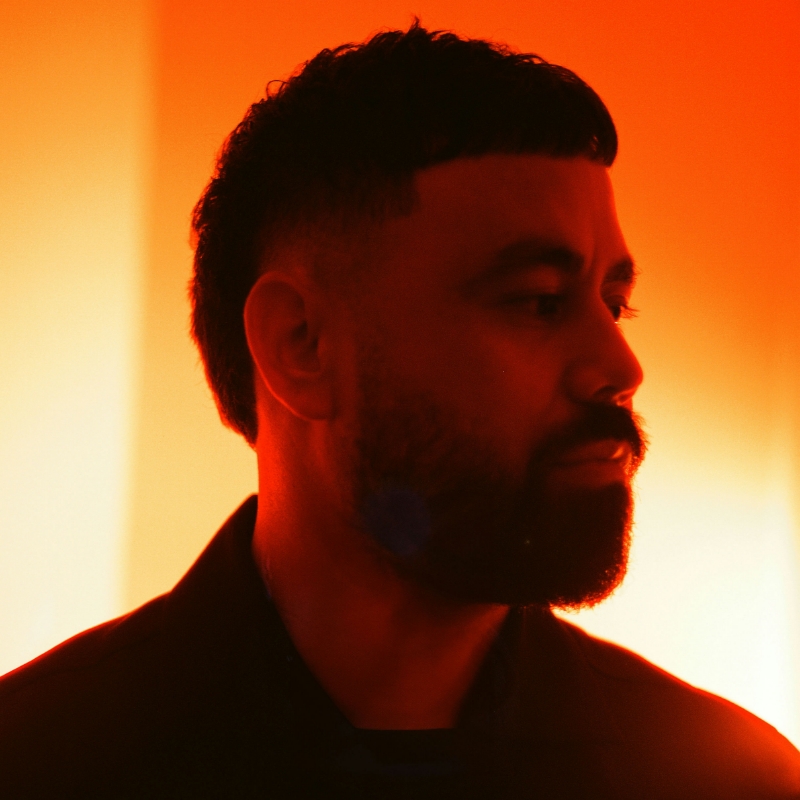
[music] [Ta-ku] Hello, and welcome. My name is Ta-ku. Nice to meet you, and thank you for joining me in my session, Master of None, the Art of Experimentation. So what does that even mean? Well, in this session we will focus on communicating your ideas, remixing and falling in love with your older work, being okay with making mistakes, experimenting, and pursuing things that you are passionate about. So why did I call it Master of None? It's quite a negative turn to some, but let's meet this handsome young fella. This is me when I was 14 years old. All I knew here is that I wanted to be the world's greatest rapper and I thought this little pose I have going on and me plucking my eyebrows to infinity would get me to the top and it didn't. So after high school finished I had no idea what I wanted to be, but who does when they finish high school? Fast forward to five years after that, I had dropped out of so many different courses trying to figure out where I wanted to be in life. I did business, I did design, I did multimedia, I did human resources...

And none of that really spoke to me and I dropped out of all of them. Fast forward another two years after that, my mom said, "You have to get a job, please. Please get a job." And so I did. I managed to get myself, a job as a health insurance salesman and at that point starting at 9 to 5 for RealZ, I was like, "I have to find a creative medium, otherwise I might go insane." And that's where my love for music kind of started. That's where I started off creatively in life as Ta-ku the bedroom producer or office producer because I used to make beats in the office. But let's not talk about that too much. Fast forward another five years, I quit my job and went all in on music. And I've been blessed and really humbled to be able to do some amazing things as a musician to be able to tour the world and have people, share my music with people was beyond my dreams when I used to pluck my eyebrows as a kid. But there was still something inside of me that was telling me I want to do something in another creative field. I want to keep pushing myself to see what I could do creatively, and that was the start of jack of all trades, Master of None. I wanted to try something else. And so when I used to tour for music, I picked up my first camera and that's when my love of photography was born. And then from there, I just have this hyper obsessive personality about wanting to learn how to be the best photographer I could. I felt like I lost a lot of time in my teens and early 20s. I wanted to see how far I could take it. How could I really tell a story? How could I take photos of things that make me feel something and share it with the world? And that's where photography took me. Fast forward another five years falling in love with the visual side of things of the creative fields, I started an agency called Pretty-Soon with a good friend of mine, Ben Wright, and we are a future-forward culture-driven creative company. And I've been blessed now to be able to do a lot of creative direction and put creative director in my bio six years ago. It's still there. Still keep it up there. But it's something that I've been blessed to be able now do to create for a living and create things on a day-to-day basis that span across so many different mediums. You know, we do brand campaign, experience, but I still am able to express myself through music, through photography, for you through video, through edits, through motion design. It truly is the master of none mentality I've had throughout my whole life. And the reason why I love jack of all trades Master of None is because I would rather be okay or average or below or above average at a bunch of different things than just to be totally fixated on one creative field. And not to say that there's anything wrong with that, but it's just something that really appeals to my personality and the way I like to create. So hopefully this session is you. Hopefully you also are a master of none. That's a good thing. Let's make that a good thing. Maybe you also are at a 9 to 5 job that-- I'm not knocking 9 to 5 jobs, I think, they're amazing, but you may also have this creative inkling inside of you where you want to come out and try something creative. But how can you do that? What's the first step? And I think that's the beauty about passion projects. Make things you are passionate about. This is something that is really understated, and it's kind of obvious as well, but what does it even mean? How do you find what you're passionate about? And that's where the art of trying different creative things on a daily basis really comes at hand. You know, how do you define a passion project? Why is it important? What are they? We'll be discussing that today. I think with passion projects it really pushes you out of your comfort zone to find what your creative voice is or what creative story you want to tell. Can you identify that? How can you identify that? Well, all the time it comes down to trying new things, pushing yourself some places that you may feel uncomfortable, trying new tools, picking up a camera for the first time, trying Adobe Photoshop for the first time. Are these things that you can try and do if you have that inkling inside of you, that curiosity to want to create. You know, that was always the-- This is becoming a bit of a pep talk, but I hope you enjoy it. I've always thought how far can I take it? How many different things can I learn? And the only way you can have that drive to do these things is pursuing something you're passionate about. Find that passion. It might be people, it might be sports, it might be music, it might be street photography. Find what your voice is and pursue those things that you are passionate about. One great way that you can find out what your next passion project would be or how to come up with an idea is simply by pursuing new work...

Or rediscovering old work. Pursuing new work is an easy thing. Maybe you've seen a video or a movie or listened to a song in your spot for an idea and you can want to go out and create it. What I really want to concentrate on today is how can we look at old work that we've created in the past that we've maybe put on ice or something we don't really want to look at ever again because we listened it too much or we're in the editing room too much. How can we rediscover old work and remix it? Some of the image you're seeing on the screen today is from a photoshoot I took of a friend, Yousef. He's an Olympian, casually. Just an Olympian. I was able to shoot some photos of him at his gym. He's just naturally photogenic, so a lot of the photos came out really great. We're going to dive into this folder of work and see how we can remix and rediscover this work and revitalize it and turn it into something that helps you communicate an idea.

So one really great way to revitalize and remix your work is embracing new tools and technology to breathe new life into them. And with everything that's happening around the Gen AI and the amazing new features that are in Adobe Photoshop, this gives you a great opportunity to import your existing work and breathe and revitalize them to come up with new ways to tell your story that you've already told. So we're actually going to look at a bunch of photos that I've took of Yousef and see how we can build out a new toolkit of kind of parts and assets that you can then move into an edit, and you're going to see a very messy Adobe Premiere workspace in a second, but we're going to look into how we can actually remix some of our old work using some of the amazing new features with Adobe Photoshop. So let's open up trusty old Adobe Photoshop. So confession, I actually used to be really scared using Adobe Photoshop for a long time and was too scared to use it because I wanted to be a designer back in the day, but as you learn from the beginning of this session, I punk myself out and dropped out because I found out I was color blind. Maybe that's why I shoot in black and white sometimes, but who knows. But now it's a playground that I use all the time especially with my photography to bring in new elements and extend my work into places that technically I haven't been able to in the past. So I'm actually one of the least technical people you'll ever meet. So welcome to my sessions. So it's already we have such an amazing usage of tools here. The Remove Background one is actually a big game changer and huge time saver for me where I can automatically now have this moving layer or PNG of Yousef, this character that I can use to layer in Adobe Premiere or After Effects, and have this transparent PNG layer to use. And now I have him that I can paste him or float him or use him in collages. The possibilities are so endless and extremely quick. You can also select the subject as well and automatically it'll select it quite well, and you can see there's quite a lot of different things happening here, a lot of noise, a lot of different elements, but it selected him quite well. You can also invert the selection, so now you're selecting everything by him, and this is the exciting part I find about using Adobe Photoshop and Gen Fill, and Gen AI is that now you can generate new things onto existing work. So obviously for this one, I'm putting in boxing gym. A lot of these things that I like to do when it comes to using Gen AI is actually using prompts that sit very closely to the world that it's already in and coming up with variations of things that I've already shot. And I think that's the beautiful thing that now you're creating additional assets that you can use to then create whatever you want to create. Whether it's a montage, whether it's an edit, you're just creating more variations of existing work. And as you can see here that's a very big boxing bag, that's a very small one. It gives you a lot of different options but now you have use of A and then now you have use of B, C, and D. And now you can use these assets to extend your story or extend the different techniques that you might want to do when it's time to communicate your idea. So again, a very quick and easy tool to use to revitalize your work and give it a new perspective, removing background and also changing the background using Gen AI. Another really cool, a tool that I use is retextualizing your photos or your images in a certain style where it remains the same, the structure remains the same, the composition remains the same, but just the actual style changes, and this is as technical as I get. So I hope you enjoy it. You want to create a new channel here and then you want to create a fill in this channel. Now that Fill, Foreground I always put to about 30% so that gives you this gray. I know the light of the gray you go with this layer the more responsive the prompt can be, but then you want to command and click that so that you can turn that into something.

This was a tutorial, I was showing and I'm sharing it with you the command click that needs to be done. Don't ask me why. Anyway, we go back to selecting all layers. Welcome to the most untechnical session you've ever been to. And then now you can change your composition to anything you want. So let's turn this into watercolor painting.

So now what this is actually doing is it's creating another layer on top of the composition, keeping the structure intact so that you can have a different texture, which for me, I do this a lot when I'm experimenting with old photos and making new compositions because it gives you, again, another extension of your work that you can then use in edits or just creating really interesting match cuts when it comes to putting all this together. This one is quite an interesting one too because a lot of people want to keep the composition they don't want to change or add new parts using Gen AI and that's totally up to you. This actually gives you a bit more flexibility in creating a style or a texture of your existing work. So if we look at it here, we can see that it's given us different options and where it's really texturized the imagery. It's kept it since the structure of the scene, but it's giving you some really interesting outputs here. And you'll see these outputs when you look at my messy Adobe Premiere project, that these outputs look really interesting when they're stitched together. So that's another really interesting thing that you can use where you can take these different approaches to remixing your work, giving them new textures, adding different elements. I often find things like this where distortion happens and things get crunched really, really interesting. It just takes it to a new space where it's exciting, and just makes it almost new again. But it's still keeping the integrity of the work that you shot and the story you're trying to tell. Another one that I like to use on Adobe Photoshop is you've probably seen this a lot, but it's one of my favorite features is Generative Expand. So you already have a composition of a shot. Maybe you've cropped too far. When you took the photo, you wish you took one step back, but you were too impatient to do so. Generative Expand is one of those tools where you simply make the canvas bigger. You can either put in a prompt or you can just help it, make its own decisions, and it can figure out what the information that it's already got, what that expansion would look like. That's a lot of things that I do, and that again gives you another way to expand your work.

But also at the same time for photographers, this is a great way to extend your canvas, to add more story. Or perhaps if you're a technical photographer and you needed a little bit more composition on either side of the image for certain usages, this is a great tool to use to give you that freedom or give you that flexibility when it comes to using these images.

So this way for it to generate. I mean, it's such an amazing tool to be on. I can't express enough how far things have come with Adobe Photoshop's Gen AI and how it really keeps the character, adds new things. And to be honest, sometimes interesting and funny things happen, but I'm a big fan of weird things happening. And I think you can't really beat that feeling when it happens. And again, it's leaning into that because as humans sometimes we can't recreate this architecturally, but through these prompts and generations you're getting some really interesting and otherworldly examples here. So just with Adobe Photoshop, you can see there's three really great way that you can treat your work, extend your work, revitalize your work, and remix your work, and then, what happens next is making even more mistakes. And that's really where the fun happens is the making mistakes. It's the embracing those mistakes and also embracing the bad file management that you're going to likely do when you just start doing the work. And I think that's where the excitement comes from for me, because sometimes I reach like a fever pitch of, I just want to create, I've got this momentum. I have these new assets I want to put into an edit. I just want to do it, and that's where everything flies out the window. That's where a sensible project file management just disappears for me. But that's okay. I think that's what I want to highlight on this slide is that it's just doing that is the most important thing. Obviously, we all want to get better at making sure we're not editing or creating destructively, but, hey, we're imperfect. So sometimes it will come at the judgment of you having 30 nested sequences of the same sequence, and then you're losing the original sequence and you can never edit it or make any changes because it's nested and be nested again 30 times after. It's the 30th nest of a nest. But that's okay. And also, it may mean that you save your project as different services or save as "untitled99999". These things happen. I think the most important thing I want you to take away from this is that if you're excited about these new assets that you've created from existing work and now you have these amazing new things you want to play with, follow that energy, keep that energy, keep that momentum up because there's something that that can't be replicated as you've taken 36 images from a photo folder on your laptop or your hard drive that were just sitting there previously and they were giving you some joy, not much. But then now you've recreated them into this new thing and it's just opened up this new creative feeling inside of you. And so many things can come from that, a new idea or so excited by this experiment that you want to share it with the world. And as artists, we know how hard it is to share things, but if you feel like it's good enough to share with the world, that is a major win, and you need to celebrate that win. So let's look at the different elements that we made in Photoshop. We can go through them together, and you can see how we use the Photoshop to reinvent some new things, that make you excited and you can put into an edit and you can turn into something that you couldn't previously. So when we took the backgrounds off Yousef we created these transparent PNGs or layers that then obviously, I took some sides and back photos of Yousef and created this spinning 3D Yousef, which I think is really interesting. It took me three minutes to make...

By exporting them on Photoshop and come out with a sequence here in Premiere. And something like this, as simple as it may seem, excites me because it's created a new asset or element of the shoot that now I can use to put in the edit, which you'll see at the end of this. The gen background thing, I think the magic around that is just creating these new textures and layers to an original composition. Again, we've got another spinning use of, but now we have these different elements and textures that I was able to input using Gen AI. And some of these make sense, some of them don't. We have the original composition here of him in the gym, and then we have textures. We have him floating on the cityscape. We have an interesting black and white texture. We have a generation gone wrong, but I love those ones too. All combined together you're creating a new tapestry.

I like that word tapestry. I use it a lot.

Of a scene that just you've-- Again, breathing new life into old work. And I think there's something special there. Again, a match cut here when we took some of our images and we retextualized them to maybe be oil painting or watercolor, this adds again motion to a still image. What was previously this image that was still and again you're keeping the integrity of the image, the story. We still have Yousef and his very supportive wife braiding his hair, but now we're adding different extra elements here that gives him just that extra bit of...

That like-- The extra bit of creative...

Flavor that you can once mixed in with everything else, it just makes it more complete. Again, we have step sequences here the Remove Background tool is so great because it can take different scenes, different elements coming in. You can include things. You've got obviously aspiring partner here. And now we've got a really cool sequence here of motion, of human action, doing what he loves, which will then work in the edit as well. Again, this one is the same concept of stitching together images. This one is just layering them, obviously, step sequencing them in Premiere. But again, giving us another really interesting layer to use in the final edit. And here's the final edit. It's not-- I cleaned it up. And again, you can see all these are nested sequences where the originals went. I don't know. But this is where we landed with the final edit. And you can see elements in here, of things that we have played with that I've shown you that we've remixed in the previous parts of the session, but when stitched together and brought together...

In a way that brings all these stories, all these photos, all these generations, all these versions of themselves, masking them, inverting them, cutting them together. I like a lot of fast paces. I speed everything up when I do it because you can always speed it down later, but I like to see everything as hectic as possible. This is where you can take 36 photos that were sitting on your hard drive previously and put them to new life in a new edit, adding new bits you couldn't previously do before, adding character...

Adding elements to photos that you couldn't do before.

Layering sequences of different scenes that take on different character is just an amazing way to take your existing work, and breathe new life into them. So if you are a photographer and you have photos in the vault that you want to put through the ringer and experiment with them, I really strongly recommend you do. And if you're new to creativity and you want to give this a try, you can literally pick up your phone camera, shoot some things, and chuck them in, and experiment them, and turn them into this moving art piece. So, the doing part is obviously the most exciting thing where you can stitch all these things together and create something that previously wasn't possible before. So that brings me to the end of this session, the Master of None, the Art of Experimentation. I hope some insight to how messily our work has inspired you, but really I hope the one thing you take away from this session is that please experiment with your work, pursue work that excites you and that you are passionate about. There is no limitations to what you can do with new work or old work, especially if you're creating just for yourself. If you can use the new tools and different methods of technology to breathe new life into your work, please do it, but chase that feeling. Chase that feeling of the experimentation and what that does for you, and how you feel in the moment when you're making it. Ride that momentum. Maybe it's just sharing work to view just for yourself. But if you can make work that excites you and you share it with the world, there will be someone that will resonate with it and you will inspire them too. So keep experimenting. Thank you for your time and I hope to see you, around. Thank you.

[music]

Online Session

Master of None: The Art of Experimentation - OS825

Sign in
ON DEMAND

Closed captions in English can be accessed in the video player.

Share this page

Speakers

Featured Products

Session Resources

Sign in to download session resources

About the Session

Join multidisciplinary artist Ta-ku as he discusses the importance of passion projects and daily experimentation. Discover the value of pushing yourself out of your comfort zone and using a variety of tools to tell a story that resonates with you and your audience.

In this session, you’ll learn how to: 

  • Communicate ideas
  • Remix your work 
  • Make mistakes and experiment

Technical Level: General Audience, Beginner

Category: How To

Track: Photography, Video, Audio, and Motion, Social Media and Marketing, Graphic Design and Illustration

Audience: Graphic Designer, Motion Designer, Photographer

This content is copyrighted by Adobe Inc. Any recording and posting of this content is strictly prohibited.


By accessing resources linked on this page ("Session Resources"), you agree that 1. Resources are Sample Files per our Terms of Use and 2. you will use Session Resources solely as directed by the applicable speaker.

Not sure which apps are best for you?

Take a minute. We’ll help you figure it out.