
















Closed captions in English are available in the video player.
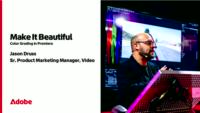
Make it Beautiful: Color Grading Essentials in Premiere
Video, Audio, and Motion
In-person, On-demand Session
Make it Beautiful: Color Grading Essentials in Premiere - S6610

Speakers
-

Sr. Product Marketing Manager, Video, Adobe
Featured Products
-

Premiere
Free trial
Session Resources
No resources available for this session
Sign in to download session resources
About the Session
No matter your experience, you can create trending, cinematic looks for your videos — and have fun doing it. Join former Warner Bros. Discovery senior colorist and Adobe senior product marketing manager Jason Druss on a journey to help you make your videos look gorgeous in Premiere. Together, we’ll remove the guesswork from color grading, learn how to solve technical challenges, and unlock your creative ability to color like a pro.
In this session, we’ll cover:
- Color managing LOG and RAW video formats
- Color grading your videos with and without LUTs
- Using video scopes for creative and technical decision-making
- Creating bespoke cinematic looks with film grain and effects
- Ensuring what you see in Premiere is what your audience sees on the web
Technical Level: Beginner
Category: How To
Track: Video, Audio, and Motion
Audience: Post-Production Professional, Social Media Content Creator
This content is copyrighted by Adobe Inc. Any recording and posting of this content is strictly prohibited.
By accessing resources linked on this page ("Session Resources"), you agree that 1. Resources are Sample Files per our Terms of Use and 2. you will use Session Resources solely as directed by the applicable speaker.
Not sure which apps are best for you?
Take a minute. We’ll help you figure it out.