






























Closed captions in English are available in the video player.
Smart Layouts: Use AI-Powered Tools in InDesign to Work Faster
Graphic Design and Illustration
Online Session
Smart Layouts: Use AI-Powered Tools in InDesign to Work Faster - OS310

Speakers
-

Visual Designer, Instructor, and Content Creator, Montilla Design
Featured Products
-

InDesign
Free trial
Session Resources
No resources available for this session
Sign in to download session resources
About the Session
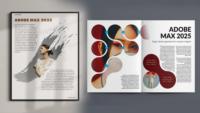
Explore how AI tools in InDesign can enhance productivity and elevate your creative process. Join visual designer, instructor, and content creator Angelo Montilla as he offers a practical overview of built-in AI features that automate routine tasks and help you work faster.
In this online session, learn how to:
- Reduce time searching for stock images and vectors with generative AI tools powered by Adobe Firefly
- Extend content and fill missing areas of an image with the powerful Generative Expand feature
- Place AI-generated images, patterns, and textures inside text
- Use Auto Style to create multiple design concepts with Style Packs
Technical Level: Beginner, Intermediate
Category: How To, Generative AI
Track: Graphic Design and Illustration
Audience: Art/Creative Director, Graphic Designer, Print Designer, Marketer
This content is copyrighted by Adobe Inc. Any recording and posting of this content is strictly prohibited.
By accessing resources linked on this page ("Session Resources"), you agree that 1. Resources are Sample Files per our Terms of Use and 2. you will use Session Resources solely as directed by the applicable speaker.
Not sure which apps are best for you?
Take a minute. We’ll help you figure it out.