





























Closed captions in English are available in the video player.
Transform Images into Animations with Photoshop and Adobe Firefly
Graphic Design and Illustration
Online Session
Transform Images into Animations with Photoshop and Adobe Firefly - OS321

Speakers
-

Graphic Artist, Finisher, Educator, Adobe Community Expert, Photoshop Training Channel
Featured Products
-

Adobe Firefly
Get started -

Photoshop
Free trial
Session Resources
No resources available for this session
Sign in to download session resources
About the Session
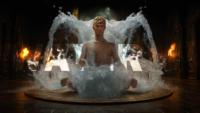
Learn how to create seamless, animated loops using Photoshop and Adobe Firefly. In this session, Jesús Ramirez, founder of the Photoshop Training Channel on YouTube, will guide you through a full creative pipeline — from building a composite in Photoshop, to enhancing it in Adobe Firefly with the text-to-image tool, to generating animations in Adobe Firely using the text-to-video module. Then bring it back into Photoshop to put it all together using traditional Photoshop tools.
You’ll learn how to:
- Use Photoshop's new masking tools to quickly create composites
- Generate high-quality visuals in Adobe Firefly with the text-to-image module
- Create videos from images using generative video features in Adobe Firefly
- Work with the Timeline panel in Photoshop to create video and animations
Technical Level: Beginner
Category: How To
Track: Graphic Design and Illustration
Audience: Art/Creative Director, Graphic Designer
This content is copyrighted by Adobe Inc. Any recording and posting of this content is strictly prohibited.
By accessing resources linked on this page ("Session Resources"), you agree that 1. Resources are Sample Files per our Terms of Use and 2. you will use Session Resources solely as directed by the applicable speaker.
Not sure which apps are best for you?
Take a minute. We’ll help you figure it out.