
How to add AI effects to your videos (a step-by-step guide).
Video content captures attention quickly, but it is visual storytelling that makes viewers stay. AI video effects now make it possible to enhance videos with cinematic style, motion, and creative polish without complex editing skills or large production teams. From short social videos to marketing content and tutorials, AI powered tools are helping creators' experiment, refine, and scale visual storytelling in faster and more accessible ways.

AI video effects are transforming how creators and businesses approach video editing. In a digital first environment where short form video dominates attention, visual quality and creative storytelling play a major role in whether content is watched or skipped. AI powered effects make it easier to enhance videos quickly while maintaining a consistent and professional look.
Instead of relying on manual editing or complex software workflows, creators can now apply cinematic adjustments, creative styles, and motion enhancements in just a few steps. This allows teams to focus more on ideas and storytelling rather than technical production.
As AI continues to reshape video creation, understanding how to create video effects and apply them effectively can help content stand out across platforms while keeping production simple and scalable.
What are AI video effects?
AI video effects are visual enhancements created or applied using artificial intelligence. These effects analyse video footage and automatically improve elements such as colour, lighting, motion, and style to enhance the result.
Rather than editing each frame manually, AI helps generate effects that make videos look more polished and visually engaging. These enhancements can be subtle, such as improving clarity and colour balance, or more creative, such as transforming the entire visual style of a video.
AI video effects can support storytelling by improving visual consistency and making content feel more dynamic without adding production complexity.
Why use video effects in your content?
Video audiences are used to fast moving and visually engaging content. AI video effects help creators meet these expectations while maintaining efficiency and creative control.
Using AI to enhance video content allows creators to improve visual quality, maintain consistency across multiple assets, and experiment with new creative ideas without increasing production time. This is especially useful for teams creating regular social media content, marketing campaigns, or educational videos.
AI effects also help simplify editing workflows. Instead of building complex visual enhancements manually, creators can apply and refine effects quickly, allowing more time to focus on storytelling and message clarity.
Types of AI video effects you can use.
AI video effects can be used in many ways, depending on the style, tone and purpose of your video. Whether you are producing brand content, educational tutorials, product explainers or short-form social clips, the effects you choose should enhance the message rather than compete with it.
The key is intentionality. Every effect should serve a purpose, whether that is guiding attention, shaping mood, improving pacing or reinforcing a creative identity. When applied thoughtfully, AI video effects elevate production quality and viewer engagement without distracting from the story itself.
Here are the main categories of AI video effects and how they are typically used:
- Cinematic and colour enhancements
These effects adjust lighting, tone and contrast to give videos a more polished and professional appearance. They can correct uneven exposure, add depth through colour grading or create a consistent visual mood across scenes. Cinematic enhancements are often used in brand videos, product demonstrations and storytelling content where visual quality and atmosphere play a key role in audience perception.
{{nbsp}} - Motion and transition effects
AI can generate smooth transitions and motion-based effects that improve pacing and visual flow. This includes dynamic scene changes, motion tracking and subtle animated elements that keep viewers engaged. These effects are particularly effective for short-form videos and social media content, where attention spans are shorter and seamless movement helps maintain interest.
{{nbsp}} - Style based effects
Style transformations can change the overall look of a video to match a creative theme or brand aesthetic. This may include artistic filters, stylised visuals or creative overlays that give content a distinctive feel. Style-based effects are often used when creators want to experiment visually, align with a campaign concept or stand out in crowded digital feeds.
{{nbsp}} - Background and scene enhancements
AI can detect subjects within a video and intelligently adjust or enhance the surrounding environment. This allows creators to refine backgrounds, improve lighting consistency or create a more cohesive scene without additional filming. These enhancements are particularly useful for remote production, user-generated content and situations where reshooting is not practical.
How to add AI effects to video step by step.
If you are wondering how to get AI effect on video or how to add AI effects to video easily, the process is now far more accessible than traditional editing methods.
- Start by selecting clear and well-lit footage, as high quality source video will always produce better results when applying effects.
{{nbsp}} - Next, choose an editing environment that supports AI video effects and gives you flexibility to preview, adjust and refine your edits. Look for tools that offer AI features such as automatic colour correction, background enhancements, motion tracking and style transformations. A good editing environment should also allow real time previews, so you can see how each effect changes your video before finalising it.
For example, platforms like Adobe Firefly provide an accessible way to experiment with AI powered visual effects. Instead of manually adjusting every setting, you can apply generative styles, enhance scenes or test creative variations in a guided interface. This can be especially helpful for new users, as it allows you to explore different looks without needing advanced editing experience. You can preview changes instantly, compare versions and refine the effect until it aligns with the tone and message of your video.
{{nbsp}} - Once your footage is uploaded, explore the available effects and test how each one changes the look and feel of your video.
{{nbsp}} - Start with subtle adjustments, such as improving colour balance or lighting, before moving into more stylised transformations. Apply the effect that best supports your message and refine it to ensure the visuals remain natural and consistent across all scenes.
{{nbsp}} - After final adjustments, export the video in the correct format for your chosen platform. Most editing environments, including Firefly-based workflows, offer preset export settings for social media, web or high-resolution playback. Selecting the appropriate format helps ensure the effects appear sharp and consistent whether viewed on mobile, desktop or social channels.
When to use AI video effects.
AI video effects are most effective when they support the story rather than dominate it. They can be used to highlight key moments, improve clarity, and create a consistent visual identity across content.
Creators often use AI video effects when producing social media content, marketing videos, tutorials, or campaign assets that require a cohesive look across multiple formats. They are also useful when testing new creative styles or producing content at scale.
Used thoughtfully, AI effects can enhance engagement and make content more visually compelling without overwhelming the viewer.
How AI tools support creative workflows.
Modern AI creative tools are changing the way video content is planned, produced and refined. They make it easier to generate, test and adjust visual effects quickly, allowing creators to experiment with different styles, colour treatments and scene enhancements before finalising a video. This helps streamline production while ensuring that visual choices support the overall message rather than distracting from it.
https://video.tv.adobe.com/v/3471143?autoplay=true&end=replay&hasaudio=false&mute=false&chrome=false
AI generated visuals can also support early creative development by helping teams explore mood, tone and stylistic direction before editing begins. Concept imagery and visual references make it easier to align on a clear look and feel, giving creators a stronger foundation when moving into production and editing. Including visual examples alongside this stage can help reinforce how creative ideas evolve from concept to finished video.
AI powered workflows also help maintain consistency and adapt content across platforms. Once a visual direction is established, similar effects and enhancements can be applied across multiple videos to create a cohesive style. Visual elements can then be refined for different formats such as vertical, square or widescreen, ensuring content remains clear, balanced and visually consistent across mobile, desktop and social channels.
Best practices for using AI video effects.
AI video effects are most effective when they feel intentional, balanced and aligned with the purpose of your content. Rather than layering multiple enhancements at once, focus on effects that genuinely strengthen the message and improve the viewing experience. Here are three best practices to guide your approach:
Start with a clear creative objective.
Before applying any effect, define what you want the video to achieve. Are you aiming to create a cinematic mood, improve clarity, energise pacing or reinforce a brand style? When you begin with a specific goal, it becomes easier to select effects that support that outcome. This prevents unnecessary edits and ensures each visual enhancement serves a clear purpose.
Prioritise consistency and clarity.
Consistency across scenes helps maintain a professional look. Keep colour tones, lighting adjustments and stylistic elements aligned throughout the video so it feels cohesive rather than fragmented. Effects should enhance visibility, focus attention and improve flow, not distract from the subject. Subtle refinements often have a stronger impact than dramatic transformations.

Test, compare and refine.
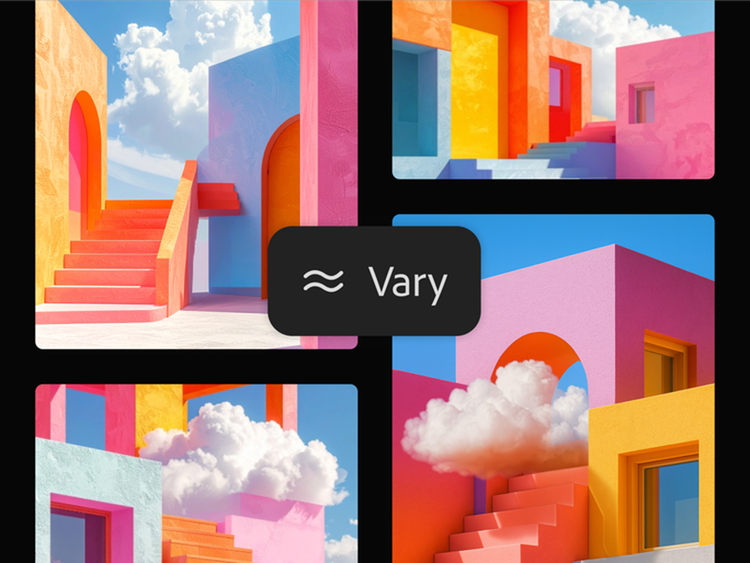
Experimenting with different variations can help you identify which styles resonate most with your audience. Preview multiple versions, compare how each one affects pacing and tone, and refine accordingly. A thoughtful testing process allows you to balance creativity with usability, ensuring the final video remains engaging, polished and easy to follow across platforms.
Frequently asked questions.
You may also like