https://main--cc--adobecom.aem.live/cc-shared/assets/img/firefly.svg | Adobe Firefly logohttps://main--cc--adobecom.aem.live/cc-shared/assets/img/ff-lockup-f4.svg | Adobe Firefly


Restore old photos with AI precision for free.
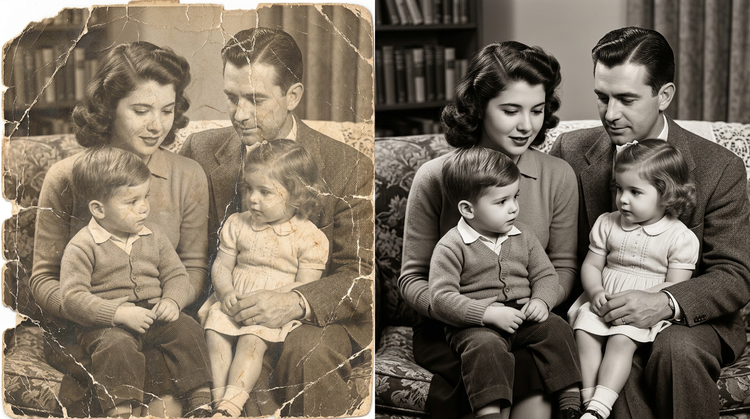
Upload a faded, cracked or damaged photo and bring it back to life with Firefly. Repair colour, detail and clarity in seconds.

Or tap here
File must be JPEG (JPG), PNG or WEBP and up to 100 MB.
By uploading your image or video, you agree to the Adobe Terms of Use and Privacy Policy and confirm you are 18 years of age or older.
Or tap here
File must be JPEG (JPG), PNG or WEBP and up to 100 MB.
By uploading your image or video, you agree to the Adobe Terms of Use and Privacy Policy and confirm you are 18 years of age or older.
Or drag and drop here
File must be JPEG (JPG), PNG or WEBP and up to 100 MB.
By uploading your image or video, you agree to the Adobe Terms of Use and Privacy Policy and confirm you are 18 years of age or older.
- File size larger than 100 MB
- Unable to process the request
- We are unable to process this file type. Please try again.
- Only one file can be uploaded at a time.
- Image is smaller than the minimum dimensions (512 x 512 pixels). Please resize and try again.

https://main--cc--adobecom.aem.live/cc-shared/assets/img/product-icons/svg/firefly-80.svg
Adobe Firefly
https://main--cc--adobecom.aem.live/cc-shared/assets/img/product-icons/svg/firefly-80.svg
Adobe Firefly
The next evolution of creative AI is here for all your ideas, with image, video, audio and vector tools.
Anyone can restore old photos online.
Repair and revive old, damaged or low-quality photographs without any manual retouching skills. Use Adobe Firefly AI free photo restoration tools to recover a cracked family portrait, restore faded colour to a vintage print or repair physical damage with Generative Fill. Firefly reads the full context of your image to reconstruct missing detail.
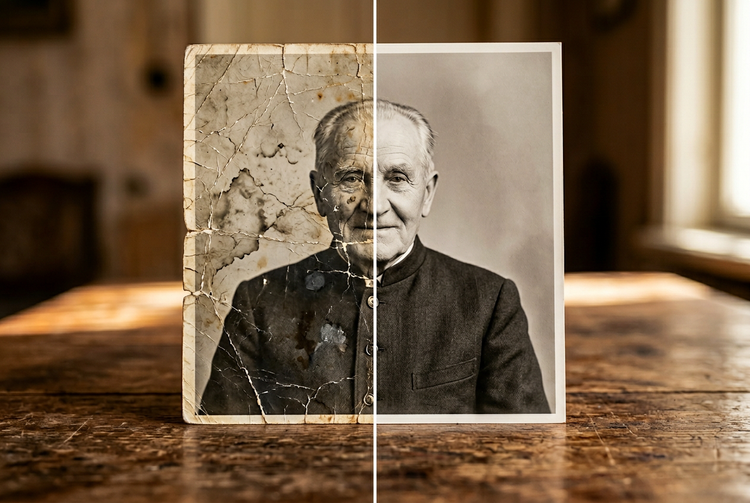
Repair cracks, tears and physical damage.
Upload a damaged photo and use Generative Fill to paint over cracks, tears, water stains or missing areas. Firefly analyses surrounding content, texture and tone and uses that information to automatically repair flaws. You can use it on black-and-white portraits, sepia prints and colour photographs alike.
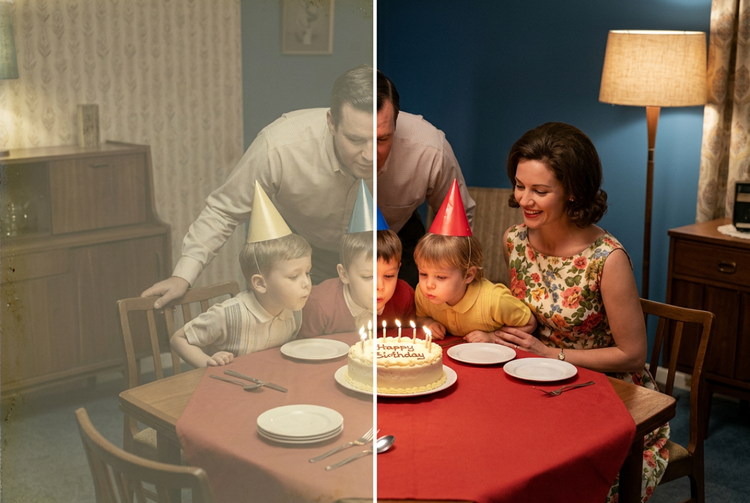
Revive faded colour and restore tonal depth.
Decades of fading rob photos of their original vibrancy. Firefly AI restoration tools recover colour depth and tonal balance, returning warm skin tones, rich backgrounds and natural contrast to prints that have gone flat or desaturated over time. The result feels true to the original moment, not artificially enhanced.
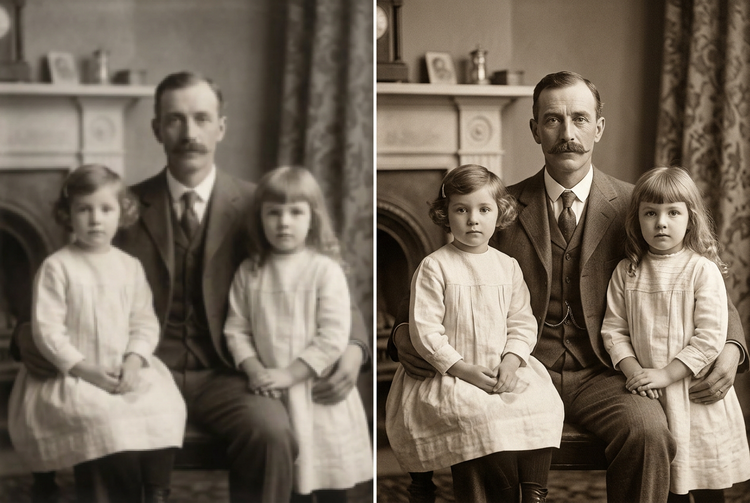
Sharpen detail with realistic results.
Old photos often lose sharpness through scanning, compression or age. Firefly enhances resolution and recovers fine detail, including facial features, fabric texture and background elements, using AI that understands image context. Add clean, natural clarity that holds up at larger print sizes without looking artificial.
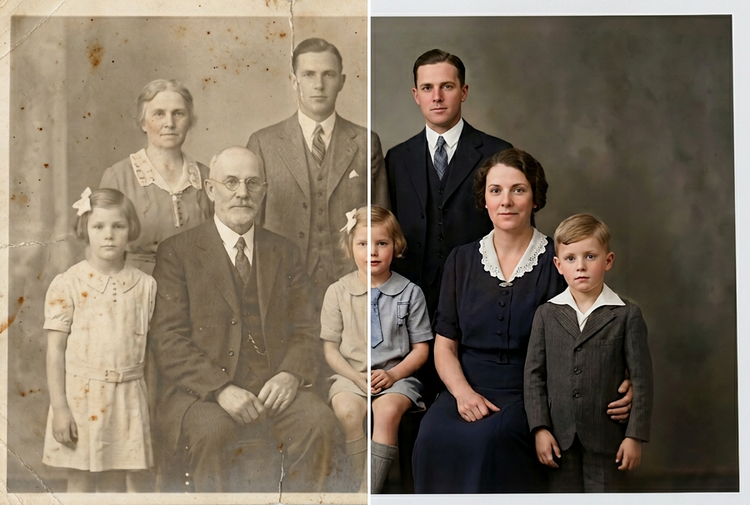
Send restored photos to Photoshop on the web or Adobe Express.
Once you’ve restored it, take your photos seamlessly into Photoshop on the web or Adobe Express. Adjust colour grading, remove remaining blemishes or quickly add your image to a template for social and beyond, all within the Adobe Creative Cloud ecosystem. Non-destructive editing means your original is always preserved.
How to restore old photos with Adobe Firefly.
Step 1
Log in to Adobe Firefly.
Step 2
Upload your photo.
Step 3
Paint over damaged areas.
Step 4
Generate the restoration.
Step 5
Download or send to Creative Cloud.
How to restore old photos with Adobe Firefly.
Steps on how to restore old photos using Adobe Firefly AI photo restoration tools.
PT5M
firefly
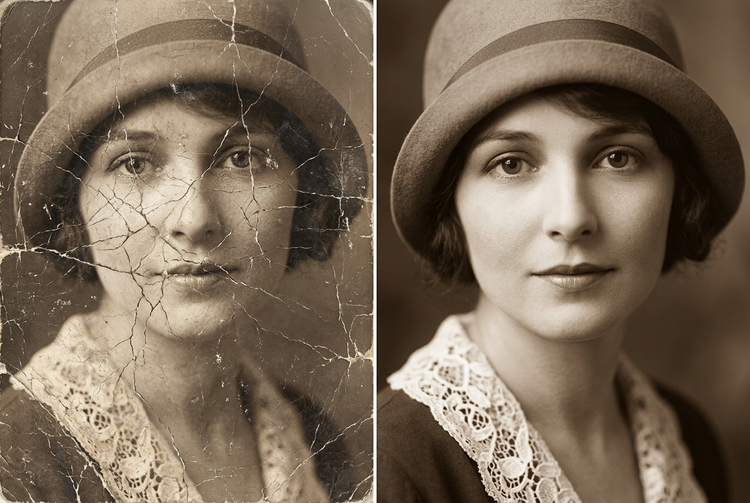
Context-aware repair
Firefly analyses the entire image, not just the damaged area, to reconstruct missing detail in a way that matches surrounding tone, texture and lighting. Repairs blend invisibly into the original.
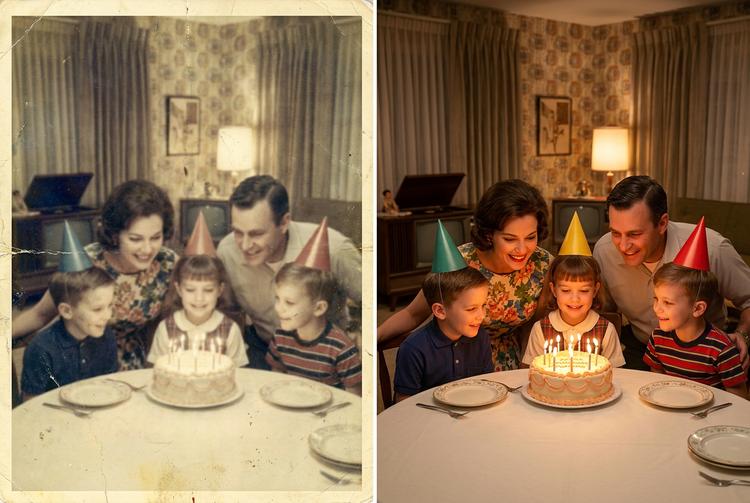
Non-destructive editing
Your original image is always preserved in the History Panel. The non-destructive workflow means you can experiment with repairs and restorations without overwriting the original file.
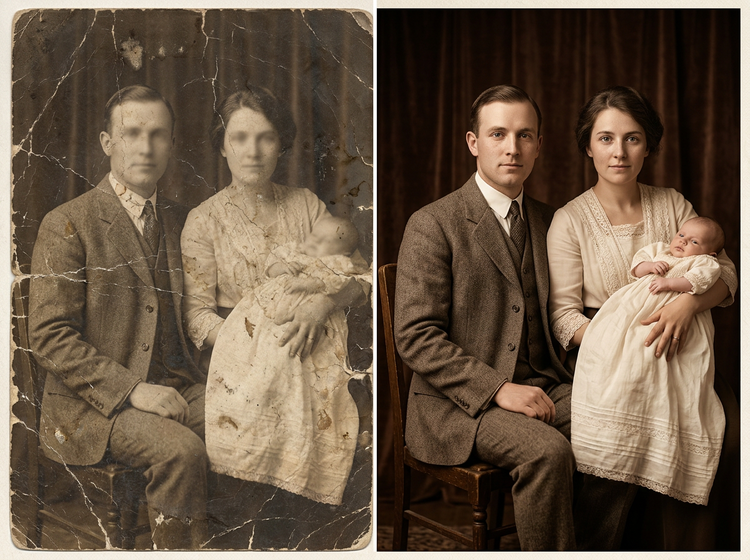
Built for professional projects
Use restored and enhanced images with confidence in any project. Firefly is part of the Adobe Creative Cloud ecosystem, giving you a seamless path from restoration to final output across Photoshop on the web, Adobe Express and beyond.
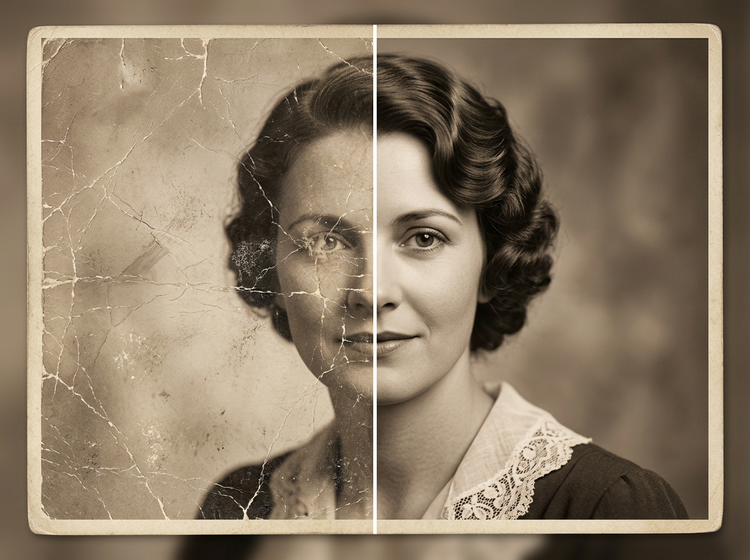
Results in seconds
What once required hours of careful manual retouching now takes seconds. Paint the damaged area, click Generate and Firefly handles the reconstruction automatically.