

Adobe Firefly
The next evolution of creative AI is here for all your ideas, with image, video, audio and vector tools.


AI video creation is the process of using artificial intelligence tools to generate video content from inputs like text, images, scripts or existing media. AI video tools can help create explainers, short-form videos, marketing content, product showcases, and social media videos without relying on traditional filming or editing workflows.
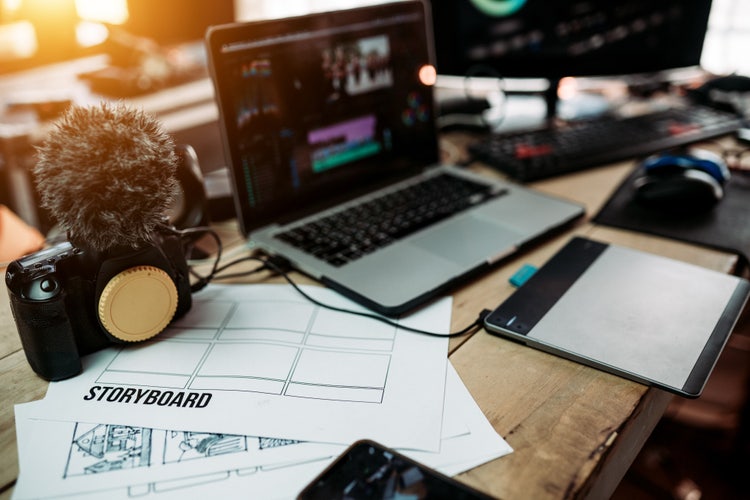
Traditional video production involves multiple stages: pre-production (planning, scripting, storyboarding), production (filming and recording), and post-production (editing, sound design, colour grading). These often require time, resources, coordination from different departments, and specialised skills.
AI video tools streamline traditional production workflows by automating scripting support, scene generation, voiceovers, editing, animation, and visual assembly.
Creating AI videos is most effective when you follow a clear, structured workflow. Breaking the process into steps helps you stay focused, maintain quality, and get better results from AI tools.
Strong AI videos start with a clear concept and audience goal. Defining the purpose, message and intended audience helps improve scripting, prompting, visual consistency, and overall video structure throughout the AI generation process.
Strong ideas are simple, focused, and built around a specific purpose: explaining a product, telling a story, sharing information, or whatever your goal might be.
Focus on audience-first thinking:
AI video generators rely on structured scripts to guide scene flow, narration, pacing, and visual consistency. Clear scripting improves the quality of AI-generated videos and helps reduce inconsistent outputs during generation.
A well-written script acts as a creative and technical guide. It not only defines what is said, but also influences how scenes are generated, how transitions feel, and how the overall story unfolds.
Structure your script for clarity and flow:
How to structure compelling scripts
Learn how to structure compelling scripts that form the foundation of effective AI videos.
AI storyboards help map scripts into visual scenes before video generation. A storyboard is a simple scene-by-scene outline that maps your script to visuals, helping you plan how each moment will look before generating the video. In AI video creation, this step is especially useful for maintaining consistency and avoiding disjointed outputs.
Keep your storyboard simple and actionable:
Understand how storyboards help translate scripts into visual scenes before generation.
AI video prompts define how scenes, motion, style, framing, and visual elements are generated. Clear and specific prompts help improve output quality and give creators more control over AI-generated videos.
Well-structured prompts don’t have to be long, but they should be specific enough to reduce ambiguity. Breaking prompts into clear components also makes them easier to reuse and refine across different videos:
How to Write Better Prompts for AI Video
Master prompt engineering techniques to improve AI video output quality and control.
Image-to-video workflows allow you to use static visuals as the foundation for generating dynamic video content. Instead of starting from scratch, you can upload or create images and animate them using AI. This approach is especially useful for product visuals, illustrations, or branded assets.
Common image-to-video use cases:
How to turn images into videos
Discover how to animate static visuals into dynamic video content using AI tools.
AI can repurpose existing written content (such as blogs, articles, or scripts) into engaging video formats. Instead of starting from scratch, you can use content you’ve already created and transform it into visual storytelling, saving both time and effort. Converting written content into video helps maximise visibility while catering to audiences who prefer visual formats.
How to transform written content into video-ready material:
Learn how to repurpose written content into engaging AI-generated videos.
This is the stage where your planning, script, storyboard, and prompts come together to produce your first working version of an AI-generated video. The goal at this point is not perfection, but to create a complete draft that you can review, refine, and improve. Your first draft acts as a baseline. With each iteration, you can refine prompts, adjust structure, and improve alignment to bring your AI video closer to a polished final version.
How to set up your first draft:
AI video creation supports a wide range of content formats across marketing, education, professional communication, and social media. Different AI video workflows can help streamline scripting, visual planning, narration, and production depending on the type of content being created.
Common AI video use cases include:
Explainer videos, which help simplify products, services, or complex ideas through structured visual storytelling and AI-generated scenes.
Product demo videos, which showcase product features, workflows, or user experiences using AI-generated visuals, motion, and narration.
Training videos, which help organisations create scalable educational or instructional content more efficiently.
Testimonial videos, which combine scripts, voiceovers, and supporting visuals to present customer stories or case studies.
Video resumes, which help professionals create more engaging introductions and personal presentations using AI-generated video workflows.
Different AI video formats may require different scripting, prompting, and storyboarding approaches depending on the audience, platform, and communication goal.
AI video creation combines scripting, storyboarding, prompting, visual generation, and editing workflows to streamline modern video production. Structured workflows help improve consistency, reduce production time, and support scalable AI-generated video creation across different formats and platforms.
Whether you are creating explainers, product demos, training videos, or short-form social content, AI video tools can support faster experimentation and more efficient content production workflows.
Based on your location, we think you may prefer the United States website, where you'll get regional content, offerings, and pricing.

