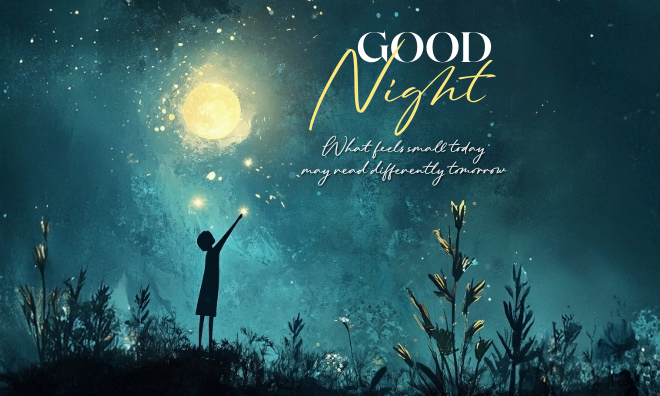
Custom goodnight messages with photos.
Create a one-of-a-kind greeting with goodnight quotes from Adobe Express.



Key takeaways.
- The right goodnight message or quote can show loved ones you’re thinking of them and what they mean to you.
- You can tailor different goodnight quotes for family, friends and partners.
- Adobe Express offers a range of tools and quote ideas to get you started with goodnight wishes.
Romantic goodnight messages for her.
Send a goodnight greeting to an important woman in your life. Keep it simple for someone you’re getting to know or write something heartfelt for a person you know intimately.
Here are some goodnight message ideas for her:
recipe
Romantic goodnight messages for him.
Send a personalised goodnight message to a special somebody. Make your message as simple or poetic as you’d like and customise it with their favourite colours and imagery.
Here are some ideas for goodnight quotes for him:
recipe
Goodnight messages for friends.
Check in with your friends before falling asleep. Finish off a conversation with a goodnight graphic or send them a funny meme to leave them smiling before bed.
Here are some ways to write a goodnight message for a friend:
recipe
Good night messages for the family.
Send a personalised message to say goodnight to your parents, siblings, grandparents, or extended family members. Whether you live near them or have a long-distance relationship, a goodnight message will help you feel closer.
Here’s how you could write goodnight messages for family members:
recipe
Good night quotes.
You can also bring your messages to life by sprinkling in goodnight quotes from famous names. From writers to philosophers, plenty of people have had their say down the centuries.
Here are some examples of goodnight quotes for inspiration:
Inspirational good night quotes.
Funny good night quotes.
Romantic good night quotes.
How to craft meaningful goodnight messages with Adobe Express.
1. Decide on the purpose and emotion of the message.
Before opening Adobe Express, think about what you want to say in your goodnight message. For example, you might be:
- Offering support and comfort
- Celebrating someone’s achievements
- Marking a special occasion
- Composing a romantic note
- Checking in.
With a clear purpose in mind, it’ll be much easier to choose the design, tone and wording for your good night greetings.
2. Pick your goodnight message.
Browse our curated lists of goodnight messages and choose one (or a few) that say it best.
You’ll find plenty of romantic, funny, and meaningful good night sayings and examples to adapt above.
3. Design your message with Adobe Express.
Once you’re ready, head to Adobe Express to give your good night message the right look and feel.
There are lots of design options to send your message. For example:
- Social media posts: Share funny or heartfelt messages on the likes of Instagram, Facebook and X. Get started
- Greetings cards: It’s simple to design and print a card – or send one as a digital card. Learn more
- Flyers and banners: Say it in style with an eye-catching flyer or banner that matches your message. Find out more
Start from scratch with a blank design, or search for relevant keywords like ‘sleep’, ‘goodnight’ or ‘love’ for design inspiration.
4. Explore our templates.
Along with handy design tools, Adobe Express offers a huge range of templates to build a goodnight message with.
Search for a template that suits the tone you’re going for. For example:
5. Personalise your message.
When you’re all set up, it’s time to customise your goodnight message. Drop it into the design, then play with different fonts, colours and icons to reflect your tone and personality.
Here are some things you can try:
- Browse the Adobe Express font library to find styles ranging from elegant to bold.
- Change the size, colour and alignment of your text until it feels just right.
- Consider adding shadows, outlines and other effects.
- Explore calligraphic and handwritten-style fonts for extra personalisation.
6. Add graphics and personal photos.
Along with your wording, photos and imagery can really make your goodnight wishes shine. Here are some options to consider:
- Add your own photos. Whether it’s a selfie or classic memory, a personal photo can inject some emotion into your design.
- Use Adobe Stock images. You’ll find lots of royalty-free photos and graphics within Adobe Express.
- Browse graphics and icons. Along with images, Adobe Express gives you access to various icons and shapes. They’re easy to customise with different sizes and colours.
- Try photo filters and effects. It’s simple to adjust the brightness, backgrounds or contrast of your images until everything looks spot on.
7. Save and send your good night wishes.
Download your design for printing or share it to your socials directly from the app.
Sharing your good night messages.
When all the design work is complete, save and download your message to your device and share it in your own time. You could also share it instantly if you don’t have a lot of time.
Your download options include:
- PNG files. This file format supports transparency and is widely used to display high-quality digital images. It can handle many different colours and offers lossless compression too.
- JPG files. This format tends to offer smaller file sizes, making it quicker to upload and share designs. It’s also widely compatible with different software and devices.
- PDF files. Ideal for printing, PDFs ensure your design stays the same, whatever device it’s opened on. They’re also strong on security, offering features like password protection.
You also have lots of options when sharing good night quotes digitally. For example:
- Social media apps. It’s easy to share Adobe Express designs directly on Instagram, Facebook, X and beyond.
- Email attachments. Copy and paste your image directly into an email message. Or download and attach it. It’s then just a case of hitting send.
- Messaging tools. After downloading and saving your design, you can simply attach it to a WhatsApp, Messenger or SMS chat.
How to bring your goodnight messages to life.
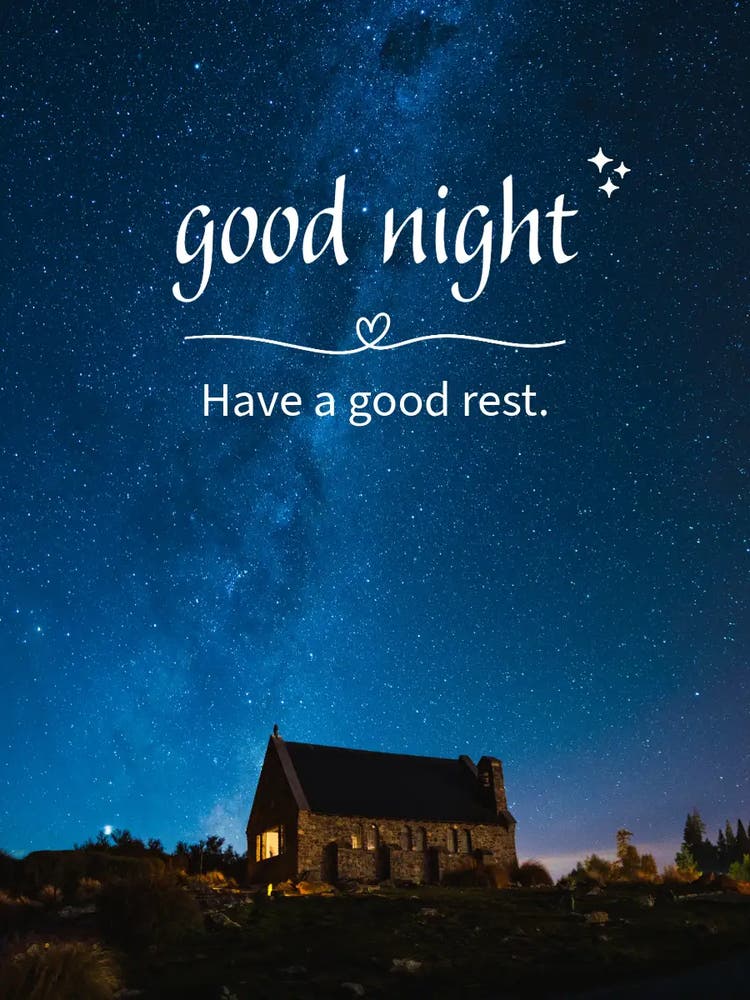
Creative tips for making your good night messages truly unique.
Whether you’re writing cute good night quotes for a partner, or a funny goodnight message for a friend, there are lots of ways you can make them unique.
Here are some tips to get your creative juices flowing:
- Match the design theme to your message. Choose design elements that mirror the tone or emotion of the goodnight message you’re sending. Think about the occasion you’re marking or the subject matter. Then match them to the right colours, fonts and other visuals.
- Include shared memories and jokes. Make things personal with references to shared moments or funny stories. It’s another way of showing you care.
- Be authentic. Choose your own colours, words, fonts and images until you’re happy with the result. And always try to write in your natural voice.
- Consider using animation elements. Make your designs even more engaging – and literally get things moving – with subtle animations. You’ll find animation tools in Adobe Express.
- Send a series of regular messages. Why leave it as a one-off? You could turn your goodnight greetings into a regular series of messages that your recipient can look forward to each day, week or month.
More ways to share your good night message.
With Adobe Express, you can download and share your creation in countless ways.
Post your message on your social platforms. Print out your design and hang it as a poster in a nursery or a kid’s room as a comforting piece of decor.
Put it in a small frame on your nightstand. Turn it into a greeting card and mail it to someone special. The opportunities are endless.
Discover more you might like.
You might also like...