Process map examples and templates.
Learn how create your own with process map with examples and templates from Adobe Express.
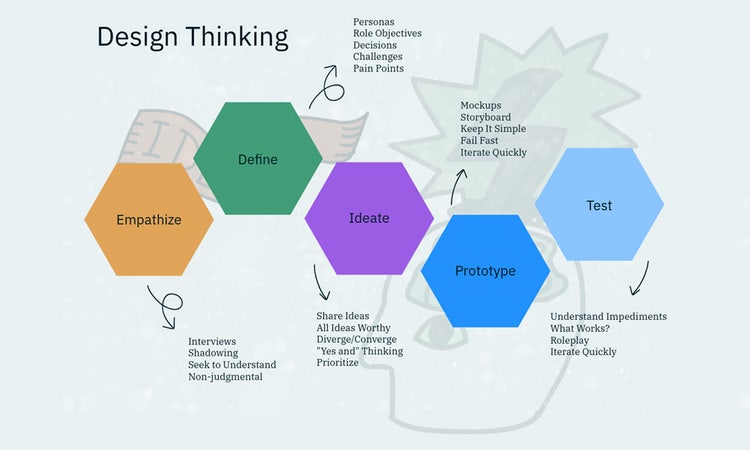




A process map is a tool that provides a visual representation of a workflow or process – from start to finish. It can improve clarity, communication, and efficiency among teams by helping individuals understand the bigger picture.
Read on to discover process mapping examples by industry and tips for creating effective process maps with Adobe Express.
What is a process map?
A process map is a diagram that’s used to visualise workflow and processes. It demonstrates how certain processes are carried out in a simple, visual way. Process maps are often used in certain industries such as healthcare to simplify complex workflows.
A process map can also make it easier to understand what’s working well in operations and identify what needs improving. By documenting each stage of a process, you can quickly identify delays and streamline processes to improve efficiencies.
Process maps typically feature symbols that represent a specific action or step within a process. When combined, this translates to a language that can be universally understood.
Common symbols include:
- Oval. Used to mark the start or end of a process.
- Rectangle. Highlights that an action needs to be taken.
- Diamond. Signals a decision needs to be made. Usually this is a yes/no answer which leads out to different paths based on the response provided.
- Arrow. Demonstrates which order to follow the series of actions.
Process map templates are commonly used to speed up mapping.
recipe
Process mapping examples by industry.
Process mapping is used across a wide range of industries in various settings, including:
Manufacturing: Production Line Process Map.
Process maps are used in manufacturing to outline the steps involved in product production, from raw material sourcing and quality checks to assembly and final packaging. This end-to-end process mapping helps to identify any bottlenecks and inefficiencies, to ensure consistent product output.
Healthcare: Patient Intake and Triage Process Map.
Processing maps are used in healthcare to visually map out the patient journey, from check-in and initial assessment to treatment and discharge. The process is useful in all sorts of settings from hospitals and clinics to urgent care centres to help streamline care and reduce waiting times.
Finance: Invoice Processing Workflow Map.
Processing maps are used in finance to demonstrate the flow of an invoice through approval, payment and archiving. The process is often carried out by accounts payable teams to ensure timely and error-free processing.
recipe
How to use a process map template.
A process map template can help you save time creating your own map. They often include a predefined structure with easy to arrange symbol shapes. You can often find process map templates in common Microsoft applications such as Excel and PowerPoint.
These templates can reduce the need to start a process map from scratch and help ensure important process components aren’t missed. You can also use tools like Adobe Express to build or customise templates.
Here’s how:
- Choose a template based on your use case or industry (e.g. HR, marketing or finance).
- Open it in a process mapping tool.
- Use the drag-and-drop functionality to add, remove or rearrange steps.
- Customise shapes, colours, labels and connectors as required.
- Export or share your finished process map with your team.
Tips for creating effective process maps.
Streamline your operations with these top tips for creating effective process maps:
- Keep it simple. Use simple symbols that outline the key steps involved in the process.
- Involve the right stakeholders. List every person involved in the process.
- Gather feedback. Welcome feedback from stakeholders to help identify any potential errors.
- Test for clarity. Run a final check before sharing with others to ensure smooth implementation.
recipe
How can Adobe Express help your visual communication?
Adobe Express can help enhance your visual communication with a wide range of tools, templates and features. Discover five ways Adobe Express can help you create professional designs, no experience necessary:

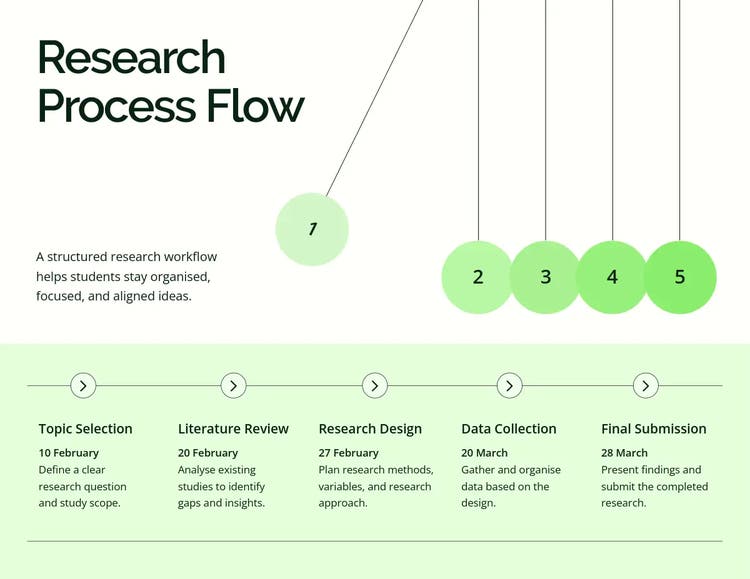
Get started with ready-made templates.
Customize with your brand in mind.
Build charts and diagrams for free.
Export, share, and collaborate.
Design your own custom planners with ease.
Create business templates fast with the AI generator from Adobe Express.
Quickly generate business templates for your visual communications with the Adobe Express AI template generator. From social media posts, to posters, cards and much more, the possibilities are endless. Just describe what you want to create in the text box, then click generate and watch your results appear momentarily.
Not happy with the results? No problem, click generate again to see even more designs. Once you’re happy, add your own touch to the creation by editing with branding, text and more. Then download and share your creation with others.
Discover more you might like.
You might also like...