How to become a freelancer and market yourself successfully.
Learn how to kickstart your freelancing journey and effectively market your services with useful tools from Adobe Express.



Becoming a freelancer is an empowering step towards building a career on your own terms. Whether you’re a writer, photographer, travel journalist, or any other professional, freelancing allows you to take control of your work-life balance, choose projects that resonate with you, and connect with a global audience. However, success in freelancing isn’t just about your skills – it’s also about how you promote yourself as a freelancer, market your freelancing services, and manage your professional freelancer brand.
Creating a strong online presence and crafting compelling marketing materials is essential to standing out in the competitive freelance market. This is where tools like Adobe Express provide easy-to-use templates, design assets, and branding features to help you create a professional freelancer website to display your portfolio, freelancer business cards, social media posts, and much more – all tailored to showcase your unique value to potential clients. With the right resources, you can confidently take your first steps into freelancing and make it a long-lasting career. Ready to transform your skills into a thriving freelance career? Let’s dive in!
Lay the foundation with a clear freelance business plan.
Starting your freelance career with a solid business plan is essential for long-term success. A well-thought-out freelance business plan will help you define your goals, target audience and unique selling proposition, ensuring you stand out from the crowd. It should outline your freelance services, pricing structure and any resources you'll need, such as equipment or software.
A clear business plan will also help you stay organised and focused. It's important to set short-term and long-term goals so you can measure your progress and adjust if necessary. For example, if you're looking to become a freelance writer, you could set goals such as securing your first client within the first month or expanding your writing niche by the end of the year. Having a written plan will not only guide you, but also provide you with a roadmap for strategically growing your business, making it easier to adjust when challenges arise. You should also look at what your competitors are offering and use your findings to develop your unique selling proposition. Any way you can differentiate yourself from your competitors will open up new and different customer groups you may want to work with.
recipe
Create a personal brand as a freelancer.
Developing a strong personal brand is essential for professionals who want to stand out in a competitive market. Start by building on the insights from your business plan - your target audience, core values and market research are the foundation. Use these to define what makes you different and create a brand identity that resonates with your ideal clients. Ask yourself: what do I want to be known for as a successful freelancer and how do I want clients to perceive me?
This process should influence the tone, messaging and visual elements of your brand. For example, if you're a freelance social media manager targeting small businesses, you might emphasise a friendly, approachable tone and bright, inviting colours in your branding. Keep your style consistent across all platforms, from your email signature to your online profiles. Adobe Express helps you create a cohesive branding kit with custom fonts, colour schemes, and reusable templates, making it easier to produce professional marketing materials while staying true to your personal brand:
- Open Adobe Express.
- Create a new brand in the “Brands” section.
- Choose a font from the Adobe Fonts library that ties in with your vision of your brand.
- Design a colour palette that aligns with your brand’s core values and identity. Maintaining a consistent colour scheme across your marketing materials helps reinforce your brand.
- Save your favourite templates in the “Templates” section for easy access when creating social media posts or banners. This will save time and let you focus on more creative tasks.
Build a website and showcase your work with a compelling portfolio.
A big part of your job as a freelancer is attracting new clients and marketing yourself. Your website is one of your most important tools - it's a 24/7 storefront where you can showcase the freelance work you've already done, as well as references and reviews from satisfied clients.
Choose a professional design that reflects your personal brand as a freelancer. Make sure the site is easy to navigate, visually appealing and optimised for both desktop and mobile devices. Your freelancer portfolio is the heart of your site. Curate your best work to showcase your skills and demonstrate the value you bring to clients. Depending on the services you provide, include detailed case studies or project summaries to highlight your approach, problem-solving skills and results.
Finally, make it easy for potential clients to contact you. Include a contact form, links to your social media profiles, and a booking option if appropriate. With Adobe Express, you can create stunning visuals for your portfolio and use the platform to create a cohesive look for your website:
- Open the Adobe Express free web page maker.
- Choose from the many professionally designed webpage templates and pick one that fits your branding.
- Use colours and fonts to customise your website. This should be consistent with your branding and run like a common thread through your entire public presence.
- If you have videos or photos to add, upload those.
- When you’re happy with the result, preview your website before uploading it and sharing the URL.
recipe
Create memorable freelancer business cards to make a lasting impression.
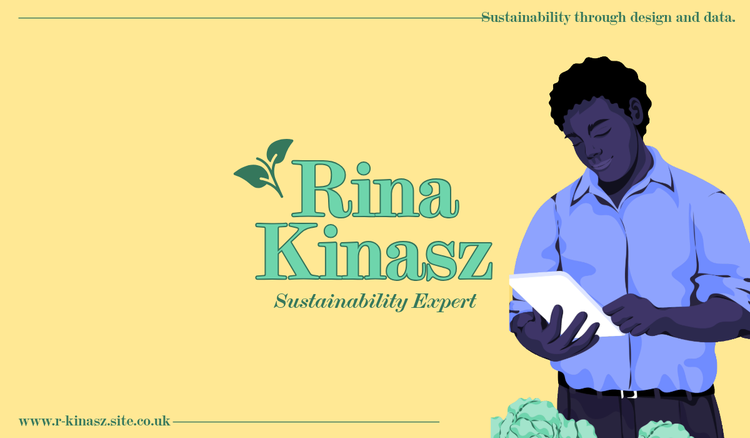
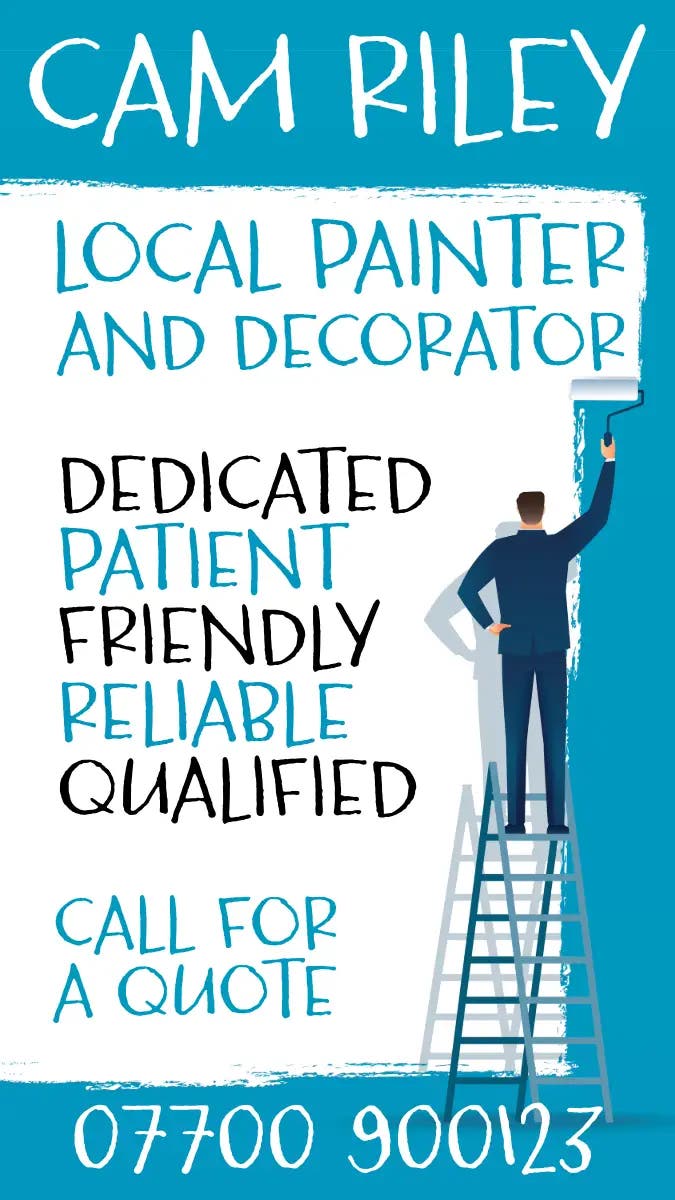
Business cards remain a powerful tool for making connections and leaving a lasting impression. A thoughtfully designed freelancer business card shares your contact details and serves as a mini representation of your brand.
Focus on creating a design that aligns with your personal branding, using consistent colours, fonts, and logos. Keep the layout clean and ensure your key information – name, profession and field, contact details, and website link – is easy to read.
Adobe Express simplifies the design process by offering special templates for business cards. Customise one to suit your style, and you’ll have a professional, memorable freelancer business card ready to print or share digitally. And with the free QR code generator, you can add your individual QR code that links directly to your portfolio or LinkedIn profile for added convenience.
recipe
How to bring your freelance business plan to life.

Harness social media to promote your freelancing services.
Social media platforms are indispensable tools for freelancers looking to showcase their work, connect with clients, and grow their business – whether you’re a graphic designer, a photographer, a writer, or a digital marketer. By choosing the platforms that align with your target audience, you can build a strong online presence and establish yourself as an expert in your field.
Share engaging content that highlights your skills and services, such as portfolio pieces, behind-the-scenes insights, or client success stories. Interact with your audience by responding to comments, joining relevant groups, and engaging in industry discussions to increase visibility and build trust. But first, make sure to pick the right platform for your business:
- Instagram: If you are a freelance photographer or freelance graphic designer, Instagram is an excellent platform to showcase your work through captivating images and short reels, giving potential clients a clear sense of your unique style and offerings. Use Adobe’s Instagram post maker to create Instagram posts from professional free templates.
- TikTok: TikTok is a great platform for freelancers to connect with a younger audience and share behind-the-scenes content in an engaging way. You are a freelance travel journalist? Take your audience with you on your travels and report on your experiences on site. That way you can showcase your skills, capture attention, and increase visibility. With the TikTok video creator, you can easily produce attractive content.
- Facebook: If you offer training courses, e.g. as a freelance first aid trainer, Facebook is the ideal platform to make your service visible in your area by inviting existing and new customers to your Facebook events. With our Facebook post maker you can further promote your portfolio and show your fall range of services.
- YouTube: YouTube is perfect for sharing longer content, such as tutorials, behind-the-scenes looks at your process, or detailed reviews of your services. Especially as a freelance video editor, the YouTube video editor comes in handy to create professional. And for all those who are not yet pros, don’t worry. We have all the necessary tools for you to edit, trim, and adjust videos:
- Edit videos: Upload your footage to split or shorten it, combine clips, or zoom in on certain scenes.
- Add effects: If you want to make your videos more dynamic, you can choose from numerous design elements and animated effects to add.
- Adjust video speed: Speed up the footage to create a fast-forward effect.
- One-click resize options: Easily transform your video into an Instagram Reel, Story, or resize it for a square feed post with just one click.
Discover more you might like.
How to start a babysitting business
How to start a bakery business
How to start a beauty salon business
How to start a candle making business
How to start a floristry business
How to start a hairdressing business
How to start a jewellery making business
How to start a personal training business
How to start a pet sitting business
You might also like...