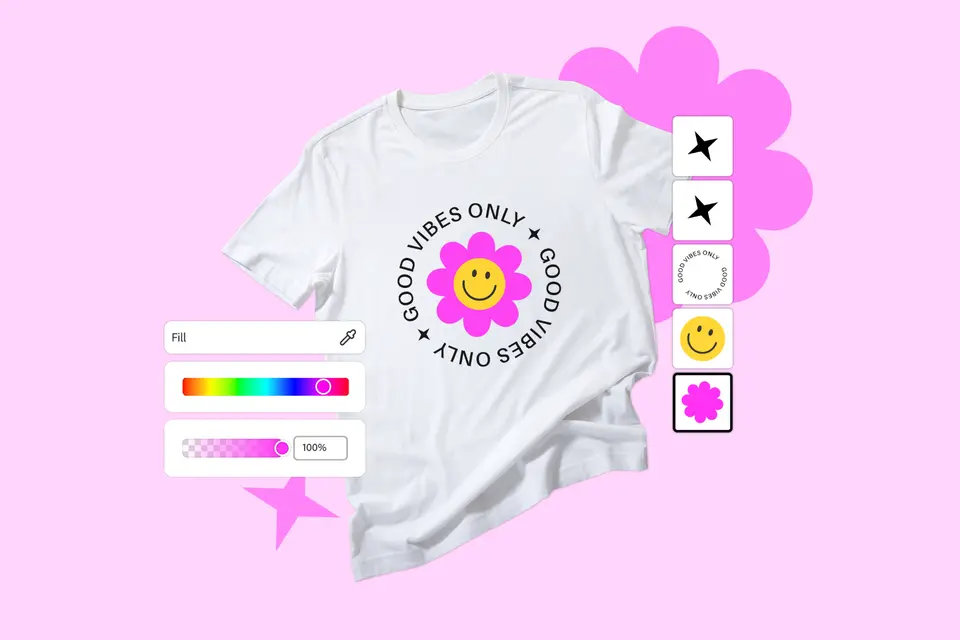
Design is key for t-shirt design. From layout and colour to font and composition, there’s a lot to consider. T-shirt mockups bridge that gap and bring your ideas to life, with realistic settings and models to visualise the final product before committing to print.
Whether you’re designing a branded tee for a product launch or printing t-shirts for a team event, a t-shirt mockup is the ideal first step. They’re especially handy to get approval or feedback before finalising the design.
Explore free t-shirt mockup designs and templates. And discover how to create your own t-shirt mockup with Adobe Express.
What is a t-shirt mockup?
A t-shirt mockup is a digital model that shows how a design will look on a physical t-shirt. Designers often use mockup templates to create realistic previews, whether in flat lay, 3D, or on models.
Mockup t-shirts are essential for showcasing design composition, colour accuracy, and typography– all without the need to print or manufacture the physical product. This helps to streamline the design process, save on production costs, and optimise design elements.
You’ll normally see t-shirt design mockups in product presentations, design previews, and marketing materials. They’re also useful in a print-on-demand business and even in content creation.
When to use a t-shirt design mockup.
T-shirt mockups provide a preview of your t-shirt design before the printing stage, minimising the cost and effort of producing samples.
Here are some scenarios where you might use a t-shirt mockup:
- Product previews. T-shirt mockups give online shoppers a sneak peek of a design before they commit to purchasing it.
- Getting internal sign-offs. Clients can review and approve mockup t-shirts before they’re printed, reducing potential errors and costly revisions.
- Faster development. T-shirt mockups enable designers to experiment with different layouts, colour combinations, and design placements during pre-production.
- Collaborating with people/brands. Mockup t-shirts can allow teams to test different marketing visuals and messages, making it easier for designers, marketers, and stakeholders to collaborate on brand assets and optimise their campaigns.
- Choosing from several designs/ideas. T-shirt design mockups are helpful for comparing various design choices, making informed decisions, and detecting issues early on.
Make the most of free t-shirt mockups.
recipe
How to make a t-shirt mockup with Adobe Express.
Maybe you need a plain white t-shirt mockup for brand merch, or an oversized t-shirt mockup for an event? Whatever the reason, Adobe Express’s online tools can bring your design ideas to life.
Here are some key steps to get started on your free t-shirt mockup.
1. Choose a free t-shirt template to get started.
Browse Adobe Express’s extensive template library for the perfect t-shirt design template and customise with your own colour schemes and graphics. You’ll find everything from professionally polished prints to fun and quirky designs – ready to match your brand and vision. If you’re feeling extra creative, you can also start your t-shirt design mockup from scratch.
2. Customise with your own brand assets or graphics.
Customise your t-shirt mockup with your own on-brand assets or graphics. Simply upload your assets to your design, then use our free image editor for those easy finishing touches. Add text and filters, remove backgrounds, resize or crop your assets, and much more.
3. Make your own t-shirt logo.
There’s nothing more striking than a good logo. Make your t-shirt design mockup stand out with our free logo maker. Upload your ready-made logo to your design or start from scratch – from slogans to graphics. Then play around with backgrounds, colours, shapes and layouts, or just keep it simple.
4. Experiment with text effects and fonts.
Want to add some visual flair to your t-shirt mockup? Use AI text effects to generate unique, dynamic and stylish text. Enter a simple description or prompt, and elevate your design with unique font styles – including glitter, monogram, and floral – to make every letter count.
5. Present your t-shirt mockups for feedback.
Present your t-shirt design mockup for review with our AI presentation maker. Import your slides, choose a professional template, and customise them with design assets, graphics, icons, and fonts. Use generative AI tools to enhance your visuals, then easily download, share, or present your mockups with confidence.6 simple white t-shirt mockups.
White t-shirts are a great neutral base for starting a design – from logos and illustrations to text and other artwork. Create your white t-shirt design and generate realistic previews with our white t-shirt mockup templates.
6 editable black t-shirt mockups.
Black t-shirts make designs pop with contrast, creating an ideal background for graphics and logos. Design a black t-shirt from scratch and watch your ideas come to life with black t-shirt mockup templates.
recipe
recipe
Tips for making your own t-shirt mockup.
A t-shirt mockup is more than just the design itself. You’ll also need to factor in shirt colour, composition, placement, sizing and more.
Here are some things to keep in mind when creating your t-shirt design mockup.
- Colour scheme. Use complementary or contrasting colours to ensure your design elements stand out. This creates a subtle, harmonious look.
- Resolution. Use a clear, high-resolution image of a blank t-shirt as your base. Blurry or pixelated images can make your t-shirt mockup look unprofessional.
- Composition. Pay attention to balance and layout. Make sure the design aligns well with the t-shirt’s shape and orientation, and that it doesn’t feel cramped or awkwardly spaced.
- Sizing. Ensure your design matches the size of the t-shirt. A design that’s too small or too large can look awkward.
- Lighting. T-shirt mockups are supposed to emulate real life. Add highlights and shadows that match the t-shirt’s dimensions and achieve natural lighting.
- Placement. Consider where your design will appear on the t-shirt, whether it’s the front, back, or sleeve. Ensure the design is the focus of the mockup.