Data visualisation chart types.
Discover how you can use chart data visualisation to make better business decisions, with steps on how to create your own charts in Adobe Express.





Information overload is common in today’s data-driven world, but a data visualisation chart makes it easier to communicate information in a visual form.
Whether it’s for business, academic projects, or market research, visuals can make data interpretation easier by turning raw numbers into meaningful insight. For example, it can reveal customer trends briefly rather than having to look through numerous Excel sheets. This makes conveying the information to others and decision-making much easier.
How can you up your chart data visualisation game? Find out in this helpful guide by Adobe Express.
What is data visualisation?
Data visualisation transforms facts and figures into easy-to-read charts and graphs. With around 65% of people being visual learners, this approach makes it easier to identify patterns, trends and anomalies quickly.
Think sales figures, when comparing the current year’s results vs the previous year. Or website traffic tracking. For email marketing campaigns, data visualisation can make it easy to see who opened emails, how many of them didn’t land, and if there were any unsubscribes.
Decisions can be easier to make because the data is presented more clearly. And it’s more accessible to people who don’t have specialised analytical skills. As a result, it makes future business strategising a breeze.
recipe
How can data visualisation charts help businesses?
You can use a data visualisation chart to engage stakeholders. Perhaps you’ve got an idea that’ll propel your company’s sales? It’s one thing to have an idea, another to communicate it. Some examples are:
- Company reports. Summarise performance metrics such as KPIs, for example.
- Presentations to investors. Showcase the growth potential about exciting new projects.
- Financial results. Identify profit and loss, revenue, and spending.
- Pitches for new contracts/clients. Demonstrate value to potential new clients.
- Operational reporting. Monitor logistics, production, and supply chain performance.
- Compliance and risk analysis. Highlight high-risk areas, or regulatory discrepancies.
What are the main types of data visualisation charts?
Effective data visualisation involves choosing the right chart for the right data. This helps to get the message across clearly.
Some common types are:
Bar charts.
Bar chart data visualisation uses rectangle-shaped bars to represent value, with length determining size. They’re useful when comparing different categories of data next to each other, like which product or service in your company’s product portfolio is more popular, for example. They can be horizontal or vertical, showing data changes over a period.
Line charts.
Line charts in data visualisation have different data points connected with a line over a concentrated time span. They’re useful for showing fluctuations in the data. For example, some products, like Christmas trees are more likely to sell in the lead up to December, instead of May. Or chocolate and flower sales spiking in sales around Valentine’s day. You can add multiple lines, useful for cross-comparison of departmental data sets. They’re useful for identifying long-term trends, and future forecasting.
Scatter plots.
Scatter plots display individual data points on a two-axis graph that makes identifying connections between two variables much easier. Each one represents a specific metric, such as advertising spend vs. sales revenue. Perhaps you’re reviewing who deserves a bonus or promotion – a scatter plot lets you compare candidates.
Pie charts.
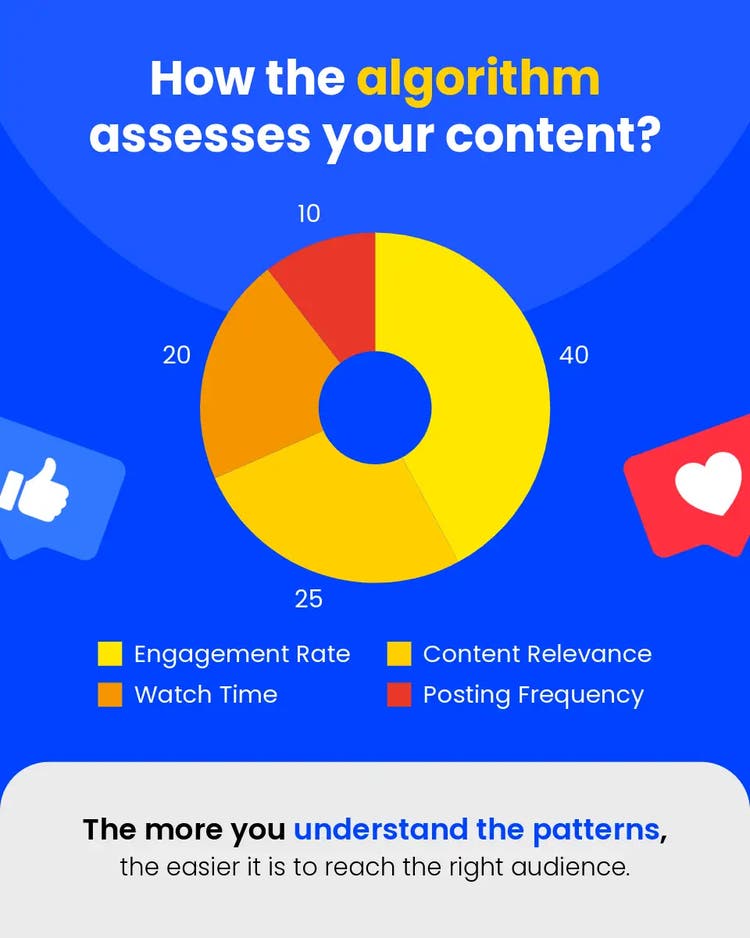
Pie charts represent data in a circle divided into different parts, each one signifying a particular segment. They’re great for seeing how different parts of data make up the whole set. Think market share analysis, pie charts let you view each competitor’s percentage share within the market as a whole. They’re beneficial in cases with a small number of data categories.
Funnel charts.
Funnel charts are great for showing processes with many stages, particularly when there’s a connection between each step. For example, say 1000 people visit your website, 500 sign up for a trial, 200 request a demo, and 50 buy the product. Funnel charts can visually demonstrate the evolution of the process by building a story/narrative of that campaign’s journey from start to finish. Use this to identify which areas of that journey need improving. In cases where many people show interest by signing up, but not buying, you can ask the questions: what can we do to make our product or service offering better? How do we get better at closing sales?
recipe
How can Adobe Express help with data visualisation?
Adobe Express makes it easier to create your own chart data visualisation. Forget complex, hard-to-use software that takes ages to implement. Want to make data visualisation charts fast? You’re in the right place.

Create your own charts for free.
Add charts to business reports.
Show off your data with infographics.
Customise with your brand.
Share and download with ease.
Present your data visualization charts with the AI presentation maker.
Chart data visualisation becomes easy with Adobe Express’s powerful AI presentation maker. Create aesthetic slides that captivate audiences. Use it to generate layouts, design themes, and graphics using prompts. Let your imagination run wild and channel your creativity, letting AI take care of the rest.
Let’s say you’re preparing a sales pitch, or a more educational deck, simply enter this information and the AI will create content based on those themes. It’s easy to customise to your preferences too. It’s a quick way to create polished presentations, with the advantage of trying different styles before deciding on your final pick. It’s especially useful if you’re a small business, as it lets you create presentations in the blink of an eye, without having to spend tons of resources to do so.
Discover more you might like.
You might also like...