Letterhead examples.
Make custom and unique letterhead for free in minutes with Adobe Express.





A professional letterhead does more than display your contact details, it helps establish credibility and reinforce your brand. Explore letterhead examples and discover how thoughtful design can make business communications look more polished, professional, and memorable.
Create professional letterheads for your business with Adobe Express.
1. Simple letterhead design.
A clean, minimalist design can be just as impressive as any other. If you’re creating a letterhead for a brand or business, use company colors and logo to make up the design. Or, for personal stationery, pair your favorite color with your monogram or initials. The bottom line is that you should choose 2-3 design elements that reflect you or your brand and then leave plenty of white space to write. Make it an even more impressive presentation by printing your design with letterpress on cardstock.
recipe
2. Create a decorative header with geometric shapes.
Be bold by starting your letterhead with a firm header design Use shapes, like rectangles or obtuse triangles, or even circles, to create a header at the top of the page. Pick a contrasting color for any text or icons that sit in your header’s space, so it’s easy to read. Spice things up even more by adding a pattern, transparent image, or texture to your shape for something truly one-of-a-kind.
recipe
3. Use geometric shapes to make a sidebar.
A sidebar on letterhead is an unexpected approach, so if that’s your style, then let’s get creative. Keep in mind that a wide sidebar will lessen the amount of writing space you have, so use this for letterheads that are more for short notes than long letters—drop-in a logo, your contact info at the bottom, and any imagery that fits your brand. Your sidebar can even serve as a purely decorative space, too, if you wish to place your contact info elsewhere on the page.
recipe
4. Create a decorative footer with geometric shapes.
Having a bold header or footer helps a reader understand where the more critical information is on the page. If you use an enticing footer, make sure that’s where all your contact or call-to-action information sits. Keep it simple with a rectangle, take it to the next level with an asymmetrical shape, or make it extra fancy with a patterned or textured fill. Try to keep a balance on the page as you design – if you choose to have a bold footer, keep your header light and airy with lots of writing space in between.
recipe
5. Use a background color in your design.
Adding a background to your letterhead is a beautiful custom choice if you’re looking to make something that stands out among the rest. Use a solid color fill that is preferably something lighter so any ink will still show up on the page. If your letterhead is digital, go for a dark color (or any color for that matter) and choose one for the font that contrasts the background. Make sure your printer is aware of your background design so your letterhead can be printed with full-bleed (meaning the color goes all the way to the edge of the page).
recipe
6. Add a pattern in the background.
Background patterns add a dynamic look to your letterhead. Explore different background patterns such as abstract shapes, letters, monograms, or even your logo. Blow up the design to fill the page, and play with placement options that work best so that way the background doesn’t take away from the text written on the page. You can also adjust the transparency (recommended) to make it a subtle design choice.
recipe
7. Use photos to represent your business.
Upload your photos to your letterhead, or find a stock photo that speaks to your brand or business. Use your image as a full header or sidebar, or crop it in exciting ways that intertwine with the rest of your design. Cropping is an excellent tool for design, so don’t be afraid to zoom in on one part of your image instead of showing the whole thing. Get creative and use photography to your advantage here.
recipe
How to make the most out of these letterhead examples.

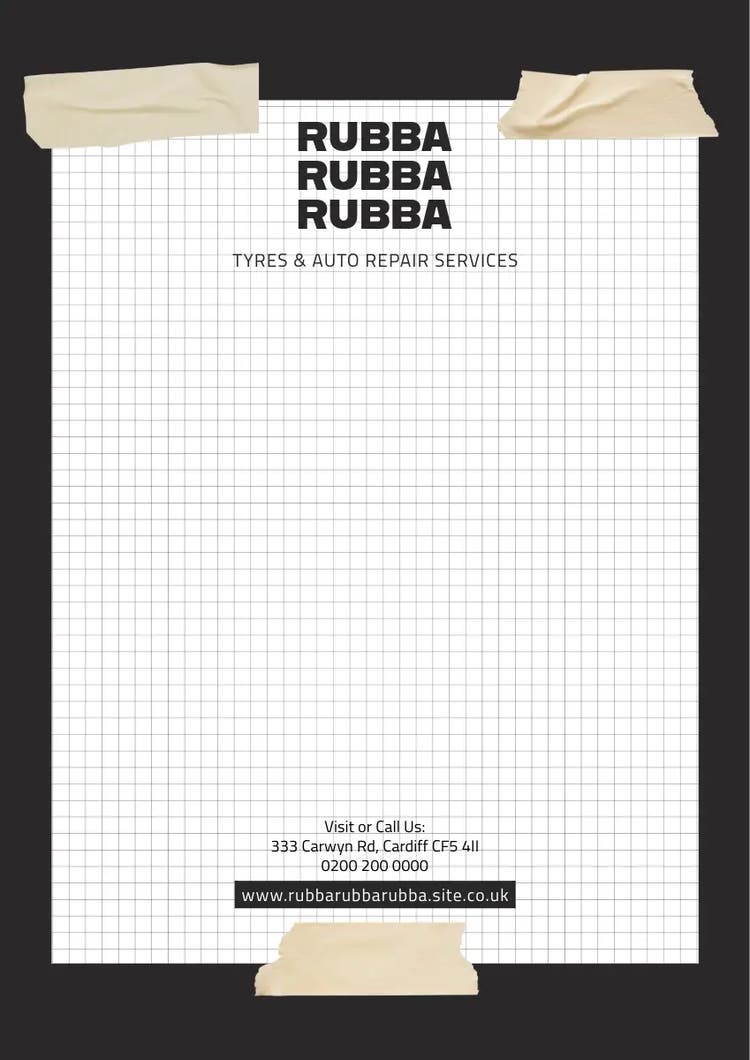
8. Feature black and white photos.
Black and white photos work great if you’re going for a greyscale letterhead. Play with placement, and use different types of black and white filters for a variety of looks. One idea to try is cropping your image either in the header and footer or as sidebars, as it invites the reader’s eye to travel across the page.
recipe
9. Play with color gradients.
Ideally, you don’t want to use too many colors on your letterhead. Choosing 2-3 colors is a great place to start. However, this doesn’t mean that you shouldn’t explore all the different shades of those colors. Create a dynamic, colorful design by using gradients in your headers or footers.
recipe
10. Showcase address & contact information.
Not all letterheads need contact information, but if yours does, then be sure to make sure it’s legible and spelled correctly. Play around with the formatting of your contact details. You can arrange it all on one line, stack it, place some in the header and other information in the footer, among countless other options. Just make sure to include the address and contact details that would benefit your reader the most to save space on your page.
recipe
11. Use icons as imagery on your letterhead.
Icons are an excellent tool when it comes to branded collateral such as letterhead. Use icons to draw attention to details such as a phone number, email, or social handle on your page. Or, play with icons in your header and footer, or even use icons to make the header or footer. If you’re using multiple icons across your page, try to select ones that all have a similar style to them for a cohesive presentation.
recipe
12. Play with logo placement.
Logos don’t always need to go front and center. Based on the personality of your brand, explore other logo placement options. If your logo is left-aligned, it might look nice in the left corner of the page. You can also turn symbols sideways and use them on the sidebar or drop it into the footer along with the rest of your contact details. Just make sure your logo is large enough on the page for all the details to be easily read.
recipe
13. Explore colors within your typography.
As we’ve discussed, a good rule of thumb is to stick to 2-3 colors in your letterhead design. One of those colors can work as an accent color, meaning that it sticks out and highlights an important piece of information on the page. Use accent colors on important text such as your company name or central point of contact. Another option is sending your letterhead digitally; you can make the body text a different color than the standard black or blue to match your letterhead design.
recipe
14. Use contrasting colors.
There are lots of ways you can go about picking your color palette with your letterhead design. You can use similar colors, such as pastels or earth tones, grayscale colors like black, white, and gray, or whatever your brand colors are, to name a few examples. If you get to choose a custom color palette, play with contrasting or complementary colors. Take a quick look at a color wheel to see how complementary colors make each other stand out. Adjust your header color, text, and contact details with these types of colors to make each item stand out next to the others.