How to Write Clear and Effective Meeting Minutes.

Discover how to write efficient minutes for your next client or staff meeting.

Start designing with Adobe Express

Most companies make their biggest decisions in meetings, so being able to look back on what was discussed, when and by who can be a big advantage. This is where meeting minutes come in.

Meeting minutes act as a written record of what’s happened and what’s been said so that it can be looked at later. In this guide we’ll explore the benefits of meeting minutes, how to take minutes in a meeting and some of the ways Adobe Express can help.

What are meeting minutes?

Ever been in a meeting and wished you’d made a note of what’s been discussed? Meeting minutes are the solution to this problem. Simple in scope and easy to manage, minutes are simply notes written down, of who said what and when.

Different organisations may have different standards on how to take meeting minutes, but it all boils down to being able to record the essentials. This may be the date, the topic(s) discussed, and the individuals present.

Meeting minutes are typically recorded by a designated individual, a secretary, executive or assistant, and can be handwritten or typed on a computer. The audio from the meeting might also be recorded, so that it can be referred to later, especially if the meeting minutes will be written up and shared with other teams.

Key components of professional meeting minutes.

If you have to write up minutes for a meeting, you may be expected to include the following:

Tasks
worksheet
Topics
agenda, meeting AND notes

Template IDs

(To pull in manually curated templates if needed)

Orientation


(Horizontal/Vertical)

Vertical

Width


(Full, Std, sixcols)

sixcols

Limit


(number of templates to load each pagination. Min. 5)

6
Animated
All

Sort

Most Viewed

Rare & Original

Newest to Oldest

Oldest to Newest

Newest to Oldest
Locales
GB or EN

Premium


(true, false, all) true or false will limit to premium only or free only.

false

5 main approaches to meeting minutes.

There’s more than one way to take minutes in a meeting. Here are some of the different styles you could try.

Verbatim meeting minutes.

This is where you write everything down word-for-word, or verbatim. It’s unlikely you’ll need it in everyday meetings where conversations will feature off-topic tangents, jokes and other casual remarks. But it might be necessary if you’re writing minutes for board, legal or governmental meetings. You may also need to record the audio in meetings, unless you’re a fast typer.

For example:

Discussion meeting minutes.

This is used to record the conversation, but not the explicit wording used. For example, you might talk about the topics raised, who voiced opinions, and the subsequent discussions had. Discussion meeting minutes can be used to provide context to conversations and actions further down the line.

For example:

Alex discussed email marketing and how we might need to test out some new creatives in the upcoming newsletter. Claire agreed that it was a great idea and suggested leveraging some of the latest campaign photography. Bob said he would reach out to the campaign lead and collate the imagery by Friday.

Outcome-only meetings.

This is where you only record the outcomes of your meeting. You don’t include the discussion, what people think in general, or why you’ve agreed on the things you’re doing. Instead, you focus on the decisions that are a result of the meeting.

For example:

Action-focused meeting minutes.

Much like outcome-focused meetings, these minutes feature on the results of the meeting. However, they also include information on what was discussed and who the tasks have been assigned to.

This might look like:

We have decided to migrate content from the old website to the new one:

Informal meeting minutes.

Informal meeting minutes follow a loose structure and are generally used for internal use. They might just be a string of bullet points, or they might be some actionable steps. The upside of the informal style is that it doesn’t take long and doesn’t require too much work.

This might look like:

How to take minutes in a meeting.

Taking minutes in a meeting isn’t too complicated and shouldn’t be an issue for most. So, whether it’s your first time or you want to improve your skills, it’s never too late to explore the subject. We’ve built an in-depth guide so you can feel confident taking minutes in your next meeting.

1. Build out your meeting minutes template ahead of the meeting.

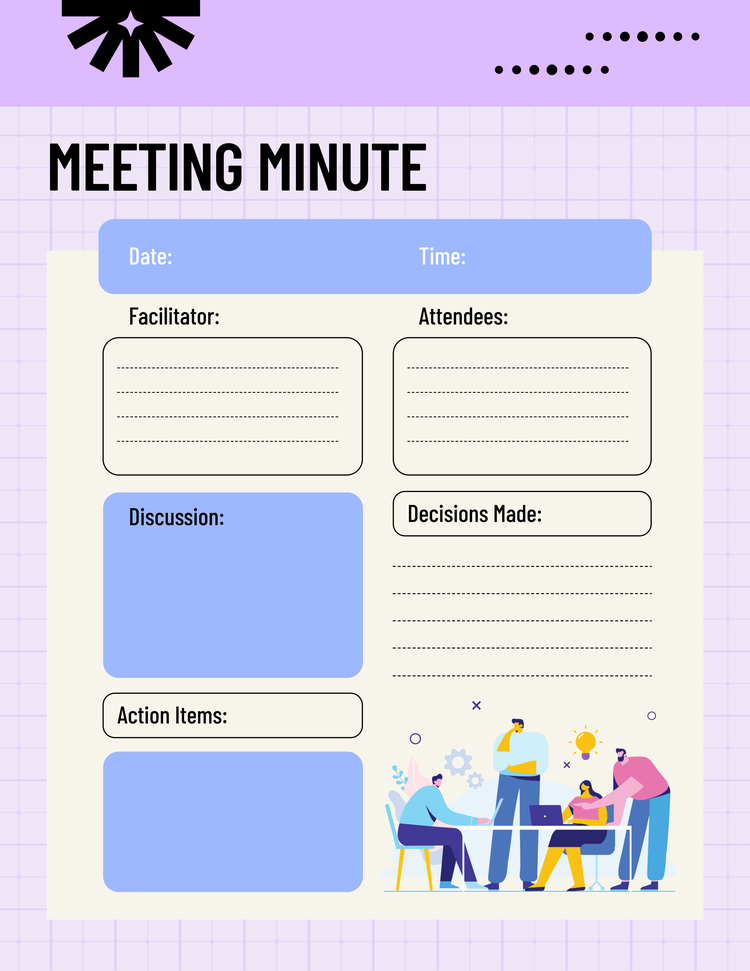
Many people find that using a template makes taking minutes in a meeting much easier, and it isn’t hard to see why. With the right meeting notes template, you can fill out the key details without having to worry about the formatting. Sorting this beforehand can save you time and help prevent you from missing any important details.

2. Outline the meeting date, time, attendees and agenda.

Here you’ll get the core details of the meeting down, not what’s been said, but the information that can be used to identify it later. Think of things like the date and time, who’s attending the meeting, and the agenda. Some of these details you might not have until you’re in the meeting but try to include as much as you can beforehand to save time.

3. Provide a summary of the meeting.

If you’re taking down informal meeting minutes, you might not need to do this. But a summary of the meeting and why it’s being held can be useful. It provides context to the discussions and arguments put forward. It can also prove useful when looking back at the minutes.

4. Note down each action or decision.

One of the more crucial elements of meeting minutes is the outcome of the meeting. As decisions are made or actions are agreed upon, note them down so that they can be referred to later. Write down:

5. Circulate the meeting notes as soon as possible.

Once the meeting has ended, you may be required to write up and share the minutes. Most likely it’ll go to those who attended the meeting, but it may also be necessary for those who were invited but couldn’t attend.

If you handwrote your minutes, you’ll probably need to type them up and any audio recordings will need to be transcribed for verbatim minutes. Once in a shareable format, you can share these via email, Teams or your preferred method of communication.

Editable meeting minutes examples.

Tasks
Letter, memo
Topics
Meeting, communication AND minutes, reminder, corporate AND note, notes, blank, stationery

Template IDs

(To pull in manually curated templates if needed)

Orientation


(Horizontal/Vertical)

Vertical

Width


(Full, Std, sixcols)

sixcols

Limit


(number of templates to load each pagination. Min. 5)

6
Animated
All

Sort

Most Viewed

Rare & Original

Newest to Oldest

Oldest to Newest

Oldest to Newest
Locales
GB or EN

Premium


(true, false, all) true or false will limit to premium only or free only.

false

Tips for capturing actions and discussions in your meeting minutes.

It can feel like a lot to remember when you first start writing meeting minutes, but with our tips, it won’t take long for you to master the art.

Designing meeting minutes templates using Adobe Express.

If you want to simplify minute-taking, Adobe Express can help with its free tools and templates.

1. Make the most of a meeting notes template.

Templates can take a lot out of the guesswork and stress of minute taking, allowing you to focus on what’s being said in the meeting. If you’re not sure where to start with templates, we’ve got you covered. Find the perfect template for your next meeting with Adobe Express.

2. Add your business branding in one click.

Sharing your minutes with clients after a meeting is one thing, but ensuring the document is on brand is another. Learn how you can apply branding in one click with Adobe Express.

3. Plan your meeting agenda in advance.

One thing that simplifies identifying meeting minutes, even after some time has passed, is the agenda. You can build your own meeting agenda with Adobe Express. Add your logo for an even more professional feel.

4. Align your meeting minutes to your meeting deck.

If the meeting you’re creating minutes for is particularly important or high-level you might need to put them into a deck. Fortunately, it’s easy to create a deck that’s both professional and easy to navigate.

Transform your meeting minutes with our AI template generator.

While Adobe Express offers a wide range of templates for taking meeting minutes, you can also use the AI template generator to make a bespoke design that perfectly fits your needs.

Enter your prompt and we’ll generate a template in minutes. You can then fine tune and customise the template until you’re happy.

Quick, free and easy, the template generator is designed to be used by anyone, regardless of experience or skill level. So, whether you’re a junior exec or a board member, Adobe Express can help you take minutes.

Try Adobe Express for free now

Good to know.

What’s the best format for meeting minutes?

The best format will depend on what you want from your meeting minutes. If you’re recording something for posterity, maybe an interview or legal reasons, you might opt for verbatim minutes. Alternatively, if you want to be able to share your minutes as part of direction for a team, action-focused minutes would be best. Focus on what feels right for you and your situation.

What should not be included in meeting minutes?

If you’re writing meeting minutes, you should be careful not to include the following:

Is Adobe Express free?

Yes, our free plan offers many core features, including thousands of templates, photo editing and effects, animation, and 5 GB of storage. See our pricing page for details and to compare plans.