How to make a Christmas postcard: tips, tools and festive ideas.
While there’s no magic formula for making the perfect Christmas postcard, there are some festive tips and tools that’ll help you sleigh it with style.
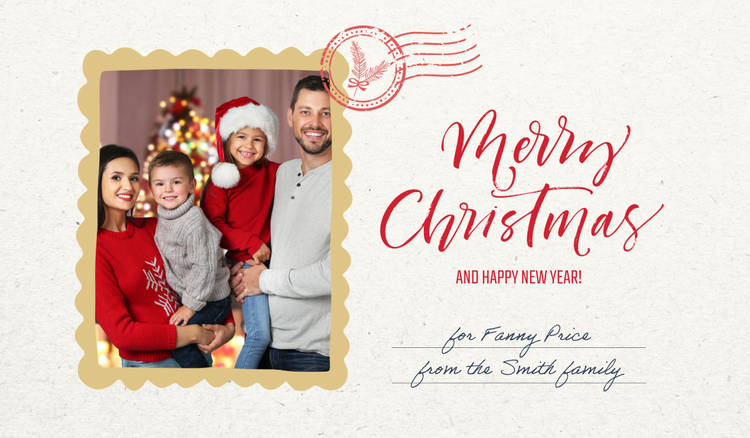




Looking to spread some cheer this Christmas? A well-designed Christmas postcard can help you thank loyal customers, promote a seasonal offer, or simply boost your brand visibility with a thoughtful message.
Whether you’re a micro business owner with loyal customers, a marketer planning a festive campaign, or just looking for a creative way to connect with people this Christmas, we’ve got something for you.
Learn how to design personalised Christmas postcards with Adobe Express and make your message truly memorable.
Why send a Christmas postcard?
A Christmas postcard is a simple but powerful way to share a message, whether it’s to thank someone, reconnect, or spread some festive joy. Unlike a digital message, a postcard adds a personal touch that people are more likely to remember. For business owners and marketers, it’s a low-cost way to strengthen relationships and keep your brand front of mind during a busy time of year.
Here are a few reasons why you should consider sending a Christmas postcard.
- Connect with customers. Let your customers know you appreciate their support with a warm, festive message.
- Share seasonal offers. Promote a Christmas discount, a limited-edition festive product or holiday opening hours in a way that feels personal, not pushy.
- Thank suppliers and clients. Show appreciation to the people you’ve worked with throughout the year and build stronger business relationships.
- Reach distant loved ones. Send festive wishes to friends or family you won’t get to see in person this year.
- Add a personal touch. Share a photo, memory or a handwritten note to make your message more personal and meaningful.
- Stand out from the crowd. In a world full of digital noise, creating a postcard, especially a printed one, feels unique and memorable.
4 free Christmas postcard ideas.
recipe
How to make a Christmas postcard with Adobe Express.
Creating a standout Christmas postcard doesn’t require design experience, just the right tools. With Adobe Express, you can easily craft personalised Christmas postcards that reflect your style, message and brand.
Whether you want to send a Christmas postcard with a photograph, promote an offer, or share your best wishes, Adobe Express makes it simple with drag-and-drop templates, festive assets, and easy-to-use editing features. Here’s how to get started:

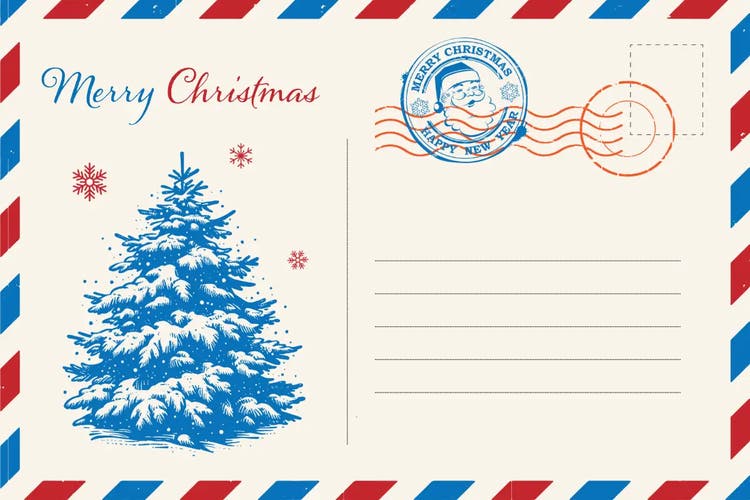
Begin by selecting from a wide variety of professionally designed templates specifically for the festive season or create your unique design from scratch. Adobe Express offers plenty of options that fit any style or business need.
Explore Christmas card templates or get started with a blank canvas on the postcard creation page.
Add a photo to your Christmas postcards.
Adding a personal image, like a family photograph, team picture or even a branded visual, can turn a standard Christmas postcard into something memorable.
Whether you’re sending to loved ones or loyal customers, a Christmas postcard with photos adds a warmth and authenticity that helps your message stand out.
With Adobe Express, you can easily upload and edit your image using the free image editor or create a festive-themed layout with the free photo collage maker.
Ready to get started? Scroll down to explore our collection of custom Christmas postcard templates. They’re perfect for creating personalised Christmas postcards with ease.
recipe
Generate more Christmas templates with AI tools from Adobe Express.
Looking for fresh Christmas postcard design ideas? Adobe Express’s AI template generator lets you create customised templates by simply describing the style, colours, and message you want.
The AI tool generates unique designs that you can personalise further. So, it’s perfect for busy micro business owners or marketers needing fast, professional results.
You can also use the AI card maker. This can create ready-to-use custom Christmas postcards based on your prompts.
These tools save time while helping you create a memorable card for clients, colleagues, friends and family. Simply describe the perfect Christmas postcard and see what templates are generated just for you.
You might also like...