



Free company logo maker.
Make a handcrafted visual identity for your company in seconds using the Adobe Express free logo maker.
Create now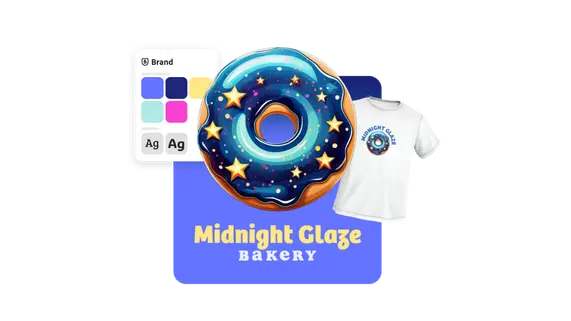
Tell us about your idea.
Enter the name of your brand or business and share your slogan if you have one. Then choose a style that resonates with your vision.

Pick an icon and generate a logo.
Pick a free icon to add to your logo, then generate tons of logo designs made just for your brand or business. Play around with your choices to see new results.
Customize or download your logo.
Download your new company logo as a PNG file to save, share, or keep editing in Adobe Express.
Create animated company logos for videos and more.
Further personalize your company logo in the Adobe Express online editor. Select from dozens animation styles to apply to the text or images in your logo. Then, download your animated logo as an MP4 file to share in video intros, social media clips, and even on your blog or website.

Share, upload, and print your logo wherever you want.
When you’re finished, download high-quality PNG and JPG files of your new company logo. Upload your logo to the Brands section in Adobe Express to instantly apply it to future designs. Feature your logo on flyers, business cards, merchandise, marketing materials, social media, and anything else you can dream of.


Frequently asked questions.
Can I include a slogan in my logo?
Absolutely. Enter in your slogan from the starting page of our logo maker. Then, we’ll generate dozens of different logo ideas for you – both with and without your slogan. Download versions of each so you can have a variety to choose from based on where you plan to publish your logo.
How do I download my company logo with a transparent background?
Once you’ve finished your logo, choose the download option. You’ll receive a folder with different variations of your new logo, including PNG files with transparent backgrounds.
What is the standard size for a company logo?
Logos from our logo maker download as square 1200px by 1200px files. Square logos are versatile and can easily be uploaded to destinations like letterheads or profile images. Open your logo in Adobe Express to use the Resize option and make your logo a specific size based on your needs.
Can I get Adobe Express for free? If so, what’s included?
Anyone can get Adobe Express for free. Our free plan includes thousands of templates, hundreds of royalty-free Adobe Stock photos, basic editing and photo effects, and more. Learn more about our plans and pricing.
Can I create my own company logo template?
Any new or existing project can be turned into a shareable template. To turn your company logo into a template, click on the three-dot menu at the left of the Download button and follow the steps to turn your design into a template.
illustrator

