



















Closed captions in English are available in the video player.
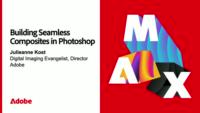
Building Seamless Composites in Photoshop
Graphic Design and Illustration
In-person, On-demand Session
Building Seamless Composites in Photoshop - S6301

Speakers
-

Digital Imaging Evangelist Director, Adobe
Featured Products
-

Photoshop
Free trial
No resources available for this session
Session Resources
Sign in to download session resources
About the Session
Join Julieanne Kost, principal evangelist at Adobe, and discover how to elevate your compositing workflow using both new and time-tested features in Photoshop. Learn how to quickly merge disparate visual elements into unified, surreal scenes — while keeping your process flexible and efficient from concept to completion. Julieanne will guide you through essential techniques to help you design faster, smarter, and with more creative control.
In this session, you’ll learn how to:
- Spark ideas and speed up your workflow using the latest Photoshop tools powered by Adobe Firefly
- Select and integrate elements that work together visually and conceptually
- Use non-destructive, adaptable techniques to refine your composites with confidence
- Incorporate both new and classic features into a seamless, professional workflow
Technical Level: Intermediate, Advanced
Category: How To
Track: Graphic Design and Illustration
Audience: Graphic Designer
This content is copyrighted by Adobe Inc. Any recording and posting of this content is strictly prohibited.
By accessing resources linked on this page ("Session Resources"), you agree that 1. Resources are Sample Files per our Terms of Use and 2. you will use Session Resources solely as directed by the applicable speaker.
Not sure which apps are best for you?
Take a minute. We’ll help you figure it out.