





















Closed captions in English are available in the video player.
Illustrator Glow-Up: Tips to Work Smarter
Graphic Design and Illustration
Online Session
Illustrator Glow-Up: Tips to Work Smarter - OS300

Speakers
-

Illustrator and Graphic Designer, Adam The Illustrator
Featured Products
-

Illustrator
Free trial
Session Resources
No resources available for this session
Sign in to download session resources
About the Session
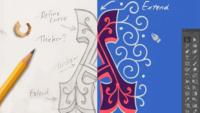
Discover faster, smarter ways to work in Adobe Illustrator. Join Adam Bosley, aka Adam The Illustrator, as he shares old vs. new techniques to help you get the most out of your workflow. From text effects to illustration tricks, these are tips you’ll want to keep in your back pocket forever.
In this session you’ll walk away with:
- An introduction to the Appearance panel for fully editable text effects
- Processes that make illustrating easier and less demanding
- Tips you’ll use daily
Technical Level: Beginner, Intermediate
Category: Industry Best Practices
Track: Graphic Design and Illustration
Audience: Art/Creative Director, Graphic Designer, Illustrator
This content is copyrighted by Adobe Inc. Any recording and posting of this content is strictly prohibited.
By accessing resources linked on this page ("Session Resources"), you agree that 1. Resources are Sample Files per our Terms of Use and 2. you will use Session Resources solely as directed by the applicable speaker.
Not sure which apps are best for you?
Take a minute. We’ll help you figure it out.