How to create a personalised wall calendar.
Design a personalised calendar to suit every schedule and project.
Creating a personalised wall calendar for work, school or home.
A personalised wall calendar is a simple way to stay organised while adding a touch of personality to your space. Whether it’s a calendar for work, school projects or to keep yourself organised at home, a custom calendar helps you plan ahead and keeps important dates visible. At work, a wall calendar can serve as a visual project tracker, marking campaign deadlines, client meetings, and sales goals. For students, it can be a study planner that helps you balance exams, assignments, and social events. At home, a family calendar brings everyone together, highlighting birthdays, holidays, and weekly routines so no event, big or small, gets missed.
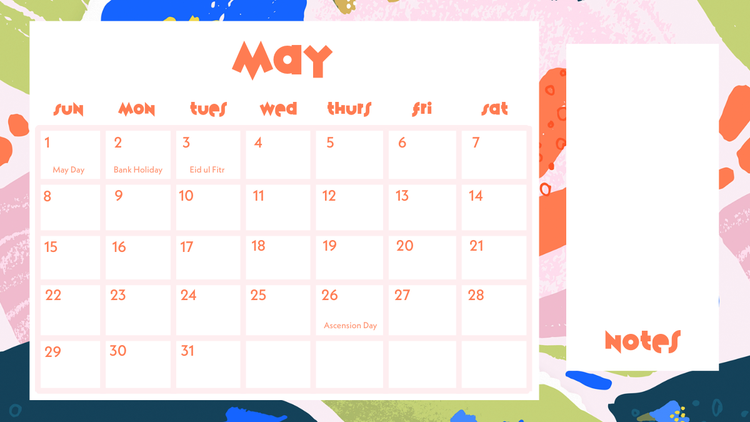
A personalised calendar can be as simple and functional as you like, or it can contribute to the aesthetics of your space. Your calendar can include your own photos, colour schemes, and layouts to reflect your style. Create a motivational design for your workspace, a minimalist aesthetic for your kitchen or a fun and colourful calendar for your children’s room. Whatever you want to create, Adobe Express makes it easy to bring your calendar vision to life with ready-made templates. Customise fonts, images, and layouts to suit your theme, and add motivational quotes, reminders, and special events to make every page practical and inspiring. It’s easy to design, download, and print your calendar to hang it on your wall. You can also save a PDF version to share it digitally and view it on your desktop, so your schedule always looks as good as it functions.
Choosing daily, weekly, monthly, and annual layouts.
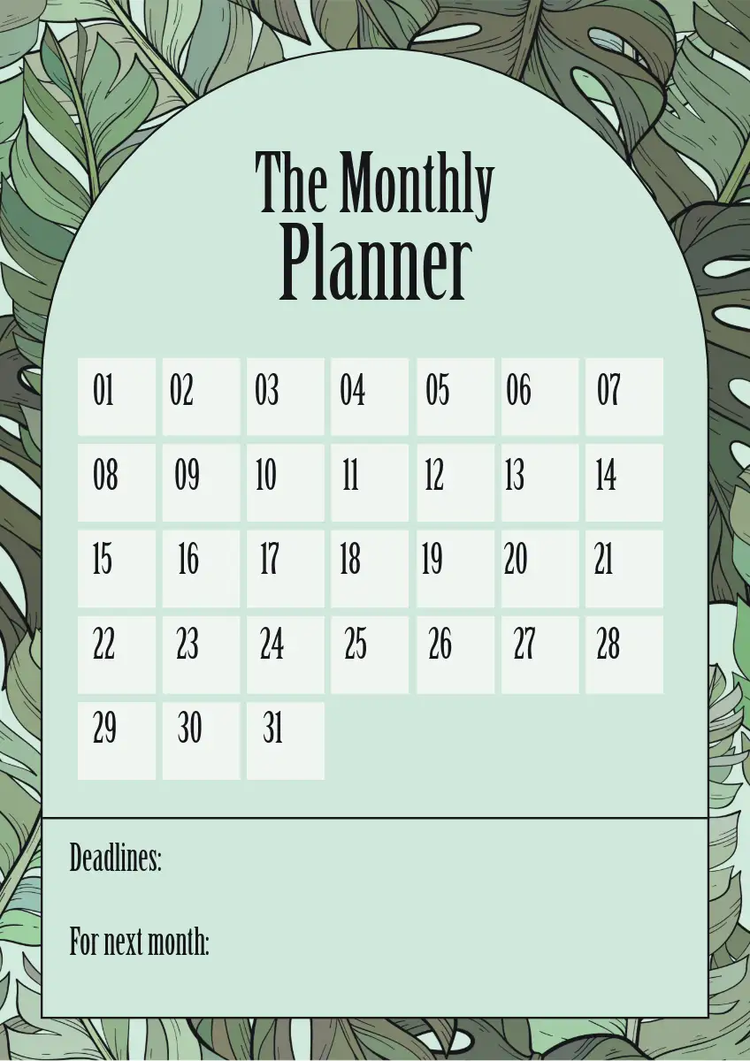
Choosing the right layout is key to creating a personalised wall calendar that truly supports your routine. Daily layouts are perfect for people who like structure. They give space for to-do lists, hourly schedules, and notes, helping solopreneurs, marketers, and busy parents stay on top of multiple priorities. Using things like stickers can serve as visual cues for certain events. Weekly calendars offer a balanced overview by giving enough space for noting down important tasks without getting stuck in the details. They’re ideal for students or teams managing shorter project cycles. Monthly layouts are great for tracking long-term goals, big deadlines or events. With a monthly calendar you can easily see upcoming tasks and milestones at a glance. Many people also enjoy using annual calendars for broader planning, such as mapping holidays, campaigns, fitness goals, personal development goals or seasonal projects. These layouts are especially useful for business owners or content creators who work in quarterly cycles.
Adobe Express lets you experiment with different structures until you find what works best. Use templates to build calendars that suit your habits. Create a daily to-do list and pair it with a weekly, monthly or annual calendar to keep you organised. Customise grid sizes, add sections for notes, and adjust colours to match your style. If you’ve got lots of different projects happening, you can design multiple calendars; for example, have one for personal life events and another for business projects. If you’re managing multiple things at work, having a calendar dedicated to quarterly marketing goals and events can help you manage competing priorities. Make sure to note down important holidays that your business should be aware of for marketing reasons. This flexibility means your calendar grows with your schedule and helps you stay productive all year round. Start by browsing calendar templates to find a style and layout that suits your needs.
recipe
How to customise your wall calendar.
Customisation is where your wall calendar becomes uniquely yours. Start by choosing a template, then have a think about your theme. Do you want a calendar that is modern, minimalist, vintage, packed with colour or designed using a certain aesthetic you like? Find inspiration from a range of design styles, from kidcore and goblincore to Neo-Expressionism and Art Deco. Once you’ve picked your theme, it’s time to customise your template. Adjust the colours, fonts, and texts, then decide if you want to add personal photos, illustrations or icons to make each page feel connected to your life. Having a visually stimulating calendar can help you feel positive and inspired about things, even if your calendar seems to be permanently filled with less-than-exciting chores, like taking the bins out or visiting the dentist.
For a professional calendar that you want to hang in your workplace, or a calendar you’re creating for business merchandise, make sure to include your brand colours and logo. For a customised wall calendar for the family or one being created as a gift, use photos from holidays or special moments. You can also play with typography and layout; try using bold fonts for headings, softer tones for notes, and accent colours for weekends or holidays. Add inspirational quotes, monthly goals or checklists that make your calendar both functional and motivating. Adobe Express gives you full creative control with an easy drag-and-drop editor and customisable templates that make design simple, even if you’re not a designer. Pair your customised calendar with editable daily planner templates, perfect for keeping you on track with work tasks and helping kids stay organised with school events and homework.
How to bring your designs to life.
Tips for making the most out of your wall calendar.
A wall calendar works best when it’s part of your daily routine and when it helps to make your life a little easier. You’ll need to find a suitable place to put your calendar, so it’s best to hang it where you naturally see it as you go about your day. This could be just above your desk, on the fridge or by an entryway to the hall or a busy room. That way, as you pass it, you’ll be conveniently reminded of important dates at a glance. For calendars on the wall at home, use colour coding to separate categories like work, personal or family. For example, blue for meetings, green for health goals, and yellow for birthdays. For calendars at work, the same colour coding can be applied to differentiate between different projects, meetings, and tasks. Learn more about different calendars and when to use them, or check out templates for personalised photo calendars.
Regularly reviewing your calendar helps you stay proactive. Each week, take a few minutes to update tasks and deadlines. This habit keeps your goals clear and reduces last-minute stress. You can also use sticky notes or dry-erase markers on laminated versions for easy edits. Finally, personalise your calendar beyond dates. You might want to add sections for affirmations, achievements or gratitude notes. These small touches make it your wall calendar, not just an effective planning tool but one that can help keep you motivated or give pause for reflection. Whether it’s for business goals or personal balance, a well-designed calendar can keep you grounded and motivated. Check out these messages about happiness or browse motivational hard work quotes to add to your calendar.
recipe
Create a personalised wall calendar with Adobe Express.
Whatever your vision for your personalised wall calendar, you can create something loud and proud or something discreet and functional with Adobe Express. Start with professional templates that cover everything from daily planners to events calendars. Once you start editing your chosen template, you can easily add in your own photos, colours, and typography. Whether you want to upload company logos, family pictures or your favourite photos of the dog, you can add images, icons and stickers that reflect your style or brand identity. For families, turn it into a visual story of your year by adding favourite photos or milestones. For professionals, your calendar can double as a brand asset; use consistent colours and imagery that represent your business. Adobe Express also allows you to create matching assets like social posts, to-do lists, or printable planners, keeping all your designs consistent across different platforms.
When you’re ready, you can export your calendar as a digital file or print it for your wall. If you’d prefer to have a poster rather than a traditional calendar, you can design and print a calendar poster straight through Adobe Express. This can be ideal for children who want big visuals of upcoming events or anyone who prefers to have a more dynamic calendar ready to print and put on the wall as things get planned throughout the year. If you’ve created monthly or quarterly calendars, return any time to update layouts or add fresh imagery as your year unfolds. Adobe Express ensures every design looks sharp and cohesive, whether you’re planning your next big marketing campaign or family adventure.
recipe
Adobe Express can help you.
Creating a personalised wall calendar is simple with Adobe Express. Use free templates, adjust colours, choose favourite fonts, and edit layouts to match your personal or brand style. Discover hundreds of calendar templates and design your ideal daily, weekly or monthly planner. Start creating with Adobe Express today.