How to design a stunning wedding website.
Design a wedding website that shines.
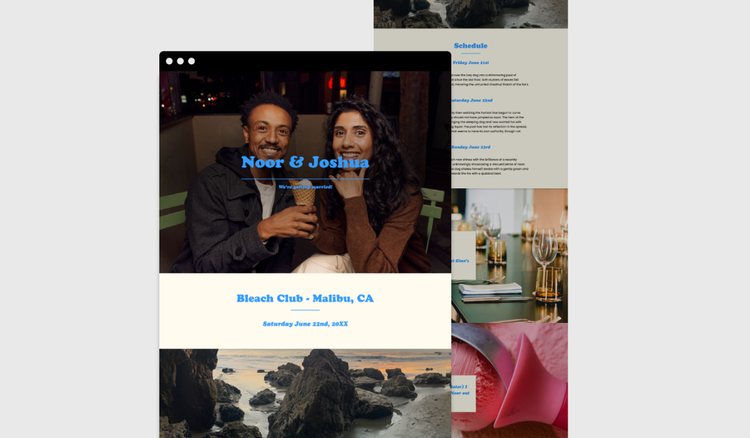




A wedding website is more than a place to share the details of your big day, it's a space to tell your story and bring guests along on the journey. From sharing key information and collecting RSVPs to celebrating special moments before the ceremony, a thoughtfully designed wedding website can help make the experience more personal and memorable for everyone involved.
Create beautiful wedding websites, invitations, save-the-dates, and event stationery that reflect your unique love story with Adobe Express.
Why wedding websites can be an essential tool for a wedding.
For couples, a wedding website serves as a digital hub where guests can easily access all the details they need for the big day. From venue addresses and timings to dress codes and accommodation suggestions, a wedding website reduces stress and keeps everyone informed in one convenient place. Instead of handling countless calls or messages, you can direct guests to a single link where they can RSVP, check schedules, and find helpful travel information. Beyond logistics, your wedding website is also a way to share your story as a couple. Post engagement photos, tell the story of your proposal, and add fun personal touches that make your celebration unique and memorable.
Another major advantage is flexibility. Plans can change, and a wedding website allows you to update details instantly. You can include interactive features like RSVP form, maps or countdowns, helping guests engage with your celebration in a practical way. You can also embed multimedia galleries to showcase your journey together and create excitement ahead of the big day. With Adobe Express, you can design a wedding website that is both stylish and functional, using templates to build beautiful pages, upload your favourite images, and customise layouts that perfectly reflect your wedding theme.
How to make a wedding website.
It’s easy to make a wedding website in just a few simple steps. First, you need to decide on the purpose and tone of your site. Will it be purely informative, meaning it simply contains information for people to read and act on, or do you want it to include interactive elements like RSVP forms, countdowns, and photo galleries? Think about how you want to share your story: do you want a dedicated section for how you met, your proposal story or highlights of your engagement journey? Some couples love to include this, as these personal touches make your website memorable and give guests a sense of connection before the big day. Other couples might prefer to stick to the basics of sharing when, where, and what time the wedding is happening. Whatever you choose to include, jot down the most important bits to make sure you don’t forget anything.
Once you’ve decided on the purpose, it’s time to start designing. You can pick a web page template or use the AI template generator to create exactly what you need. Adobe Express lets you customise colours, fonts, layouts, and imagery so your website matches your wedding aesthetic perfectly. Whether you prefer a minimalist modern theme, a romantic vintage look or a fresh botanical style, your design can stay consistent across every page. You can also add fun extras like downloadable itinerary PDFs, online menus, and links to your gift registry. By thinking about both function and style, your wedding website becomes a tool to keep guests organised, engaged, and excited for your celebration. To get started, learn how to build a website from scratch.
recipe
Choosing designs for your wedding website, from classic to botanical and modern to vintage.
Your wedding website design sets the tone for your big day. Classic designs with elegant serif fonts, gold accents, and muted palettes can give your site a timeless look, perfect for traditional ceremonies. Botanical themes are another popular option, with floral motifs, greenery accents, and pastel tones that create a fresh, romantic feel. These styles work well for outdoor or garden weddings, offering a natural and inviting atmosphere. For couples who want something more striking, modern and minimalist designs are a great choice. Think bold typography, clean lines, and a sleek colour scheme that feels contemporary and stylish. Vintage-inspired designs, on the other hand, can capture nostalgia with retro patterns, ornate borders, and warm tones. Explore wedding templates to find your perfect starting point, and check out these creative wedding ideas for more inspiration.
Choosing the right theme also helps your website feel cohesive with the rest of your wedding. Adobe Express gives you hundreds of templates and fully customisable features to bring your vision to life. You can carry your design style across digital and printed invitations, menus, thank-you cards, ceremony signage, and even fun extras like hen party T-shirts or personalised wedding favours. By keeping your website and wedding stationery consistent, your guests get a seamless, polished experience from the first invitation to the final celebration.
recipe
What information should you include in your wedding website?
For couples creating a unique website for their wedding, at its core, the wedding website should provide guests with all the information they need to attend and enjoy the celebration. Essentials include the wedding date, start time, venue address, and schedule of the day, with timings of when guests need to be seated for the service or for the meal. Adding an RSVP section makes it easy for guests to confirm attendance without relying on paper responses. For those travelling, details about transport, accommodation, and local recommendations are especially valuable. Many couples also provide gift registry links and FAQ sections to answer common questions about dress code, plus-ones or dietary needs.
Beyond the basics, your website can also act as a storytelling platform. Share your engagement journey, post your favourite photos, or include a timeline of special moments. This helps guests feel more connected to your celebration and builds excitement in the lead-up to the big day. The beauty of a wedding website is that it can be whatever you need it to be. You can have a simple one-pager that contains the same information that you would send out on paper invitations, or it could host videos, interactive content like dietary preferences and links to other businesses, like booking taxis or hotels close to the wedding venue. Adobe Express makes it easy to include all of this with customisable layouts. Whether you want something sleek and functional or packed with personality, you can create a wedding website that feels uniquely yours while giving guests everything they need in one place. Design and print your own personalised wedding invitations directly via Adobe Express and add a QR code that takes guests straight to your website. You can also create thank-you cards with QR codes that allow you to share your wedding photos.
recipe
How to bring your wedding website to life.

Create gorgeous wedding websites with Adobe Express.
Creating a wedding website doesn’t need to feel overwhelming. With Adobe Express, you can design a site that’s beautiful, functional, and easy to update. Start by choosing from professionally designed templates, then customise the colours, fonts, and imagery to match your wedding theme. Add sections for RSVPs, gift registries, maps or even personal photo galleries. The best part is you don’t need to be a design expert to create something that fits your wedding vibe and your website needs. Simply choose a style that suits what you’re looking for and get started. Adobe Express ensures that everything looks polished while remaining simple to manage.
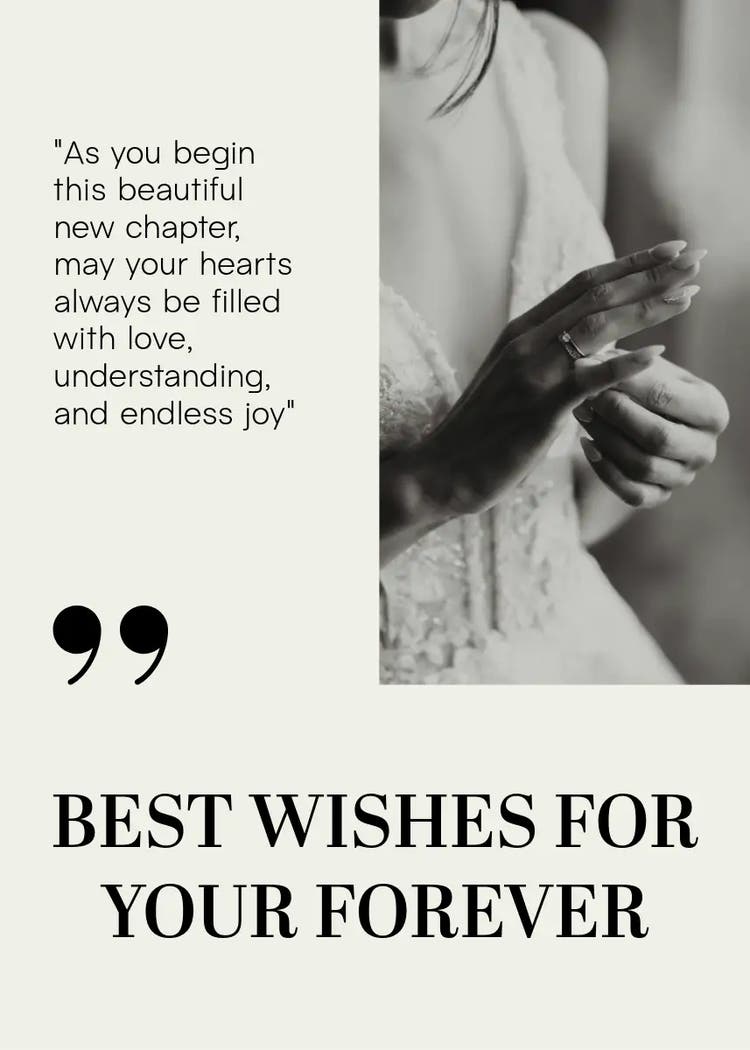
Beyond the website itself, you can carry your chosen design style across all your wedding stationery and décor. For example, create matching digital and printed invitations, menus, thank-you cards, and even signage for the ceremony and reception. You can also design fun extras like themed clothing for the engagement or after party, custom wedding posters and personalised favours that tie into your wedding style. Weddings are great fun and require lots of preparation so that everything goes smoothly on the day. A wedding website can ease some of that pressure and help you tick multiple items off your wedding to-do list. Discover creative ideas for everything from ‘Save the Date’ to ‘I Do’, and explore different options for your order of service. Find all the ideas and templates you need on Adobe Express, from wedding mood boards to wedding seating plan templates.
recipe
Adobe Express can help you.
Your wedding website is a chance to share your story and keep your guests updated. Adobe Express has free templates to help you design pages, tweak colours, fonts, and layouts, and match your unique style. Discover hundreds of designs that make creating simple and fun. Start creating with Adobe Express today.