



How to Build a Website: A Step-by-Step Guide.
Learn how to build a website from scratch. This step-by-step guide will share what is needed to build a website for a business, large or small.
Building a website has never been more accessible—no coding required. With modern website builders, including free platforms, anyone can create a professional-looking site in just hours.
Whether you're a small business owner launching your first online presence, a marketer refreshing an outdated site, or a Gen Z entrepreneur starting from scratch, the tools are flexible, user-friendly, and built to scale.
In this step-by-step guide, we’ll walk you through exactly how to build your website from the ground up with Adobe Express.
Step 1 – Define your website’s purpose and goals.
Before starting the creation process, you need to define what your website’s purpose and goal is. Why are you making one? This will inform every decision that comes after.
Got a portfolio to display your work? Maybe you’re a keen blog writer writing travel guides. You might even be using it to sell products or services. Whatever the purpose is, being clear on your objective helps you shape the path with intention.
If you’re wondering how to build a website for a business from scratch or how to make a website for business success from your preexisting one – align your design with your goals. Here are some common goals to consider:
- Sell products or services – Add e-commerce tools like shopping carts or booking systems.
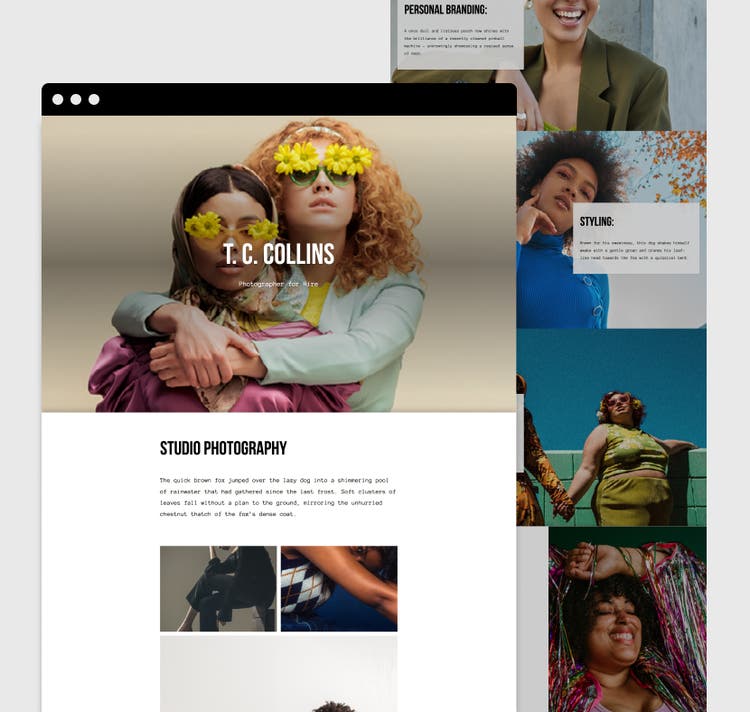
- Showcase your work – Use galleries or portfolios for creative content.
- Share expertise – Start a blog to educate and engage your audience.
Free and affordable website builders make it easier than ever to align your site with your goals, no matter your experience level.
Template IDs
(To pull in manually curated templates if needed)
Orientation
(Horizontal/Vertical)
Width
(Full, Std, sixcols)
Limit
(number of templates to load each pagination. Min. 5)
Sort
Most Viewed
Rare & Original
Newest to Oldest
Oldest to Newest
Premium
(true, false, all) true or false will limit to premium only or free only.
Step 2 – Choose a platform to build your website.
A website building platform is a tool that lets you create, manage, and publish a website without needing technical skills. Designed for non-specialists, these platforms make it easy to build a site using drag-and-drop features, templates, and intuitive editors.
Now let’s look at some website building platform examples:
- Wix. Useful for beginners, for those with little to no knowledge of website design. Wix got a drag and drop editor, flexible templates, and app integrations. Ideal for small businesses.
- WordPress. Very customisable, with lots of visual themes to choose from. Great for content heavy websites such as blogs.
- Shopify. Specifically designed for e-commerce sites to help businesses buy and sell products online. Managing inventory and processing payments are a breeze. Great for online retailers.
- Squarespace. Ideal for creatives and small businesses who want a professional looking site without the fuss and technical know-how to code an aesthetic website.
- Adobe Express. Polish up your visual branding with the free website builder from Adobe Express. It offers a great balancing act of design and easy web building, with attractive templates, easy controls and free content for graphics.
Step 3 – Pick a domain name.
Choosing the right domain name and web hosting service is key to building a successful website. Your domain should reflect your brand—make it short, memorable, easy to spell, and relevant to your business. Stick to trusted extensions like .com or .co.uk, and avoid numbers or hyphens.
Step 4 – Plan your site structure and content.
If you’re wondering how to make a website for your small business, simplicity and clarity are essential. A well-organized structure not only improves user experience but also boosts your visibility in search engines. Start by planning out the key pages your site will need:
- Home – Introduce your brand and what you offer.
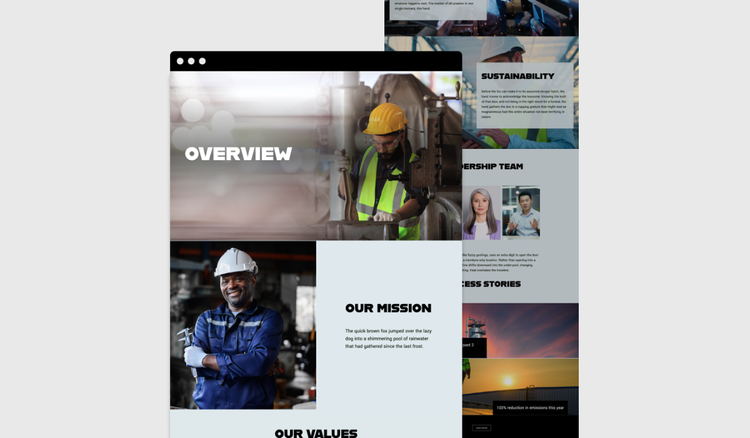
- About – Share your story, values, and team to build trust.
- Services or Products – Clearly explain what you provide.
- Contact – Make it easy for customers to reach you with phone, email, location, or a form.
- Testimonials or Reviews – Showcase social proof from happy clients.
- Blog or FAQs – Answer common questions and improve SEO.
Organise content for SEO and user experience.
If you’re wondering how to build a website for your business, clarity is key. Keep your layout clean and intuitive, with a simple navigation menu, clear headings, and content that’s easy to read. Group related topics together to create a logical flow, and plan your structure before you build to avoid confusion later.
Include relevant keywords throughout your pages to help improve your Google search visibility. And while great visuals can enhance your brand, be mindful of file sizes—slow-loading pages can turn visitors away. Aim for a balance between design and performance.
Step 5 – Customize your website design.
Templates and themes act as ready-made design blueprints, giving your site a professional structure from the start—no design experience needed. Templates cover different page types (like Home or About), while themes manage consistent elements like headers and footers.
The best part? They’re fully customizable. You can easily adjust colours, fonts, and layouts to match your brand identity. Upload your logo, use brand imagery, and stick to a consistent font style across pages. Starting with a template still allows for a unique, branded look that reflects your business.
Step 6 – Develop your website’s functionality.
Once your design is set, it’s time to add key features that match your business goals and enhance user experience:
- Contact forms to let visitors easily reach you.
- Booking tools for scheduling appointments—ideal for clinics, salons, or consultants.
- eCommerce features like shopping carts to sell products or services online.
- Customer reviews to build trust and showcase feedback.
- Live chat, including AI chatbots, for instant customer support.
For SEO basics, include clear page titles, meta descriptions, and image alt text to help search engines understand your site. Tailor functionality to your business type—for example, booking forms for salons or product pages for retailers. Finally, ensure your website performs smoothly across all devices—desktop, mobile, and tablet—to provide a seamless experience for every visitor.
Step 7 – Test and launch your website.
Before going live, test your site on desktop, various phones, and tablets. Check all links to avoid dead ends and proofread carefully for typos. Consider a soft launch with friends or colleagues for feedback. When ready, announce your site on social media and email—your website is the central hub that all channels should drive traffic to.
Template IDs
(To pull in manually curated templates if needed)
Orientation
(Horizontal/Vertical)
Width
(Full, Std, sixcols)
Limit
(number of templates to load each pagination. Min. 5)
Sort
Most Viewed
Rare & Original
Newest to Oldest
Oldest to Newest
Premium
(true, false, all) true or false will limit to premium only or free only.
How can Adobe Express help you build your website?
Adobe Express makes it easy to create professional, branded content for your website—no design skills needed. Use it for logos, banners, graphics, and more to give your site a polished look.
1. Create professional assets in minutes.
Design your own brand assets, quickly and easily with Adobe Express. No web design experience needed – the intuitive interface makes it simple for everyone.
2. Design website banners, graphics and visual content.
Bring graphics and web banners to life in moments. No need for drawing expertise, Adobe Express is designed for those without the experience or the knowledge.
3. Save time with templates for web content.
Struggling to start with a blank slate? No need to panic, we’ve got a variety of templates that will help get the creative process started. Explore our web design templates, landing pages templates, logo templates and more.
Build your website assets with the AI template maker.
Perhaps you haven’t found a template that takes your fancy, but you don’t want to start with a completely blank page either. That’s where the Adobe Express AI template maker comes in, simply input what you’d like, and the AI template maker will design a bespoke template for you. You can then customise it to continue building your site.
If your business is in a niche industry, templates might not cover your specific needs. Adobe Express gives you more control while still streamlining the process—quickly create custom templates and test different options with ease.
Good to know.
How can I build my own website?
You can build your own website on platforms such as Wix, WordPress, and Adobe Express web page maker. Pick a template, customise the design, add content, and publish. You don’t need HTML or any other coding experience to use them.
Can I build a website for free?
Yes, you can build a website for free. Website building platforms have many free options. They might offer basic features and hosting, you might need to upgrade to a paid plan if you’re after something more custom. Also, paid options don’t include adverts, with custom domains available.
Is it possible to make your own website from scratch?
Yes, it is possible to make your own website from scratch, but you’ll need to have technical knowledge such as HTML, CSS, and JavaScript. This lets you have full control of the creation process, ideal for developers who want a fully customised site.
Is Adobe Express free?
Yes, our free plan offers many core features including thousands of templates, photo editing and effects, animation, and 5 GB of storage. See our pricing page for details and to compare plans.