15 postcard design and display ideas.
Discover 15 fridge-worthy postcard design ideas and templates with Adobe Express – perfect for invites, seasons greetings, and everything in between.
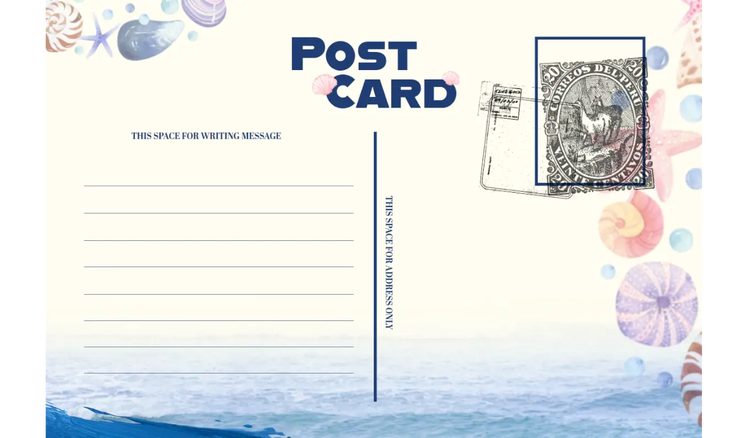




Postcards are the pinnacle of personalised messaging. From special announcements and thank you notes to brand promotion, these small, rectangular cards are a simple yet effective way to connect with others.
Whether you’re sending a postcard to customers or loved ones, there are dozens of postcard ideas to choose from. Get your message across with postcard design ideas and templates from Adobe Express.
10 postcard design ideas.
Postcards are characterised by a photo or illustration on one side, and each one tells a story. Whether you’re sending a seasonal message or travel update, these postcard ideas may inspire you.
1. Iconic landmark postcards.
Landmark postcards are typically used as souvenirs, decorative items, and for communicating from afar – for example, while living abroad. To create your own, choose a high-quality image of a landmark that represents the location. Incorporate a colour scheme that complements the landmark, and include typography or images related to the location.
recipe
2. Family photo postcards.
Family photo postcards are great for connecting with loved ones, sharing special news, and creating lasting memories of trips and shared memories. They also make creative postcard collage ideas with other family portraits. Upload your photo into a postcard template, then customise the font, size, colour and layout accordingly.
recipe
3. Illustrated postcards.
Illustrations make great creative postcard design ideas. These postcards feature artwork rather than text or a photograph. Illustrated postcards can be used as souvenirs, to send messages, or as wall décor. Start with a postcard template, then upload your illustration, text, and other design elements for a personalised touch.
recipe
4. Monochrome postcards.
Monochrome refers to a single colour, or different shades of a single colour, mostly appearing in black and white, or grayscale. These design elements make effective postcard art ideas, often used for scrapbooking, DIY projects, and souvenirs. Upload your photo, convert it to monochrome, then format your 4x6 postcard accordingly.
recipe
5. Branded business postcards.
Brand messaging and other business postcard ideas are effective for promoting a product or service. You can use them to increase brand visibility, share special offers, or send thank-you notes to customers. Customise a postcard template with your logo, brand colours, and high-quality images that represent your business.
recipe
6. Typographic postcards.
A typographic postcard features letters, fonts, and words as the main design elements. They make handy postcard message ideas – often used for personalised gifts, short messages, and even bookmarks. Consider your message and fonts, align the text accordingly, then choose a background colour or image that complements the design.
recipe
7. Collectible postcards.
Collectible postcards feature unique images and themes, often valued by collectors due to their age, design, or historical significance. Designs from the Art Deco period particularly make great postcard wall ideas. For a retro-style postcard, consider different textures, 3D effects and specific fonts to create a sense of nostalgia.
recipe
8. Vintage postcards.
Vintage postcards are a type of collectible postcard, typically from the late 19th and early to mid-20th centuries. They’re often used for crafting, souvenirs, and historical records. Vintage postcards feature unique illustrations, photos or printing techniques that reflect the styles of their time – for example, a large letter postcard.
recipe
9. Abstract postcards.
Abstract postcards feature abstract art – designs that use shapes, colours and forms to create a visual experience. They’re effective postcard painting ideas, often used as miniature artworks, decorative pieces, and sometimes greeting cards. Explore different textures and patterns, use layers, and experiment with watercolours to create a standout abstract postcard.
recipe
10. Holiday postcards.
Holiday postcards are seasonal postcards used to send greetings or well wishes during the holiday season. Christmas postcards, for example, typically showcase festive imagery or designs with personalised messages to connect with loved ones. Businesses sometimes use postcards to strengthen relationships with their customers and showcase their brand.
recipe
5 postcard display ideas.
As you can see, postcards are more than just a communication tool – they’re also striking decorative elements. These postcard display ideas can turn a simple card into an everlasting memory.
1. Frame your postcards.
Even the simplest designs make great postcard frame ideas. Whether you have an A6 or 4x6 postcard, determine the size of the frame to create a one-of-a-kind wall gallery.
2. Add them to a mood board.
If your postcards have a similar theme, why not create a mood board? Pin them to a cork board and add some style to your living space or bedroom.
3. Build your own book of postcards.
Transform your postcards into a book and relive your favourite memories. Design a book cover and create a unique picture book for the ultimate keepsake.
4. Create a postcard collage.
Illustrations and family photos make great postcard wall ideas. Decide whether you want a busy or minimalist look and create a photo collage with your favourite designs.
5. Arrange into wall art.
Postcards can easily become stunning wall art, especially alongside other photos. Use a mixture of abstract, illustrative, vintage, and typographic postcards to create a unique collection.
More editable postcard template ideas.
recipe
How can Adobe Express help you make a postcard?
With so many postcard design and display ideas to choose from, it can be hard to know where to start. Don’t worry – Adobe Express lets you easily create professional postcards in just a few clicks.
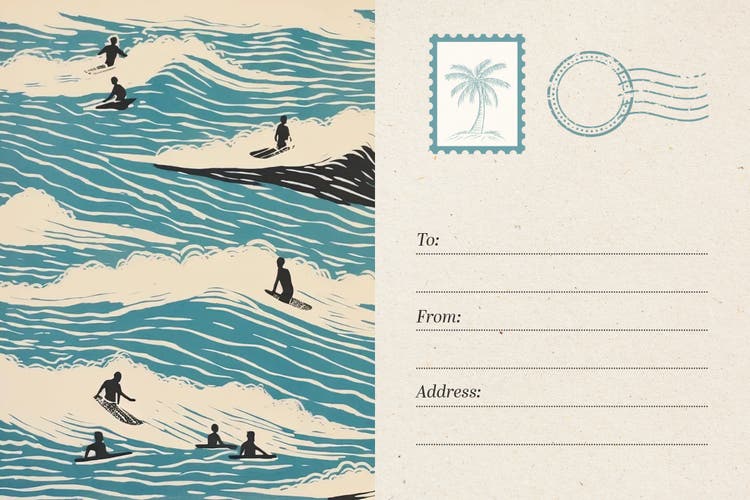
Create your own postcard from scratch.
Get design inspiration with free postcard templates from Adobe Express.
Personalise your design with a photo collage.
Generate more cards and postcards with the AI template generator.
Bring your postcard ideas to life with the Adobe Express AI template generator. There’s no need to mull over the design – this AI tool generates fully editable, custom templates in seconds. Enter a simple prompt of five words or more and the tool will generate your postcard template ready for personalisation.
Discover more you might like.
You might also like...