
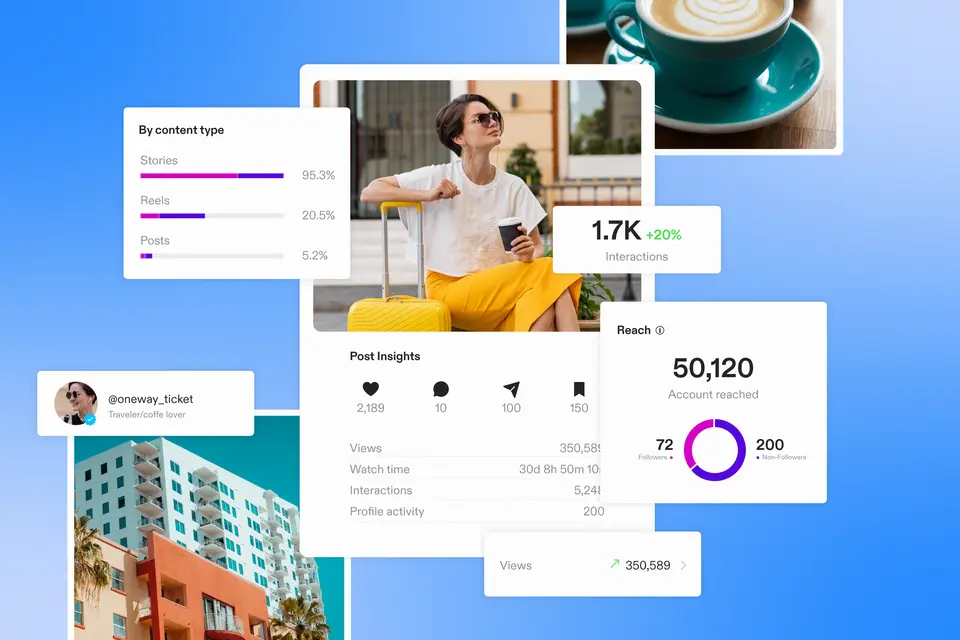
.

How to use Instagram analytics to grow your reach and engagement

Learn how to utilize Instagram insights to optimize your content strategy with this in-depth guide.

Adobe Express
11/05/2025
Black Friday offer - Get Premium access for 30-days, on us. No credit card required. Ends Dec 07.
Claim offer

Social media platforms like Instagram are essential for brands, creators, and marketers to build visibility and connect with the right audience. With millions of daily active users, Instagram offers unmatched potential to engage through posts, Stories, and Reels.

Whether you're a business, influencer, or content creator, posting without direction won’t get you far. Understanding your analytics is the key to increasing reach, boosting engagement, and growing your audience. The good news? You don't need to pay for third-party Instagram analytics tools, the app already includes a built-in suite of powerful data and insights.

This guide will show you how to track performance, spot trends, and make smarter content decisions using Instagram analytics. Applying these insights consistently can help you grow followers, understand what resonates, and optimize your strategy for long-term success.

Key takeaways:

  • Instagram’s built-in analytics give you real-time data on reach, engagement, demographics, and post performance — no third-party tools required.
  • Tracking key metrics like reach, engagement rate, and follower growth helps you understand what content resonates and where to improve.
  • Audience insights reveal who you're reaching and when they’re active, making it easier to post at optimal times and tailor content more effectively.
  • Analyzing top-performing posts, Stories, and Reels allows you to replicate successful formats, captions, and hashtags that drive visibility.
  • Using analytics to set goals and track progress enables smarter strategy decisions that grow your audience, engagement, and brand impact over time.

Summary/Overview

What are Instagram analytics?

Instagram analytics provide data about how your content and account perform over time. With the platform’s native insights tool, you can track metrics like follower growth, hashtag performance, engagement rate, reach, impressions, and more — all in real time.

These insights help businesses, creators, and marketers understand what’s working, what needs improvement, and how audiences are interacting with content. When you use this data to inform your strategy, you’re able to make smarter, results-driven decisions instead of guessing.

By regularly monitoring key Instagram metrics, you can:

  • Optimize your content mix
  • Improve engagement
  • Reach new audiences
  • Measure the impact of campaigns
  • Align posts with performance trends

Instagram analytics is ultimately about transforming data into action — so your content works harder for you.

The basics of Instagram analytics

Instagram’s built-in analytics give you four core types of insights to help you optimize your content and understand your audience.

1. Audience demographics

Instagram provides a breakdown of who’s viewing and engaging with your content — including age, gender, location, and interests. You’ll also see when your followers are most active and what types of posts they interact with most often.

Why it matters: Knowing who you're speaking to helps you post the right content at the right time

2. Unique account interactions

Reach shows how many individual accounts have seen your content. Instagram differentiates between organic reach and paid reach so you can better evaluate performance.

Why it matters: Tracking reach helps you see which formats — posts, Stories, or Reels — are getting noticed.

3. Audience engagement

Instagram tracks likes, shares, saves, comments, and other interactions, then calculates your engagement rate based on how many viewers take action.

Why it matters: Engagement reveals how well your content is resonating and how likely it is to be amplified by Instagram’s algorithm.

4. Individual post performance

For each post, you can view detailed metrics like impressions, reach, interactions, saves, and comments.

Why it matters: Comparing post performance helps you identify what to recreate — and what to skip.

These four data pillars provide a solid foundation for making informed decisions that grow your presence on the platform.

15 Instagram analytics metrics to track

To make informed decisions and improve your Instagram strategy, it's important to understand which metrics matter most. Here's a breakdown of 15 essential analytics you can track directly in the app.

Instagram account metrics

1. Total followers

Shows how many users follow your account. Tracking this helps you gauge growth and identify when your strategy is working — or slipping.

2. Follower growth rate

Measures how quickly you’re gaining or losing followers. Sudden spikes or drops can highlight the impact of recent campaigns or content changes.

3. Reach

Indicates how many unique accounts have seen your content at least once. It’s a key indicator of brand awareness and exposure.

4. Engagement rate

Tracks how many people interact with your content (likes, saves, shares, comments) compared to how many people viewed it. High engagement increases visibility in the algorithm.

5. Audience demographics

Includes gender, age, location, and top time zones. This helps you understand who you're reaching and whether your content aligns with your goals.

6. Best time to post

Shows when your audience is most active so you can schedule content to maximize engagement and reach.

7. Website clicks

Reveals how many people click the link in your bio. If your goal is traffic or sales, this metric is essential for measuring conversions.

8. Ad performance

For boosted or paid posts, Instagram shows data like impressions, clicks, conversions, and revenue. This helps you evaluate ROI and improve future campaigns.

Instagram post metrics

9. Post interactions

Includes likes, comments, shares, and saves for individual posts. These actions indicate what content prompts engagement.

10. Post impressions

Shows the total number of times a post was seen — including repeat views. Helpful for tracking content visibility.

11. Post reach

Measures how many unique accounts saw a post. Comparing reach and impressions helps you understand how widely your content is circulating.

Instagram video metrics (Reels, Stories, and Video Posts)

12. Plays

Counts how many times a video was played, including auto-plays. This metric helps you gauge audience interest in video content.

13. Video interactions

Tracks likes, comments, shares, and saves on videos, reels, and stories — a strong indicator of engagement.

14. Shares

Shows how often users shared your content. This can boost visibility far beyond your follower list.

15. Watch-through rate

Measures how many people watch your video from start to finish. A high completion rate signals strong relevance and retention.

How to see Instagram analytics

Before you can use Instagram analytics effectively, you need to know how to access them. Analytics are only available on Business or Creator accounts, so you’ll first need to set up or convert your account.

Setting up Instagram analytics

1. Create a new Business or Creator account

  • Connect your Instagram account to a Facebook page.
  • Choose the Business or Creator option during setup.
  • Fill in account details such as category, contact info, and profile info.

2. Convert an existing account

  • Make sure your account is Public (analytics are unavailable for private accounts).
  • Go to Settings → Account → Switch to Professional Account.
  • Select Business or Creator and provide the requested details.

Viewing insights on Instagram

Option 1: Insights button on your profile

  • Tap the Insights action button below your bio to see data on your audience, content, and activity.

Option 2: Menu navigation

  • Tap the Menu icon (top-right corner) → InsightsOverview to access your full analytics dashboard.

Understanding the insights tabs

The Insights dashboard is divided into three main tabs:

1. Content

  • Shows top posts, Stories, and Reels
  • Metrics include likes, comments, shares, saves, views, and engagement rates

2. Activity

  • Displays profile visits, website clicks, and emails sent
  • Helps track overall engagement and traffic from Instagram

3. Audience

  • Shows follower demographics (age, gender, location)
  • Tracks growth, top active times, and audience behaviors

Tip: Click “See All” in the Posts section to view all your content metrics. You can sort posts by likes, comments, saves, reach, or impressions and adjust the date range for deeper insights.

How metrics can inform your marketing strategy

Analytics aren’t just numbers — they’re a roadmap to creating content that resonates, drives engagement, and grows your audience. By analyzing your account metrics, post performance, and audience behavior, you can make data-driven decisions to optimize your Instagram strategy.

Identify successful posts and campaigns

Use analytics to track which posts, Stories, or Reels drive the most engagement and conversions.

  • Top-performing posts: Look for patterns in content type, caption style, visuals, or hashtags.
  • Key Engagement Signal: Prioritize Saves and Shares. These metrics signal to the algorithm that your content has high value, which leads to increased reach and visibility.
  • Campaign tracking: If running a paid or hashtag campaign, monitor clicks, conversions, and audience interactions.

Why it matters: Understanding what works allows you to replicate success and avoid repeating strategies that underperform.

Optimize your publishing schedule

Instagram shows when your followers are most active. Use this data to schedule posts at peak times.

  • Early morning, lunchtime, or evening engagement patterns may vary by audience.
  • Track which content types perform best at specific times of day.

Why it matters: Posting at the right time increases the likelihood of engagement and boosts visibility in the algorithm.

Understand audience preferences

Analytics reveal demographic data, content interactions, and audience interests.

  • Identify which topics or formats your audience prefers.
  • Tailor content to align with your audience’s behavior and interests.

Why it matters: Content that resonates with your followers drives higher engagement and builds stronger relationships.

Refine or expand your niche

By analyzing trends and engagement patterns, you can:

  • Focus on high-performing topics to expand your niche
  • Reduce or pivot away from content that doesn’t resonate
  • Discover new opportunities to reach untapped audience segments

Example: If a gardening account notices high engagement on posts about composting, they could expand content to include tutorials, product recommendations, and tips related to composting.

Set goals and measure growth

Use your metrics to define key performance indicators (KPIs):

  • Follower growth
  • Engagement rate
  • Website clicks
  • Campaign ROI

Tracking progress against these KPIs ensures your Instagram efforts are aligned with broader business or brand goals.

Start growing your Instagram today

Ready to turn insights into action? Use Instagram analytics to track performance, discover what resonates with your audience, and optimize your content strategy for maximum engagement.

Create content smarter and faster with Adobe Express.

Frequently asked questions.

What are Instagram analytics?

Instagram Analytics track performance metrics for your posts, Stories, Reels, and overall account. They provide insights on engagement, reach, impressions, follower growth, and audience demographics.

Do I need a Business or Creator account to access analytics?

Yes. Only Public Business or Creator accounts have access to Instagram Insights. Personal accounts cannot view detailed analytics.

Which metrics should I focus on first?

Start with reach, engagement rate, and follower growth. Once you’re comfortable, track post-specific metrics like saves, shares, website clicks, and Reels performance.

How often should I check metrics?

Weekly reviews help you track trends, while monthly or quarterly analysis can inform strategic planning.

Can analytics improve my content strategy?

Absolutely. By analyzing performance, audience behavior, and engagement, you can refine content types, posting times, and campaigns to grow your reach and impact.