

Free place card design maker.
Seat guests with elegant place cards using free templates from Adobe Express. No experience required.
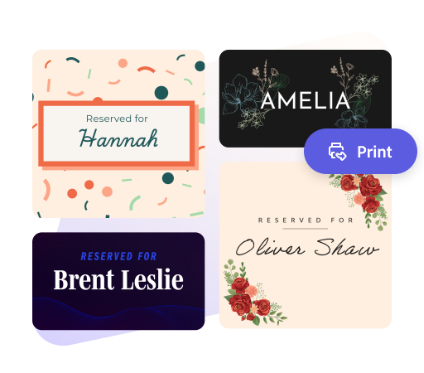
Start making a card by searching for an event
Create custom cards fast with Adobe Express. Easy to use, endlessly customizable, and perfect for any occasion.


 Free to use
Or start with these popular templates


1. Feature eye-catching imagery.
There are lots of ways to personalize your place card design. Upload your own photos or choose from our collection of free Adobe Stock images to add to your project. Choose a font that best matches your event’s aesthetics or use a curated font recommendation for your project. Drag and drop icons, graphics, borders, and so much more to your design to make it 100% you.
2. Brand your place card.
Make your place card on-brand by uploading your logo, using your brand’s color palette, and handpicking fonts that match your aesthetic. With a premium plan, you can even auto-apply your brand logo, colors, and fonts in one click, so you’re always #onbrand.
3. Save and share your place card design.
Download your place card design as a PDF file. Print it out on cardstock paper to place on tables at your next event.
Personalize your events with custom place card designs.
Make guests feel special with personalized place cards. Create your custom place cards with Adobe Express templates and tons of font styles to choose from. Love what you made and want to keep your aesthetic consistent? Duplicate your place card design in the same project and turn it into thank you cards, custom menus, drink tags, and so much more. Make your cards as simple or as elegant as you’d like. There are endless creative opportunities at your fingertips.
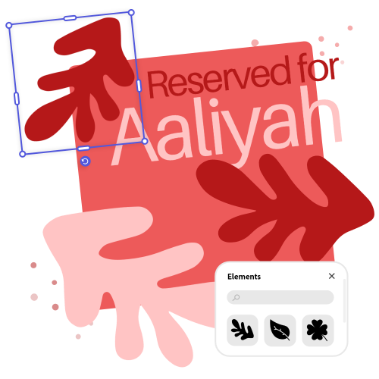
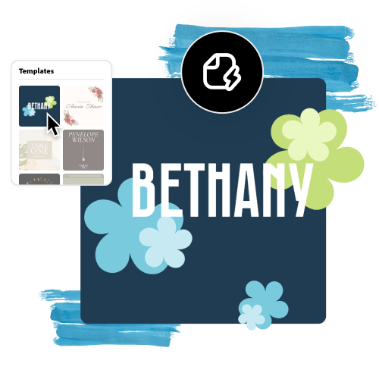
Let Adobe Express be your place card design expert.
All skill levels can quickly and easily create place card designs fit for any occasion. Explore professionally designed templates to get your wheels spinning or design your own place cards from scratch. Establish a theme for your designs using photos, icons, logos, personalized fonts, and other customizable elements to make them feel entirely authentic. With Adobe Express, it’s free and easy to make print-ready place cards with collaborators on your side.
Make stunning place card designs with Adobe Express.
Place cards add a wonderful personal touch to any event and help your guests feel recognized and special. Whether you need place cards for a conference, wedding reception, or casual family dinner, Adobe Express is here to help. Explore professionally designed place card templates to get you inspired, then choose one to personalize. Print out your place cards at home, work, or school, or send them to a professional printer for a formal presentation. You can also upload your place card design to all your digital platforms. It’s as easy as choosing a template, customizing, and sharing.
Frequently asked questions.
What is the standard size for a place card?
Place card size can vary, though the typical size is 2” x 3” or 4” x 6”. Adobe Express has a standard place card size you can use when starting your design or resizing an existing design. If that size doesn’t work for your needs, you can always setup custom parameters.
How do I design multiple sides for my place card?
Start by designing the front side of your place card. Add a page on the bottom right menu of the editor and select Same size. Then you can design the second side of your place card. When printing, be sure to mark that you’d like your design printed on both sides.
Can I share my place card on social media?
Absolutely, anything you make in Adobe Express can easily be shared to any social channel. Be sure to use the Resize tool to pick the right dimensions for the social channel you plan on sharing your design on.
Can I create my own place card template?
Any new or existing project can be turned into a shareable template. Open your project, choose the Share option in the top right, and follow the prompts to make your own place card template. Access your templates from your library and share with collaborators.
Can I get Adobe Express for free? If so, what’s included?
Yes, Adobe Express has a free plan that includes core features like photo editing tools and effects and thousands of free templates. Learn more about our plans and pricing.