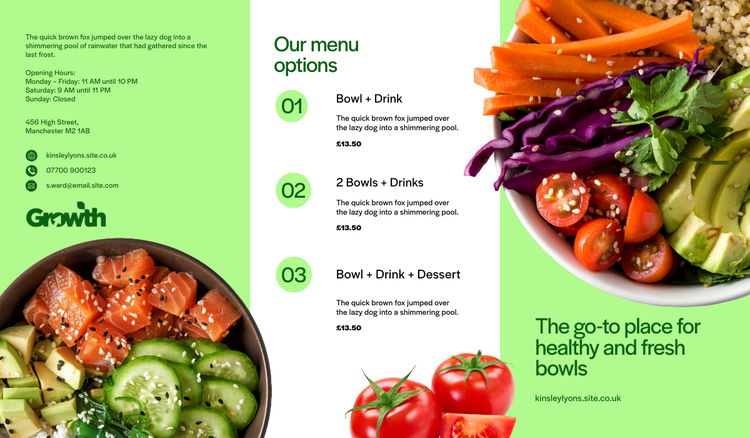
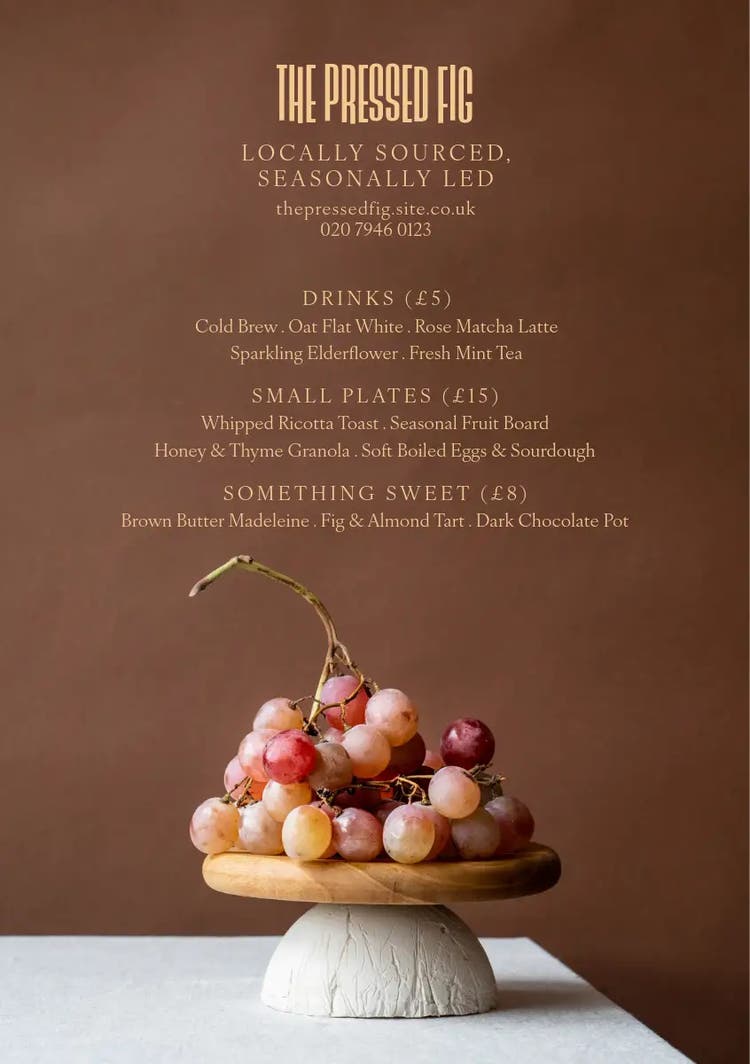
Menu examples for events, cafés, and takeaway businesses.
Craft eye-catching menus with ease.
What should a good menu include?
A well-designed menu is more than a list of dishes; it’s a key part of how customers experience your brand. Whether you’re running a café, a takeaway service, a pop-up or planning an event, your menu helps people decide quickly about their food and drink options and feel confident in their choices. This means your menu needs to be clear, well-structured, and styled to match your tone, be that casual, elegant, fun or formal. A good menu includes headings for each section, like starters, mains and drinks; clear pricing; and short descriptions that highlight key ingredients or special features of each item.
Beyond the basics, good menus also need to work visually. Your font choices, colour palette, and layout can influence how easy it is to read, how professional it feels, and how effective it is at getting customers to make a purchase or choose an item. Adding simple icons for dietary notes or using images sparingly can boost appeal and clarity. Whether it’s a printed menu on a table, a flyer handed out to promote your food truck, or a digital screen behind the counter, consistency matters. Adobe Express offers tips and templates that help you design menus that look great and reflect your brand’s style, so your menus will be as appetising as your food and drink.
Key principles of menu layout and design.
The layout of your menu plays a big role in how people engage with it. Good design starts with readability. Use a font that’s clean and easy to read at a glance, and make sure the spacing is generous so the page doesn’t feel cramped. Break your menu into clear sections using headers, and use alignment and spacing to guide the eye. Avoid clutter by only including what’s essential, and keep descriptions short but informative. Think of your layout as a way to help customers find what they want quickly and easily, and remember that they may be doing so with a noisy background, such as a gig, an event, or a busy café.
Colour and visual hierarchy are also important. Highlight popular or profitable items with a visual cue like a border, bold text, or an icon. Stick to a colour scheme that suits your brand and venue. You may wish to opt for soft tones for wedding menus, vibrant palettes for pop-ups, or neutral tones for upmarket takeaway brands or restaurants. Use contrast to help the text stand out from the background, especially for digital menus. If your menu includes prices, make sure that the numbers and any currency symbols are clearly set out in a consistent fashion. That might be right next to the headline name of each item or right-aligned down the side of the menu. Adobe Express offers templates for different menu types, so you can start from a well-designed base and customise the look to match your brand.
Collection ID
(To pull in manually curated templates if needed)
Orientation
(Horizontal/Vertical)
Width
(Full, Std, sixcols)
Limit
(number of templates to load each pagination. Min. 5)
Sort
Most Viewed
Rare & Original
Newest to Oldest
Oldest to Newest
Premium
(true, false, all) true or false will limit to premium only or free only.
How to create the perfect menu for your business or event.
Designing a menu that works well and looks the part doesn’t have to be time-consuming. With the right tools, you can create something professional-looking that’s tailored to your brand. Here’s how to get started:
- Pick a format that suits your setting. Adobe Express lets you choose from templates for printed menus on flyers, posters, or digital screen displays. Think about how your audience will view the menu. For example, a sit-down café might need folded A4 menus, while a takeaway could benefit from a simple one-page layout for quick scanning.
- Add your brand’s personality. Bring in your logo, brand colours, and tone of voice. Use fonts that reflect your brand style, which might be more playful for food trucks, elegant for private dining, or minimal for cafés promoting healthy foods. With Adobe Express, you can upload brand assets and apply them across all your materials to keep things consistent.
- Use visuals wisely. You can easily add food images, icons, or graphic elements; just make sure they support the content, not clutter it. For event menus, decorative borders or themed illustrations can add a personal touch without overwhelming the design. Design your own custom catering menu from these ready-made templates.
- Repurpose your design for marketing. Once your menu is done, turn it into a social post, email promo, or poster. Adobe Express helps you reformat your design for different sizes so you can promote your offering across channels quickly and easily.
No matter what food or drink you have on offer, you’ll be able to find a menu that’s fit for purpose. Browse free menu templates from Adobe Express.
Collection ID
(To pull in manually curated templates if needed)
Orientation
(Horizontal/Vertical)
Width
(Full, Std, sixcols)
Limit
(number of templates to load each pagination. Min. 5)
Sort
Most Viewed
Rare & Original
Newest to Oldest
Oldest to Newest
Premium
(true, false, all) true or false will limit to premium only or free only.
Tips for keeping your menu effective and on brand.
Menus play a crucial role in shaping how your business is perceived, whether you’re serving paying customers in a restaurant or catering for guests at a corporate event. For paying customers, your menu should be engaging, easy to navigate, and visually appetising, as this will help drive sales. For business clients and their guests, especially in settings where the relationship and reputation matter, a menu must go beyond listing dishes; it should reinforce your professionalism and attention to detail. A polished, well-branded menu not only reflects your business personality but also helps maintain and strengthen important local partnerships by making a positive and lasting impression. Even something as simple as a pizza poster at a casual pop-up event can attract customers, so make sure you create polished menus that work for your business.
When it comes to business menus, consistency is key. Use the same fonts, colours, and logo placement across all your materials, including your menus, flyers, event banners, and even your website, to create a unified and trustworthy image. It’s best to keep all your content on brand, right down to your business cards. For small catering businesses, this cohesion signals reliability and care, which can lead to valuable feedback and repeat business. Regularly review and update your menus, especially if your offerings change seasonally or you introduce new specials, to ensure everything remains current and enticing. Use Adobe Express to refresh your menu design, swap out dishes, and update visuals in minutes, so your presentation is always on point. By investing in professional, appetising menus for both customer-facing and guest-focused occasions, you can demonstrate your commitment to quality and service.
Collection ID
(To pull in manually curated templates if needed)
Orientation
(Horizontal/Vertical)
Width
(Full, Std, sixcols)
Limit
(number of templates to load each pagination. Min. 5)
Sort
Most Viewed
Rare & Original
Newest to Oldest
Oldest to Newest
Premium
(true, false, all) true or false will limit to premium only or free only.
Menu examples for print, digital menu boards, and flyers.
Menus come in many shapes and sizes, so it’s important that you find the right menu for your event, business or location. For printed menus, popular options include single-page menus for cafés, folded menus for sit-down events, or takeaway flyers for local distribution. These are ideal for table service, in-store browsing, or delivery promos. Flyers can also double as marketing materials by including discount codes or business details on the reverse. Add QR code stickers or create QR code posters with your menu for special events or accessible ordering right from each table. Explore these ready-to-edit templates for food flyers and wine flyers for more ideas.
Digital menus are increasingly popular in quick-service and mobile settings. You might display your menu on a screen behind the counter, on a tablet, or share it online as part of your digital ordering system. Adobe Express offers templates that can be customised for screen use, with bold text, a simple layout, and high contrast to improve visibility. From stylish wedding food lists to takeaway flyer menus and café chalkboard-style displays, you’ll be able to create the perfect design for your catering services and products. Learn more about digital vs print design and the importance of choosing the right poster sizes for your menu display.
Collection ID
(To pull in manually curated templates if needed)
Orientation
(Horizontal/Vertical)
Width
(Full, Std, sixcols)
Limit
(number of templates to load each pagination. Min. 5)
Sort
Most Viewed
Rare & Original
Newest to Oldest
Oldest to Newest
Premium
(true, false, all) true or false will limit to premium only or free only.
Adobe Express can help you.
How you advertise food and drink options to your customers and guests matters. Whether you’re creating a menu for print, digital boards, or takeaway flyers, Adobe Express has free templates to help you get started. You can tweak fonts, add your own brand colours, and adjust layouts to match your style. Create multiple versions for different uses and print them on posters or flyers as needed. Discover hundreds of ready-made menu designs and start creating with Adobe Express today.