Explore these convincing testimonial examples and learn how to write your own.
Craft attention-grabbing reviews that convert new customers.





A great testimonial does more than provide positive feedback, it helps people feel confident in their decisions. Discover different types of testimonials, explore examples from a range of industries, and learn how authentic customer experiences can become powerful social proof that builds trust, credibility, and engagement.
Create eye-catching testimonial graphics, customer success stories, and marketing content with Adobe Express.
What is a testimonial and why is it important?
A testimonial is a statement from a customer that highlights their experience with your product, service, or brand. It’s often short and to the point, and focuses on how you helped solve a specific problem or delivered value. Unlike a sales pitch, testimonials are written or recorded by customers themselves, which makes them far more trustworthy in the eyes of potential buyers. For micro-businesses and freelancers, testimonials help build credibility quickly, especially when you’re just starting out, and trying to win the trust of new clients.
Whether you’re a solopreneur promoting your services online, a marketer running campaigns or an office manager helping your team stand out, a good testimonial can help drive action. It’s social proof that your business delivers. You can use testimonials across websites, social posts, flyers, and posters to highlight real-life value. Adobe Express makes it easy to display testimonials beautifully by offering design templates for everything from social graphics to printable materials that help you bring positive customer feedback to life.
Key ingredients of a strong customer testimonial.
A strong testimonial tells a story. It’s clear and specific and speaks directly to a benefit. The best ones are short but packed with impact. Although testimonials like “Great product!” or “Would recommend” can be powerful, it’s better to say what worked and why. Start with the customer’s challenge, then what your product or service did, and end with the outcome. These kinds of before-and-after stories resonate because they feel authentic and relatable. For example, a customer’s testimonial for an oven cleaning service could say, “My filthy oven is now spotless. Excellent service. Quick, friendly, low cost. 100% recommend.” For a company selling products, like hoodies, a good testimonial could say, “Love my new hoodie! Excellent quality, gorgeous colours, good fit, great customer service and reasonable price. Will be getting more.”
It also helps if the testimonial sounds natural. Let customers use their own voice, and don’t over-edit or make it too polished. Sometimes typos or conversational speak are best left in: “Absolutely fab product, only took 2 washes to get rid of bad stains. “For business-facing companies, a good testimonial might include a name, job title, or even a photo to add authenticity and authority. For customer-facing products, a name and possibly a photo could help build trust, but be careful that the reviews don’t look too engineered. If you’re designing printed materials like banners, flyers, or menus, consider how the layout supports the quote and use legible fonts and good contrast. Adobe Express helps with this by offering easy-to-customise templates where you can drop in quotes, logos, and colours that match your brand perfectly.
recipe
How to ask for and write an effective testimonial.
Getting the right testimonial takes a bit of planning, whether you’re a product-based business, a service provider, or operating in the business-to-business (B2B) space.
Here are four simple tips to guide you:
- Ask at the right time. Reach out to customers when their positive experience is still fresh. This could be just after a successful delivery of a service, the completion of a project, or following glowing feedback received informally. Use Adobe Express to write a professional email with your testimonial request. You can also request reviews via social media or send a review request letter. If you’re still awaiting feedback, don’t ask for a review yet; instead, send a feedback request letter to gauge how the customer feels about your organisation.
- Guide with prompts. Rather than asking, “Can you write me a testimonial?”, give a few prompts like “What made you choose us?”, “What result did you get?” or “Would you recommend us and why?”. Learn what factors influence UK purchase decisions and use this information to write better questions. If your customer base is quite active on social media, use Adobe Express to create short surveys via Instagram Stories or Instagram posts.
- Choose the right format. Recognise that some customers prefer to write their feedback, while others may be happy to record a video or leave a voice note. For business clients, a case study or LinkedIn recommendation might be more suitable. However your customer shares their positive feedback. Once you get their consent to use it, you can repurpose it with Adobe Express. Create a branded social graphic, poster for events, or testimonial slide for a pitch deck.
- Keep it consistent. Adapt testimonial templates to reflect your brand’s visual identity, ensuring every testimonial, whether shared on Instagram, your website or in printed materials, looks cohesive. With Adobe Express, you can easily update fonts, colours, and imagery to maintain visual consistency across all platforms and formats, reinforcing your brand recognition and professionalism. When you want to apply your brand visuals, all it takes is one click.
Obtaining authentic, positive reviews is half the battle. Once you’ve got consent to share a review, make sure you think about who needs to see it, how you’re going to show it to that audience, and what other supporting messages needs to be paired with the review. Learn how to increase your audience engagement and promote your business locally with tips from Adobe Express.
recipe
How to make the most out of these testimonial examples.

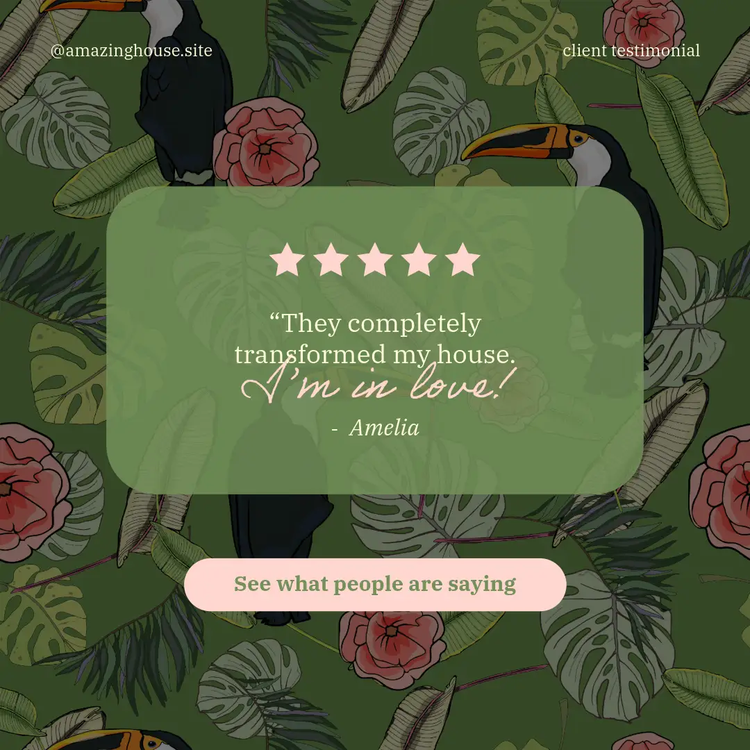
Tips for using testimonials across your marketing.
Testimonials can add value to nearly every part of your customer journey, from building trust with new visitors on landing pages to converting leads in email campaigns. On social media, they serve as micro case studies, especially when paired with visuals like customer photos or product shots, and can be repurposed for event posters, flyers, invitations, and business networking events to provide instant social proof. Seasonal campaigns also benefit from highlighting happy customers, while branded graphics and video slideshows keep your message fresh and relatable. Adobe Express makes it easy to transform a single testimonial into multiple marketing assets, helping your branding stay consistent across both digital and print formats. Discover the difference between marketing and advertising and scheduling tools to help you plan and deploy testimonial content as part of a broader marketing strategy.
Responding to Google reviews, both positive and negative, is essential for maintaining a strong online reputation and protecting your brand authority. For positive feedback, thank the reviewer by name, express genuine appreciation, and reference specific details to reinforce your strengths. When addressing negative reviews, remain calm, acknowledge the issue, apologise if needed, and offer a resolution, perhaps inviting further discussion privately if appropriate. Always keep your tone professional and constructive, and sign off with your name or your team’s name to add authenticity. Timely, thoughtful responses show that you value feedback and are committed to excellent service. Get tips on how to respond to a negative review and learn how to market to Gen Z, Millennials and Baby Boomers.
recipe
Testimonial examples for websites, posters, and social posts.
The format of your testimonial should suit where it’s being used. Here are a few places you can use your testimonials to gain more attention, attract more customers, and generate positive reviews.
- Websites. Keep testimonials as concise as possible, but don’t completely remove all details. Opt for one-liners for standout review banners and statements, and use website-appropriate fonts. For testimonial sections, have no more than two to three sentences focusing on clear benefits that your organisation delivered. Add a customer photo and job title to boost credibility and humanise the feedback. For example: “We saw a 35% increase in sign-ups after working with Mia. She understood exactly what we needed.” — Anna, Marketing Director at ABC Agency”. This approach helps potential clients quickly grasp the value you deliver and builds trust from the outset.
- Flyers and posters. Use short, punchy quotes that grab attention at a glance, and also use larger bold fonts alongside a strong colour scheme to ensure the message stands out. For instance, “This changed the way we work” is a high-impact snippet, ideal for busy environments like trade shows or local events, where people may only have a moment to take in your message. Add a testimonial to a motivational quote poster template and get tips on which flyer sizes are best for your marketing strategies.
- Social media. On social platforms, testimonials work well as quick, visual wins. Overlay a short quote on a branded background, or use a carousel format to share several pieces of feedback in one post. Use ready-made templates for Facebook posts, Instagram Reels or an AI template generator to make a bespoke template for your brand.
You can also share your reviews across social media and add them to price lists, menus, pamphlets, and even T-shirts. Just make sure that your review fits your message and your space.
recipe
Adobe Express can help you.
Showcasing testimonials is easy with Adobe Express. Choose from free templates for social posts, posters, and flyers. Create powerful website pages filled with positive testimonials and craft compelling letters requesting reviews from customers. Whatever your design goals, you can tweak colours, fonts, and layouts to match your brand. Start creating with Adobe Express today.