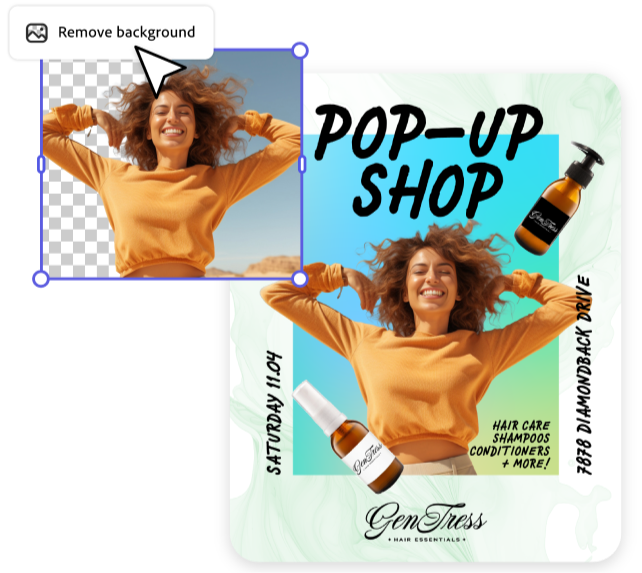
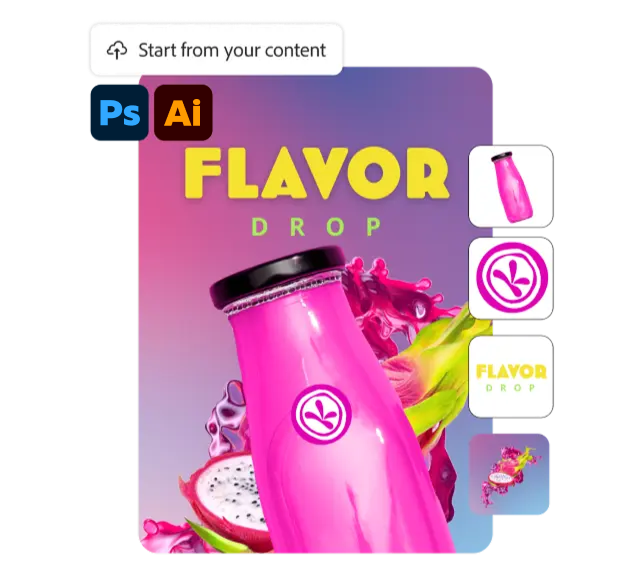
See why individuals and businesses are switching to Adobe Express, the quick and easy app for creating on-brand content. Make standout marketing and business materials with commercially-safe generative AI. Stay on brand at any scale. And get more value out of every piece of content.
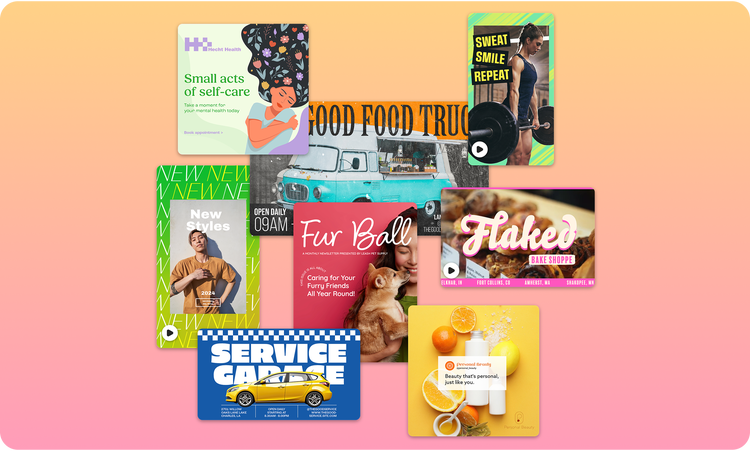
Templates for social posts, flyers, videos, presentations, and more
Curated by Adobe professionals
Stock photos, videos, graphics, audio and sound effects
1M+, powered by Adobe Stock
4.7M+
280M+, powered by Adobe Stock
Fonts
4k Free Fonts from Adobe
30k Premium Fonts from Adobe
3k Premium Fonts
Comprehensive photo editing capabilities
Robust photo effects and blend modes, powered by Photoshop
via add-on
Robust photo effects and blend modes, powered by Photoshop
via add-on
Remove image background
Automatically turn video podcasts, educational videos, and product reviews into social clips with captions
Clip Maker (Based on video transcript)
Auto caption videos
Quick Action
Quick Action
Enhance Speech
Powered by Adobe Podcast
Remove video background
Record voiceover and video directly in-app
Add physics-based animation to your photos, videos, text, shapes, and icons
Dynamic Animations
Dynamic Animations
Automatically apply motion to your entire design
Apply animations to individual elements
Customizable settings
Create animated characters using your own audio or recording
Build and launch campaigns easily
Adobe Express Free
Canva Free
Adobe Express Teams (Minimum 2 people)
Canva Business
Resize for multiple formats - at one time, in the same file
Unlimited resize variations
Limited to 5 resize variations
Turn your documents into presentations in minutes
5 free lifetime uses
Apply format-aware Safe Zones to keep important text, visuals, and logos visible
Instagram, TikTok, Facebook & LinkedIn
via add-on
Instagram & Facebook only
Instagram, TikTok, Facebook & LinkedIn
via add-on
Instagram & Facebook only
Plan, publish, and schedule direct to social channels
1 account per social network
3 accounts per social network
1 account per social network
Get AI-generated social captions tailored to your design. Available in 45+ languages.
via Content Scheduler
via add-on
via Content Scheduler
via add-on
Add social mentions directly in captions when scheduling posts
Facebook, Instagram, LinkedIn, X
Publish to multiple channels simultaneously
Publish paid ads directly via add-on
Track key social metrics, competitive insights, and download custom reports
Metricool Add-On
Limited to single post metrics
Metricool Add-On
Limited to single post metrics
Collaborate with your team on shared social calendars
1 shared calendar
3 shared calendars
1 shared calendar
Translate any design in up to 45+ languages and bulk translate 20 languages at one time in the same file
TikTok Symphony Assistant Add-on: includes 1M+ songs and sounds from TikTok's Commercial Music Library
Create on-brand content at scale
Adobe Express Free
Canva Free
Adobe Express Teams (Minimum 2 people)
Canva Business
Extract brand colors, fonts, logos from image in one-click
Apply brand logos, fonts, colors and recolor graphics
3 brand colors
Collaborate in real-time across teams
Share projects with non-team members
Share templates across teams
Enforced brand controls with password-protected locked template elements
Built-in reviews and approval workflows
Custom Home, with featured branded banner and instant access to approved on-brand templates
Available for Enterprise plans
Generate on-brand content with Firefly Custom Models
Available for Enterprise plans
AI Assistant (Limited Beta)
Adobe Express Free
Canva Free
Adobe Express Teams (Minimum 2 people)
Canva Business
Switch between prompting and manual editing
Make sweeping edits to color schemes, copy and elements across your design
Edit images while maintaining style and character
Business-ready through Adobe app integrations
Adobe Express Free
Canva Free
Adobe Express Teams (Minimum 2 people)
Canva Business
Seamless integration across Adobe apps like Photoshop, Illustrator, InDesign, Firefly, Acrobat and Lightroom
No download/upload needed
Linked Assets automatically sync in Adobe Express when edits are made in other Adobe apps
Photoshop and Illustrator
High-quality import and edit PDF, convert to and from PDF powered by Adobe Acrobat
Powered by Adobe Acrobat
Integration with Adobe Experience Manager, Workfront, and GenStudio for performance marketing
Available for Enterprise plans
Take advantage of additional features
Adobe Express Free
Canva Free
Adobe Express Teams (Minimum 2 people)
Canva Business
Draw and paint with 50+ brushes and coloring pages
Interactive collaborative online whiteboard
Protect your brand with IP indemnification for Adobe Firefly generated content
Available for Enterprise plans
Get extensive support and storage
Adobe Express Free
Canva Free
Adobe Express Teams (Minimum 2 people)
Canva Business
Version History: Access, review, and restore earlier versions of your designs
10-day history
180-day history
50 versions
Cloud Storage
5GB
5GB
1TB/user
500GB/user
Live customer support
24/7 support
Live chat support
Advanced security and protection (data encryption and SSO) with consolidated license management and customer success support
Available for Enterprise plans
Available for Teams and Enterprise plans
Available for Enterprise plans
style
Toggle
For teams
Real businesses. Unreal results.
70%
faster time to market
-Dentsu
50%
agency-to-client productivity gain
-Owen Jones
+21%
campaign engagement rates
-ABB
Background
rgb(248, 248, 248)
Designed to level up your business
Easily make standout content.
Create standout content with simple text prompts, commercially safe generative AI, 220,000+ professional templates, millions of Adobe Stock assets, and 30,000 licensed fonts—so every message looks polished and on brand.
Empower anyone to create quickly.
Edit, scale, and schedule content in seconds with one‑click actions, bulk creation and resizing, built‑in brand controls, and cross‑platform social scheduling.
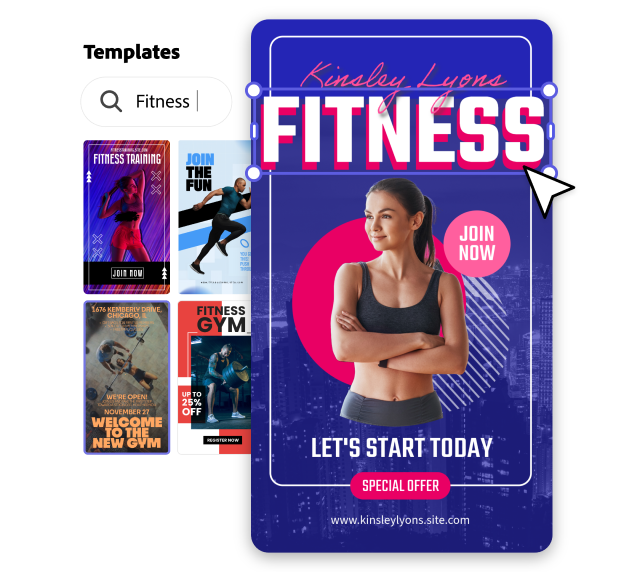
Work across your favorite Adobe apps.
Keep work moving with seamless syncing from Photoshop and Illustrator into Adobe Express, plus high‑quality PDF editing that lets you update text, images, and design elements in one place.
See what businesses are saying.
I love using Adobe Express to create flyers for my small business. All the tools in Adobe Express, such as the different fonts and graphics help bring my vision to life.
Erica X.
Owner at Photoshoots by Erica
Adobe Express has empowered our creatives to focus on high-impact, high-value tasks while equipping our marketing teams with a powerful but easy-to-use design tool, allowing our creative teams to produce content more quickly and empowering marketing teams to move at the speed of social.
Bridget Esposito
VP and Group Creative Director, Prudential
Express is the bridge between creatives and noncreatives — it’s intuitive enough that noncreatives can easily pick it up and use it. Whatever your background, the learning curve is very quick.

Tom Barette
Design Director, Ernst & Young
Background
rgb(248, 248, 248)
Looking for an enterprise plan?
If your large organization needs powerful features and creative brand control, let’s talk about Adobe Express for enterprise.
You can control how Adobe websites use cookies and similar technologies by making choices below. But note that if you disable cookies and similar technologies entirely, Adobe websites may not function properly.
Cookies are small text files stored by your web browser when you use websites. There are also other technologies that can be used for similar purposes like HTML5 Local Storage and local shared objects, web beacons, and embedded scripts. These technologies help us do things like remembering you and your preferences when you return to our sites, measure how you use the website, conduct market research, and gather information about the ads you see and interact with.
You can make choices in the menu below about what cookies and other technologies you want us to use on Adobe sites when you visit them from this browser. You can always change those choices later by clicking on the Cookie Preferences link at the bottom of the page.
If enabled:
We can improve your experience by tailoring the site and the content to things we think might be of interest
We can better keep track of your preferences — like what language you prefer to use
We will better understand your likely interests so we can provide you more relevant Adobe ads and content on non-Adobe websites and in non-Adobe apps
It will help us improve the performance of our website and those of our partners who use the Adobe Experience Cloud
If disabled:
We won’t be able to remember you from session to session so the experience may not be tailored to your interests
You’ll still have access to the content of the site but certain features that depend on cookies may not function
You’ll still see ads, they just may not be as relevant to you
General information
You can control how Adobe websites use cookies and similar technologies by making choices below. But note that if you disable cookies and similar technologies entirely, Adobe websites may not function properly.
Cookies are small text files stored by your web browser when you use websites. There are also other technologies that can be used for similar purposes like HTML5 Local Storage, web beacons, and embedded scripts. These technologies help us do things like remembering you and your preferences when you return to our sites, measure how you use the website, conduct market research, and gather information about the ads you see and interact with.
You can make choices in the menu below about what cookies and other technologies you want us to use on Adobe sites when you visit them from this browser. You can always change those choices later by clicking on the Cookie Preferences link at the bottom of the page.
If enabled:
We can improve your experience by tailoring the site and the content to things we think might be of interest
We can better keep track of your preferences — like what language you prefer to use
We will better understand your likely interests so we can provide you more relevant Adobe ads and content on non-Adobe websites and in non-Adobe apps
It will help us improve the performance of our website and those of our partners who use the Adobe Experience Cloud
If disabled:
We won’t be able to remember you from session to session so the experience may not be tailored to your interests
We’ll still count your use of our site and services
You’ll still have access to the content of the site but certain features that depend on cookies may not function
You’ll still see ads, they just may not be as relevant to you
Operate the site and core servicesOperate site and measure engagement
Always active
These cookies are required, and they are used to enable the site and related services core functionality. Without them the site could not operate, so they cannot be disabled.
These cookies enable the site and related services’ core functionality and collect statistics about user engagement, such as counting active use to help us understand trends. These cookies cannot be disabled.
Measure performance
These cookies are used to analyze site usage to measure and improve performance. Without them Adobe cannot know what content is most valued and how often unique visitors return to the site, making it hard to improve information we offer to you.
These cookies are used to analyze site usage to measure and improve performance. Without them Adobe cannot know what content is most valued, making it hard to improve information we offer to you.
Extend functionality
These cookies are used to enhance the functionality of Adobe sites such as remembering your settings and preferences to deliver a personalized experience; for example, your username, your repeated visits, preferred language, your country, or any other saved preference.
Personalize advertising
These cookies are used to enable Adobe and our partners to serve ads more relevant to your interests. Without them you will still see ads, but they might not be as relevant to you.