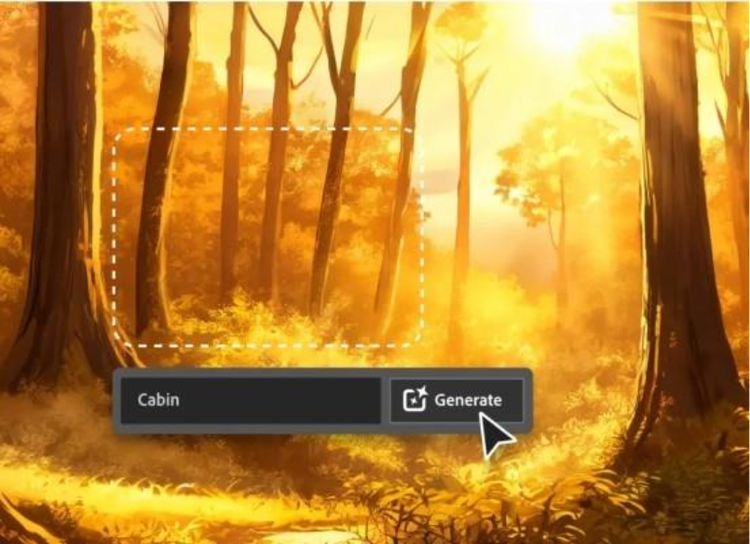
Explore free 3D generator workflows in Adobe Firefly.
Create photorealistic 3D model-style images for product renders, characters, isometric 3D scenes, and more from a text prompt or reference image. Use Adobe Firefly as a 3D generator to explore production-quality visuals that are ready to download, share, or use in your next design project.
File must be JPEG (JPG), PNG, or WEBP and up to 100MB.
By uploading your image or video, you agree to the Adobe Terms of Use and Privacy Policy and confirm you are 18 years of age or older.
File size larger than 100MB
Unable to process the request
We are unable to process this file type. Please try again.
Only one file can be uploaded at a time.
Image is smaller than the minimum dimensions (512 x 512 pixels). Please resize and try again.
cgen
ff_source=adobe-com&ff_campaign=3d-generator
style
Dark, static links
Create 3D models and images from a prompt using Firefly as a 3D generator.
A 3D generator helps you create images that simulate three-dimensional depth, lighting, shadows, materials, and perspective. In Firefly, you can use Generate Image for free to go from picture to 3D model or create stylized 3D imagery from a text prompt, no rendering skills required.
style
static-links, grid-width-12
Explore a 3D model generator for polished renders.
Transform a product photo, concept sketch, rough draft, or visual reference into a polished 3D model in minutes. Firefly image-to-image AI helps preserve the original composition while adding photorealistic depth, lighting, shadows, and material detail, so you can turn an early idea into a more dimensional image without starting from scratch.
Use Firefly as your 3D model generator for any project.
From ecommerce product renders and branded campaign visuals to video game characters and architectural concepts, Firefly Generate Image makes it easy to create polished 3D-style compositions in minutes. Start with a text prompt or reference image, then use Firefly to turn an image to 3D model to guide the look, composition, and style. No complex design skills required.
Edit, refine, and perfect your 3D-generated images.
After you create a 3D image, you can continue refining it with the Firefly photo editor. Remove unwanted objects or backgrounds, expand the frame, adjust lighting and composition, or make targeted edits to specific areas of the image. From ecommerce renders to architectural concepts and branded visuals, Firefly helps you move from first idea to finished asset seamlessly.
Discover more 3D generator workflows in Firefly.
Use the Firefly Image Model or partner models, like FLUX and Gemini, to explore different aesthetics, rendering styles, and creative directions in the same Firefly workspace. Once you generate your 3D image, you can open it in Adobe Photoshop for compositing and retouching, bring it into Adobe Express for social publishing, take it to Generate Video for even further use on social media, or continue refining across Creative Cloud apps.
style
Static links
How to generate a 3D image with Adobe Firefly.
Log in to Adobe Firefly with your Adobe ID or create a free account if you don’t have one. From the Adobe Firefly home screen, choose Generate Image to get started.
Describe the 3D image you want to create, or upload a reference image to guide the style and composition. For the best results, include details about the subject, materials, lighting, camera angle, background, and overall mood. For example, “Photorealistic 3D render of a luxury sneaker on a reflective studio surface, dramatic side lighting, dark background.”
Select Generate to review the results. To explore more options, adjust your prompt and regenerate the image. When you have a version you like, you can use the Adobe Firefly editing tools to continue refining the lighting, composition, and style.
Once you’re happy with your creation, download it, copy it to your clipboard, or share it directly with others.
Use Firefly as a free 3D generator to create photorealistic images from a text prompt or explore Firefly image-to-image AI with a reference image. Whether you’re trying an AI 3D model generator for the first time or creating commercial content, you can quickly move from an idea to a polished visual.
Firefly generates 3D-style visuals with realistic depth, lighting, shadows, and material detail, helping creators iterate and ideate quickly before committing to a creative direction.
Full creative range
Use the Firefly 3D model generator to create everything from hyperrealistic product renders and architectural visualizations to stylized characters, abstract sculptures, and isometric 3D scenes.
More models to choose from
Explore different looks across Firefly and AI partner models like GPT Image, FLUX and Gemini. Each model brings a different style, tone, and level of realism to your 3D image.
style
Three up, s spacing top, xxl spacing bottom, show-2-desktop
background
#FFF
Seamless workflows
Keep refining your 3D images without interrupting your process. Animate it into a short video, refine it with built-in editing tools, or bring it into other Adobe apps for additional design, retouching, and publishing. From first prompt to final asset, Firefly helps you move quickly from idea to polished output.
style
two up, s spacing top, l spacing bottom, show-2-desktop
A 3D image generator is an AI tool that creates photorealistic or stylized three-dimensional images from a text prompt or reference image, simulating depth, lighting, shadows, and material properties without requiring traditional 3D modeling software.
The best AI 3D image generator depends on what you're creating. Adobe Firefly is a strong choice for creators, marketers, and designers who need photorealistic 3D-style images, including product renders, characters, environments, and brand visuals, directly from a text prompt or reference image, with no 3D software or modeling experience required. Adobe Firefly combines built-in editing tools and seamless integration with the broader Creative Cloud ecosystem.
Yes. The Adobe Firefly free tier includes daily image generations, so you can start creating 3D-style images without a paid plan. Paid Adobe Firefly plans offer higher generation limits and access to additional models. Learn more about using Adobe Firefly for free.
No. Adobe Firefly is designed for creators at any skill level. You can generate photorealistic 3D images from a text prompt or reference image without any modeling software, rendering knowledge, or technical background.
For the best 3D results, be specific in your prompt about materials like metal, glass, or ceramic; lighting like studio, dramatic, or ambient; camera angle; and style, such as photorealistic, stylized, or cinematic. Including rendering references like “cinema 4D quality” can also help guide the AI toward more professional-looking output. You can also upload a reference image to anchor the style or composition.
With Adobe Firefly you can generate a wide range of 3D-style images, including photorealistic product renders, 3D characters and creatures, architectural and interior visualizations, abstract geometric compositions, and cinematic stills.
Yes. Output generated using Adobe Firefly models is safe for commercial use, including marketing, ecommerce, brand content, and client work. Note that output from third-party partner models may not carry the same commercial use assurances.
Adobe Firefly generated images can be downloaded as JPG or PNG files. For higher resolution output, you can use the upscale feature before downloading, or bring the image into Adobe Photoshop for further editing and export.
The best generative AI 3D tool for creatives is one that produces commercially safe outputs, integrates with professional workflows, and removes the need for technical expertise. Adobe Firefly does all of this, combining photorealistic 3D generation with built-in editing tools and access to commercially safe Adobe models, as well as top partner models like FLUX and Gemini, all in one workspace.
Yes. Adobe Firefly can generate 3D-style characters, environments, and concept visuals that work as starting points for game design and animation projects. Once generated, assets can be taken into Adobe apps for further refinement and compositing.
style
static links
Share this page.
style
xl spacing bottom
Explore more Firefly tools.
style
Show-4-desktop, s spacing top, xxl spacing bottom, grid-width-12
background
#F0F0F7
Adobe Firefly
The next evolution of creative AI is here for all your ideas, with image, video, audio, and vector tools.
You can control how Adobe websites use cookies and similar technologies by making choices below. But note that if you disable cookies and similar technologies entirely, Adobe websites may not function properly.
Cookies are small text files stored by your web browser when you use websites. There are also other technologies that can be used for similar purposes like HTML5 Local Storage and local shared objects, web beacons, and embedded scripts. These technologies help us do things like remembering you and your preferences when you return to our sites, measure how you use the website, conduct market research, and gather information about the ads you see and interact with.
You can make choices in the menu below about what cookies and other technologies you want us to use on Adobe sites when you visit them from this browser. You can always change those choices later by clicking on the Cookie Preferences link at the bottom of the page.
If enabled:
We can improve your experience by tailoring the site and the content to things we think might be of interest
We can better keep track of your preferences — like what language you prefer to use
We will better understand your likely interests so we can provide you more relevant Adobe ads and content on non-Adobe websites and in non-Adobe apps
It will help us improve the performance of our website and those of our partners who use the Adobe Experience Cloud
If disabled:
We won’t be able to remember you from session to session so the experience may not be tailored to your interests
You’ll still have access to the content of the site but certain features that depend on cookies may not function
You’ll still see ads, they just may not be as relevant to you
General information
You can control how Adobe websites use cookies and similar technologies by making choices below. But note that if you disable cookies and similar technologies entirely, Adobe websites may not function properly.
Cookies are small text files stored by your web browser when you use websites. There are also other technologies that can be used for similar purposes like HTML5 Local Storage, web beacons, and embedded scripts. These technologies help us do things like remembering you and your preferences when you return to our sites, measure how you use the website, conduct market research, and gather information about the ads you see and interact with.
You can make choices in the menu below about what cookies and other technologies you want us to use on Adobe sites when you visit them from this browser. You can always change those choices later by clicking on the Cookie Preferences link at the bottom of the page.
If enabled:
We can improve your experience by tailoring the site and the content to things we think might be of interest
We can better keep track of your preferences — like what language you prefer to use
We will better understand your likely interests so we can provide you more relevant Adobe ads and content on non-Adobe websites and in non-Adobe apps
It will help us improve the performance of our website and those of our partners who use the Adobe Experience Cloud
If disabled:
We won’t be able to remember you from session to session so the experience may not be tailored to your interests
We’ll still count your use of our site and services
You’ll still have access to the content of the site but certain features that depend on cookies may not function
You’ll still see ads, they just may not be as relevant to you
Operate the site and core servicesOperate site and measure engagement
Always active
These cookies are required, and they are used to enable the site and related services core functionality. Without them the site could not operate, so they cannot be disabled.
These cookies enable the site and related services’ core functionality and collect statistics about user engagement, such as counting active use to help us understand trends. These cookies cannot be disabled.
Measure performance
These cookies are used to analyze site usage to measure and improve performance. Without them Adobe cannot know what content is most valued and how often unique visitors return to the site, making it hard to improve information we offer to you.
These cookies are used to analyze site usage to measure and improve performance. Without them Adobe cannot know what content is most valued, making it hard to improve information we offer to you.
Extend functionality
These cookies are used to enhance the functionality of Adobe sites such as remembering your settings and preferences to deliver a personalized experience; for example, your username, your repeated visits, preferred language, your country, or any other saved preference.
Personalize advertising
These cookies are used to enable Adobe and our partners to serve ads more relevant to your interests. Without them you will still see ads, but they might not be as relevant to you.