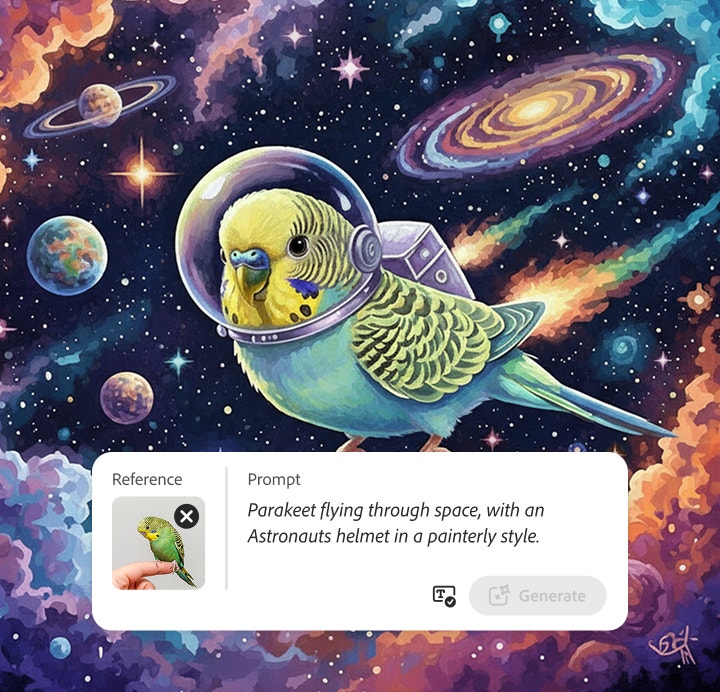
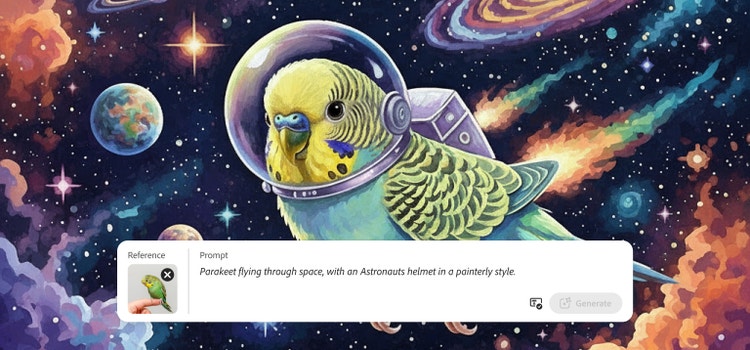
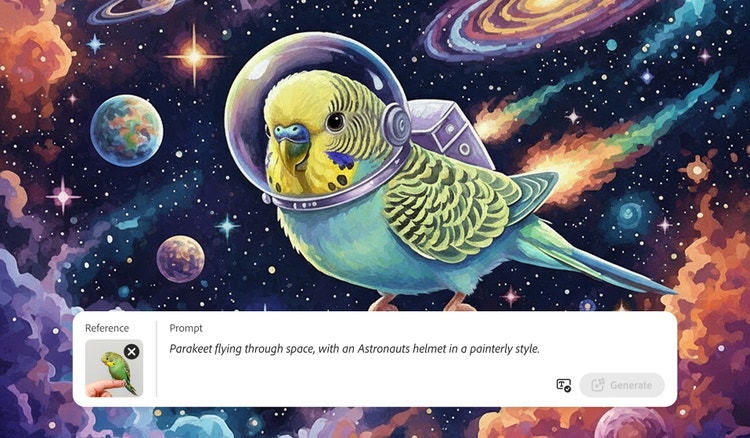
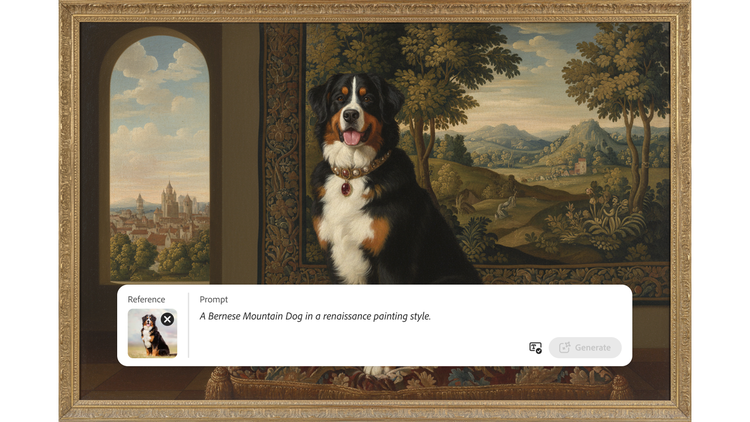
Create pet photos in any style with the free AI pet portrait generator.
Turn any pet photo into custom artwork with the AI pet portrait generator in Firefly. Reimagine your cat, dog, bird, or other pets in fantasy scenes, surreal paintings, or even photorealistic images.
Reimagine your pets with the AI pet portrait generator.
Turn your favorite pet photos into one-of-a-kind artwork with the free AI pet portrait generator powered by Adobe Firefly or use a third-party image model like Gemini 3.1 (Nano Banana 2). Start with a photo of your dog, cat, bird, rabbit, or lizard and generate a brand-new look or enhance it with powerful AI photo editing tools. Whether you’re adding a creative twist, refining details, or completely transforming your pet’s portrait, the Firefly image generator makes it easy to create a digital pet portrait that’s stylized, expressive, and ready to share, print, or treasure.
style
Grid width 8
Create AI-generated pet portraits from any photo.
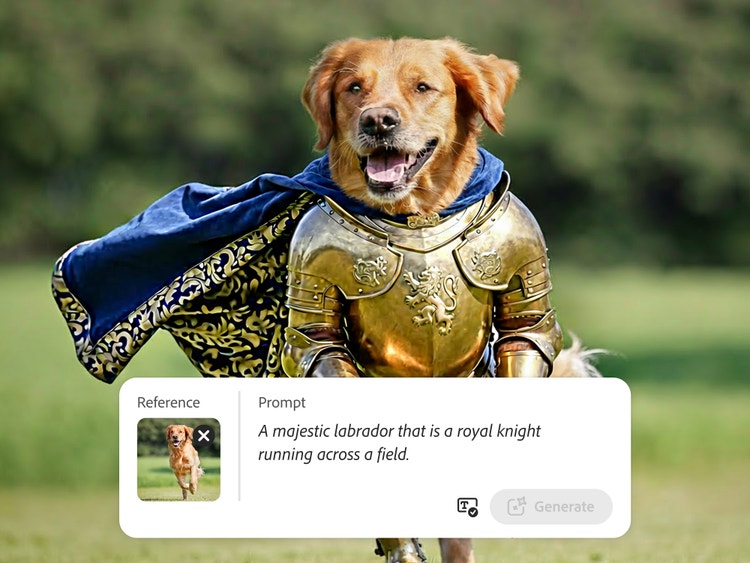
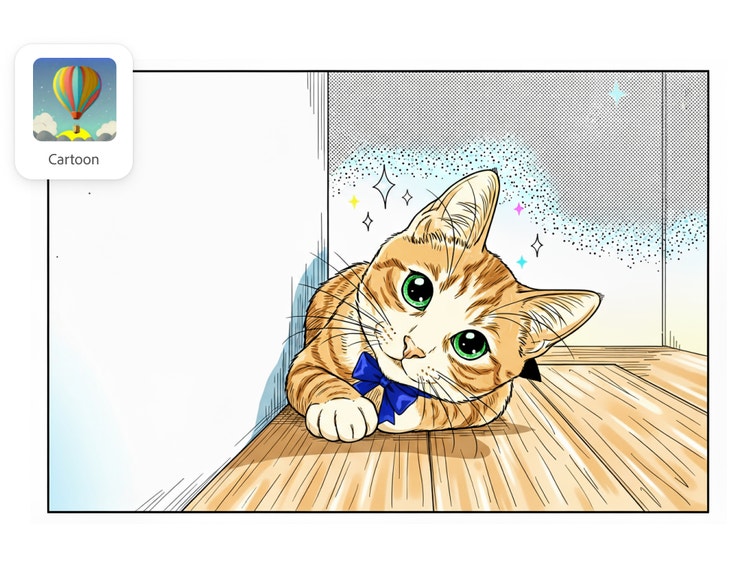
With the free AI pet portrait generator in Firefly, you can turn any pet photo into a unique piece of art in minutes. Upload your favorite photo or snap one on your phone, and let AI transform your Golden Retriever into a royal knight or turn an action photo of your cat into a comic book panel. Whether you have a dog or cat or something more exotic like a parrot, iguana, guinea pig, or hamster — every pet has star potential.
Playful digital pet portraits in creative styles.
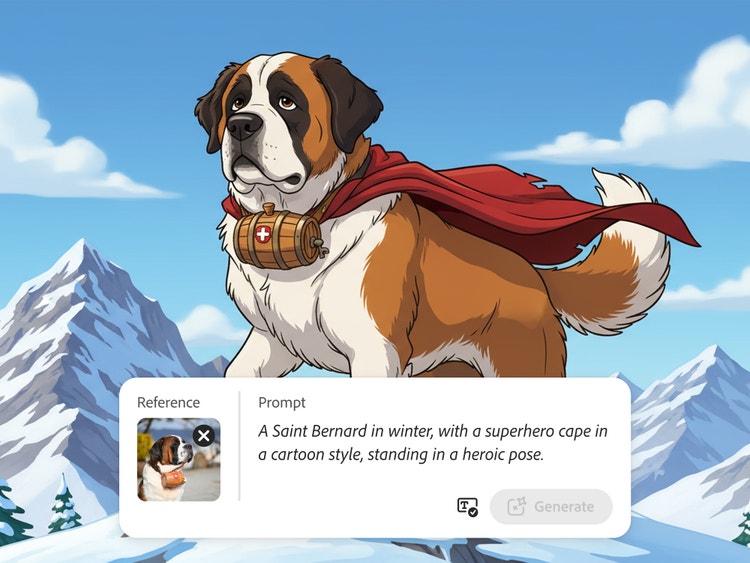
Firefly pet portrait AI makes it easy to explore all types of fun and imaginative styles to match your pet’s unique personality. Choose from presets like cartoon, anime, watercolor, sketch, fantasy, realism, or even royal for a regal twist. Whether you’re going for a lighthearted pet sketch or a majestic full-color portrait, you can try multiple AI art looks in seconds to find the perfect fit.
Use AI pet portraits in new mediums.
Take your AI pet portraits even further with Firefly. Turn your favorite pet photo into an AI character for a digital comic, short animation, or even a children’s book. You can generate animation with AI, build visual stories in Firefly Boards, or create playful cartoon panels starring your furry (or scaly) sidekick. The only limit is your imagination.
Create stylized group pet photos.
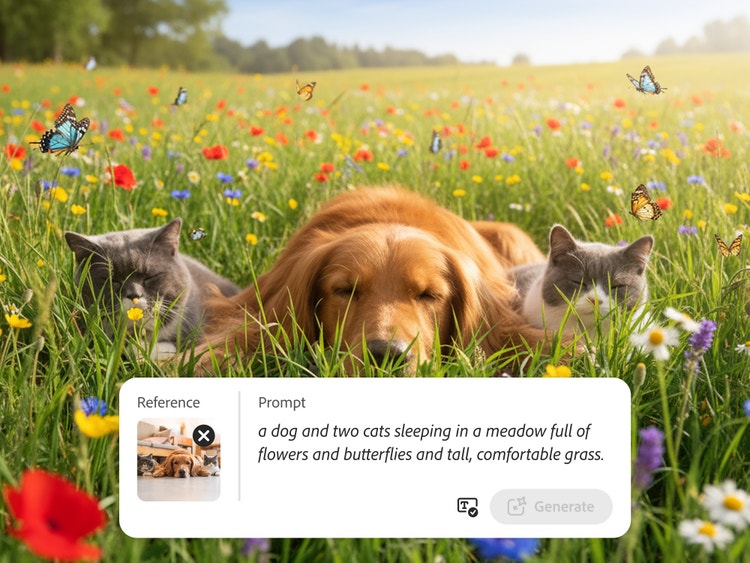
With the AI pet portrait generator, you can feature multiple pets in one stylized image — perfect for families, friend groups, or even classroom critters. Combine dogs, cats, hamsters, birds, and more into a single portrait with a unified style or theme. Group pet portraits make great gifts, classroom displays, wall art, or personalized keepsakes that celebrate every member of your furry, scaly, or feathery crew.
style
static links
Remix pet portraits for endless creativity.
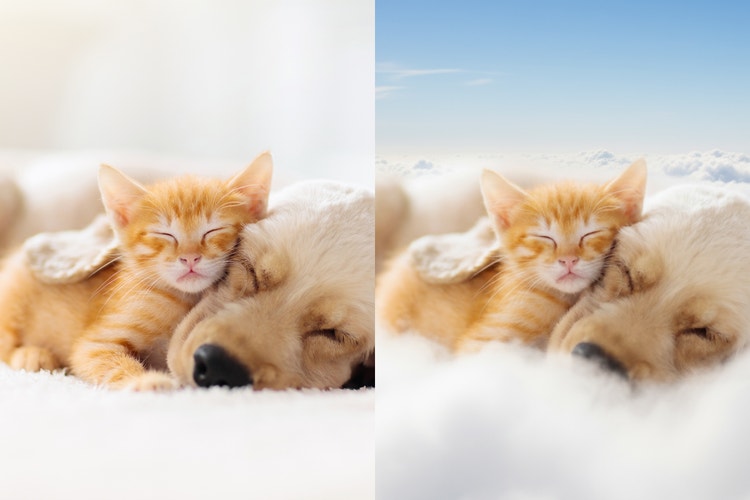
With Firefly and third party image models like Gemini 3.1 (w/ Nano Banana 2), you can create customizable pet portraits using AI art prompts, reference photos, or by transferring styles from other images. Adjust facial expressions, try out fun outfits, change background settings, or include multiple pets in one frame — all with just a few clicks. Whether you’re aiming for something whimsical, realistic, or totally surreal, the AI pet portrait generator gives you complete creative control. Explore the community gallery to find inspiration from other users’ pet portraits in a variety of themes and styles.
Share commercially safe AI pet portraits anywhere.
With the Firefly AI pet photo generator, you can confidently share and use your pet portraits wherever you like. Firefly is trained on licensed and public domain content, so the portraits you create are commercially safe for personal or professional use. Download high-resolution images perfect for digital or print. Show off your AI pet portraits on posters, greeting cards, or social media, or printed gifts like t-shirts, mugs, and calendars.
style
Grid width 8
How to create a pet portrait with AI.
To create pet portraits with the Firefly AI image generator, begin with your favorite photo and a fun prompt idea. You can reimagine your pet in a variety of backgrounds, styles, and scenarios, whether it’s a realistic makeover or something unexpected and magical. You can experiment with everything from fine art and fantasy worlds to 3D cartoon scenes and superhero comics in minutes with pet portrait AI.
Here’s how to get started:
Open the AI image generator in the Adobe Firefly web app.
Upload a reference image of your pet using image-to-image, or enter a prompt with text-to-image to direct your AI pet portrait.
Select a visual style for your digital pet portrait. Choose from Composition, Visual Intensity, Effects, Color and Tone, Lighting, and Camera Angle options to create your desired mood and look, from playful to dramatic.
Review and refine your AI pet portrait. You can change your prompt, upload a new reference photo, or try new style selections to fine-tune the results.
Click Generate to preview the output.
Save, download, and share your AI pet photos. Or bring your AI images into Photoshop or Illustrator for more detailed editing or layout work.
style
No spacing, static links, grid width 8, no gap
background
#F8F8F8
AI pet portrait generator FAQs.
An AI pet portrait generator is a tool that transforms pet photos into creative, stylized artwork using generative AI — no art skills needed.
To create an AI pet portrait, upload a photo of your pet, enter a creative text-to-image prompt, and choose a style. Firefly AI image generator takes care of the rest.
The AI pet portrait generator works with any animal — dogs, cats, birds, rabbits, bearded dragons, guinea pigs, and snakes, or even farm friends like goats and chickens.
Yes, you can use the Adobe Firefly AI pet portrait generator for free with an Adobe account. If you have a free account, you’ll get free daily generations to create custom pet portraits from text prompts or reference photos across a range of artistic styles. Learn more about using Adobe Firefly for free. A paid plan is available for higher-volume generation.
Your pet doesn’t need to pose perfectly. Even casual candid photos work well with Firefly AI to create a fun, unique digital pet portrait.
You can choose from a variety of styles, including cartoon, anime, watercolor, sketch, fantasy, realism, and more, using pet portrait AI tools.
Images made in Firefly are designed to be commercially safe, as the Firefly AI model is trained on licensed and public domain content. Remember to check licensing and usage rights on any outside assets you upload.
You can download high-resolution digital pet images from Firefly to print on posters, greeting cards, other merch, or to share as gifts.
You can control how Adobe websites use cookies and similar technologies by making choices below. But note that if you disable cookies and similar technologies entirely, Adobe websites may not function properly.
Cookies are small text files stored by your web browser when you use websites. There are also other technologies that can be used for similar purposes like HTML5 Local Storage and local shared objects, web beacons, and embedded scripts. These technologies help us do things like remembering you and your preferences when you return to our sites, measure how you use the website, conduct market research, and gather information about the ads you see and interact with.
You can make choices in the menu below about what cookies and other technologies you want us to use on Adobe sites when you visit them from this browser. You can always change those choices later by clicking on the Cookie Preferences link at the bottom of the page.
If enabled:
We can improve your experience by tailoring the site and the content to things we think might be of interest
We can better keep track of your preferences — like what language you prefer to use
We will better understand your likely interests so we can provide you more relevant Adobe ads and content on non-Adobe websites and in non-Adobe apps
It will help us improve the performance of our website and those of our partners who use the Adobe Experience Cloud
If disabled:
We won’t be able to remember you from session to session so the experience may not be tailored to your interests
You’ll still have access to the content of the site but certain features that depend on cookies may not function
You’ll still see ads, they just may not be as relevant to you
General information
You can control how Adobe websites use cookies and similar technologies by making choices below. But note that if you disable cookies and similar technologies entirely, Adobe websites may not function properly.
Cookies are small text files stored by your web browser when you use websites. There are also other technologies that can be used for similar purposes like HTML5 Local Storage, web beacons, and embedded scripts. These technologies help us do things like remembering you and your preferences when you return to our sites, measure how you use the website, conduct market research, and gather information about the ads you see and interact with.
You can make choices in the menu below about what cookies and other technologies you want us to use on Adobe sites when you visit them from this browser. You can always change those choices later by clicking on the Cookie Preferences link at the bottom of the page.
If enabled:
We can improve your experience by tailoring the site and the content to things we think might be of interest
We can better keep track of your preferences — like what language you prefer to use
We will better understand your likely interests so we can provide you more relevant Adobe ads and content on non-Adobe websites and in non-Adobe apps
It will help us improve the performance of our website and those of our partners who use the Adobe Experience Cloud
If disabled:
We won’t be able to remember you from session to session so the experience may not be tailored to your interests
We’ll still count your use of our site and services
You’ll still have access to the content of the site but certain features that depend on cookies may not function
You’ll still see ads, they just may not be as relevant to you
Operate the site and core servicesOperate site and measure engagement
Always active
These cookies are required, and they are used to enable the site and related services core functionality. Without them the site could not operate, so they cannot be disabled.
These cookies enable the site and related services’ core functionality and collect statistics about user engagement, such as counting active use to help us understand trends. These cookies cannot be disabled.
Measure performance
These cookies are used to analyze site usage to measure and improve performance. Without them Adobe cannot know what content is most valued and how often unique visitors return to the site, making it hard to improve information we offer to you.
These cookies are used to analyze site usage to measure and improve performance. Without them Adobe cannot know what content is most valued, making it hard to improve information we offer to you.
Extend functionality
These cookies are used to enhance the functionality of Adobe sites such as remembering your settings and preferences to deliver a personalized experience; for example, your username, your repeated visits, preferred language, your country, or any other saved preference.
Personalize advertising
These cookies are used to enable Adobe and our partners to serve ads more relevant to your interests. Without them you will still see ads, but they might not be as relevant to you.