



Spin up polished video clips from simple prompts using a free AI movie maker. Apply visual styles, control pacing, add motion to still images, and more, all for free.
With the free AI movie generator in Adobe Firefly you can quickly and easily turn text into video. Describe the mood, lighting, subject, and camera movement to generate vivid and compelling scenes without any manual video production, then sequence your clips into longer movies.
Go from image to video in moments with the Firefly AI film generator. Simply upload an image to the video editor, then use a prompt to describe the motion you want to add. Animate storyboard frames, bring product photos to life, turn concept art into motions sequences, and more.
Once you’ve generated your clip, you can keep perfecting it with built-in editing tools. Refine your clip with built-in settings to dial in the camera angle, lighting, and add visual styles. Open your clip in the AI video editor to upscale, edit frames, and more.
Generate video with top partner models from Runway, Luma, Google, and Open AI, built right into the Firefly movie generator. Each model offers different strengths in motion quality, style, and detail, so you can experiment with variations and pick the right one for your project.
Get just the clip you need with the Firefly movie generator. Prototype scenes before committing to full production. Generate marketing campaign visuals. Produce engaging social content. Plan out your shoot with a storyboard generator with built-in video capabilities. Whatever your video needs, use Firefly to get there faster with high-quality results.
Video clips generated with Firefly models are safe for commercial use, so you can use them in your professional projects with confidence. Apply them to campaigns, client deliverables, and published content no licensing needed.
Log in to Adobe Firefly with your Adobe ID or create a free account if you don’t have one. To generate a video, use the prompt bar or select Prompt to Edit from the Video menu in the left-hand panel. You can also plan your scenes in Firefly Boards before starting work in the video editor.
Describe the scene you want to generate or upload an image you want to animate. Include details about elements like mood, lighting, camera movement, and subject in your prompt, such as “A low-angle cinematic underwater shot of an ocean full of vibrant, colorful schools of fish swimming in a frenzy." When animating a still image, include specific instructions on the kind of motion you want to add.
Find AI models from Adobe, Runway, Luma, Google, Kling, and OpenAI in the model dropdown menu and select a model to generate your clip with. All models offer different strengths in motion style and visual detail, and content generated with Adobe Firefly models is safe for commercial use. Try generating your clip with different models to compare results and pick the right one for your project.
Click Generate to create your video scene.
Make adjustments to pefect your clip. Apply a new aspect ratio, camera angle, or visual style with settings.
Download individual scenes and add them to your timeline in the Adobe Firefly video editor to compose them into a longer sequence. Add music, generate sound effects and more to create a polished project.
Creating high-quality, cinematic clips is just the start of what you can do with Adobe Firefly. Filmmakers, marketers, and content creators use Firefly to plan, generate, and maintain consistency across clips all within one free, connected workflow.
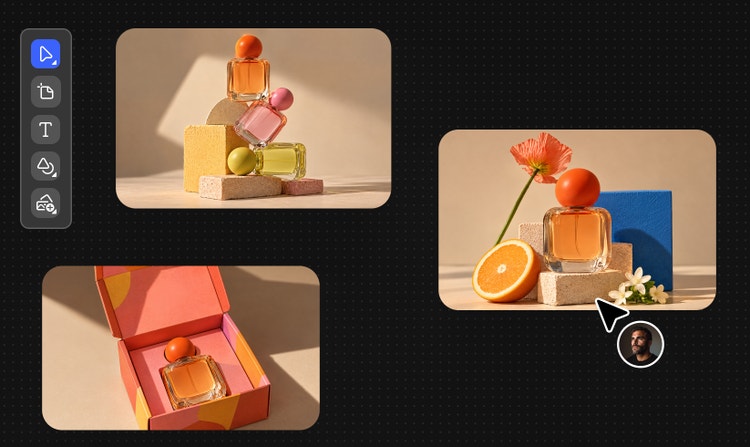
Use Firefly Boards to storyboard your videos, explore and present ideas, and collect feedback from collaborators before generating your scenes.
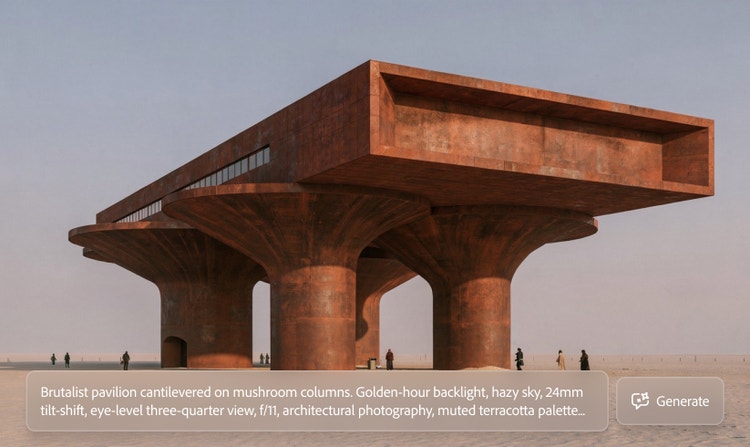
Get just the right angle for your story. Use prompts and settings to specify camera movements. Add industry language to your prompts like “dolly zoom”, “tracking shot”, and “aerial” to get the right result.
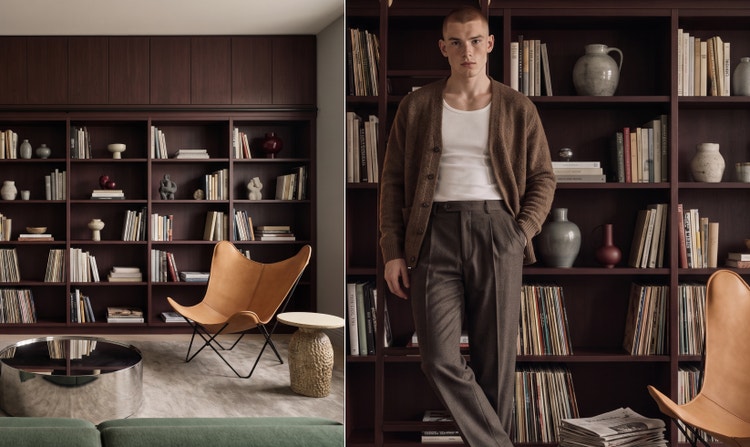
Firefly is built to maintain visual consistency, so the same character, lighting style, and color treatment carry across scenes when assembling a longer narrative.
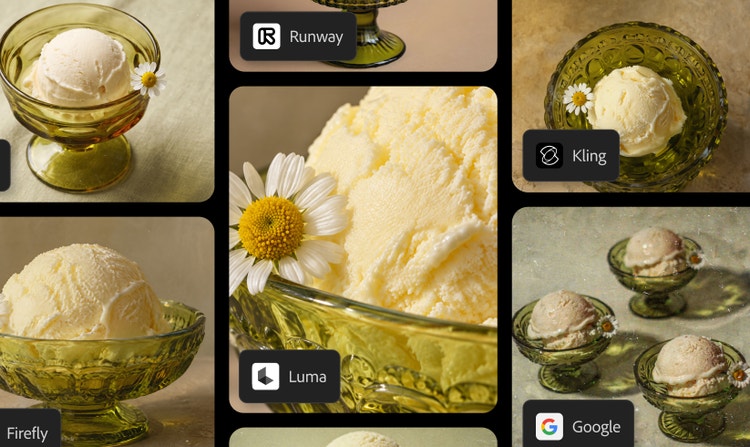
Choose from a selection of top AI models to generate your clip with. Firefly includes models from Adobe, Runway, Luma, Google, and OpenAI, built right into your studio space.
Generative AI is all over the headlines, and that’s not empty hype. This new technology is likely to be part of your life soon — if it’s not already. Learn how generative AI works and start streamlining your workflow.
Discover the many applications of AI art and how it’s transforming the creative landscape.

Learn about the AI tools available to graphic designers and how they can help you be more productive and take your work in surprising directions.
Generative AI includes technologies like large language models (LLMs) and multimodal models that blend text, images, and more that let users creatively transform everything from design to video. Learn more about generative AI — how it works, what it’s trained on, and how it’s reshaping creative workflows.


