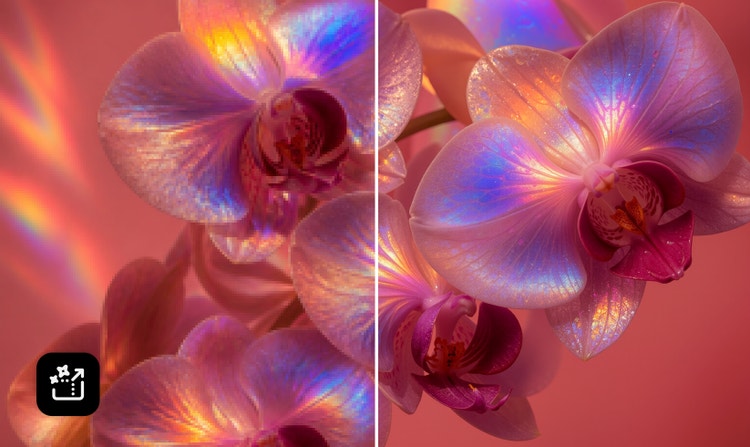
File must be MP4 or MOV, less than 200MB, and 5–20 seconds.
By uploading your image or video, you agree to the Adobe Terms of Use and Privacy Policy and confirm you are 18 years of age or older.
Your media must be smaller than 200MB. Please upload a new file.
Unable to process the request
Your media must be a mov or mp4 file type. Please upload a new file.
Only one file can be uploaded at a time.
Your media must be at least 5 seconds long. Please upload a new file.
Your media must be no more than 20 seconds long. Please upload a new file.
cgen
&ff_source=adobe-com&ff_campaign=video-to-video
style
Dark, static links
Add fresh visuals with the Firefly video-to-video workflow.
Firefly makes it possible to reimagine existing video footage with prompts, so you can generate new visuals in different styles, refine motion, adjust framing, and create high-quality renderings from your original clip.
Make AI video edits to camera movements and framing.
Edit videos with simple text prompts to shape each scene’s perspective and visual flow. Firefly supports camera controls like shot size, shot angle, motion presets, and dynamic camera movement, so you can create more intentional, cinematic results.
Explore cinematic and artistic styles with video-to-video AI.
Transform footage with a range of styles, from realistic refinements to more artistic effects. Guide the mood, aesthetic, and visual form with descriptive prompts, or bring in a new image and use image-to-video AI to create a new clip you can add to the mix.
Export professional video outputs with flexible quality options.
Generate videos in resolutions up to 1080p with Firefly, or upscale with Topaz Astra to improve resolution up to 4K while maintaining clarity and texture.
Generate AI videos for any project.
Create AI videos for ecommerce product clips, social content, short-form storytelling, and more. Firefly can help content creators turn product demos into stylized clips for social ads, restyle footage for different audiences, or adapt horizontal videos into vertical formats for mobile platforms.
Speed up creative workflows with connected Firefly tools.
Keep your creative process moving with connected tools in Firefly. Generate B-roll from images, refine footage with text prompts, add AI-created voiceovers or soundtracks, and move between video, image, sound, and speech workflows without switching platforms.
style
xl-bottom-rounded-corners
How to make AI videos from existing footage with Adobe Firefly.
To get started, open Adobe Firefly and sign in with your Adobe ID or create a free account if you don’t have one. Open the Generate Video workspace, then select the Edit tab. Or open the Adobe Firefly video editor by selecting Video, then Edit Video in the left panel.
Choose a five to ten second clip to use as a blueprint and import your video.
In the Generate Video workspace, write a prompt that describes the changes you want to make. For example, “A cinematic sci-fi scene with glowing neon armor, a rainy nighttime city background, and high-contrast lighting.” In the Adobe Firefly video editor, enter a prompt in the Generate Media panel or click the Color Adjustments icon on the right to choose a look.
Adjust framing with prompts like “pull out for a wide shot” or “zoom in for a close up” and select your desired aspect ratio.
Click Generate to export your video in 1080p, or use Topaz Astra to upscale to 4K.
Firefly makes it easy to create professional-quality videos with AI-powered, prompt-based controls. Transform footage, change camera angles, make AI video edits, and add effects to create videos that look real, stylized, cinematic, or fantastical. Work from one connected platform, then import your video files into Creative Cloud apps for more advanced edits.
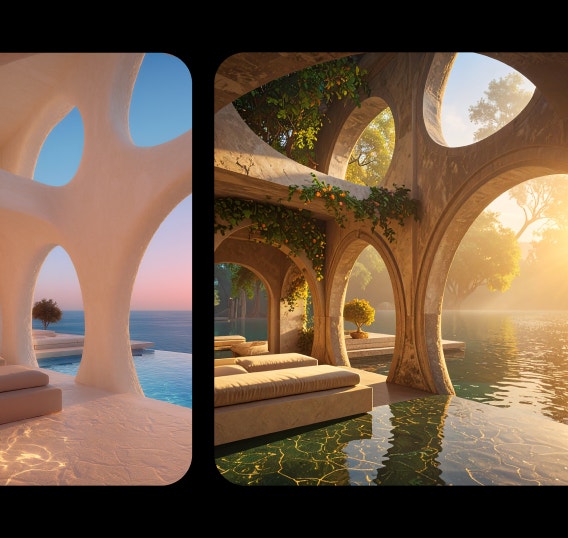
Restyle existing clips by describing the look, mood, or effect you want. Firefly helps you turn simple text prompts into video transformations — no editing experience required.

Polished, professional visuals
The Firefly video-to-video workflow makes it easy to create polished visuals, whether you’re making AI videos that look real, applying 2D or 3D effects, or restyling footage with fantasy-inspired visuals.
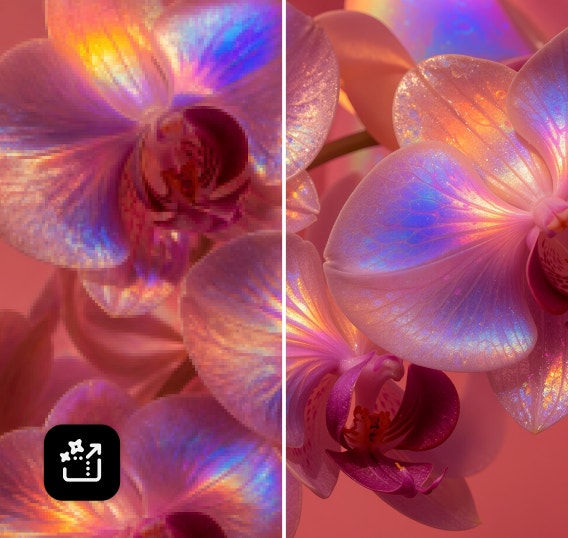
High-resolution outputs
Create 1080p videos or export with enhanced 4K output quality using partner model Topaz Astra.

style
Three up, s spacing top, xxl spacing bottom, show-2-desktop
background
#FFF
Commercially safe models
Content generated with the Firefly Video Model is commercially safe, so you can confidently use your video for professional, client-facing, and creative projects.

style
two up, s spacing top, l spacing bottom, show-2-desktop
The best video-to-video AI generators let you fully restyle your footage while preserving the original motion and structure. Adobe Firefly does this with a simple, prompt-based workflow and consistently sharp output. You can make AI video edits like cinematic color grades, stylized animations, or retro film aesthetics, and fine-tune them with specific camera style controls. With access to partner video models such as Google Veo, Luma, OpenAI, Runway, and Topaz Astra for 4K upscaling, Adobe Firefly gives creators a practical way to rework their content without needing any technical expertise.
Video-to-video AI is a creative technology that lets you use an existing video as a reference to generate a new version with a different style. The AI uses the motion and structure of your original footage and applies new visual themes based on your prompts or chosen presets. This process makes it easy to transform real-world clips into animations, fantasy scenes, or sketches, while maintaining the flow of the original action.
Yes, Adobe Firefly has a free plan that provides free users with free daily generations to try the video-to-video workflow. If you need more than what's included in your plan, you will need a paid subscription to continue generating. Paid plans offer a range of access, generative credits, and perks. Reference Adobe Firefly plans to learn more.
For the best results, upload reference videos that are between 5 to 10 seconds long with a file size of 200 MB or less. The tool supports various aspect ratios, including widescreen (16:9), vertical (9:16), and square (1:1). While several resolutions are supported, using 1080p is recommended to provide the most accurate composition and depth data for the AI to follow.
The generation process is designed to be efficient, but the exact time depends on factors like the clip's complexity and your current generation mode. Adobe Firefly offers a fast mode for quicker results when you need to iterate rapidly.
Adobe Firefly gives you access to a variety of powerful generative AI models from leading partners, such as Google Veo, Runway, Luma AI's Ray models, and Topaz Astra for high-quality upscaling. This integration allows you to explore different visual styles, levels of detail, and creative cinematic approaches without switching tools.
To learn how to make AI videos with stronger results, write clear, descriptive instructions that cover key elements like subject, action, camera movement, visual style, lighting, and context. Think of prompts as a mini storyboard. Specify what you want to see and how you want the video to feel. Examples like, “cinematic tracking shot of a cyclist at golden hour with soft shadows,” or “animated streetwear fashion walk-through with upbeat music style and vibrant colors,” give Adobe Firefly AI specific guidance on motion, framing, and aesthetic. Clear verbs and visual adjectives guide the model toward richer, more intentional transformations.
Share this page
style
l spacing bottom
Explore more Firefly tools.
style
Show-4-desktop, s spacing top, xxl spacing bottom
background
#F0F0F7
Adobe Firefly
The next evolution of creative AI is here for all your ideas, with image, video, audio, and vector tools.
You can control how Adobe websites use cookies and similar technologies by making choices below. But note that if you disable cookies and similar technologies entirely, Adobe websites may not function properly.
Cookies are small text files stored by your web browser when you use websites. There are also other technologies that can be used for similar purposes like HTML5 Local Storage and local shared objects, web beacons, and embedded scripts. These technologies help us do things like remembering you and your preferences when you return to our sites, measure how you use the website, conduct market research, and gather information about the ads you see and interact with.
You can make choices in the menu below about what cookies and other technologies you want us to use on Adobe sites when you visit them from this browser. You can always change those choices later by clicking on the Cookie Preferences link at the bottom of the page.
If enabled:
We can improve your experience by tailoring the site and the content to things we think might be of interest
We can better keep track of your preferences — like what language you prefer to use
We will better understand your likely interests so we can provide you more relevant Adobe ads and content on non-Adobe websites and in non-Adobe apps
It will help us improve the performance of our website and those of our partners who use the Adobe Experience Cloud
If disabled:
We won’t be able to remember you from session to session so the experience may not be tailored to your interests
You’ll still have access to the content of the site but certain features that depend on cookies may not function
You’ll still see ads, they just may not be as relevant to you
General information
You can control how Adobe websites use cookies and similar technologies by making choices below. But note that if you disable cookies and similar technologies entirely, Adobe websites may not function properly.
Cookies are small text files stored by your web browser when you use websites. There are also other technologies that can be used for similar purposes like HTML5 Local Storage, web beacons, and embedded scripts. These technologies help us do things like remembering you and your preferences when you return to our sites, measure how you use the website, conduct market research, and gather information about the ads you see and interact with.
You can make choices in the menu below about what cookies and other technologies you want us to use on Adobe sites when you visit them from this browser. You can always change those choices later by clicking on the Cookie Preferences link at the bottom of the page.
If enabled:
We can improve your experience by tailoring the site and the content to things we think might be of interest
We can better keep track of your preferences — like what language you prefer to use
We will better understand your likely interests so we can provide you more relevant Adobe ads and content on non-Adobe websites and in non-Adobe apps
It will help us improve the performance of our website and those of our partners who use the Adobe Experience Cloud
If disabled:
We won’t be able to remember you from session to session so the experience may not be tailored to your interests
We’ll still count your use of our site and services
You’ll still have access to the content of the site but certain features that depend on cookies may not function
You’ll still see ads, they just may not be as relevant to you
Operate the site and core servicesOperate site and measure engagement
Always active
These cookies are required, and they are used to enable the site and related services core functionality. Without them the site could not operate, so they cannot be disabled.
These cookies enable the site and related services’ core functionality and collect statistics about user engagement, such as counting active use to help us understand trends. These cookies cannot be disabled.
Measure performance
These cookies are used to analyze site usage to measure and improve performance. Without them Adobe cannot know what content is most valued and how often unique visitors return to the site, making it hard to improve information we offer to you.
These cookies are used to analyze site usage to measure and improve performance. Without them Adobe cannot know what content is most valued, making it hard to improve information we offer to you.
Extend functionality
These cookies are used to enhance the functionality of Adobe sites such as remembering your settings and preferences to deliver a personalized experience; for example, your username, your repeated visits, preferred language, your country, or any other saved preference.
Personalize advertising
These cookies are used to enable Adobe and our partners to serve ads more relevant to your interests. Without them you will still see ads, but they might not be as relevant to you.