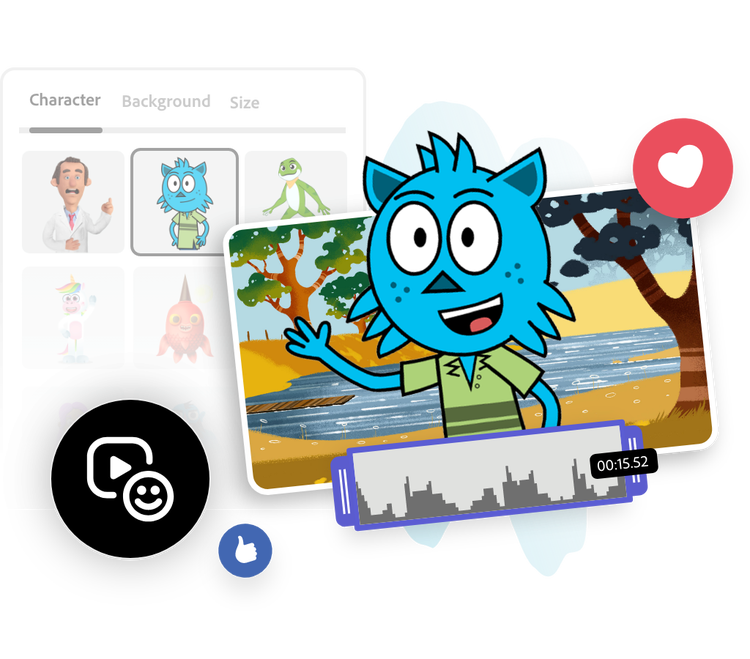
Pick a character. Upload an audio file or record your dialogue.
2. Customize.
Preview your audio and animation. Change the character or background as desired.
3. Continue editing.
Download your new animation to save or share, or keep editing in Adobe Express.
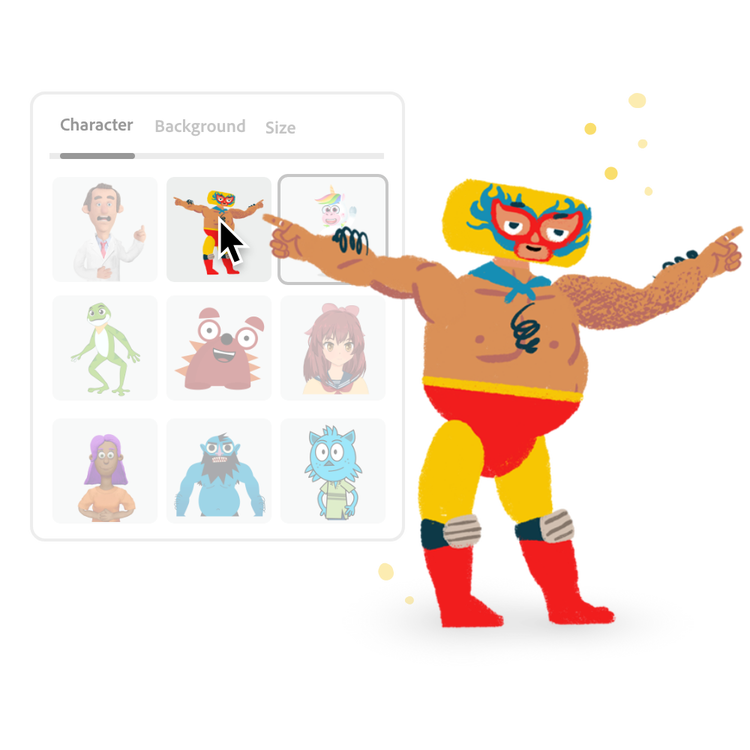
Pick a character.
Browse our selection of characters, including people, animals, and imaginative characters. Choose any character that resonates with you. If you change your mind, you can swap it out for a different character.
Add audio to your animation.
Select Record and wait for the countdown to begin recording your own voice. Easily upload your own audio by choosing an audio file from your device. Recordings can be up to two minutes long. Head, eye, and arm movements plus lip sync are automatically created based on your audio.
Customize it.
Preview your newly generated character animation. Go back to editing to change your background, size, audio, or character. Use the trim handles to adjust the length of your animation.
Publish and share your character animation.
Instantly download your character animation right to your device. Send it in a message to friends and family, or post it online to share with your followers across all your channels.
Make animated videos on the go.
Quickly and easily make videos wherever and whenever using Adobe Express. Trim, resize, change speed, and merge videos in seconds. Available for free on mobile and web.
What makes Adobe Express the best character animation tool?
Our Animate Characters tool empowers everyone to animate a character from audio. All you have to do is pick a character and start recording your voice, then watch your animated character come to life in seconds. No experience required. Best of all, it’s free to use the animated video maker anytime, anywhere on both your desktop and mobile device.
Can I use the Animate Characters tool on my phone?
Absolutely. Quickly and easily animate your voice on your mobile device by recording or uploading audio, picking a character, and downloading.
Can I change the background of the animation?
Yes. Pick from a variety of backgrounds to use in your animation. Swap out your background until you find the perfect fit.
Which audio files can I upload?
You can upload WAV or MP3 audio files to the animation video maker. It’s also possible to upload MP4 files as audio-only. If you’re using Safari as your browser, you can upload AIF files, as well.
Can I use Adobe Express for free? If so, what’s included?
Yes, we have a free plan available for anyone. Enjoy everything you need to stand out, including dozens of quick action tools, thousands of templates, photo editing and effects, and much more. Explore our plans and pricing for details.
Can I make a cartoon with Adobe Express animation maker?
Yes. You can use Adobe Express to create simple cartoon-style animations with characters, drawings, or photos. Add movement, facial expressions, or text to bring your ideas to life in just a few clicks. For more advanced animation effects, try combining Adobe Express with other Adobe tools like Animate or After Effects.
What style animations does Adobe Express animation maker support?
Adobe Express offers a variety of animation styles to match your project’s tone and purpose. You can apply text animations, motion effects, fade-ins, slides, bounces, and character movements to photos, graphics, or videos. Every effect is easy to preview and customize—so you can create polished, professional animations without any prior experience.
You can control how Adobe websites use cookies and similar technologies by making choices below. But note that if you disable cookies and similar technologies entirely, Adobe websites may not function properly.
Cookies are small text files stored by your web browser when you use websites. There are also other technologies that can be used for similar purposes like HTML5 Local Storage and local shared objects, web beacons, and embedded scripts. These technologies help us do things like remembering you and your preferences when you return to our sites, measure how you use the website, conduct market research, and gather information about the ads you see and interact with.
You can make choices in the menu below about what cookies and other technologies you want us to use on Adobe sites when you visit them from this browser. You can always change those choices later by clicking on the Cookie Preferences link at the bottom of the page.
If enabled:
We can improve your experience by tailoring the site and the content to things we think might be of interest
We can better keep track of your preferences — like what language you prefer to use
We will better understand your likely interests so we can provide you more relevant Adobe ads and content on non-Adobe websites and in non-Adobe apps
It will help us improve the performance of our website and those of our partners who use the Adobe Experience Cloud
If disabled:
We won’t be able to remember you from session to session so the experience may not be tailored to your interests
You’ll still have access to the content of the site but certain features that depend on cookies may not function
You’ll still see ads, they just may not be as relevant to you
General information
You can control how Adobe websites use cookies and similar technologies by making choices below. But note that if you disable cookies and similar technologies entirely, Adobe websites may not function properly.
Cookies are small text files stored by your web browser when you use websites. There are also other technologies that can be used for similar purposes like HTML5 Local Storage, web beacons, and embedded scripts. These technologies help us do things like remembering you and your preferences when you return to our sites, measure how you use the website, conduct market research, and gather information about the ads you see and interact with.
You can make choices in the menu below about what cookies and other technologies you want us to use on Adobe sites when you visit them from this browser. You can always change those choices later by clicking on the Cookie Preferences link at the bottom of the page.
If enabled:
We can improve your experience by tailoring the site and the content to things we think might be of interest
We can better keep track of your preferences — like what language you prefer to use
We will better understand your likely interests so we can provide you more relevant Adobe ads and content on non-Adobe websites and in non-Adobe apps
It will help us improve the performance of our website and those of our partners who use the Adobe Experience Cloud
If disabled:
We won’t be able to remember you from session to session so the experience may not be tailored to your interests
We’ll still count your use of our site and services
You’ll still have access to the content of the site but certain features that depend on cookies may not function
You’ll still see ads, they just may not be as relevant to you
Operate the site and core servicesOperate site and measure engagement
Always active
These cookies are required, and they are used to enable the site and related services core functionality. Without them the site could not operate, so they cannot be disabled.
These cookies enable the site and related services’ core functionality and collect statistics about user engagement, such as counting active use to help us understand trends. These cookies cannot be disabled.
Measure performance
These cookies are used to analyze site usage to measure and improve performance. Without them Adobe cannot know what content is most valued and how often unique visitors return to the site, making it hard to improve information we offer to you.
These cookies are used to analyze site usage to measure and improve performance. Without them Adobe cannot know what content is most valued, making it hard to improve information we offer to you.
Extend functionality
These cookies are used to enhance the functionality of Adobe sites such as remembering your settings and preferences to deliver a personalized experience; for example, your username, your repeated visits, preferred language, your country, or any other saved preference.
Personalize advertising
These cookies are used to enable Adobe and our partners to serve ads more relevant to your interests. Without them you will still see ads, but they might not be as relevant to you.