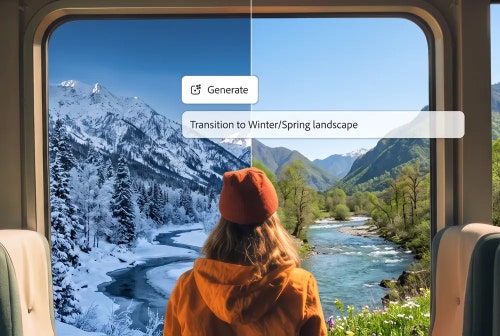
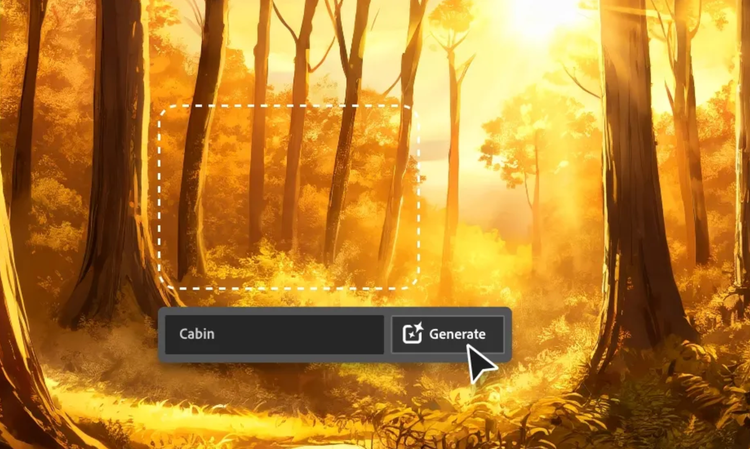
AI photo manipulation in Adobe Firefly is the process of changing part of an existing photo using a text prompt instead of manual retouching. Adobe Firefly will add, remove, or adjust the area you describe while keeping the rest of the photo untouched.
Upload your photo, then describe the change you want, such as removing an object, swapping the background, or adjusting the lighting. Adobe Firefly will apply the edit and give you a result you can refine or download.
You can remove or add objects, replace a background, adjust color and lighting, expand the canvas for a new aspect ratio, or increase resolution. Adobe Firefly handles each of these through a different tool inside the Edit Image tab.
Marketers, social media creators, photographers, and small business owners use AI photo manipulation to prepare images quickly for campaigns, listings, and posts. Adobe Firefly gives you a fast way to try a few different edits before settling on a final image.
The best AI photo manipulation tool gives you real creative control, such as the ability to describe a specific change in natural language, and to refine the result without starting over. Adobe Firefly does this and brings together top AI models in one studio, with precision editing tools that take you from upload to finished photo.
Adobe Firefly brings together its own models and top partner models from Google, OpenAI, and FLUX. You can switch between models and compare results side by side, then refine your favorite with precision tools in the same studio.
Images generated in Adobe Firefly download as PNGs.
No. The editing tools in Adobe Firefly are built to enhance your photo, not degrade it. When you adjust an area of your image, Adobe Firefly reconstructs detail to match the surrounding texture and lighting rather than stretching or compressing existing pixels.
Yes, you can manipulate your photos in Adobe Firefly for free. A free account gives you access to free daily generations, so you can try Adobe Firefly without a paid plan.
Learn more about using Adobe Firefly for free. Paid plans are available for higher-volume generation.