Use your own images to train a custom AI model in Firefly, and generate hundreds of illustrations, characters, or campaign visuals that stay true to your style. Now available in public beta for Creative Cloud customers.
Create consistent, stylized images with Adobe Firefly Custom Models (beta).
Capture your unique visual identity, and generate variations across scenes, compositions, and projects directly in Firefly and Firefly Boards. You'll accelerate your ideation workflow, eliminate repetitive tasks, and spend more time on strategic art direction and final refinements.
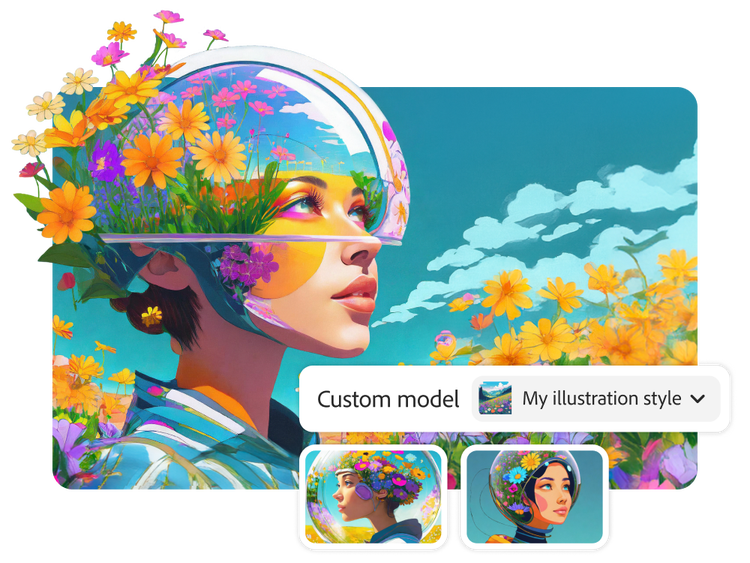
Train a custom AI model on your illustration artwork and generate new visuals that maintain your color systems, shapes, and textures. Quickly extend an illustration system, explore new compositions, and create visuals that all look consistent. Typical AI models produce one-size-fits-all results, but Firefly Custom Models reflect your unique visual style with every new image you generate.
Use your Firefly Custom Models to generate the same character across different scenes, expressions, and moments, while preserving the details that make them recognizable. Their appearance, personality, and style stay intact, so you can place them in new environments or poses without redrawing from scratch. Whether it’s a mascot or your main character, it will show up consistently as intended.
Adobe Firefly Custom Models (beta) fit perfectly into your existing generative workflow. Train your Custom Model in Firefly, then select it from the model picker in Firefly image generation or Firefly Boards. To find your trained models at any time - just go to Custom models > Model Inventory. From there you can Generate, Share, Duplicate or Delete your model.
Firefly Custom Models incorporate your creative approach securely into your model, helping you produce hundreds of assets that feel like part of the same collection. Whether you're an independent artist or using your custom AI model for campaign visuals, your work will stay cohesive and on brand across projects.
How to create your own custom AI model in Adobe Firefly.
Open Adobe Firefly. Log in to Firefly, then choose Custom models on the left-hand navigation of the home page to start the model training flow.
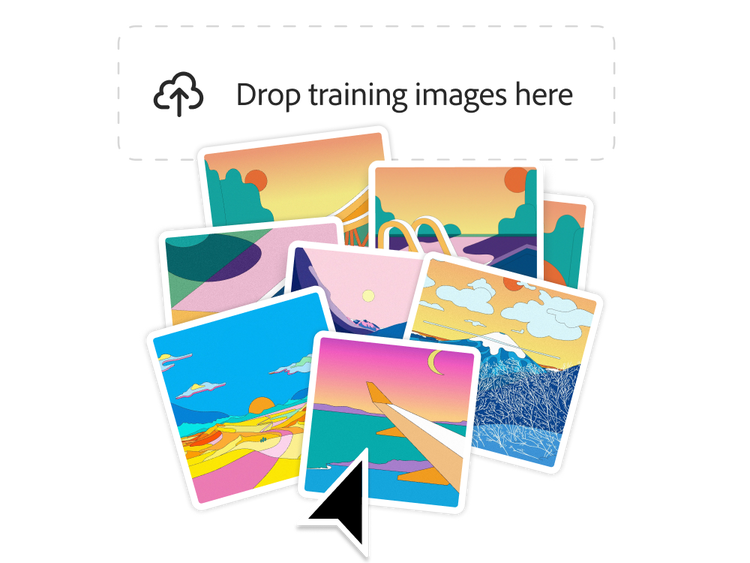
Pick a use case and upload training images. Select the type of custom model you want to create: Illustration Style, Photographic Style, or Character. Upload 10 to 30 JPEG or PNG images that clearly represent your subject or style. Use images that are at least 1000 pixels wide and aim for a training score of 85 or higher before starting training.
Review and edit model details, then train. Firefly automatically generates titles, tags, and captions for your images. Review and edit them as needed. If you're training a character model, include the Model Concept (name you'll use to refer to the specific character you’ve trained a model on) in each caption. When you’re ready, select Train. Training can take a few minutes to a few hours, and you’ll receive an email when it’s complete.
Generate with your custom model. Once training is finished, select your custom model from the model picker in Firefly or Firefly Boards. Enter your prompt and click Generate to start creating.
Share or manage your model. You can share your trained model with collaborators for use-only access. You can also train multiple custom AI models. Models are stored in Firefly, just go to Custom models › Model inventory. From there, you can duplicate or delete them. Trained models cannot be retrained.
style
Grid width 12
background
#F8F8F8
Questions? We have answers.
Firefly Custom Models (beta) let you train a customized AI model on your own images so every generation reflects your style, characters, or visual tone, without starting from scratch or writing long descriptive prompts each time. Upload 10 or more images, train the model, and start generating custom content that is unique to you and your style.
All Creative Cloud customers on paid individual plans or Creative Cloud Pro and Pro Plus for teams plans can train a custom model, subject to availability in their local jurisdiction.
Want to roll this out across your organization? Custom Models for Enterprise is already available - with advanced security, collaboration controls, and team-wide model sharing. Learn more about Custom Models for Enterprise and contact your account team if you're interested in learning more.
The Firefly Custom Models (beta) currently supports image training using JPG or PNG files.
No, Firefly Custom Models (beta) uses the generative credits already included in your plan:
500 credits to train a model
20 credits per image generation
If you run out of credits, you can either wait for your monthly reset or buy more credits to keep creating and experimenting with Firefly.
Custom Models is a service hosted by Adobe. The model itself runs on Adobe’s infrastructure and is hosted by Adobe. You access and use it entirely through Adobe’s platform.
Yes, when you train a model, your assets stay yours—you continue to own the content you upload and the outputs you create. Your custom models remain private by default and Adobe only uses the images you upload to train your custom model. Your content is never used to train Firefly’s foundational models, and you’re always in control of who can access the custom model. Learn more about Adobe’s approach to generative AI.
Be sure to include at least 10, and up to 30, images that all reflect the same style or character. Consistency among the uploaded images is key. Adjust the auto-generated captions as needed, add relevant model tags, and aim for a model score of 85+ before training. Use separate models for different styles, color palettes, visual tones or characters.
An overview video, detailed step-by-step instructions, and best practices tips are available on the Firefly Custom Models page to help you get started. You can also join our Community Forum, Discord and Reddit to get tips and share ideas with the Adobe Community.
Once a model is trained, it cannot be re-trained. To iterate on your model, you can create a new model with updated or additional training images at any time.
Yes. You can invite specific people, on any Adobe plan, by email or sharing a direct link. Anyone you share with can use your model to generate images in Firefly, but they cannot edit it, retrain it, or share it further. For Teams customers, models that are saved to a shared project are automatically accessible to all project collaborators.
You can use Firefly Custom Models (beta) with confidence knowing they’re designed to be safe for business and they’re trained on licensed and public domain content.
style
no spacing, static links
Share this article.
Adobe Firefly
The next evolution of creative AI is here for all your ideas, with image, video, audio, and vector tools.
You can control how Adobe websites use cookies and similar technologies by making choices below. But note that if you disable cookies and similar technologies entirely, Adobe websites may not function properly.
Cookies are small text files stored by your web browser when you use websites. There are also other technologies that can be used for similar purposes like HTML5 Local Storage and local shared objects, web beacons, and embedded scripts. These technologies help us do things like remembering you and your preferences when you return to our sites, measure how you use the website, conduct market research, and gather information about the ads you see and interact with.
You can make choices in the menu below about what cookies and other technologies you want us to use on Adobe sites when you visit them from this browser. You can always change those choices later by clicking on the Cookie Preferences link at the bottom of the page.
If enabled:
We can improve your experience by tailoring the site and the content to things we think might be of interest
We can better keep track of your preferences — like what language you prefer to use
We will better understand your likely interests so we can provide you more relevant Adobe ads and content on non-Adobe websites and in non-Adobe apps
It will help us improve the performance of our website and those of our partners who use the Adobe Experience Cloud
If disabled:
We won’t be able to remember you from session to session so the experience may not be tailored to your interests
You’ll still have access to the content of the site but certain features that depend on cookies may not function
You’ll still see ads, they just may not be as relevant to you
General information
You can control how Adobe websites use cookies and similar technologies by making choices below. But note that if you disable cookies and similar technologies entirely, Adobe websites may not function properly.
Cookies are small text files stored by your web browser when you use websites. There are also other technologies that can be used for similar purposes like HTML5 Local Storage, web beacons, and embedded scripts. These technologies help us do things like remembering you and your preferences when you return to our sites, measure how you use the website, conduct market research, and gather information about the ads you see and interact with.
You can make choices in the menu below about what cookies and other technologies you want us to use on Adobe sites when you visit them from this browser. You can always change those choices later by clicking on the Cookie Preferences link at the bottom of the page.
If enabled:
We can improve your experience by tailoring the site and the content to things we think might be of interest
We can better keep track of your preferences — like what language you prefer to use
We will better understand your likely interests so we can provide you more relevant Adobe ads and content on non-Adobe websites and in non-Adobe apps
It will help us improve the performance of our website and those of our partners who use the Adobe Experience Cloud
If disabled:
We won’t be able to remember you from session to session so the experience may not be tailored to your interests
We’ll still count your use of our site and services
You’ll still have access to the content of the site but certain features that depend on cookies may not function
You’ll still see ads, they just may not be as relevant to you
Operate the site and core servicesOperate site and measure engagement
Always active
These cookies are required, and they are used to enable the site and related services core functionality. Without them the site could not operate, so they cannot be disabled.
These cookies enable the site and related services’ core functionality and collect statistics about user engagement, such as counting active use to help us understand trends. These cookies cannot be disabled.
Measure performance
These cookies are used to analyze site usage to measure and improve performance. Without them Adobe cannot know what content is most valued and how often unique visitors return to the site, making it hard to improve information we offer to you.
These cookies are used to analyze site usage to measure and improve performance. Without them Adobe cannot know what content is most valued, making it hard to improve information we offer to you.
Extend functionality
These cookies are used to enhance the functionality of Adobe sites such as remembering your settings and preferences to deliver a personalized experience; for example, your username, your repeated visits, preferred language, your country, or any other saved preference.
Personalize advertising
These cookies are used to enable Adobe and our partners to serve ads more relevant to your interests. Without them you will still see ads, but they might not be as relevant to you.